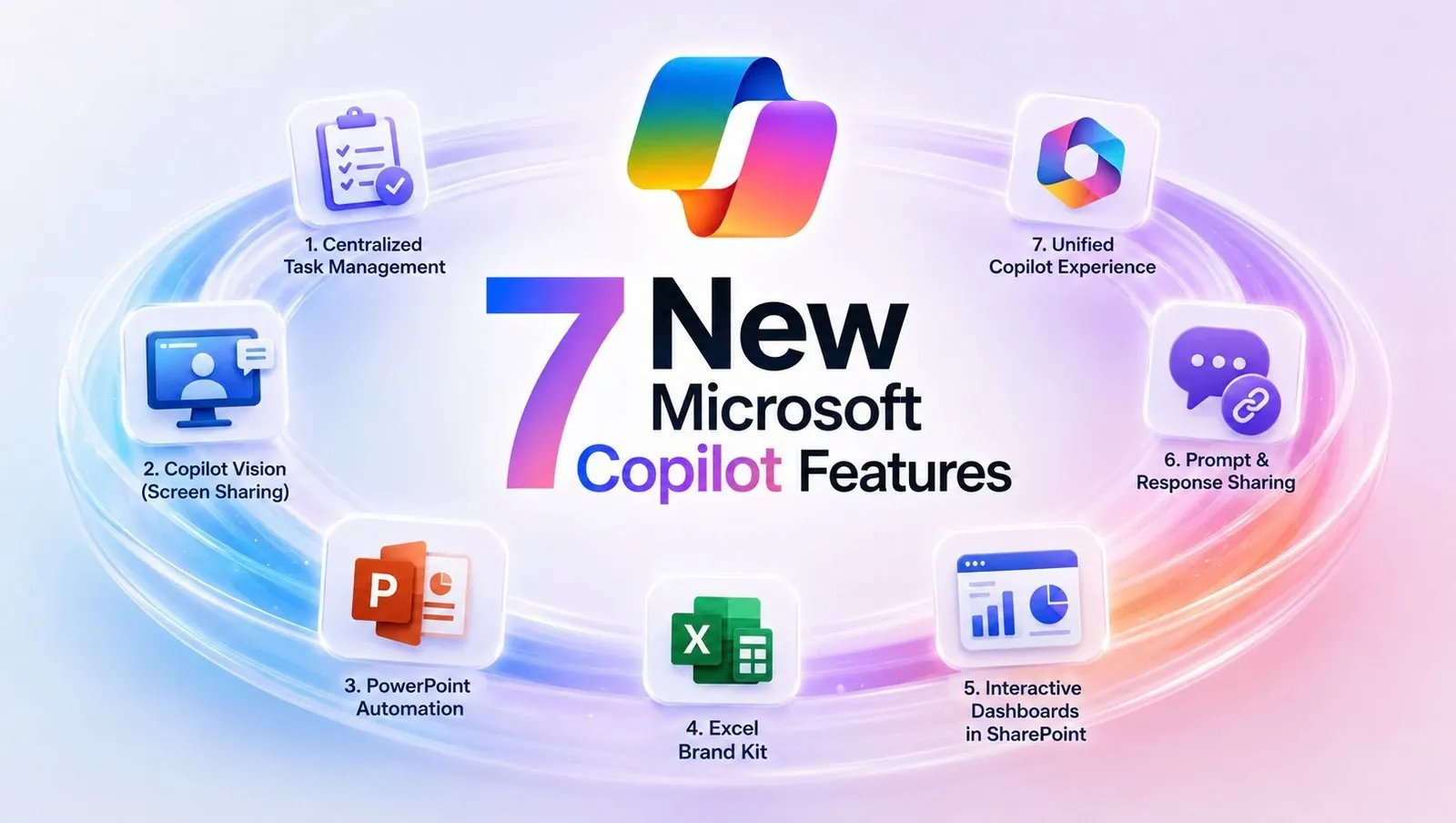
Microsoft’s latest updates to its Copilot platform introduce a range of features designed to simplify workflows and improve productivity across various tasks. As highlighted by Mike Tholfsen, one standout addition is the centralized task management system, which consolidates tasks from multiple applications into a single, unified view. This integration allows users to manage deadlines more effectively without the need to switch between platforms, making sure that nothing falls through the cracks. Whether you’re juggling meetings, research, or project deadlines, this feature offers a practical way to stay organized and focused.
In this deep dive, you’ll explore how Copilot’s PowerPoint automation enhancements can streamline presentation creation by applying preloaded templates and branding standards. You’ll also gain insight into Copilot Vision, a screen-sharing feature that fosters real-time collaboration and feedback, making it ideal for both professional and educational settings. Additionally, discover how the Excel Brand Kit ensures consistent formatting across spreadsheets, saving time while maintaining a polished, professional look. These updates collectively aim to optimize your daily workflow and enhance team collaboration.
7 New Microsoft Copilot Features
TL;DR Key Takeaways :
- Microsoft Copilot introduces a centralized task management system, integrating tasks across tools like chat, calendar and research applications for improved organization and productivity.
- The new Copilot Vision feature enhances collaboration with real-time screen sharing and instant feedback, tailored for both commercial and educational users.
- Copilot’s PowerPoint automation enhancements streamline presentation creation by generating slides with cohesive designs and applying branding standards automatically.
- The Excel Brand Kit ensures consistent formatting by applying predefined company styles, colors and fonts, saving time and improving document professionalism.
- SharePoint now supports interactive HTML dashboards, allowing users to transform raw data into dynamic, shareable visual tools for better decision-making and collaboration.
Centralized Task Management
Managing tasks across multiple applications can often lead to inefficiencies and missed deadlines. To address this, Microsoft Copilot introduces a centralized task management system that integrates seamlessly with tools like chat, calendar and research applications. This feature consolidates all your tasks, whether completed, in-progress, or pending, into a single, unified view. By eliminating the need to switch between platforms, you can prioritize effectively and maintain focus on what matters most. This streamlined approach ensures no task is overlooked, helping you stay organized and productive throughout your day.
Enhanced Screen Sharing with Copilot Vision
Collaboration has been redefined with the introduction of Copilot Vision, a screen-sharing feature designed for real-time interaction and feedback. Whether you’re working on a project with colleagues or conducting a virtual class, this tool allows you to share your screen effortlessly while allowing instant input from participants. Tailored for both commercial and educational users with premium subscriptions, Copilot Vision bridges the gap between remote and in-person collaboration. By fostering seamless teamwork, it enhances productivity and engagement, making it an essential tool for modern workflows.

Gain further expertise in Microsoft Copilot by checking out these recommendations.
- Why Copilot Cowork Could Cost Your Business $200 per User
- 8 New Features in Microsoft 365 Copilot: Real-Time Editing Arrives
- New Outlook Features That Will Change How You Manage Your Inbox
- Microsoft Copilot 2026 Adds OpenAI GPT 5.6 and Anthropic Claude 5
- 100 Microsoft Copilot Agents Tested : Only 5 Essentials You Actually Need
- Default Settings Make Microsoft Copilot Agents Less Effective
- Save 10 Hours per Week by Mastering Microsoft Copilot
- Microsoft 365 Copilot Redesign: New Interface and Features Explained
- Free Copilot Notebooks Arrive for All Microsoft 365 Users
- How Microsoft’s New Excel Copilot Update Fixes Your Formatting Frustrations
PowerPoint Presentation Automation
Creating professional presentations is now more efficient with Copilot’s PowerPoint automation enhancements. This feature can automatically generate slides based on existing themes, documents, or outlines, making sure a polished and cohesive design. Additionally, it simplifies branding by applying your organization’s design standards through preloaded templates, eliminating the need for manual formatting. By reducing the time spent on slide creation, this tool allows you to focus on crafting impactful content and delivering compelling presentations.
Excel Brand Kit for Consistent Formatting
For spreadsheet users, maintaining consistent formatting across documents can be time-consuming. The new Brand Kit feature in Excel addresses this challenge by supporting company-defined branding standards. This tool automatically applies predefined styles, colors and fonts to your spreadsheets, making sure alignment with your organization’s guidelines. Not only does this save time, but it also enhances the professionalism and clarity of your documents, making them more visually appealing and easier to understand.
Interactive Dashboards in SharePoint
Data visualization and analysis are now more accessible with SharePoint’s ability to create interactive HTML dashboards directly from files like Excel spreadsheets. These dashboards allow users to transform raw data into dynamic, interactive tools that assist better decision-making and collaboration. With just a few clicks, you can share insights across your organization, making complex data more digestible and actionable. This feature is particularly valuable for teams that rely on data-driven strategies to achieve their goals.
Prompt and Response Sharing
The new prompt and response sharing feature enhances collaboration by allowing users to generate shareable links for Copilot-generated content. This allows colleagues to access and contribute to prompts and responses effortlessly. Additionally, you have full control over access permissions, with options to manage or revoke access as needed. This ensures secure and efficient sharing within your team or organization, fostering a more collaborative and transparent working environment.
Unified Copilot Branding
To simplify navigation and improve usability, Microsoft has unified all Copilot functionalities into a single, consolidated app. This unified branding includes a streamlined login process and a consistent logo, creating a cohesive and intuitive user experience. By integrating all Copilot tools under one platform, Microsoft has reduced complexity, making it easier for users to access the features they need without unnecessary steps. This approach not only saves time but also enhances the overall user experience.
Maximizing Productivity with Microsoft Copilot
These seven new Microsoft Copilot features are designed to address common productivity challenges while enhancing collaboration and efficiency. From centralized task management to automated presentation design and interactive dashboards, each update targets specific pain points to help users save time and effort. Whether you’re a business professional, educator, or part of a collaborative team, these tools provide the flexibility and functionality needed to thrive in today’s fast-paced environment. By using these updates, you can streamline your workflow, improve consistency and focus on achieving your goals with greater ease.
Media Credit: Mike Tholfsen
Disclosure: Some of our articles include affiliate links. If you buy something through one of these links, Geeky Gadgets may earn an affiliate commission. Learn about our Disclosure Policy.
