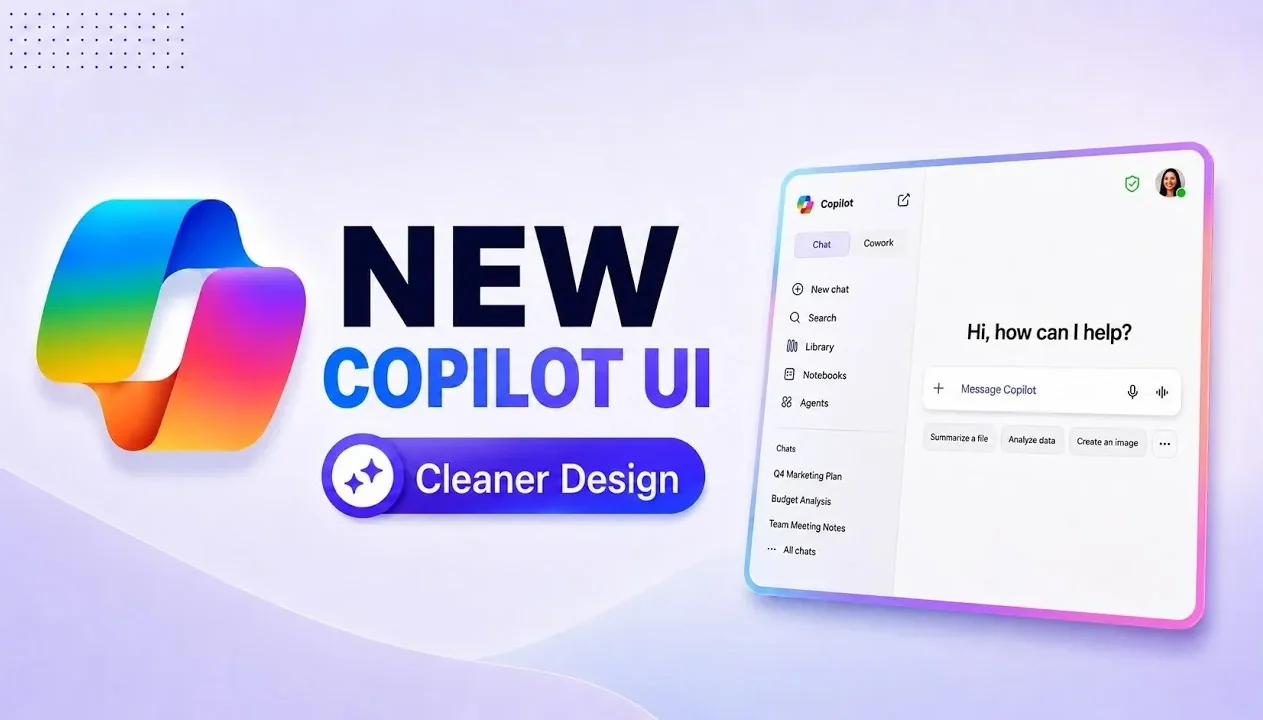
Microsoft 365 Copilot has introduced a redesigned interface aimed at improving usability and streamlining access to key features. According to Mike Tholfsen, one notable update is the reintroduction of the “waffle” menu, which provides quick access to core applications like Word and Excel. This menu also allows users to pin frequently used apps, offering a more tailored experience. The redesign prioritizes clarity by reducing visual clutter and reorganizing navigation elements to help users stay focused on their tasks.
Explore how the updated interface supports both individual workflows and team collaboration. Learn about features like Copilot Notebooks for organizing essential information, customization options such as light and dark modes and enhanced voice interaction for hands-free use. Gain insight into the expanded AI capabilities, including adjustable response depth and flexible model selection, designed to meet diverse professional requirements.
A Simplified and Intuitive Interface
TL;DR Key Takeaways :
- Microsoft 365 Copilot introduces a redesigned interface with a cleaner design, reduced visual clutter and streamlined navigation for improved usability and efficiency.
- Enhanced customization options include the reintroduced “waffle” menu, light/dark modes, saved memories and advanced notification settings for a personalized user experience.
- New collaboration and task management tools, such as Copilot Notebooks, Flyout Menus and Co-Work Integration, simplify workflows and improve teamwork.
- The Work IQ feature enables efficient organizational data management with secure search capabilities and enterprise-grade data protection.
- Advanced AI features allow users to switch between AI models, adjust response depth and use improved voice and dictation tools for greater flexibility and accessibility.
The updated interface focuses on simplicity and efficiency, offering a cleaner design that minimizes distractions. By reducing visual clutter and reorganizing navigation elements, the platform ensures that essential tools are always accessible. Buttons and menus have been compacted for a more streamlined appearance, allowing you to focus on your tasks without unnecessary interruptions. This thoughtful redesign enhances usability, making sure that you can quickly locate and use the features you need.
Enhanced Navigation with Familiar and Customizable Tools
A key highlight of the update is the reintroduction of the “waffle” menu, a feature familiar to many users. This menu provides quick access to core applications like Excel, Word and Planner, allowing seamless navigation. You can now pin or unpin these tools directly to the interface, creating a workspace tailored to your specific needs. This level of customization not only saves time but also improves workflow efficiency by keeping frequently used applications within easy reach.
Discover other guides from our vast content that could be of interest on Microsoft 365 Copilot.
- 15 Microsoft 365 Copilot Tricks to Speed up Chat, Email, Data & Slides for Busy Teams
- New features for Microsoft 365 Copilot announced in Wave 2
- Everything New in the Latest Microsoft 365 Update
- What OpenAI’s New Image Gen 2 Model Means for Microsoft Copilot Users
- 6 New Teacher Specific Copilot AI Tools Unlocked In Microsoft 365
- 100 Microsoft Copilot Agents Tested : Only 5 Essentials You Actually Need
- See the New AI Features Microsoft Just Added to Teams and Word
- Save 10 Hours per Week by Mastering Microsoft Copilot
- New Outlook Features That Will Change How You Manage Your Inbox
- 9 New Microsoft Copilot Updates That Make Work Effortless
Innovative Features for Collaboration and Task Management
Microsoft 365 Copilot introduces a range of new features designed to simplify task management and foster collaboration:
- Copilot Notebooks: Consolidate chats, references and creations in one place, making it easier to revisit and organize key information.
- Flyout Menu for Agents: Access and pin specific tools effortlessly, making sure quick navigation and improved usability.
- Co-Work Integration: Collaborate directly within the main interface, allowing teams to work together without switching between platforms.
These tools are designed to streamline complex workflows and enhance communication, making teamwork more efficient and productive.
Advanced Customization for a Personalized Experience
The latest updates emphasize personalization, allowing you to tailor the platform to your preferences. Key customization features include:
- Light and Dark Modes: Switch between modes to reduce eye strain and adapt to your working environment.
- Saved Memories and Chat History: Enable Copilot to provide more relevant responses based on your past interactions.
- Advanced Notification Settings: Customize alerts and preferences to align with your unique workflow.
These options ensure that Microsoft 365 Copilot adapts to your working style, creating a more intuitive and user-friendly experience.
Efficient Data Management with Work IQ
The introduction of the Work IQ feature revolutionizes organizational data management. This tool allows you to search across your organization’s data quickly and effectively, streamlining information retrieval. For users concerned about privacy, Work IQ includes an option to disable external web searches, making sure sensitive data remains secure. Additionally, enterprise-grade data protection ensures that your information is not used for AI model training, maintaining compliance and trust.
Flexible AI Model Selection for Tailored Responses
Microsoft 365 Copilot now offers the ability to switch between AI models, such as GPT 5.5 and Opus, depending on your specific requirements. You can also adjust the depth of responses, giving you control over the level of detail provided by the AI. This flexibility makes the platform adaptable to a wide range of tasks, from quick summaries to in-depth analyses, making sure that it meets the diverse needs of its users.
Improved Voice and Dictation Features
Voice interaction capabilities have been significantly enhanced, offering new voice chat and transcription tools. These features enable hands-free interaction, making it easier to multitask or work in situations where typing is inconvenient. Whether you’re dictating a document or conducting a meeting, these tools improve both productivity and accessibility, making sure that you can work efficiently in any environment.
Commitment to Accessibility and Inclusive Design
Microsoft remains committed to making its platform accessible to all users. The latest updates include accessibility improvements designed to accommodate a variety of needs, making sure that the platform is inclusive and usable for everyone. While some features are still in early access, the rollout is progressing rapidly, bringing these enhancements to a broader audience.
A Platform Designed for Modern Work Environments
The updates to Microsoft 365 Copilot represent a significant advancement in functionality and user experience. From a cleaner, more intuitive interface to innovative tools for collaboration and task management, these changes are designed to help you work more effectively. Whether you’re managing data, collaborating with a team, or navigating daily tasks, Microsoft 365 Copilot provides the tools you need to succeed in today’s dynamic work environment.
Media Credit: Mike Tholfsen
Disclosure: Some of our articles include affiliate links. If you buy something through one of these links, Geeky Gadgets may earn an affiliate commission. Learn about our Disclosure Policy.
