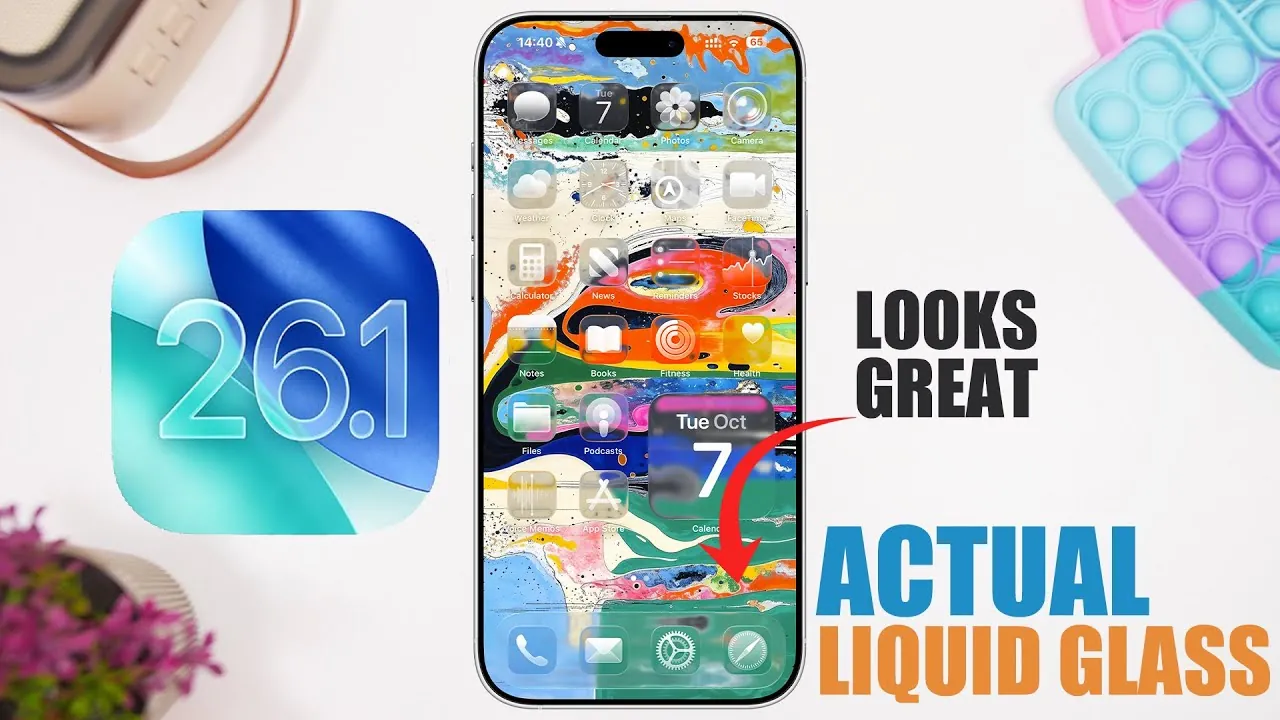
Apple’s iOS 26.1 Beta 2 brings a host of updates aimed at improving usability, refining aesthetics, and strengthening security. At the forefront of this release is the return of the liquid glass effect, a visually captivating feature that enhances the operating system’s overall design. Alongside this, the update introduces improvements to animations, app functionality, and system-wide consistency. With changes spanning from the Photos app to privacy settings, this beta version is designed to deliver a more seamless and engaging experience for users. The video below from iReviews gives us more details about the new iOS 26.1 beta 2 release.

Liquid Glass Effect: A Polished Visual Experience
The liquid glass effect makes a notable return in iOS 26.1 Beta 2, adding a sleek, reflective aesthetic to the Photos app and dock. This feature enhances the interface’s modern appeal, creating a more polished and immersive visual experience. Complementing this, Apple has refined UI animations, making sure smoother transitions when opening or closing apps and navigating menus. These subtle yet impactful adjustments contribute to a more fluid and intuitive user experience, making everyday interactions feel effortless and visually appealing.
Practical Features for Everyday Use
iOS 26.1 Beta 2 introduces several practical updates that enhance daily usability:
- Slide-to-Stop for Alarms: The Clock app now features a slide-to-stop gesture for alarms and timers, replacing the traditional stop button. This intuitive swipe action reduces accidental dismissals and simplifies alarm management, making it easier to stay on schedule.
- Improved Text Alignment: To enhance readability, folder titles, settings headers, and other interface elements now feature left-aligned text. Additionally, bolder text styling highlights key information, making sure important details are easier to spot.
- Wallpaper Preview: The Display & Brightness section in Settings now includes a preview of the stock iOS 26 wallpaper. This feature allows users to quickly view and customize their device’s appearance, adding a personal touch to their experience.
These updates reflect Apple’s focus on creating a more user-friendly and visually consistent operating system.
Photos App: Enhanced Media Management
The Photos app receives significant updates aimed at improving usability and efficiency. The media preview feature has been reinstated, allowing users to quickly view photos and videos without fully opening them. This saves time and streamlines navigation within the app. Additionally, the redesigned action menu prioritizes frequently used options such as share, favorite, and delete. These changes simplify media management, allowing users to organize and interact with their content more efficiently.
Privacy and Security: Proactive Protection
Apple continues to prioritize user security with the introduction of the Background Security Improvements feature in the Privacy & Security settings. This proactive measure ensures that devices remain protected between updates by addressing potential vulnerabilities in real time. By reinforcing its commitment to safeguarding user data, Apple underscores its dedication to maintaining a secure and trustworthy ecosystem.
Fitness App: Personalized Workouts
Fitness enthusiasts benefit from the ability to create custom workouts directly within the Fitness app. Whether training for a specific event or tailoring exercises to individual preferences, this feature offers a personalized fitness experience. Users can now design routines that align with their goals, making it easier to stay motivated and achieve desired results. This addition highlights Apple’s commitment to supporting health and wellness through its technology.
What’s Next: Anticipated Release Timeline
Apple is expected to release Beta 3 by mid-October, with the public rollout of iOS 26.1 anticipated in late October or early November. These timelines suggest that the final version will deliver a polished and feature-rich update, ensuring a smooth transition for all users. As Apple continues to refine its software, users can look forward to a cohesive and enhanced experience with the official release.
Balancing Aesthetics, Functionality, and Security
iOS 26.1 Beta 2 represents a thoughtful evolution of Apple’s mobile operating system. From the visually striking liquid glass effect to practical features like slide-to-stop and custom workouts, this update balances aesthetics, functionality, and security. The refined UI animations, improved Photos app, and enhanced privacy measures demonstrate Apple’s ongoing commitment to innovation and user satisfaction. As the public release approaches, these updates promise to elevate the overall experience for iOS users.
Enhance your knowledge on Liquid glass effect by exploring a selection of articles and guides on the subject.
- Liquid Glass Showdown: iOS 26 Beta 1 vs. Beta 3 – What Changed
- What iOS 26.1 Does to Liquid Glass?
- How to Turn Off Liquid Glass in iOS 26
- macOS Tahoe 26 Beta 4: Should You Install
- iOS 26 Beta 4 and Public Beta 1 Release Dates and Features
Source & Image Credit: iReviews
Disclosure: Some of our articles include affiliate links. If you buy something through one of these links, Geeky Gadgets may earn an affiliate commission. Learn about our Disclosure Policy.
