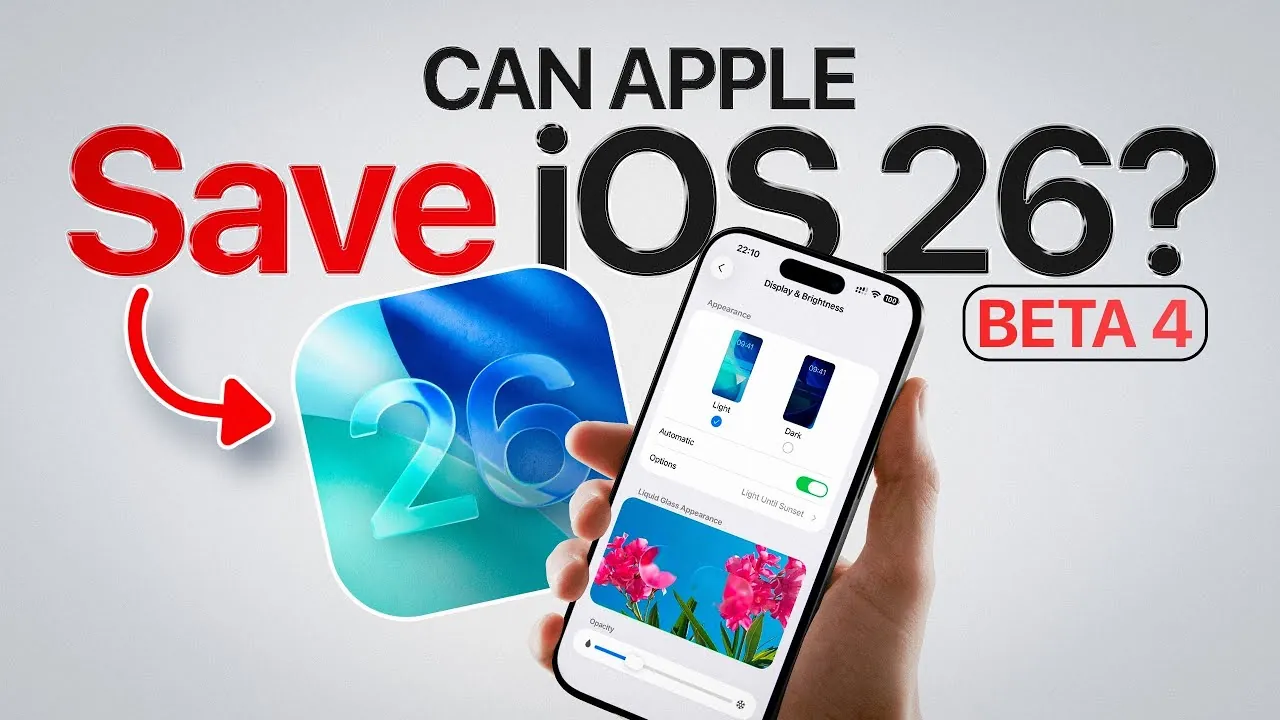
Apple has officially unveiled the release schedule for iOS 26 Developer Beta 4 and the first Public Beta, marking a significant milestone in the evolution of its latest operating system. With a focus on user customization and innovative design, iOS 26 introduces features like the “Liquid Glass” interface, sparking widespread interest and discussion. In the video below, iDeviceHelp delves into the release timeline, standout features, and the collaborative role of the Apple community in shaping this update.

iOS 26 Beta Release Timeline
The release of iOS 26 Beta versions has garnered significant attention from developers and early adopters alike. The phased rollout ensures both technical refinement and user engagement. Here’s what you need to know:
- Developer Beta 4: Scheduled for release on July 21, this version provides developers with an updated preview of iOS 26’s features, allowing them to test app compatibility and performance.
- Public Beta 1: Expected between July 22 and July 24, this version offers general users the chance to explore new features and provide feedback ahead of the official launch in September.
For developers, Beta 4 is a critical opportunity to ensure their applications align with the evolving platform. For general users, the Public Beta serves as a hands-on introduction to iOS 26’s features, allowing you to share feedback that could influence the final release. This structured approach underscores Apple’s commitment to iterative testing and user-driven refinement.
The “Liquid Glass” Design: A Bold New Look
A defining feature of iOS 26 is the “Liquid Glass” design, which reimagines the user interface with dynamic transparency effects. This design introduces a sleek, modern aesthetic that has been met with both enthusiasm and critique. While many users appreciate its futuristic appeal, others have raised concerns about its practicality and visual clarity. To address this, Apple has introduced customizable transparency levels, allowing you to adjust the interface to your preferences.
The transparency settings offer five distinct stages:
- Stage 1: Full Liquid Glass effect with maximum transparency for a bold, immersive look.
- Stages 2-4: Gradual reductions in transparency, providing intermediate levels of opacity for balanced usability.
- Stage 5: A Frosted Glass effect, reminiscent of the design seen in Beta 3, offering a more subdued aesthetic.
This customization ensures that the interface can be tailored to suit individual visual preferences and usability needs. By incorporating these options, Apple demonstrates its responsiveness to user feedback while enhancing the personalization of the operating system.
Community Collaboration in Shaping iOS 26
The development of iOS 26 has been significantly influenced by the Apple community, highlighting the importance of user collaboration in modern software design. Through concept designs, feature suggestions, and discussions shared on platforms like social media, users have played a pivotal role in shaping the operating system.
For example, the adjustable transparency levels in the Liquid Glass design were directly inspired by community feedback and concept art shared online. This collaborative approach ensures that the final product reflects the diverse needs and preferences of its audience. By engaging with user contributions, Apple fosters a more inclusive development process, encouraging you to actively participate in shaping the future of iOS.
As you explore the Public Beta, your feedback remains a valuable resource for refining the software. Whether it’s reporting bugs, suggesting improvements, or sharing your experience, your input directly contributes to the evolution of iOS 26.
What Lies Ahead for iOS 26
As iOS 26 progresses through its beta testing phases, further refinements and updates are anticipated based on user input. The combination of innovative design elements like Liquid Glass and customizable options reflects Apple’s ongoing effort to balance aesthetics with functionality. This iterative process ensures that the final release will meet the expectations of both developers and general users.
With the official launch set for September, iOS 26 aims to deliver a more personalized and visually engaging experience. Whether you’re a developer optimizing your applications or a user exploring the latest features, this update represents a significant advancement in Apple’s software ecosystem. By participating in the beta testing process, you play an active role in shaping the future of iOS, making sure that it aligns with the needs of its diverse user base.
Check out more relevant guides from our extensive collection on iOS 26 that you might find useful.
- iOS 26 Public Beta: Top Features and Installation Tips
- iOS 26 Beta 4 Features: AI, AirPods Updates, and More
- iOS 26 Public Beta: Key Features and What to Expect
- Apple CarPlay iOS 26 vs. iOS 18: Key Features Compared
- iOS 26 Release Date, Features, and What to Expect
Source & Image Credit: iDeviceHelp
Disclosure: Some of our articles include affiliate links. If you buy something through one of these links, Geeky Gadgets may earn an affiliate commission. Learn about our Disclosure Policy.
