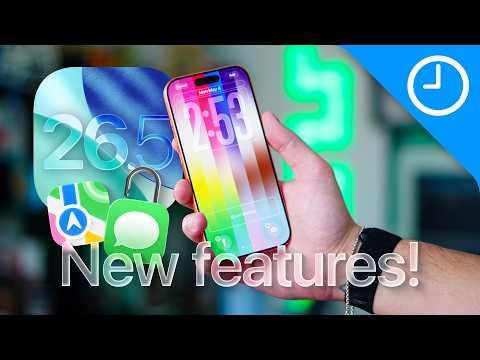
Apple has officially rolled out iOS 26.5, delivering a blend of security enhancements, customization features, and usability improvements. While Apple has traditionally focused on stability with its updates, this release introduces several noteworthy additions that enhance messaging, app functionality, and system settings. Below is a detailed look at the most important updates you’ll want to explore. The video below from 9 to 5 Mac gives us a look at some of the new features in iOS 26.5.
RCS Messaging with End-to-End Encryption
One of the standout features of iOS 26.5 is the integration of RCS (Rich Communication Services) messaging, now equipped with end-to-end encryption. This ensures that your conversations between iOS and Android devices are more secure than ever before. Encrypted chats are clearly marked, allowing you to easily identify protected conversations. Additionally, multimedia messaging has been significantly improved, allowing smoother sharing of photos, videos and reactions across platforms. This update underscores Apple’s ongoing commitment to privacy and seamless cross-platform communication, making it easier to stay connected without compromising security.
Apple Maps: Local Ads and Discovery Tools
Apple Maps receives a functionality upgrade with the introduction of local ads and enhanced discovery tools. These ads are tailored to your approximate location and search terms, helping you find nearby businesses or services more efficiently. Importantly, Apple has implemented privacy safeguards to ensure your data remains secure while using these features. The new discovery tools also make it easier to explore trending destinations, view nearby recommendations and browse images of suggested locations. These updates aim to make navigation and exploration more intuitive, helping you uncover new places with ease.
Dynamic Wallpaper Customization
Personalization takes center stage with the introduction of dynamic wallpaper options, including 12 Pride-themed designs. These wallpapers interact with your device’s movements, creating real-time shimmer effects that enhance your screen’s visual appeal. Advanced tools allow you to adjust colors and animations, giving you greater control over your device’s appearance. This feature not only adds a personal touch but also reflects Apple’s focus on inclusivity and creativity, allowing users to express themselves through their devices.
Flexible App Store Subscription Options
Managing subscriptions becomes more convenient with a new App Store billing model. Developers can now offer discounted annual plans billed monthly, giving you more flexibility in how you pay for premium app features. Whether you prefer monthly or yearly payments, this update ensures you have greater control over your subscription choices. This change is particularly beneficial for users who want to enjoy premium features without committing to a large upfront payment.
Improved Reminder Scheduling
The Reminders app has been enhanced with more flexible snooze options, allowing you to set specific times for alerts. This is especially useful for managing your daily schedule, as you can now customize reminders to fit your routine. Whether you need a nudge in 15 minutes or at a precise time later in the day, this update helps you stay organized and on track. It’s a small but impactful change that makes the app more practical for everyday use.
Inclusive Keyboard Design
Accessibility takes a significant step forward with the introduction of a redesigned keyboard that includes both standard and Latin versions. This update caters to a broader range of users, making it easier to type in multiple languages or use a more accessible layout. The new keyboard ensures a seamless experience for everyone, regardless of their specific needs, reinforcing Apple’s commitment to inclusivity and user-friendly design.
Books App Year-in-Review
For avid readers, the Books app now features a gamified Year-in-Review. Similar to Apple Music’s recap, this feature highlights your reading habits over the past year, including the number of books read, genres explored and time spent reading. It’s an engaging way to reflect on your reading journey and set goals for the future. This addition makes the Books app not just a reading tool but also a source of motivation and insight into your literary preferences.
Cross-Platform Message Transfer
Switching to Android? iOS 26.5 simplifies the process with a new feature that allows you to transfer iMessage conversations to Android devices. You can select specific timeframes, such as the last 30 days, one year, or all conversations, to ensure your important messages are preserved during the transition. This feature eliminates one of the long-standing challenges of switching platforms, making it easier to move between ecosystems without losing valuable data.
Other Notable Features
iOS 26.5 also includes several smaller updates that enhance your overall experience:
- Enhanced Privacy Controls: Additional options for managing app permissions and data sharing, giving you more control over your personal information.
- Battery Optimization: Improved battery management tools to extend your device’s longevity and ensure efficient energy use.
- Bug Fixes and Stability Improvements: A focus on resolving known issues to provide a smoother and more reliable user experience.
What iOS 26.5 Means for You
iOS 26.5 is more than just a routine update; it’s a comprehensive enhancement of your device’s functionality. From bolstered messaging security and dynamic customization options to flexible subscription models and accessibility upgrades, this release reflects Apple’s dedication to innovation and user experience. These updates not only address current needs but also set the stage for future developments, paving the way for the anticipated iOS 27. With iOS 26.5, you can enjoy a more secure, personalized and efficient mobile experience, tailored to meet the demands of modern users.
Source & Image Credit: 9to5Mac
Disclosure: Some of our articles include affiliate links. If you buy something through one of these links, Geeky Gadgets may earn an affiliate commission. Learn about our Disclosure Policy.
