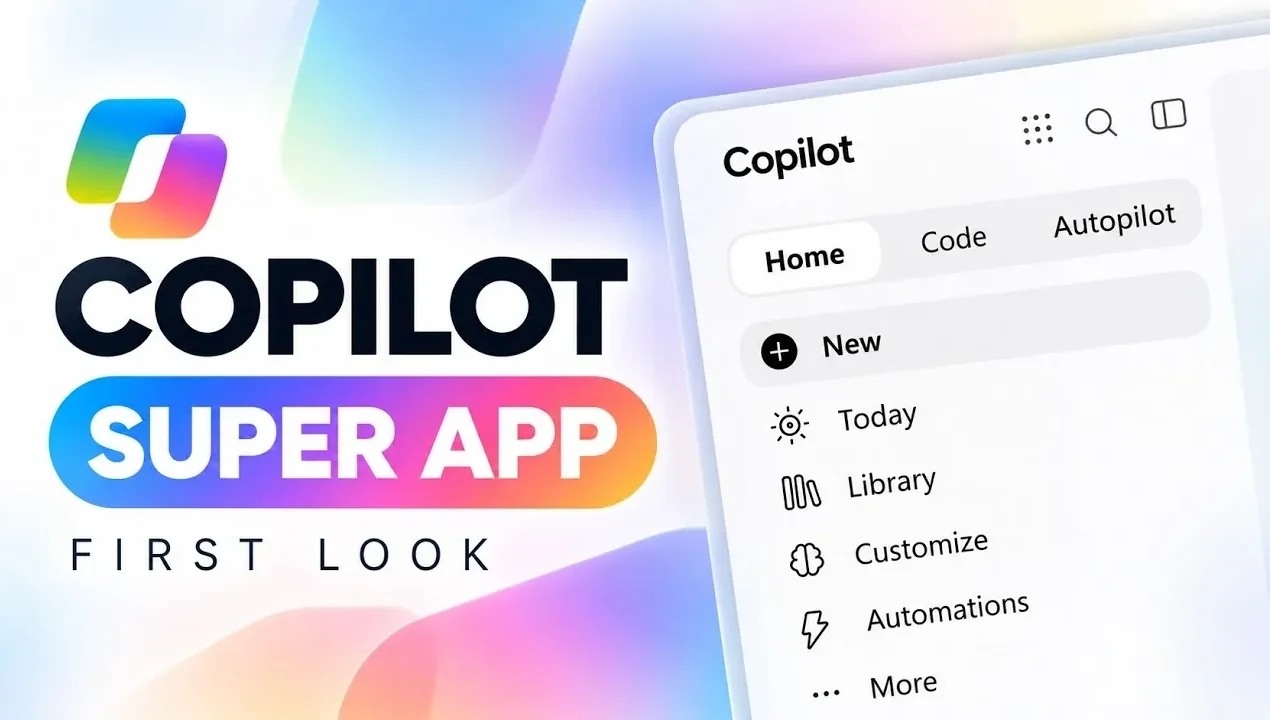
Microsoft has introduced significant updates to its Copilot super app, focusing on simplifying daily workflows and improving task management. According to Mike Tholfsen, one key enhancement is the “Today” dashboard, which consolidates tasks, emails, meetings and deadlines into a single interface. This feature reduces the need for constant context-switching, helping users stay organized and focused. Additionally, the app integrates with Office applications such as Word, Excel and PowerPoint, allowing users to work on documents and projects without switching between multiple platforms.
Dive into how Copilot Code enables users to create custom solutions using natural language inputs, making it accessible for those without technical expertise. Learn how the Autopilot assistant handles repetitive tasks like scheduling and email organization, allowing for more efficient time management. Finally, gain insight into Work IQ, the app’s machine learning system, which provides tailored recommendations to align with individual workflows and priorities.
A Unified Interface for Seamless Navigation
TL;DR Key Takeaways :
- Microsoft’s updated Copilot introduces a unified interface with a “Today” dashboard, centralizing tasks, emails, meetings and deadlines for streamlined productivity.
- Enhanced integration with Office tools allows seamless collaboration and editing in Word, Excel and PowerPoint, making Copilot a one-stop productivity solution.
- The co-work feature simplifies project planning and workflow optimization by generating actionable outputs like documents and dashboards, tailored to user needs.
- Copilot Code enables natural language programming for app and solution development, making advanced tools accessible to non-technical users with GitHub integration.
- Autopilot and Work IQ features provide personalized assistance, automating routine tasks, offering intelligent recommendations and adapting to user work patterns over time.
The updated Copilot introduces a unified interface that consolidates essential functionalities into a single, user-friendly “Home” tab. This design eliminates the need to switch between multiple platforms, offering a more cohesive experience. A standout addition is the “Today” feature, a proactive dashboard that aggregates tasks, emails, meetings and deadlines into one streamlined view. This centralization allows you to prioritize effectively and manage your day with greater clarity. Key advantages of the unified interface include:
- Streamlined navigation for faster access to tools and resources.
- A centralized “Today” dashboard for efficient task management and scheduling.
- Reduced context-switching, allowing improved focus and productivity.
By simplifying navigation and centralizing critical information, the unified interface ensures that you can focus on what matters most without unnecessary distractions.
Enhanced Integration with Office Tools
The new Copilot takes integration with Office tools to the next level, offering full compatibility with Word, Excel and PowerPoint. This allows you to create, edit and collaborate on documents directly within the app, eliminating the need to toggle between different applications. Real-time collaboration features, such as @mentions, commenting and live document previews, make teamwork more seamless and efficient. Examples of enhanced Office integration include:
- Collaborative document editing with instant updates and feedback.
- Advanced data analysis and visualization tools in Excel for better decision-making.
- Effortless presentation creation and sharing in PowerPoint.
This deep integration transforms Copilot into a one-stop solution for all your productivity needs, making sure that your tools work together harmoniously to support your goals.
Uncover more insights about Microsoft Copilot in previous articles we have written.
- Why Copilot Cowork Could Cost Your Business $200 per User
- Automate Project Plans with 6 Microsoft 365 Copilot Upgrades
- 8 New Features in Microsoft 365 Copilot: Real-Time Editing Arrives
- Microsoft Copilot Can Now Build Microsoft PowerPoint Slides from OneNote
- Microsoft Copilot 2026 Adds OpenAI GPT 5.6 and Anthropic Claude 5
- 12 New Copilot Features & Microsoft Edge AI Browser Guide
- 7 New Microsoft Copilot Features: Integrate Task Management Across Work Apps
- 10+ Microsoft Copilot tips and tricks to improve your productivity
- Default Settings Make Microsoft Copilot Agents Less Effective
- Microsoft Outlook Expands Business Mailboxes to 100GB Discontinues Google Calendar Sync
Co-Work Functionality for Goal Achievement
The co-work feature is designed to help you break down complex objectives into actionable steps. Whether you’re planning a project, collaborating with a team, or optimizing workflows, Copilot generates outputs like documents, spreadsheets, dashboards and even apps. These outputs are fully editable, allowing you to tailor them to your specific requirements.
This functionality is particularly valuable for:
- Project planning with clear, actionable deliverables.
- Team collaboration through shared resources and real-time updates.
- Workflow optimization by automating repetitive tasks and processes.
By simplifying the process of turning ideas into tangible results, the co-work feature enables you to achieve your goals more efficiently.
Copilot Code: Simplifying Custom Solutions
For users looking to create custom solutions, Copilot Code introduces natural language programming. This feature allows you to build apps, trackers and dashboards simply by describing your needs in plain language. Integration with GitHub ensures robust version control and collaborative coding, making advanced development accessible even to those without traditional programming skills. Key benefits of Copilot Code include:
- Simplified app development through natural language inputs.
- Seamless integration with GitHub for version control and collaboration.
- Broader accessibility to advanced development tools for non-technical users.
By lowering the barrier to entry for custom solution development, Copilot Code enables a wider range of users to innovate and solve problems creatively.
Autopilot: Your Personal Assistant
The new Autopilot feature acts as a personal assistant, automating routine tasks and learning your preferences over time. It manages emails, calendars and documents, freeing you to focus on higher-value activities. With built-in governance and compliance features, Autopilot ensures that your data remains secure and adheres to organizational policies. Capabilities of Autopilot include:
- Automated email sorting and intelligent response suggestions.
- Smart calendar management with optimized scheduling.
- Context-based document organization and retrieval.
This feature not only saves time but also enhances your ability to stay organized and productive, making it an invaluable tool for busy professionals.
Work IQ: The Brain Behind Copilot
At the heart of the updated Copilot is Work IQ, a centralized intelligence system that uses machine learning to enhance productivity. Work IQ analyzes your work patterns, offering personalized recommendations and insights that adapt to your evolving needs. This ensures that Copilot becomes an indispensable part of your workflow, continuously improving its utility as you use it. Core capabilities of Work IQ include:
- Contextual understanding of your tasks and priorities.
- Personalized recommendations based on work patterns.
- Adaptive learning to ensure Copilot evolves alongside your needs.
By providing intelligent support tailored to your unique workflow, Work IQ enhances your ability to work smarter, not harder.
Availability and What’s Next
Some of the most anticipated features, such as “Today” and Autopilot, are currently in private preview, being tested by early adopters. As these capabilities are rolled out more broadly, they are expected to solidify Copilot’s position as a comprehensive work operating system. Microsoft’s focus on combining advanced technologies with user-centric design sets a new benchmark for productivity tools, making sure that Copilot remains at the forefront of innovation.
Why It Matters
The revamped Copilot super app represents a significant step forward in how you approach work. With its unified interface, deep Office integration, and innovative features like Copilot Code and Autopilot, it simplifies workflows and enhances efficiency across industries. Whether you’re managing tasks, collaborating with teams, or developing custom solutions, Copilot equips you with the tools and intelligence to succeed in an increasingly complex work environment. By addressing the challenges of modern productivity, Microsoft’s Copilot is poised to become an essential tool for professionals worldwide.
Media Credit: Mike Tholfsen
Disclosure: Some of our articles include affiliate links. If you buy something through one of these links, Geeky Gadgets may earn an affiliate commission. Learn about our Disclosure Policy.
