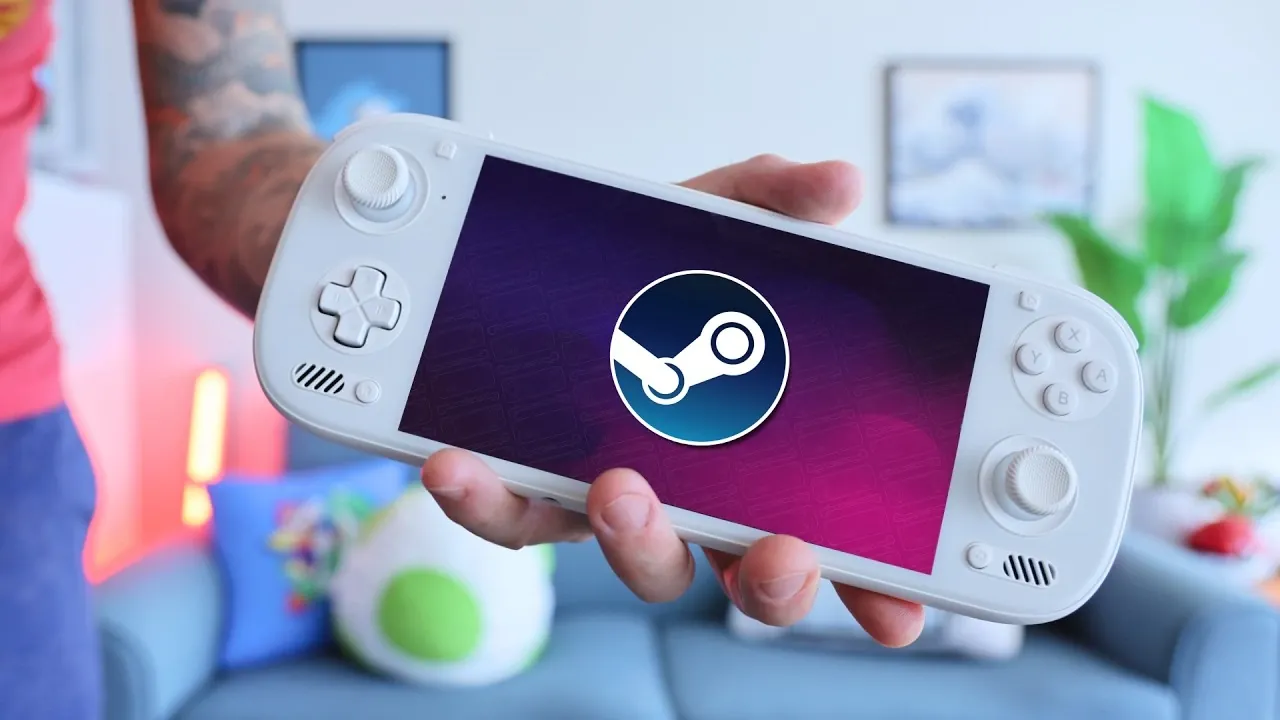
Android handhelds, such as the Odin 3 and Retroid Pocket 6, offer a portable gaming experience comparable to the Steam Deck at a more affordable price. Equipped with processors like the Snapdragon 8 Gen 2, these devices excel at running lightweight and indie games. As noted by Retro Game Corps, custom Linux-based operating systems like Armada OS expand their capabilities by allowing dual-boot functionality and compatibility layers, which simulate a PC gaming environment. While they are not designed for AAA titles, these handhelds remain a practical option for gamers on a budget.
Explore how to configure an Android handheld for gaming, including methods like microSD setups and internal storage flashing, each with its own trade-offs. Learn how to optimize performance with software such as Armada Control for game-specific tweaks. Gain insight into the advantages of dual-boot systems, which allow seamless transitions between Android and Linux for a more flexible gaming setup.
Transforming Android Devices into PC Gaming Platforms
TL;DR Key Takeaways :
- Android handheld devices, like the Odin 3 and Retroid Pocket 6, are emerging as affordable alternatives to the Steam Deck, excelling in portability and performance for lightweight and indie games.
- Custom Linux-based operating systems, such as Armada OS and Rocknix OS, enable these devices to emulate PC gaming environments and offer dual-boot functionality for seamless switching between Android and gaming modes.
- High-performance processors, such as Snapdragon 8 Gen 2 and 8 Elite, enhance gaming capabilities, though challenges like heat management and system stability remain.
- Installation options, including MicroSD and internal storage flashing, allow users to customize their devices, with dual-boot setups offering flexibility for both gaming and standard Android use.
- Future advancements in hardware, software and compatibility tools, alongside potential competition from Valve, could further solidify Android handhelds as viable Steam Deck alternatives.
Android handhelds, including models like the Odin 3 and Retroid Pocket 6, are capable of emulating a Steam Deck-like interface when paired with custom operating systems. These systems, such as Armada OS, transform Android devices into gaming platforms capable of running PC games. While AAA games remain a challenge due to hardware limitations, the growing ecosystem of compatibility tools and software optimizations is steadily closing the gap. For lightweight and indie games, these devices perform admirably, making them a practical choice for casual and semi-serious gamers alike.
The ability to emulate PC gaming environments on Android handhelds has opened up new possibilities for gamers who prioritize affordability and portability. This transformation is particularly appealing to those who enjoy retro gaming, emulation, or indie titles that do not demand the high-end specifications required by AAA games.
Custom Operating Systems: The Backbone of Gaming on Android
The success of Android handhelds as gaming devices largely depends on the capabilities of their operating systems. Several custom Linux-based systems have been developed to enhance the gaming experience and expand the functionality of these devices:
- Armada OS: A Linux-based system designed to replicate the Steam OS interface, complete with compatibility tools like FEX for ARM chipsets, allowing smoother gameplay for a variety of titles.
- Rocknix OS: Primarily focused on emulation, this system also supports Steam integration, making it a versatile option for both retro and modern gaming.
- PockNix OS: A lightweight operating system that balances performance and gaming capabilities, ideal for users who prioritize efficiency.
These operating systems allow for dual-booting, allowing users to switch seamlessly between Android and Linux-based gaming environments. This flexibility ensures that users can enjoy both gaming and standard Android functionality without compromise. The ability to customize the operating system to suit individual gaming preferences further enhances the appeal of Android handhelds.

Expand your understanding of Steam Deck with additional resources from our extensive library of articles.
- Heroic Game Launcher Enables Xbox Game Pass Titles on SteamOS
- Valve Sees 82% Drop in Steam Deck Sales Amid Price Hikes
- Why Gamers Are Abandoning the Steam Deck OLED After Its Massive Price Hike
- Why Gamers Are Skipping the Steam Deck OLED for This $450 Handheld
- Steam Deck Alternative: Legion Go S Packs Ryzen Z2 Go for $550 on Used Market
- Steam Deck Updates : PS3 Emulation Upgrades Gains & New Releases
- ROG Ally Offers a $599 Alternative to the Steam Deck OLED
- What the Xbox and Valve Partnership Means for Steam Deck Performance
- Decky Nexus Plugin Brings Nexus Mods Store to Steam Deck
- Valve Brings Steam Deck Style Verification to Steam Machine Games Consoles
Hardware Matters: Device Compatibility and Performance
The performance of Android handhelds is heavily influenced by the hardware powering these devices. High-end processors, such as the Snapdragon 8 Gen 2 and 8 Elite, are particularly well-suited for gaming on Android handhelds. Devices like the Odin 3 and Retroid Pocket 6 stand out for their ability to handle mid-tier games and even some AAA titles under the right conditions.
- Snapdragon 8 Gen 2: This processor is ideal for lightweight and indie games, offering reliable performance for most casual gaming needs. However, heavier titles may require performance tweaks to run smoothly.
- Snapdragon 8 Elite (Odin 3): With nearly double the performance of the Gen 2, this processor enables smoother gameplay for mid-tier games and select AAA titles, such as Stray and Hi-Fi Rush.
Despite these advancements, high-performance gaming can lead to increased device temperatures, particularly during extended sessions. This remains a challenge for even the most advanced hardware, highlighting the need for improved cooling solutions in future iterations of Android handhelds.
Setting Up: Installation and Configuration
Creating a Steam Deck-like experience on an Android handheld involves flashing a custom operating system onto the device. Users can choose between two primary installation methods, each with its own advantages and trade-offs:
- MicroSD Installation: This non-invasive option preserves the device’s internal storage, making it a safer choice for beginners. However, it may result in slower performance due to the limitations of external storage.
- Internal Storage Flashing: This method offers faster performance and smoother navigation but erases all existing Android data, requiring users to back up their files and proceed with caution.
For those who want the best of both worlds, dual-booting provides the ability to retain Android functionality while enjoying the benefits of a Linux-based gaming OS. This setup ensures that users can switch between gaming and standard Android tasks without compromising on performance or usability.
Performance and Limitations
While Android handhelds have made significant strides in recent years, they are not without limitations. High temperatures during intensive gaming sessions, occasional system instability and the lack of features like RGB lighting and true sleep mode are areas that still need improvement. Additionally, updates to custom operating systems like Armada OS can sometimes introduce bugs, disrupting the gaming experience.
Despite these challenges, the versatility and affordability of Android handhelds make them an attractive option for gamers who prioritize portability and cost-effectiveness. The ability to run a wide range of games, from retro classics to modern indie titles, ensures that these devices remain relevant in the evolving gaming landscape.
Enhanced Features for Gamers
Custom operating systems like Armada OS come equipped with tools designed to optimize the gaming experience and enhance user control. These features include:
- Armada Control: A performance management tool that allows users to tweak settings and compatibility on a per-game basis, making sure optimal performance for each title.
- Integrated App Store: This feature simplifies the installation of emulators, gaming applications and other essential tools, making it easier for users to customize their devices.
- Dual-Boot Support: Enabled through Rocknix ABL, this feature allows seamless switching between Android and Linux-based systems, offering flexibility for both gaming and everyday use.
These enhancements make it easier for users to tailor their devices to their specific gaming needs, making sure a more enjoyable and personalized experience.
The Road Ahead: Future Potential
The future of Android handhelds as Steam Deck alternatives is promising. Valve’s ongoing development of compatibility layers like FEX for ARM devices could further expand the ecosystem, making more PC games accessible on these platforms. Additionally, the possibility of an official lightweight Steam Deck from Valve could drive innovation and competition in the market, pushing Android handhelds to new heights.
As hardware continues to improve and software ecosystems become more robust, Android handhelds are likely to close the performance gap with the Steam Deck. This evolution could make them an even more compelling choice for gamers seeking an affordable and portable gaming solution.
Media Credit: Retro Game Corps
Disclosure: Some of our articles include affiliate links. If you buy something through one of these links, Geeky Gadgets may earn an affiliate commission. Learn about our Disclosure Policy.
