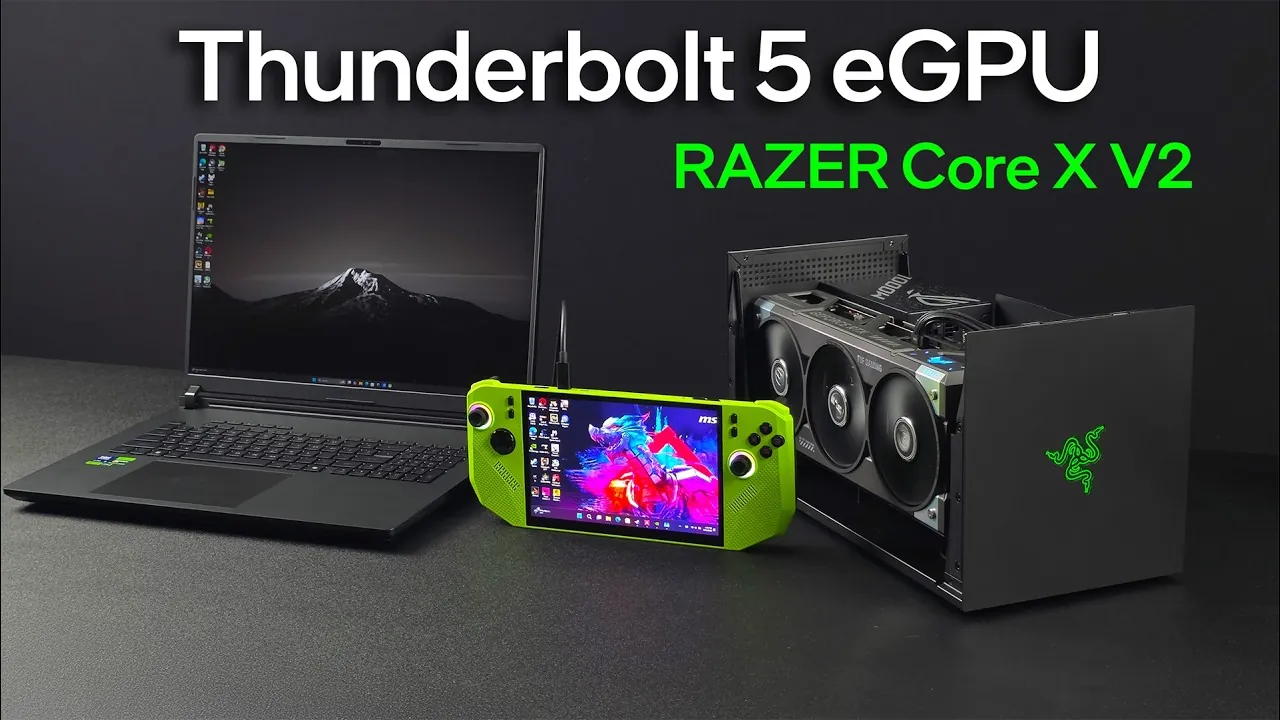
Imagine transforming your lightweight laptop or handheld gaming device into a powerhouse capable of running the most demanding games at desktop-level performance. With the advent of Thunderbolt 5, this vision is no longer a distant dream but a reality reshaping the gaming landscape. Offering up to 120 Gbps of bandwidth, Thunderbolt 5 unlocks the full potential of external GPU (eGPU) setups, delivering performance once thought exclusive to high-end desktops. Pair this innovative connectivity with the Razer Core V2, an eGPU enclosure designed to house GPUs as formidable as the RTX 5090, and you have a innovative combination that challenges the boundaries of portable gaming. But does this pairing truly deliver on its promise of seamless, high-performance gaming? Let’s explore the possibilities.
ETA Prime takes you through how the Razer Core V2, powered by Thunderbolt 5, redefines eGPU gaming. From its innovative design, complete with efficient cooling and modular upgrades, to the jaw-dropping performance benchmarks it achieves with the RTX 5090, this setup promises to transform how gamers approach portable performance. But it’s not just about raw power; we’ll also examine how Thunderbolt 5’s advancements in bandwidth and latency impact gaming responsiveness, as well as its compatibility with handheld devices like the MSI Claw A8. Whether you’re a competitive gamer seeking an edge or a casual player curious about the future of portable gaming, this exploration will reveal how Thunderbolt 5 and the Razer Core V2 are setting a new standard for external GPU setups. Sometimes, the future of gaming isn’t about what’s inside your device, it’s about what’s connected to it.
Thunderbolt 5 eGPU Gaming
TL;DR Key Takeaways :
- Thunderbolt 5 introduces new connectivity with up to 120 Gbps bandwidth, allowing faster data transfer and reduced latency for high-performance gaming and professional tasks.
- The Razer Core V2 eGPU enclosure supports innovative GPUs like the RTX 5090, offering modular construction, efficient cooling, and compatibility with full-size ATX power supplies.
- Performance benchmarks highlight significant FPS improvements in graphically intensive games when using Thunderbolt 5 and the Razer Core V2, though results vary based on game optimization and system configuration.
- Compatibility with handheld devices like the MSI Claw A8 demonstrates the potential for portable gaming setups, though USB 4 limitations impact performance compared to Thunderbolt 5.
- Future comparisons between Thunderbolt 5 and alternative interfaces like Oculink and USB 4 will explore scalability, cost-effectiveness, and broader device compatibility for eGPU solutions.
Razer Core V2: Design and Features
The Razer Core V2 is carefully engineered to support even the most demanding GPUs, accommodating up to four-slot designs, including the massive RTX 5090. Its spacious interior is optimized for efficient cable management and features a 120mm fan to ensure optimal cooling during extended gaming sessions. This thoughtful design prioritizes both performance and user convenience. Key design highlights include:
- Support for full-size ATX power supplies, allowing users to select wattages that meet the power demands of high-end GPUs.
- Modular construction that simplifies upgrades and maintenance, making sure long-term usability.
- A durable aluminum chassis that enhances both durability and heat dissipation, making it suitable for intensive workloads.
The combination of flexibility, robust cooling, and a sturdy build makes the Razer Core V2 a versatile solution for gamers and professionals seeking desktop-level performance in a portable setup.
Thunderbolt 5: Advancements in Connectivity
Thunderbolt 5 represents a significant leap forward in connectivity, offering up to 120 Gbps in one direction and 80 Gbps bidirectionally. While the Razer Core V2’s PCIe 4.0 x4 slot limits speeds to 64 Gbps, this still marks a substantial improvement over Thunderbolt 4 and USB 4, making sure smoother and faster data transfer. These advancements translate into:
- Enhanced performance for graphically intensive applications such as gaming, 3D rendering, and video editing.
- Reduced latency, resulting in a more responsive gaming experience.
- Improved efficiency for demanding workloads, making it ideal for both gaming and professional tasks.
With Thunderbolt 5, even the most resource-intensive games and applications can run seamlessly, providing a future-proof solution for eGPU setups.
Thunderbolt 5 eGPU Gaming

Discover other guides from our vast content that could be of interest on Thunderbolt 5.
- Thunderbolt 5 vs 4 vs USB SSD: Key Differences
- Thunderbolt 5 vs Thunderbolt 4 : Everything You Need to Know
- Cable Matters Thunderbolt 5 Dock : Connectivity Redefined
- Thunderbolt 5 Performance Explained: Real-World Insights
- 4TB Comet Thunderbolt 5 SSD: Perfect for Gamers and Creators
- Thunderbolt 5: Unmatched Speed and Versatility Explained
- Adonis Cable 240W PD, Thunderbolt 5 8K, USB-C 4 2.0 Rapid
- World’s first Thunderbolt 5 cable offers 80 Gbps
- macOS 15.5 RC: Key Enhancements, New Features, and More
- New Intel Thunderbolt Share a PC-to-PC networking solution
Performance Testing: Gaming Benchmarks
The pairing of Thunderbolt 5 and the Razer Core V2 delivers remarkable performance gains in gaming, particularly when combined with the RTX 5090. Benchmarks comparing an eGPU setup to a laptop with an integrated RTX 5090 reveal the advantages of using an external GPU for demanding titles. Key findings include:
- In Cyberpunk 2077, the desktop RTX 5090 achieved 90 FPS via Thunderbolt 5, compared to 52 FPS on the laptop’s integrated GPU.
- In less demanding games such as Horizon Zero Dawn and Borderlands 4, performance differences were less pronounced, highlighting the role of game optimization and system bottlenecks.
These results demonstrate that while Thunderbolt 5 significantly enhances performance in graphically intensive scenarios, the degree of improvement can vary depending on the game and system configuration. This underscores the importance of understanding your specific gaming needs when investing in an eGPU setup.
Compatibility with Handheld Devices
The Razer Core V2 was also tested with the MSI Claw A8, a handheld gaming device equipped with USB 4 connectivity. While USB 4 achieved close to its maximum speed of 36 Gbps, it fell short of Thunderbolt 5’s capabilities, resulting in noticeable performance differences. Performance on handheld devices was influenced by:
- CPU limitations, which restricted the system’s ability to fully use the eGPU’s power.
- Bandwidth constraints inherent to USB 4 compared to Thunderbolt 5, which limited data transfer speeds.
Despite these challenges, the setup demonstrated the potential for eGPU use with portable devices. This opens up exciting possibilities for handheld gaming, offering a glimpse into a future where portable devices can deliver desktop-level performance with external GPU support.
Future Comparisons and Alternatives
As eGPU technology continues to evolve, future comparisons between Thunderbolt 5 and alternative interfaces like Oculink and USB 4 are expected to provide deeper insights. These evaluations will focus on how different technologies perform across a range of GPUs and devices, from high-end setups to budget-friendly options. Future areas of exploration include:
- Performance differences across interfaces for both premium and entry-level GPUs.
- Compatibility with a broader range of devices, including laptops, desktops, and handhelds.
- Cost-effectiveness and scalability of various eGPU solutions, helping users make informed decisions based on their needs and budgets.
These comparisons will play a crucial role in shaping the future of eGPU technology, offering valuable guidance for users navigating this rapidly evolving landscape.
The Razer Core V2 and Thunderbolt 5: A New Standard for eGPU Gaming
The Razer Core V2, powered by Thunderbolt 5, sets a new benchmark for eGPU technology. Its robust design, compatibility with high-performance GPUs, and support for advanced connectivity standards make it a compelling choice for gamers and professionals alike. Whether you’re a laptop user seeking to elevate your gaming experience or a handheld enthusiast exploring new possibilities, this combination offers a powerful and versatile solution.
Thunderbolt 5’s enhanced bandwidth ensures smoother gameplay, reduced latency, and improved overall performance compared to previous standards. As eGPU setups become increasingly accessible and versatile, the Razer Core V2 and Thunderbolt 5 stand out as a forward-looking option that redefines what’s possible in external GPU gaming.
Media Credit: ETA PRIME
Disclosure: Some of our articles include affiliate links. If you buy something through one of these links, Geeky Gadgets may earn an affiliate commission. Learn about our Disclosure Policy.
