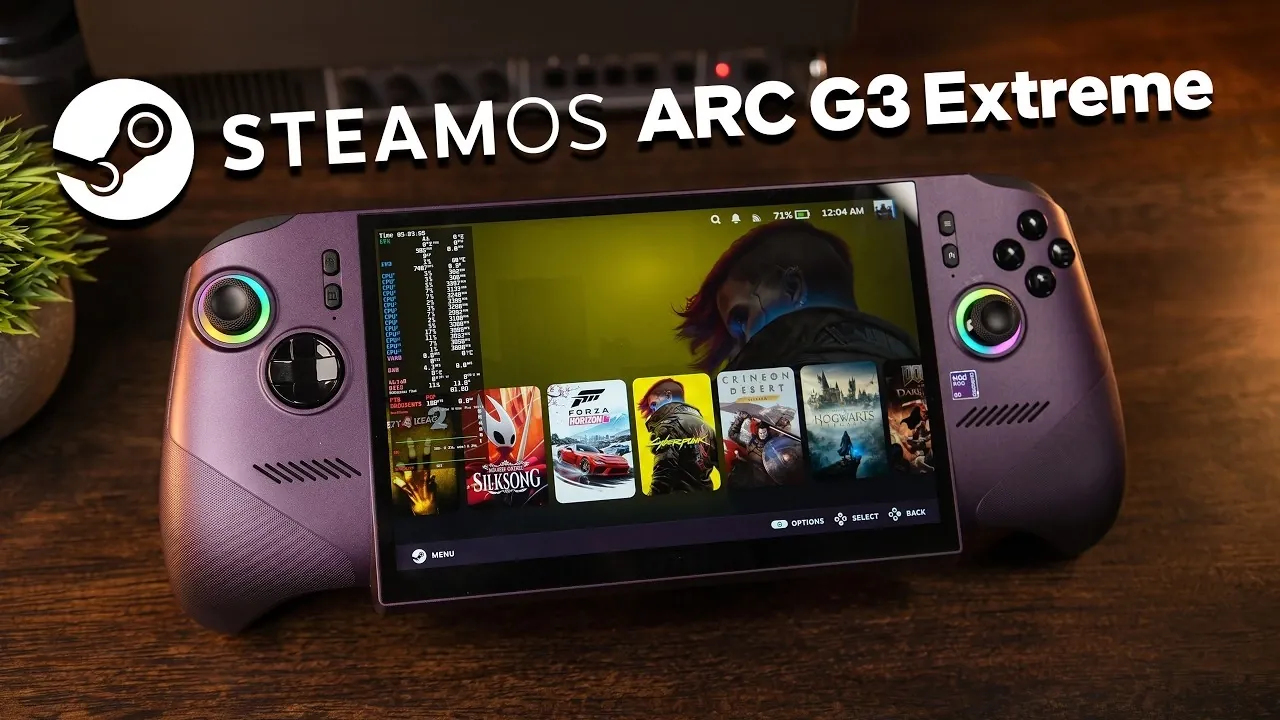
SteamOS 3.10 has officially arrived on the MSI Claw Ex AI+, a handheld gaming PC powered by Intel’s G3 Extreme CPU and ARC B390 graphics. This marks a significant development for Linux-based gaming, offering an alternative to Windows for portable gaming enthusiasts. However, as highlighted by ETA Prime, the lack of Linux driver support for Intel’s advanced XMX engines limits the device’s potential on SteamOS. Without these engines, features like AI-based upscaling and frame generation are unavailable, forcing users to rely on less efficient alternatives like FidelityFX Super Resolution (FSR).
Explore how SteamOS performs on the Claw Ex AI+, from its reliable controller support and Variable Refresh Rate (VRR) functionality to its missing features like native TDP adjustment and RGB lighting control. Gain insight into the trade-offs between Windows and SteamOS, including the challenges of balancing battery life with performance. This overview also sheds light on the future of Linux gaming as Intel works to address these compatibility issues, potentially unlocking the full capabilities of the hardware.
MSI Claw Ex AI+ Stand Out?
TL;DR Key Takeaways :
- The MSI Claw Ex AI+ is a handheld gaming PC featuring Intel’s G3 Extreme CPU, ARC B390 graphics and now supports SteamOS 3.10, offering a Linux-based alternative to Windows for gaming.
- Key hardware highlights include a 1920×1200 high-resolution display, 32GB of unified memory and an ergonomic design for extended gaming sessions.
- Performance on SteamOS is limited due to incomplete Linux support for Intel’s XMX engines, affecting advanced upscaling and frame generation capabilities compared to Windows.
- SteamOS provides a streamlined gaming experience with features like VRR, Wi-Fi and Bluetooth support, but lacks native support for advanced functionalities like RGB lighting control and TDP adjustments.
- Future updates from Intel and improved Linux drivers are expected to enhance SteamOS performance, making it a more competitive option for handheld gaming PCs.
The MSI Claw Ex AI+ is designed to cater to gamers who prioritize portability without compromising on performance. Its standout features include:
- A high-resolution 1920×1200 display that delivers crisp, vibrant visuals.
- 32GB of unified memory, making sure smooth performance for modern gaming demands.
- A robust and ergonomic build, tailored for extended gaming sessions.
By default, the device runs Windows 11, a familiar and versatile operating system for most users. However, with the release of SteamOS 3.10, gamers now have the option to switch to a Linux-based operating system optimized for gaming. SteamOS offers a streamlined interface and seamless integration with the Steam ecosystem, making it particularly appealing to those who value open source software and a gaming-focused environment. Despite these advantages, transitioning to SteamOS introduces certain trade-offs, particularly in hardware optimization and feature support.
Performance: Strengths and Shortcomings
The Claw Ex AI+ delivers commendable performance across a variety of games, showcasing its hardware capabilities:
- Older titles, such as Left 4 Dead 2, achieve over 250 frames per second, demonstrating the device’s ability to handle less demanding games effortlessly.
- Graphically intensive games like Skyrim Special Edition maintain a stable 60 FPS on ultra settings, highlighting the device’s suitability for immersive gaming experiences.
- Newer releases, including Hogwarts Legacy and Forza Horizon 6, perform well but benefit more from Windows-specific optimizations.
The device’s Intel ARC B390 graphics card supports advanced technologies such as XMX engines, which enable AI-based upscaling and frame generation. Unfortunately, these features remain non-functional in SteamOS due to incomplete Linux driver support. As a result, Linux users must rely on shader cores and FSR (FidelityFX Super Resolution) for upscaling. While FSR is effective, it cannot match the performance or visual quality of Intel’s proprietary XESS technology, leaving the device underutilized when running SteamOS.

Enhance your knowledge on SteamOS by exploring a selection of articles and guides on the subject.
- Its Time to Ditch Windows for Valve’s Lightweight SteamOS Gaming Platform
- Valve Restructures SteamOS with Distinct X86 and ARM Builds
- SteamOS 3.8 Adds Ray Tracing and Improved 4K Display Support
- SteamOS Beta Update Fixes CPU Degradation and Wi-Fi Bugs
- ONEXPLAYER X2 Mini Pro Runs SteamOS with Ryzen AI Max Plus 388
- How to Build a DIY Steam Machine Using Your Existing PC and SteamOS
- Why Valve’s Steam OS is Quietly Replacing Windows on Gaming PCs
- Valve’s Free SteamOS Runs Arch Linux for Daily Desktop Use
- Install Armada OS on Android Handhelds to Create a Steam Deck in Under 5 Minutes
- SteamOS Update Adds Seamless Account Switching During Gameplay
SteamOS Features: What Works and What Doesn’t
SteamOS provides a solid foundation for gaming, with several core features functioning seamlessly:
- Reliable Wi-Fi and Bluetooth connectivity for uninterrupted gaming and accessory pairing.
- Variable Refresh Rate (VRR) support, making sure smoother visuals and reduced screen tearing.
- Adjustable brightness and robust controller support, enhancing the overall gaming experience.
However, certain functionalities remain absent. Key features such as RGB lighting control and TDP (Thermal Design Power) adjustment are not natively supported. While third-party plugins like Deki Loader can address these gaps, they introduce additional complexity for users who prefer a straightforward, plug-and-play experience. This lack of native support for advanced features underscores the need for further refinement in SteamOS’s compatibility with the MSI Claw Ex AI+.
The Linux Limitation: XMX Engines
One of the most significant drawbacks of running SteamOS on the MSI Claw Ex AI+ is the lack of support for Intel’s XMX engines. These engines are critical for advanced upscaling and frame generation, which are essential for achieving high performance in graphically demanding games. Without XMX functionality, the device relies heavily on shader cores, which are less efficient for these tasks. This results in lower performance compared to running the same games on Windows.
While FSR provides a viable alternative for upscaling, it falls short of the quality and efficiency offered by XESS. This limitation highlights the need for improved Linux drivers and software updates to unlock the full potential of the hardware. Until these issues are resolved, SteamOS users will face a noticeable performance gap when compared to Windows users.
Power Management: A Balancing Act
Power management is another critical area where the Claw Ex AI+ requires careful consideration. The device supports TDP adjustments of up to 40W, allowing users to boost performance for demanding games. However, higher TDP settings significantly reduce battery life, which can limit the device’s portability. Additionally, CPU governor settings play a crucial role in balancing performance and power consumption. In SteamOS, these settings require manual configuration, adding another layer of complexity for users who are not familiar with Linux-based systems.
For gamers who prioritize portability, finding the right balance between performance and battery life is essential. While SteamOS provides some tools for power management, the lack of intuitive, built-in options makes this process more challenging than it needs to be.
Looking Ahead: The Future of SteamOS on the MSI Claw Ex AI+
Intel is reportedly working on resolving the XMX engine compatibility issue, which could significantly enhance SteamOS performance on the Claw Ex AI+. Once addressed, the device’s gaming capabilities on Linux are expected to approach parity with Windows. This improvement would not only boost performance but also strengthen SteamOS’s position as a viable alternative for handheld gaming PCs.
In the meantime, users must weigh the benefits of SteamOS’s streamlined interface and open source advantages against the performance trade-offs caused by incomplete hardware support. For those willing to experiment with third-party plugins and manual configurations, the MSI Claw Ex AI+ remains a capable device with plenty of potential. However, for users seeking a seamless and fully optimized experience, Windows may still be the better choice for now.
The MSI Claw Ex AI+ represents a promising step forward for Linux-based gaming, but its current limitations highlight the ongoing need for collaboration between hardware manufacturers and the Linux community. As these challenges are addressed, the future of handheld gaming on SteamOS looks increasingly bright.
Media Credit: ETA PRIME
Disclosure: Some of our articles include affiliate links. If you buy something through one of these links, Geeky Gadgets may earn an affiliate commission. Learn about our Disclosure Policy.
