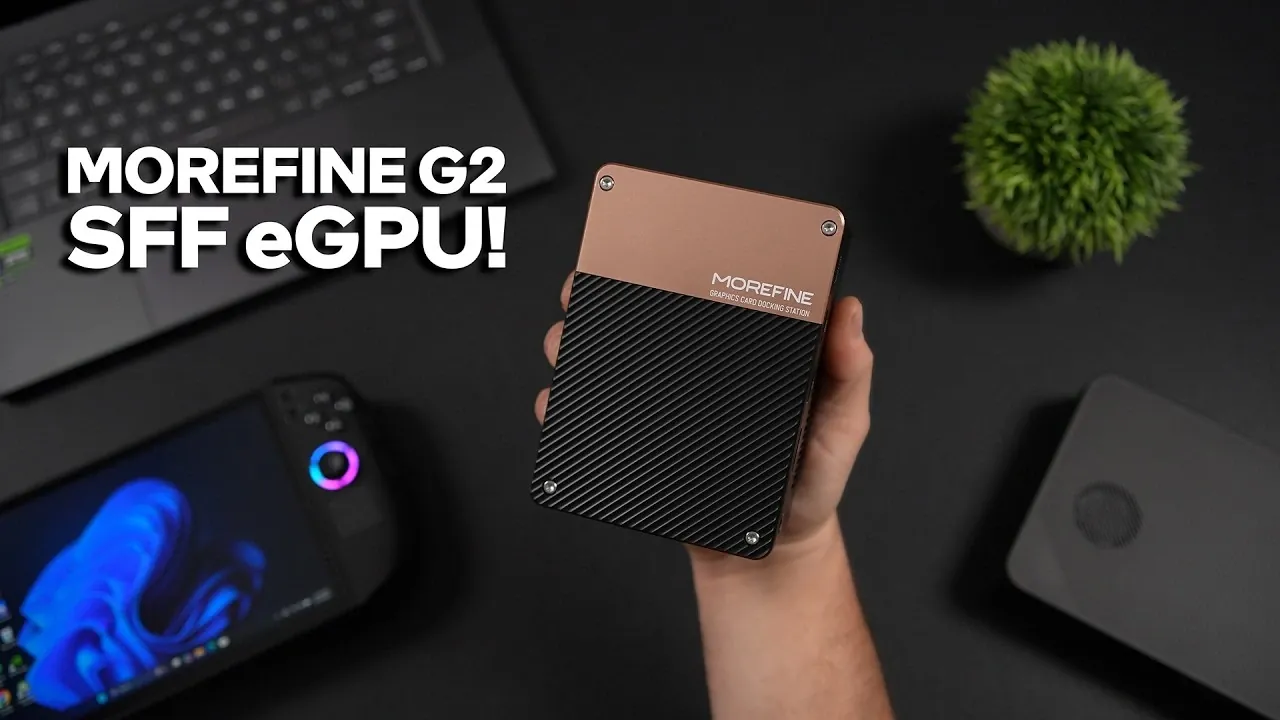
External GPUs are becoming a practical solution for boosting the capabilities of compact devices and the Morefine G2 eGPU stands out as an example of this approach. As explained by ETA Prime, this device integrates the NVIDIA RTX 5060 Ti GPU with connectivity options like Thunderbolt 5 and USB 4 V2, offering desktop-grade performance for laptops, mini PCs and x86 handhelds. With 16GB of VRAM, it supports demanding applications such as AAA gaming and high-resolution video editing, all while maintaining a portable form factor.
Discover how the Morefine G2 adapts to different use cases with its Silent, Auto and Performance modes, each designed for specific workloads. Gain insight into its advanced I/O options, including HDMI 2.1 and DisplayPort 2.0, which enable smooth connections to external displays and peripherals. Additionally, explore its backward compatibility with Thunderbolt 4 and USB 4, making sure functionality with a wide range of devices.
Key Features of the Morefine G2
TL;DR Key Takeaways :
- Desktop-Class Performance: The Morefine G2 eGPU, powered by the NVIDIA RTX 5060 Ti with 16GB VRAM, delivers exceptional performance for gaming, video editing and other intensive tasks.
- Advanced Connectivity: Features Thunderbolt 5, USB 4 V2 and Oculink for ultra-fast data transfer and low-latency performance, making sure seamless compatibility with modern devices.
- Compact and Portable Design: Offers a sleek, portable form factor with a 330-W external power supply, making it easy to carry and set up anywhere.
- Versatile Functionality: Includes multiple I/O options like USB 3.2, HDMI 2.1, DisplayPort 2.0 and 100W Power Delivery, supporting peripherals, external displays and device charging.
- Future-Proof Investment: Backward compatible with Thunderbolt 4 and USB 4, while optimized for Thunderbolt 5, making it suitable for both current and next-generation devices.
The Morefine G2 stands out as a versatile and powerful eGPU solution, offering a range of features that cater to both performance and usability. Its design and capabilities make it a standout choice for users seeking to enhance their device’s graphical and computational power.
- Powerful GPU: At its core is the NVIDIA RTX 5060 Ti, featuring 16GB of VRAM. This GPU ensures smooth performance for demanding AAA games, high-resolution video editing and other intensive tasks.
- Compact and Portable Design: Despite its high-performance capabilities, the G2 maintains a sleek, portable form factor. It is powered by a 330-W external power supply, making it easy to carry and set up anywhere.
- Advanced Connectivity: Equipped with Thunderbolt 5, USB 4 V2 and Oculink, the G2 ensures ultra-fast data transfer and low-latency performance for a seamless user experience.
- Versatile I/O Options: The G2 includes USB 3.2, HDMI 2.1, DisplayPort 2.0 and a 100W Power Delivery output, allowing users to connect multiple peripherals, external displays and charge devices simultaneously.
Performance: Desktop-Class Power on the Go
The Morefine G2 transforms compact devices into high-performance machines, delivering desktop-class graphical power. By connecting via Thunderbolt 5 or USB 4 V2, users can fully harness the capabilities of the NVIDIA RTX 5060 Ti, achieving smooth gameplay and efficient multitasking.
- Gaming Performance: The G2 enables 1440p Ultra settings with enhanced frame rates, supported by NVIDIA’s DLSS (Deep Learning Super Sampling) and multi-frame generation technologies. Whether you’re exploring expansive open-world games or engaging in competitive multiplayer matches, the G2 ensures a fluid and immersive experience.
- Productivity Boost: Beyond gaming, the G2 excels in professional tasks such as video editing, 3D rendering and multitasking across multiple displays. Its ability to handle graphically intensive workloads makes it an invaluable tool for creative professionals.

Gain further expertise in External GPU by checking out these recommendations.
- Double Your Gaming Power on the Go: The Future of Handheld Performance
- Minisforum DEG2 eGPU Dock Hands On First Look : Thunderbolt 5 Doubles Bandwidth
- iOS 27 Leaks Reveal the End of an Era: Apple’s New Priorities Confirmed
- eX Core External Graphics Card Transforms Your Laptop Into A Gaming Rig
- Is eGPU Gaming Finally Worth Your Money? Performance at 1080p, 1440p and 4K Tested
- Beelink EX Dock external GPU performance tested
- Intel Arc GPUs Now Run on Raspberry Pi : What Works and What Breaks
- ASUS ROG Flow Z13 Tablet and RTX 5090 GPU : The Ultimate Portable Gaming Tablet Setup?
- How to connect an external GPU to your laptop to increase graphics performance
- Why Desktop eGPUs Are Finally Worth Buying In 2026
Broad Compatibility
The Morefine G2 is designed to work seamlessly with a wide range of devices, including mini PCs, laptops and x86 handhelds. Its backward compatibility with Thunderbolt 4 and USB 4 ensures that it can be used with older hardware, while its performance is optimized for Thunderbolt 5 and USB 4 V2 connections. This adaptability makes the G2 a future-proof investment, especially for users planning to upgrade their devices in the coming years.
Simple Setup and User-Friendly Features
Setting up the Morefine G2 is straightforward, thanks to its plug-and-play functionality. Once connected, users can select from three performance modes tailored to different needs:
- Silent Mode: Ideal for quieter environments, this mode minimizes noise while maintaining adequate performance.
- Auto Mode: Balances performance and energy efficiency, making it suitable for everyday use.
- Performance Mode: Maximizes output for demanding tasks such as gaming or rendering, making sure optimal results.
The G2 also expands your device’s connectivity options, allowing you to connect peripherals, external storage and additional displays effortlessly. Its user-friendly design ensures that even those new to eGPU setups can get started with minimal hassle.
Limitations to Consider
While the Morefine G2 offers impressive capabilities, there are a few limitations to keep in mind:
- Connection Dependency: The G2’s performance is heavily reliant on the connection type. Thunderbolt 5 provides the best results, while USB 4 may deliver reduced performance.
- Premium Price: The advanced features and innovative technology of the G2 come at a higher cost, which may not suit budget-conscious users.
- Limited Thunderbolt 5 Availability: As of June 2026, the market for Thunderbolt 5 devices is still expanding. This could limit the G2’s immediate usability for some users, particularly those with older hardware.
Who Should Consider the Morefine G2?
The Morefine G2 is an ideal choice for users seeking a portable yet powerful solution to enhance their device’s performance. Its versatility and advanced features make it suitable for a variety of use cases:
- Gamers: Perfect for those using mini PCs, laptops, or x86 handhelds that lack the internal GPU power required for modern games.
- Creative Professionals: A valuable tool for video editors, 3D artists and other professionals working on graphically intensive projects.
- Tech Enthusiasts: A forward-thinking investment for users planning to upgrade to Thunderbolt 5 or USB 4 V2 devices in the near future.
Final Thoughts
The Morefine G2 eGPU bridges the gap between portability and performance, offering a powerful and versatile solution for gamers, professionals and tech enthusiasts alike. By integrating the NVIDIA RTX 5060 Ti GPU with advanced connectivity options, it transforms compact devices into high-performance machines capable of handling demanding tasks. While its premium price and reliance on next-generation connectivity may pose challenges, the G2 remains a compelling choice for those seeking a innovative external GPU solution. Whether you’re gaming, creating, or multitasking, the Morefine G2 sets a new standard for what’s possible with compact computing.
Media Credit: ETA PRIME
Disclosure: Some of our articles include affiliate links. If you buy something through one of these links, Geeky Gadgets may earn an affiliate commission. Learn about our Disclosure Policy.
