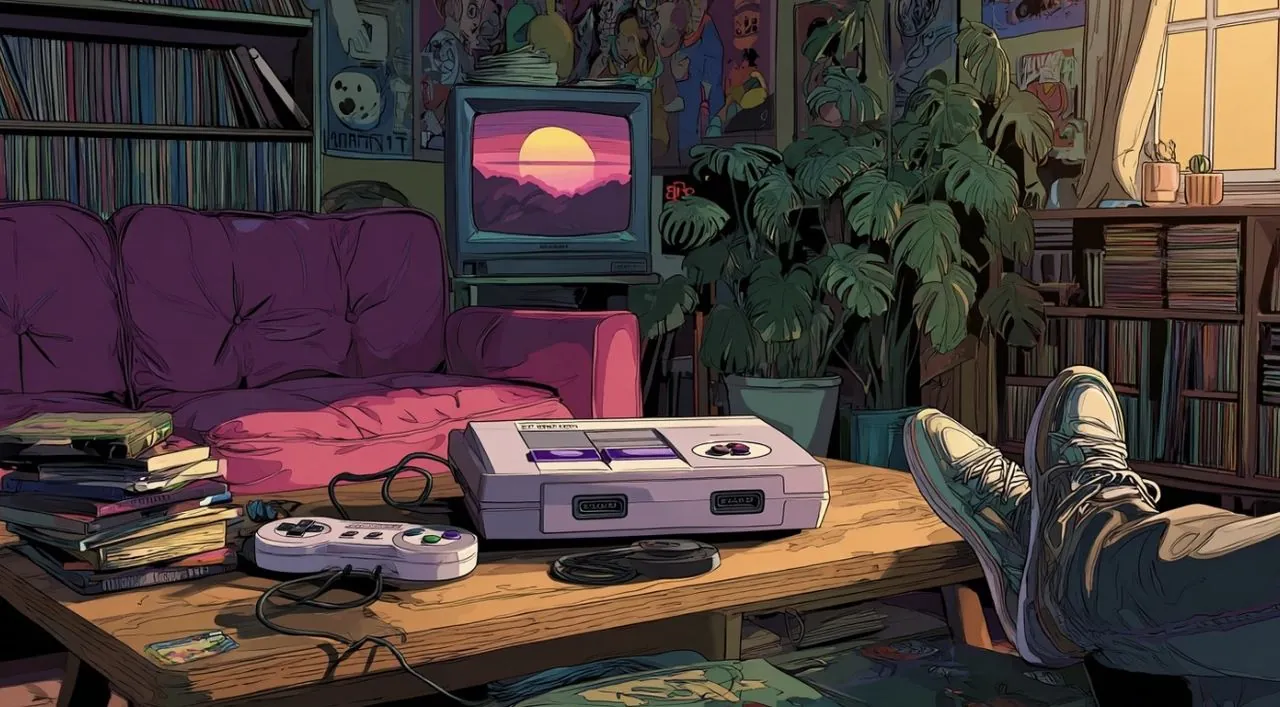
Have you ever wished your modern PC could capture the magic of 90s gaming consoles, the simplicity of popping in a cartridge and diving straight into the action? In an era where gaming often feels bogged down by endless updates, bloated menus, and DRM restrictions, Kazeta OS offers a refreshing alternative. This Linux-based operating system transforms your PC into a retro-inspired gaming hub, complete with the nostalgic plug-and-play charm of vintage consoles. Imagine booting up a game directly from an SD card or USB drive, just like sliding a cartridge into your childhood console. It’s not just a nod to the past, it’s a bold reimagining of how gaming can be.
In the video below ETA Prime explains how Kazeta OS bridges the gap between retro simplicity and modern versatility. Whether you’re a fan of DRM-free classics, indie gems, or even select modern titles, you’ll discover how this lightweight system delivers a streamlined, hassle-free gaming experience. But it’s not all smooth sailing, performance can vary based on your hardware, and some retro games may require extra setup. Still, for those who crave the authenticity of cartridge-based gameplay and the convenience of modern tech, Kazeta OS offers a uniquely compelling solution. What does it take to bring the spirit of the 90s to your PC? Let’s find out.
Retro Gaming Made Simple
TL;DR Key Takeaways :
- Kazeta OS is a Linux-based operating system designed to replicate the simplicity and nostalgia of 90s gaming consoles, allowing users to load DRM-free games directly from SD cards or USB drives.
- It supports a wide range of DRM-free games, including retro classics, indie titles, and select modern games, using the Proton compatibility layer for Windows-based games.
- The lightweight design enables Kazeta OS to run directly from a USB drive, with a straightforward installation process and built-in tools for managing save files and game setups.
- Performance is optimized for 2D and retro games, but modern 3D games may require higher-end hardware and manual adjustments for smooth gameplay.
- Kazeta OS is actively evolving, with planned updates to improve functionality, simplify configurations, and expand game compatibility, making it a promising platform for retro and indie gaming enthusiasts.
Reviving the Retro Gaming Experience
Kazeta OS is purpose-built to replicate the plug-and-play simplicity of vintage gaming consoles. Instead of navigating through complex menus or installing games onto internal storage, you can boot directly into your favorite titles stored on external devices like SD cards or USB drives. These external devices act as modern-day cartridges, offering an intuitive and nostalgic gaming process. The operating system minimizes setup time, allowing you to jump straight into gaming without unnecessary configurations or delays. This approach makes Kazeta OS particularly appealing to those who value convenience and authenticity in their gaming experience.

Game Compatibility and Versatility
Kazeta OS supports a wide range of DRM-free games, including those available on platforms like GOG and Steam. For Windows-based games, it uses the Proton compatibility layer, which allows many popular titles to run smoothly on the system. However, retro games often require additional setup steps, such as downloading emulator files or configuring BIOS settings, to function correctly. While Kazeta OS excels with 2D indie games and older titles, its performance with modern 3D games can vary significantly, especially on lower-end hardware. This variability makes it a better fit for gamers who prioritize retro and indie experiences over innovative graphics.
Kazeta OS: A Linux-Based OS for Retro Gaming Fans. Insert Cart and Play!

Gain further expertise in retro gaming by checking out these recommendations.
- Retroid Pocket 4 Pro retro handheld games console
- Atari 2600+ retro games console unveiled
- How to Play Retro Games on Your Apple Watch
- Best iPhone Emulator Apps for Retro Gaming
- How to Play Retro Games on the iPhone
- indieGO Retro Games Console And Media System Unveiled (video
- Ayaneo Pocket DMG & Micro handheld retro games consoles
- Analogue Duo retro games console launches
- Turn Your Apple TV 4K into a Retro Gaming Powerhouse
- A500 Mini Amiga mini games console launching 2022
Streamlined Design and Easy Setup
One of the standout features of Kazeta OS is its lightweight design, which allows it to run directly from a USB drive without requiring internal storage. The installation process is straightforward and mirrors the simplicity of other Linux distributions, making it accessible even to users with limited technical expertise. Built-in tools for managing save files and setting up games further enhance the user experience, although these tools are still being refined for greater ease of use. This simplicity ensures that you can get started with minimal effort, making Kazeta OS an attractive option for gamers seeking a hassle-free setup.
Performance and Hardware Considerations
Kazeta OS is optimized for efficiency, but its performance is closely tied to the capabilities of your hardware. It handles 2D games and retro titles with ease, delivering smooth gameplay and quick load times. However, modern 3D games may experience slowdowns or require manual adjustments, such as tweaking INI files or modifying settings, to achieve optimal performance. While this level of customization appeals to advanced users, it may pose challenges for beginners who are less familiar with technical configurations. For the best experience, using mid-range or higher-end hardware is recommended, especially if you plan to explore more demanding titles.
Controller Support and Configuration
Kazeta OS offers broad support for a variety of gaming controllers, making sure compatibility with many popular models. Most controllers work seamlessly out of the box, but some may require additional adapters or configuration steps to function properly. Depending on your controller’s model and connection type, you might need to experiment with settings to achieve smooth operation. This flexibility allows you to tailor the gaming experience to your preferences, though it may involve some trial and error for less common controller setups.
Ongoing Development and Future Potential
Kazeta OS is an actively evolving platform, with regular updates aimed at improving its functionality and expanding its capabilities. Planned enhancements include better tools for transferring games, simplified setup processes, and broader compatibility with a wider range of titles. These updates are expected to address existing limitations, such as performance inconsistencies and complex configurations, making the system more user-friendly over time. As Kazeta OS continues to mature, it holds the potential to become a more versatile and appealing option for gamers who value both nostalgia and modern flexibility.
A Unique Gaming Platform for Enthusiasts
Kazeta OS offers a distinctive way to transform your PC into a retro gaming console, complete with the nostalgic charm of cartridge-based gameplay. Its lightweight design, support for DRM-free games, and focus on simplicity make it an excellent choice for fans of retro and indie gaming. While it does have limitations in terms of performance and compatibility, ongoing updates promise to address these challenges and enhance the overall experience. If you’re seeking a platform that combines the best of retro gaming with modern convenience, Kazeta OS is a compelling option worth exploring.
Media Credit: ETA PRIME
Disclosure: Some of our articles include affiliate links. If you buy something through one of these links, Geeky Gadgets may earn an affiliate commission. Learn about our Disclosure Policy.
