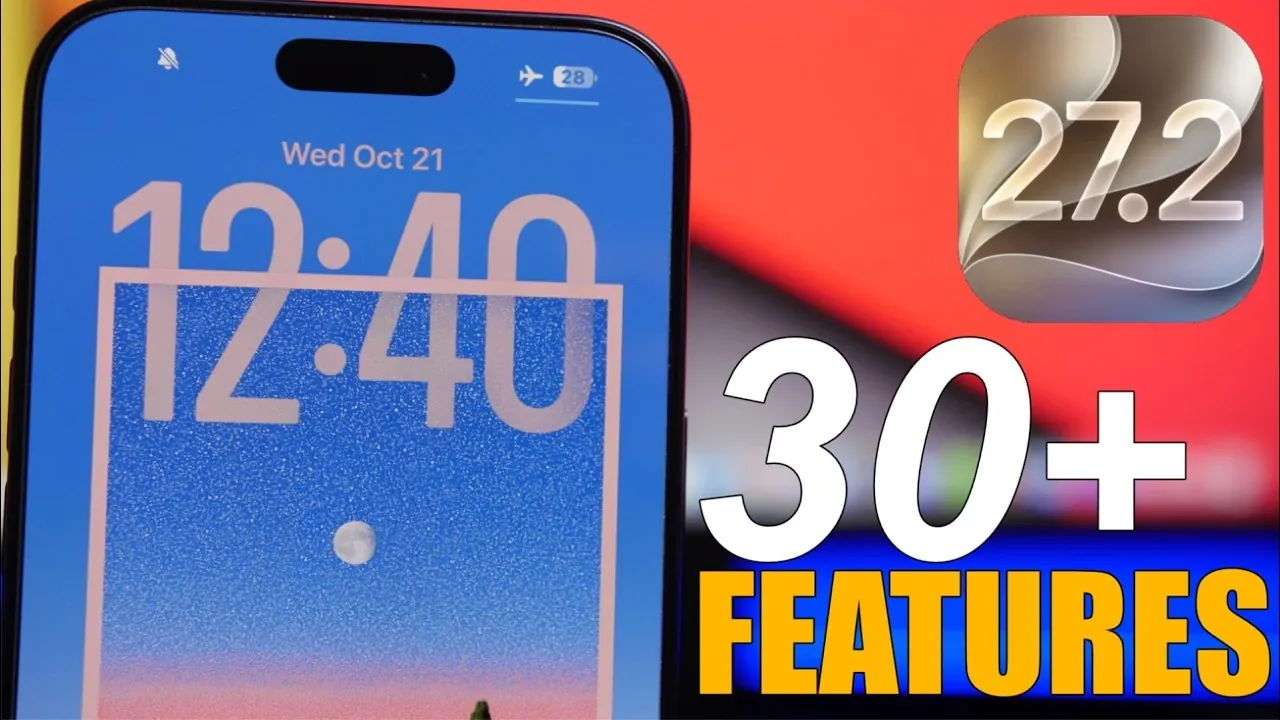
Apple’s iOS 27.2 introduces a diverse range of updates designed to enhance usability, refine app interfaces, and add new functionalities. Whether your iPhone is your go-to device for productivity, entertainment, or staying connected, this update delivers meaningful improvements to elevate your experience. Below is an in-depth exploration of the most notable features and enhancements. The video below from iReveiws giuves us more details.

Home Screen Enhancements
iOS 27.2 introduces subtle yet impactful changes to the home screen, focusing on both aesthetics and functionality:
- The status bar has been reduced in size, creating a cleaner and more streamlined appearance.
- App icons for Battery, Health, Preview, and Music have been redesigned with a modern and cohesive aesthetic.
- Music app widgets now adapt seamlessly to dark mode, making sure a visually consistent experience regardless of your settings.
These updates provide a refreshed look while maintaining the intuitive layout users expect.
Messages: Smarter and More Intuitive
The Messages app receives several enhancements aimed at improving communication efficiency:
- Quick action suggestions now highlight actionable items such as dates, package tracking links and flight numbers, allowing you to interact with them directly.
- These suggestions can be customized to sync with apps like Calendar and Reminders, streamlining your workflow.
- A mute icon now appears on pinned conversations, giving you greater control over managing active chats.
These features make messaging more intuitive and tailored to your needs.
TV App: Personalized Viewing
The TV app introduces new features to enhance personalization and accessibility:
- User profiles can now be secured with a passcode, making sure privacy on shared devices.
- Support for British and American Sign Language improves accessibility, making content more inclusive for a broader audience.
These updates ensure a tailored and secure viewing experience for all users.
FaceTime: Enhanced Group Calls
FaceTime now supports dual-camera functionality during group calls, allowing you to share multiple perspectives simultaneously. This feature makes group interactions more dynamic, allowing participants to engage in a richer and more immersive way.
Siri: Expanded Language Support
Siri becomes even more versatile with several updates:
- Support for five new languages: Spanish, Portuguese, Korean, Japanese, and French, broadening its global usability.
- A redesigned conversation button with a blurred effect offers a sleeker and more modern interface.
- The “Excluded Apps” section has been consolidated, simplifying the process of managing preferences and excluding multiple apps simultaneously.
These improvements make Siri a more powerful and accessible virtual assistant.
Music App: A Cleaner Look
The Music app undergoes a visual refresh to enhance usability and aesthetics:
- Red accents have been replaced with a minimalist black-and-white design, creating a more polished appearance.
- The bottom navigation bar now features blue highlights, improving navigation and usability.
These changes ensure a more cohesive and enjoyable music experience.
Phone App: Thoughtful Notifications
Dynamic Island notifications now include reminders for birthdays and anniversaries during calls. This thoughtful addition ensures you stay connected with loved ones while managing your day-to-day interactions.
Podcasts App: Simplified Navigation
The Podcasts app has been redesigned for a more user-friendly experience:
- A unified color scheme adapts to podcast cover art, creating a cohesive and visually appealing interface.
- The “Up Next” section prioritizes new episodes, while the “Continue Playing” section has been relocated for easier access.
- Search results are now categorized into “Shows, Episodes and More,” simplifying content discovery and navigation.
These updates make it easier to find and enjoy your favorite podcasts.
Clock App: Streamlined Design
The Clock app introduces smaller, cleaner AM/PM indicators for alarms. This subtle change enhances the app’s overall functionality while maintaining a polished and user-friendly interface.
Battery Icon: Greater Customization
Battery customization takes center stage with updated icons:
- New battery states are available across the home screen, settings and shortcuts app.
- These updates allow for greater personalization of your device, allowing users to tailor their experience to their preferences.
This focus on customization ensures your iPhone feels uniquely yours.
Maps App: Polished Aesthetics
The Maps app introduces a liquid glass design for profile pictures, adding a refined and modern touch. Additionally, the “Options” menu has been renamed to “Time and Options,” providing clearer navigation details and improving usability.
Books App: Sleek and Functional
The Books app receives a modern update with liquid glass menus, enhancing its overall aesthetic. A new progress bar has also been added, making it easier to track your reading progress and stay engaged with your favorite books.
General Updates: Fresh Customization Options
iOS 27.2 includes several general improvements that enhance the overall user experience:
- New wallpapers for both light and dark modes offer fresh customization options for your device.
- Design refinements across various apps create a more cohesive and visually appealing interface.
These updates reflect Apple’s commitment to providing a polished and user-friendly operating system.
Final Thoughts
iOS 27.2 demonstrates Apple’s dedication to refining the iPhone experience. From smarter messaging features and personalized TV app profiles to expanded Siri capabilities and sleek app designs, this update delivers practical and meaningful enhancements. Whether you’re customizing your home screen, exploring the redesigned Music app, or enjoying the improved accessibility features, iOS 27.2 ensures your iPhone remains a versatile and intuitive tool for everyday use.
Find more information on iOS 27.2 by browsing our extensive range of articles, guides and tutorials.
- What’s Coming Next? Inside the New Tweaks Hitting iOS 27.2 Beta 3
- Apple Just Released iOS 27.2 Beta 3: All the New Changes
- The Best Features Coming to Your iPhone in iOS 27.2
- iOS 27.2 Beta 3 Is Here: What’s New, Changed, and Fixed
- Inside iOS 27.2 Beta 4: Surprising UI Tweaks and Last-Minute Changes
- New Features You Didn’t Know Were Coming in iOS 27.2
Source & Image Credit: iReviews
Disclosure: Some of our articles include affiliate links. If you buy something through one of these links, Geeky Gadgets may earn an affiliate commission. Learn about our Disclosure Policy.
