Optimizing your iPhone’s battery settings on iOS 26 is crucial for maintaining device performance, extending battery life, and contributing to sustainable energy use. With a range of advanced features, iOS 26 enables you to manage your battery effectively while minimizing environmental impact. The video below from iReviews outlines practical steps to help you take full advantage of these tools and ensure your iPhone operates efficiently.

Monitor and Maintain Battery Health
Understanding your battery’s condition is the foundation of effective battery management. iOS 26 provides detailed insights into your battery’s maximum capacity and charging cycles, allowing you to monitor its health over time. To access this information, go to Settings > Battery > Battery Health.
- If your battery’s maximum capacity falls below 80%, it may be time to replace it to maintain optimal performance.
- Regularly reviewing this data helps you stay proactive in addressing potential battery issues before they affect your device’s functionality.
By staying informed about your battery’s health, you can make timely decisions to preserve its longevity and ensure consistent performance.
Optimize Charging Habits
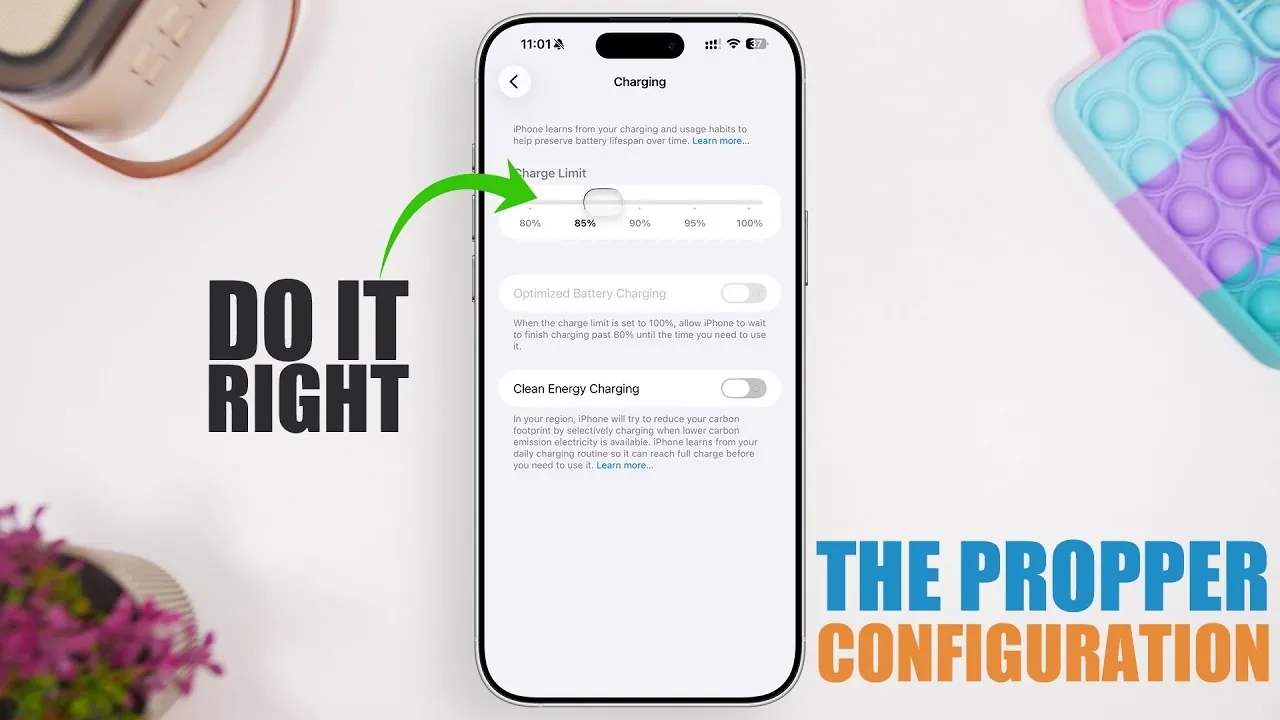
iOS 26 introduces several features to help you charge your iPhone more efficiently and extend its battery lifespan. The Optimized Battery Charging feature is designed to learn your daily charging routine and delay charging beyond 80% until just before you typically use your device. Additionally, a new charge limit slider allows you to set a maximum charge level between 80% and 100%.
- For a balance between convenience and battery health, set the charge limit to 90%.
- If you prioritize faster charging, you can disable optimized charging in the settings.
These tools ensure that your charging habits align with best practices for maintaining battery health while offering flexibility based on your preferences.
Support Sustainable Energy Use
The Clean Energy Charging feature in iOS 26 is designed to reduce your carbon footprint by charging your iPhone during times when cleaner energy sources are available. This feature aligns with Apple’s commitment to sustainability and encourages environmentally friendly energy consumption.
- Enable this feature to contribute to reducing your environmental impact.
- If faster charging is more important to you, you can disable this setting in the Battery menu.
By using Clean Energy Charging, you can make a positive impact on the environment without compromising your device’s functionality.
Maximize Efficiency with Adaptive Power Mode
iOS 26 introduces Adaptive Power Mode, a feature that dynamically adjusts your iPhone’s performance based on your usage patterns to conserve battery life. This mode works seamlessly in the background, making sure efficient power management without requiring constant manual adjustments. Notifications will alert you when Adaptive Power Mode is activated. Additionally, the traditional Low Power Mode remains available for situations where you need to extend battery life urgently.
- Use Adaptive Power Mode for automated, hassle-free battery optimization.
- Reserve Low Power Mode for emergencies, as frequent use may affect long-term battery performance.
These features provide a comprehensive approach to managing your iPhone’s power consumption, making sure your device remains efficient throughout the day.
Analyze and Adjust Battery Usage
iOS 26 offers detailed insights into how your iPhone consumes power, allowing you to identify high-drain activities and make adjustments. By navigating to Settings > Battery, you can view app-specific and feature-specific battery usage data.
- Disable or limit features like the Always-On Display if they significantly impact battery life.
- Regularly review app usage to identify and address power-hungry applications.
This data-driven approach enables you to make informed decisions about your usage habits, helping you conserve battery life without sacrificing functionality.
Enable Real-Time Battery Monitoring
For precise monitoring of your battery status, enable the Battery Percentage Display in the status bar. This feature provides a clear, real-time view of your remaining battery life, allowing you to plan your charging and usage more effectively.
Track Daily Usage Patterns
The Daily Usage Overview in iOS 26 provides a comprehensive breakdown of how apps and features impact your battery life. By analyzing this data, you can identify patterns in your usage and make adjustments to reduce unnecessary power consumption.
- Check the overview regularly to identify high-drain activities and features.
- Modify your habits to align with your battery management goals, such as reducing screen time or disabling background app refresh for certain apps.
This feature enables you to take control of your battery usage, making sure your device operates efficiently throughout the day.
Take Control of Your iPhone’s Battery
By using the advanced battery management features in iOS 26, you can enhance your iPhone’s performance, extend its battery lifespan, and support sustainable energy practices. Regularly monitor your battery health, optimize your charging habits, and take advantage of tools like Adaptive Power Mode and Clean Energy Charging. These proactive measures ensure your device remains efficient and reliable, meeting your needs while contributing to a more sustainable future.
Here is a selection of other guides from our extensive library of content you may find of interest on iOS 26 battery optimization.
- How to Fix iOS 26.1 Battery Life: Top Tips for Longer iPhone Usage
- Maximize Your iPhone Battery Life with These Genius iOS 26 Hacks
- iOS 26 Settings You Should Change for Maximum Performance
- How to Fix iOS 26 Battery Drain and Improve Performance
- How to Optimize Your iPhone After Installing iOS 26
Source & Image Credit: iReviews
Disclosure: Some of our articles include affiliate links. If you buy something through one of these links, Geeky Gadgets may earn an affiliate commission. Learn about our Disclosure Policy.
