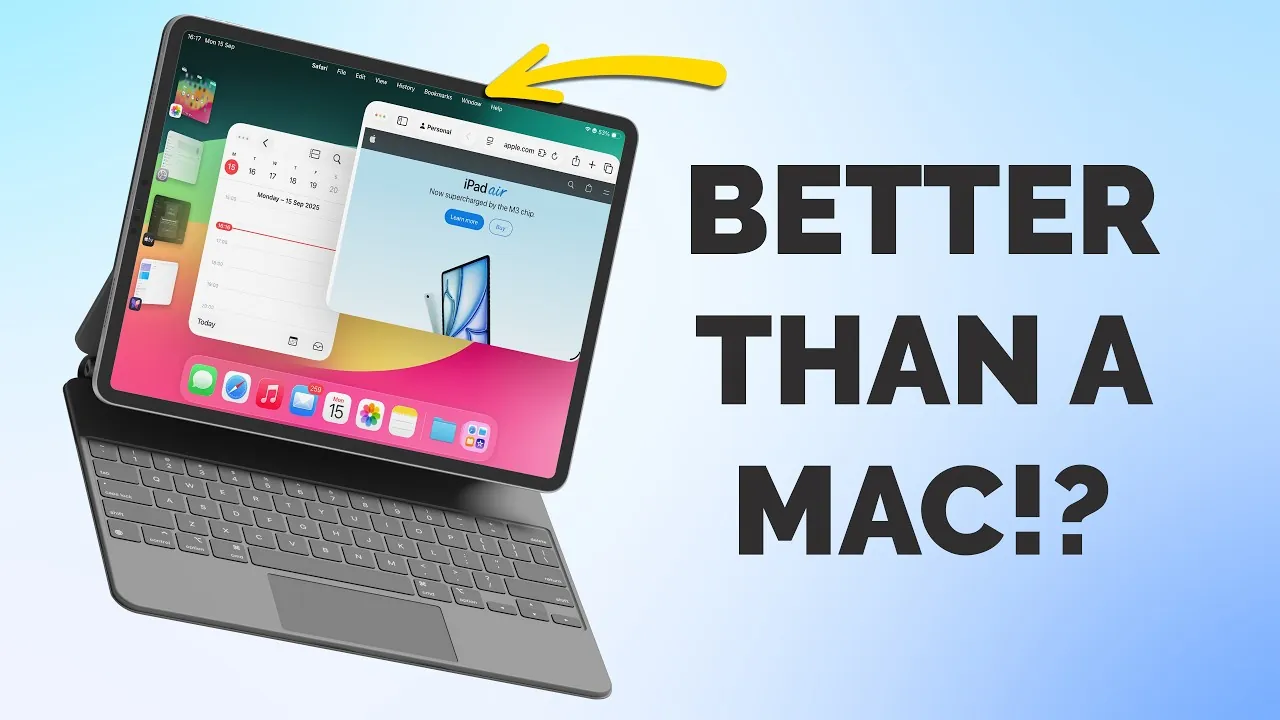
Apple’s iPadOS 26 represents a thoughtful evolution in the iPad’s operating system, further bridging the gap between iOS and macOS. While it doesn’t introduce new changes, the update focuses on practical improvements that enhance multitasking, design consistency, and overall productivity. Whether you use your iPad for work, study, or creativity, these features are designed to make your experience more seamless and efficient. Below are the key updates you should explore to maximize the potential of your device in a new video from Proper Honest Tech.

Multitasking: A Smarter Way to Manage Windows
iPadOS 26 introduces a more refined and intuitive multitasking system, making it easier to manage multiple apps simultaneously. The ability to resize, move, and organize app windows with precision brings the iPad closer to a desktop-like experience. Borrowing from macOS, the inclusion of the familiar traffic light system—red, amber, and green buttons—allows you to minimize, maximize, or close windows effortlessly.
Stage Manager has also been significantly improved, offering smoother transitions between apps and better support for external displays. These updates make multitasking more fluid, allowing you to switch between tasks without interruptions. For users who rely on their iPads for productivity, these enhancements provide a more streamlined workflow.
Liquid Glass Design: A Unified Aesthetic
The new “Liquid Glass” design introduces a sleek, transparent aesthetic that unifies the visual experience across Apple’s ecosystem. Redesigned Apple apps now feature translucent overlays, particularly noticeable in the Control Center, creating a polished and modern look. This design not only enhances the iPad’s visual appeal but also aligns its interface more closely with macOS and iOS, fostering a sense of consistency across devices.
For users who prefer a more straightforward interface, an accessibility option allows you to reduce transparency effects, making sure the design remains functional for everyone. Whether you appreciate the aesthetic upgrade or prioritize clarity, this feature offers flexibility to suit your preferences.
Enhanced Menu Bar: Streamlined Navigation
Borrowing another key feature from macOS, iPadOS 26 introduces an in-app menu bar that simplifies navigation and boosts efficiency. This menu bar provides quick access to essential functions and displays keyboard shortcuts, making it easier to perform tasks without relying solely on touch gestures.
Whether you’re editing documents, managing files, or working in creative apps, the menu bar ensures that frequently used tools are always within reach. This addition is particularly beneficial for users who pair their iPads with keyboards, as it enhances the overall workflow and reduces the need for repetitive actions.
Files App: More Control, Better Organization
The Files app receives a significant upgrade in iPadOS 26, offering new customization options that improve organization and accessibility. You can now personalize folder appearances with colors, tags, and icons, making it easier to distinguish between different projects or categories.
The updated list view introduces customizable columns, allowing you to decide how information is displayed. This feature is especially useful for professionals managing large volumes of files. Additionally, the ability to add folders directly to the dock provides quicker access to frequently used directories, streamlining file management and saving time.
Preview App: Advanced PDF Editing
For the first time, the Preview app makes its way to the iPad, bringing advanced PDF editing tools that were previously exclusive to macOS. With this app, you can annotate documents, scan files, and collaborate on shared iCloud folders without relying on third-party software.
This feature is particularly valuable for professionals, educators, and students who frequently work with PDFs. Whether you’re reviewing contracts, marking up assignments, or sharing notes, the Preview app offers a seamless way to manage documents directly on your iPad.
Photos App: 3D Effects and Better Organization
The Photos app in iPadOS 26 introduces spatial scenes, a feature that allows you to create immersive 3D effects for your images. This addition is ideal for users who enjoy experimenting with creative tools to enhance their photos.
A redesigned sidebar simplifies navigation, making it easier to switch between your library and specific collections. Customizable organization options further improve the user experience, allowing you to sort and manage your photo library with greater efficiency. These updates ensure that your focus remains on creativity rather than navigating through cluttered menus.
Content Recording and Improved Microphone Controls
Content creators will appreciate the enhanced microphone controls and the addition of a new local capture tool. This tool allows you to record audio, such as interviews or voiceovers, directly to the Files app for easy access and organization.
The improved microphone settings ensure high-quality audio input, making the iPad a versatile device for podcasts, video production, and other audio projects. These features cater to both casual users and professionals, expanding the iPad’s capabilities as a content creation tool.
Journaling with Apple Pencil and Mood Tracking
The new Journal app uses the iPad’s unique features to provide a rich and interactive journaling experience. With full Apple Pencil support, you can write, draw, and annotate entries, adding a personal touch to your reflections.
The app also integrates multimedia elements, allowing you to include photos, audio recordings, and even mood tracking. Journaling suggestions help you stay consistent and reflective, making it easier to set meaningful goals and track your progress over time. This feature is ideal for users seeking a creative and organized way to document their daily lives.
Unlock the Full Potential of iPadOS 26
iPadOS 26 focuses on enhancing the iPad’s versatility by blending the best features of macOS and iOS while retaining its unique identity. From improved multitasking to advanced design updates, this release prioritizes functionality and user experience. Whether you’re a professional, student, or creative, these features are tailored to meet your needs. Explore these updates today to take full advantage of what your iPad has to offer.
Stay informed about the latest in iPadOS 26 by exploring our other resources and articles.
- iPadOS & iOS 26: Top Shortcuts to Boost Productivity
- iPadOS 26: Improvements, Limitations, and What’s Next
- iPadOS 26 Features: Compatibility and Limitations Explained
- What’s New in iPadOS 26 Beta 5? Key Features to Know
- How iPadOS 26 Enhances Multitasking and Productivity
Source & Image Credit: Proper Honest Tech
Disclosure: Some of our articles include affiliate links. If you buy something through one of these links, Geeky Gadgets may earn an affiliate commission. Learn about our Disclosure Policy.
