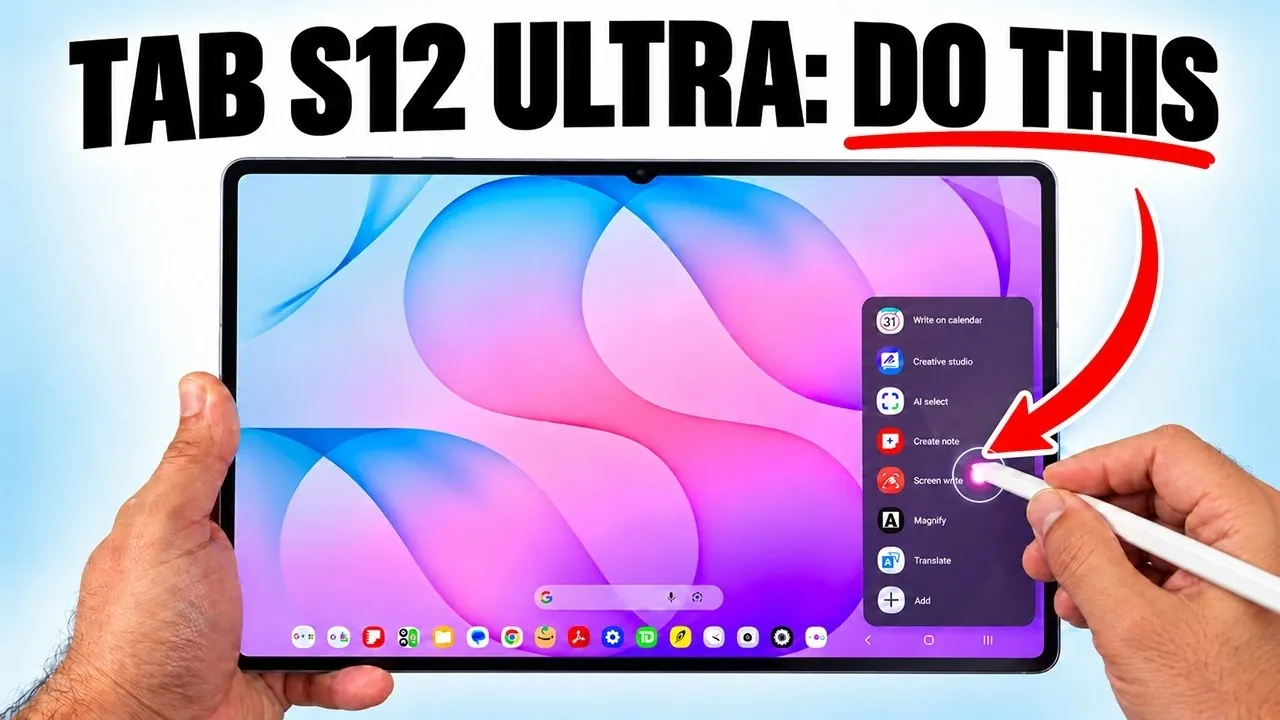
The Samsung Galaxy Tab S12 Ultra is a versatile device that combines sleek design with powerful functionality, making it a top choice for productivity, entertainment and multitasking. However, many users fail to fully use its advanced features, leaving much of its potential untapped. By exploring its capabilities and implementing a few key strategies, you can transform your tablet into a personalized, efficient and highly functional tool. The video below from Sakitech gives us more details.

Personalize Your Device for Maximum Efficiency
Customizing your Galaxy Tab S12 Ultra is essential for creating a seamless and efficient user experience. Begin by renaming your device to make it easily identifiable when connecting to other gadgets. Next, take advantage of the highly adaptable taskbar, which can significantly enhance navigation and productivity.
- Add up to 16 frequently used apps to the taskbar for quick access.
- Adjust its position to align with your workflow preferences.
- Hide the taskbar when it’s not in use to maintain a clean and distraction-free interface.
These simple adjustments allow you to tailor the tablet to your specific needs, making sure a more intuitive and productive experience.
Enhance Your Entertainment Experience
The Galaxy Tab S12 Ultra is designed to deliver an immersive entertainment experience, making it an ideal companion for streaming, gaming and music. To fully use its multimedia capabilities:
- Enable Dolby Atmos to enjoy superior audio quality, whether you’re watching movies, listening to music, or playing games.
- Pair the tablet with Samsung Galaxy Buds and activate the UHQ upscaler for richer, more detailed sound.
- Adjust video brightness settings in apps like Netflix or YouTube to ensure vibrant visuals that adapt to your environment.
By optimizing these settings, your tablet becomes a portable entertainment hub, delivering a premium audiovisual experience wherever you go.
Master Multitasking for Greater Productivity
The Galaxy Tab S12 Ultra excels in multitasking, making it a powerful tool for work, study and everyday tasks. Its advanced multitasking features allow you to manage multiple activities simultaneously with ease.
- Use split-screen mode to run two apps side by side, allowing efficient multitasking.
- Expand your capabilities with three-way multitasking or add a fourth app in pop-up view for even greater flexibility.
- Save your favorite app combinations as pairs, allowing you to launch them together with a single tap.
These features streamline your workflow, helping you stay organized and productive throughout the day.
Unlock the Full Potential of the S Pen
The S Pen is a standout feature of the Galaxy Tab S12 Ultra, offering a range of tools that enhance both creativity and productivity. To make the most of this versatile accessory:
- Hover over content to preview links, access quick actions, or interact with apps without fully opening them.
- Take notes directly on the screen, even when it’s off and save them to Samsung Notes for later editing or sharing.
- Use the S Pen for precise sketching, annotating documents, or brainstorming ideas in real time.
Whether you’re a professional, student, or creative enthusiast, the S Pen transforms your tablet into a dynamic tool for a variety of tasks.
Optimize Your Keyboard and Mouse Settings
If you use the Samsung Pro Keyboard Cover or a Bluetooth mouse with your Galaxy Tab S12 Ultra, customizing their settings can significantly improve your experience. Adjustments such as:
- Modifying touchpad speed for smoother navigation.
- Changing pointer size and color to enhance visibility and precision.
These tweaks are particularly useful when using the tablet as a laptop replacement, making sure a comfortable and efficient setup for extended typing or navigation sessions.
Protect Your Eyes During Extended Use
Prolonged screen time can lead to eye strain, but the Galaxy Tab S12 Ultra includes features to help mitigate this issue. Enable the Eye Comfort Shield to reduce blue light exposure, especially during nighttime use. Additionally:
- Manually adjust the color temperature to create a warmer, more comfortable display.
- Schedule adaptive settings to automatically adjust brightness and color based on the time of day.
These features make the tablet more comfortable to use for extended periods, whether you’re working late into the night or enjoying a movie marathon.
Maintain Security and Optimize Performance
Keeping your Galaxy Tab S12 Ultra secure and running smoothly is essential for long-term performance. The device offers several built-in tools to help you achieve this:
- Activate malware protection and schedule regular scans to safeguard against potential threats.
- Use the Optimize Now feature to clear unnecessary files, manage background processes and improve overall performance.
- Add a device care widget to your home screen for quick access to maintenance tools and performance monitoring.
By prioritizing security and maintenance, you can ensure that your tablet remains reliable and efficient over time.
Streamline Navigation and Home Screen Organization
Efficient navigation and a well-organized home screen can save you time and improve your overall experience. Use Samsung Finder alongside Google Search for comprehensive results when locating files, apps, or settings. To further enhance organization:
- Disable Google Discover if you find it distracting or unnecessary.
- Customize wallpapers and add additional home screens to group apps and widgets by category or function.
These small but impactful changes make navigating your tablet more intuitive, allowing you to focus on what matters most.
Maximize Your Galaxy Tab S12 Ultra Experience
The Samsung Galaxy Tab S12 Ultra is packed with features designed to enhance productivity, entertainment and overall usability. By personalizing your device, optimizing media settings, mastering multitasking and using the S Pen, you can unlock its full potential. Don’t forget to prioritize security, maintenance, and eye comfort to ensure a seamless and enjoyable experience. With these strategies, your Galaxy Tab S12 Ultra becomes more than just a tablet; it evolves into a versatile tool that adapts to your lifestyle and needs.
Browse through more resources below from our in-depth content covering more areas on the Samsung Galaxy Tab S12 Ultra.
- The Problem With Samsung’s Upcoming Galaxy Tab S12 Ultra
- Samsung Galaxy Tab S12 Ultra: the Biggest Upgrades Leaked So Far
- Leaked: First Look at the Samsung Galaxy Tab S12 Ultra Design
- Same Design May Hide Huge Samsung Galaxy Tab S12 Ultra Upgrades
- Samsung Galaxy Tab S12 Ultra vs M5 iPad Pro: What to Expect
Source & Image Credit: sakitech
Disclosure: Some of our articles include affiliate links. If you buy something through one of these links, Geeky Gadgets may earn an affiliate commission. Learn about our Disclosure Policy.
