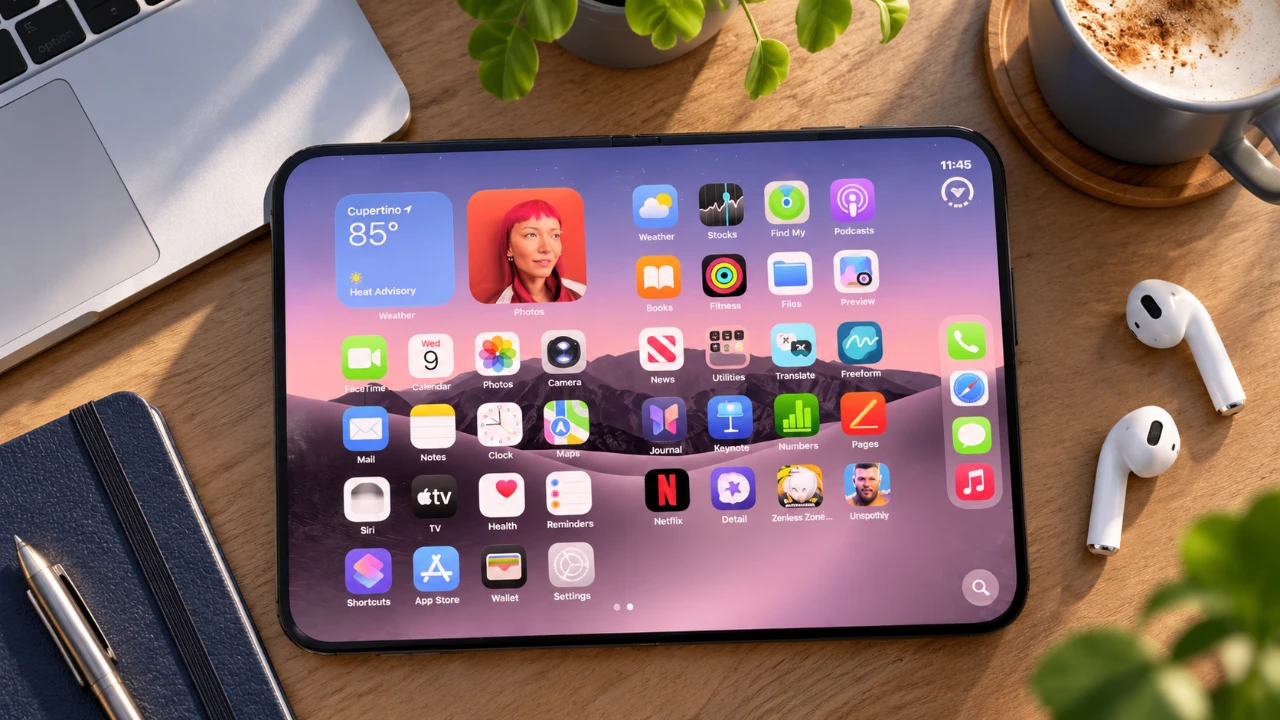
The iPhone Duo introduces a bold design and advanced features, offering users a unique dual-screen experience. However, to fully use its potential, certain steps must be taken immediately after unboxing. From updating apps to mastering multitasking and camera tools, these actions will ensure your device operates at its best. In the video below, Half Man Half Tech outlines the essential steps to help you unlock the full capabilities of your iPhone Duo.

Update and Optimize Your Apps
The iPhone Duo’s dual-screen design brings new possibilities, but not all apps are immediately optimized for its innovative display. Begin by making sure all your apps are updated to their latest versions. Regular updates are critical for compatibility with features like split-screen multitasking and enhanced display options. Developers are continuously improving their apps to align with the Duo’s unique capabilities, so staying current ensures a seamless and efficient experience.
Set Up Multiple Unlocking Methods
To enhance convenience and security, configure multiple unlocking methods. Use Touch ID to register fingerprints from both hands, allowing you to unlock the device effortlessly in any orientation. Additionally, enable Apple Watch unlocking for quick, hands-free access. These options provide flexibility and ensure secure, hassle-free use whether you’re at work, on the go, or relaxing at home.
Install the Latest Software Updates
Keeping your iPhone Duo updated is essential for optimal performance. Ensure your device is running the latest iOS version, such as iOS 27.2, which includes performance enhancements, new features like Apple Pencil USB support, and improved multitasking capabilities. Regular updates also address potential security vulnerabilities, making sure your device remains safe and efficient.
Master Multitasking Features
The iPhone Duo is designed to redefine productivity with its advanced multitasking tools. The split-screen feature allows you to run two apps simultaneously in landscape mode. For example:
- Browse the web while taking notes.
- Watch a video while replying to messages.
You can also lock paired apps together for seamless transitions, making sure your workflow remains uninterrupted. These multitasking features make the Duo an ideal device for both professional tasks and personal entertainment.
Enhance Your Photography Experience
The iPhone Duo’s camera system is a standout feature, equipped with a 48MP main sensor and an ultrawide lens for exceptional image quality. To maximize its potential:
- Use the dual preview feature to perfect your composition when photographing others.
- Activate kid-friendly animations to capture children’s attention during photo sessions.
- Use AI-powered smart capture for hands-free group photos, with automatic adjustments for optimal results.
These tools ensure you can capture stunning images effortlessly, whether you’re shooting portraits, landscapes, or group photos.
Customize Volume Control
The iPhone Duo offers customizable volume control to suit your preferences. Adjust the behavior of the volume buttons to respond based on the device’s orientation or remain fixed. This feature ensures intuitive control, whether you’re using the device in portrait or landscape mode, making it easier to manage audio settings in any scenario.
Protect Your Device and Adjust Display Settings
To safeguard your investment, use a hinge-protective case specifically designed for the iPhone Duo. These cases protect the device’s unique folding mechanism without compromising usability. Additionally, enable the “Shift Left Edge” feature to adjust screen content for cases that partially cover the display edges. These adjustments ensure both durability and usability, allowing you to enjoy the device without worry.
Explore Additional Features
The iPhone Duo offers a variety of customizable options to enhance your experience:
- Personalize the outer display with widgets, notifications, and shortcuts for quick access to essential functions.
- Activate back screen locking to prevent accidental touches when the rear display is not in use.
These features add convenience and streamline your daily interactions, making the device more intuitive and user-friendly.
Take Full Advantage of Your iPhone Duo
The iPhone Duo is a powerful device packed with innovative features, but unlocking its full potential requires thoughtful setup and exploration. By updating your apps, configuring multiple unlocking methods, mastering multitasking, and using advanced camera tools, you can elevate your experience from the very first day. Protect your device with a hinge-specific case, adjust display settings, and stay current with software updates to ensure optimal performance. These steps will help you make the most of your iPhone Duo, transforming it into a versatile tool for work, creativity, and entertainment.
Uncover more insights about iPhone Duo in previous articles we have written.
- Early iPhone Duo 2 Leaks Reveal Major Hardware Upgrades
- iPhone Duo: Key Details Apple Barely Mentioned on Stage
- Apple’s iPhone Duo 2 Just Leaked: Everything Changing With the Next Foldable
- iPhone Duo Buyer’s Guide: How to Choose Without Regrets
- iPhone Duo vs. Galaxy Z Fold 8: Did Apple Just Catch Samsung?
Source: HalfManHalfTech
Disclosure: Some of our articles include affiliate links. If you buy something through one of these links, Geeky Gadgets may earn an affiliate commission. Learn about our Disclosure Policy.
