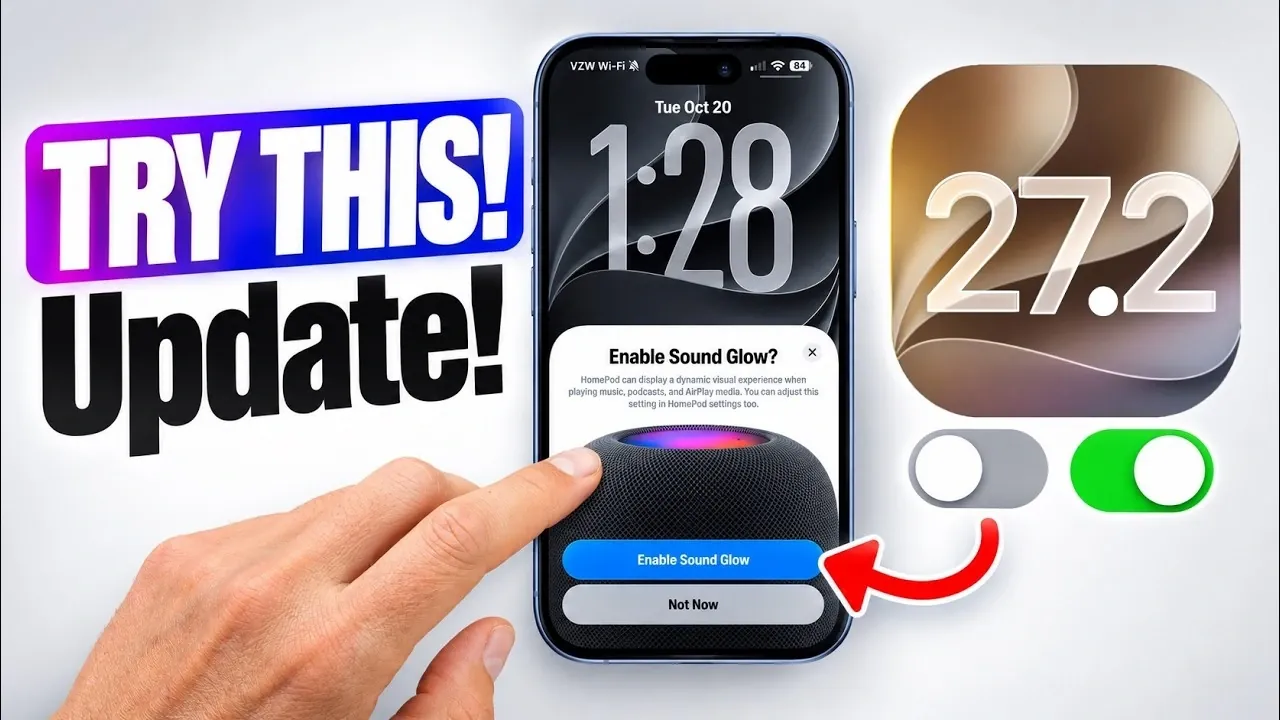
Apple’s iOS 27.2 update introduces a comprehensive set of features designed to enhance your iPhone experience. With a focus on usability, seamless integration, and practical functionality, this update caters to a wide range of user needs. Whether you’re improving your productivity, customizing entertainment options, or exploring creative tools, iOS 27.2 offers meaningful enhancements that make daily interactions smoother and more intuitive. Below is a detailed video from iDeviceHelp on the standout features and how they can elevate your Apple ecosystem.

Smarter Messaging with Context-Based Suggestions
The Messages app now incorporates context-based suggestions to streamline communication and organization. As you engage in conversations, the app intelligently identifies actionable information such as dates, times, or tasks. It then suggests adding these details to your Calendar, Notes, or Reminders. For example, if a friend mentions a dinner plan for Friday, you’ll receive a prompt to create a Calendar event directly from the chat. This feature eliminates the need for manual input, helping you stay organized with minimal effort. By simplifying task management, this update ensures that important details are never overlooked.
Enhanced Apple TV Profile Management
Managing Apple TV profiles has become more intuitive and flexible with iOS 27.2. You can now create, edit and customize profiles directly from your iPhone. This includes the ability to set up child accounts with parental controls, allowing you to restrict content based on age ratings or preferences. Whether you’re tailoring profiles for individual family members or making sure a safe viewing experience for children, this feature makes managing Apple TV profiles more convenient. By centralizing control through your iPhone, Apple has made it easier to personalize entertainment for everyone in your household.
Dual Camera Functionality in FaceTime
FaceTime receives a significant upgrade with the introduction of dual camera support, allowing you to use both the front and rear cameras simultaneously during video calls. This feature is particularly useful for group calls, virtual tours, or collaborative discussions. For instance, during a virtual family gathering, you can share a live view of your surroundings while remaining visible on screen. This dual-camera functionality enhances the interactive experience, making FaceTime more versatile for both personal and professional use. Whether you’re showcasing a project or sharing real-time moments, this update adds a new dimension to video communication.
Dynamic Lighting for HomePods
HomePod users can now enjoy the new Sound Glow feature, which dynamically adjusts the device’s lighting to complement the audio being played. Whether you’re listening to a calming playlist or upbeat music, the lighting adapts to reflect the mood, creating a more immersive experience. This feature can be configured through the Home app, allowing you to integrate it seamlessly with your smart home setup. By adding a visually engaging element to your HomePod, this update enhances both the aesthetic and functional aspects of your smart speaker.
Apple Pencil Compatibility for iPhone
For the first time, iPhones now support the USB-C Apple Pencil, expanding their capabilities for creative and productivity tasks. Whether you’re sketching, annotating documents, or taking handwritten notes, the Apple Pencil offers precision and versatility. This feature is particularly beneficial for artists, students and professionals who require detailed input. By bringing Apple Pencil compatibility to the iPhone, Apple has transformed the device into a powerful tool for creativity and productivity, bridging the gap between smartphones and tablets.
Improved Integration Across the Apple Ecosystem
The iOS 27.2 update underscores Apple’s commitment to seamless device integration. Features like managing Apple TV profiles directly from your iPhone or configuring HomePod settings through the Home app highlight the interconnectedness of Apple’s ecosystem. These updates not only enhance the functionality of individual devices but also improve the overall user experience by making sure that all your Apple products work together effortlessly. This cohesive integration simplifies daily tasks and reinforces the value of staying within the Apple ecosystem.
Why Update to iOS 27.2?
The iOS 27.2 update delivers a range of practical enhancements that cater to diverse user needs. From smarter messaging and improved entertainment management to creative tools and ecosystem-wide integration, this update reflects Apple’s focus on innovation and usability. By updating, you can unlock new possibilities for your iPhone and connected devices, making sure that you stay ahead with the latest features and improvements.
Enhance your knowledge on iOS 27.2 by exploring a selection of articles and guides on the subject.
- What’s Coming Next? Inside the New Tweaks Hitting iOS 27.2 Beta 3
- Apple Just Released iOS 27.2 Beta 3: All the New Changes
- The Best Features Coming to Your iPhone in iOS 27.2
- iOS 27.2 Beta 3 Is Here: What’s New, Changed, and Fixed
- Inside iOS 27.2 Beta 4: Surprising UI Tweaks and Last-Minute Changes
- New Features You Didn’t Know Were Coming in iOS 27.2
Source & Image Credit: iDeviceHelp
Disclosure: Some of our articles include affiliate links. If you buy something through one of these links, Geeky Gadgets may earn an affiliate commission. Learn about our Disclosure Policy.
