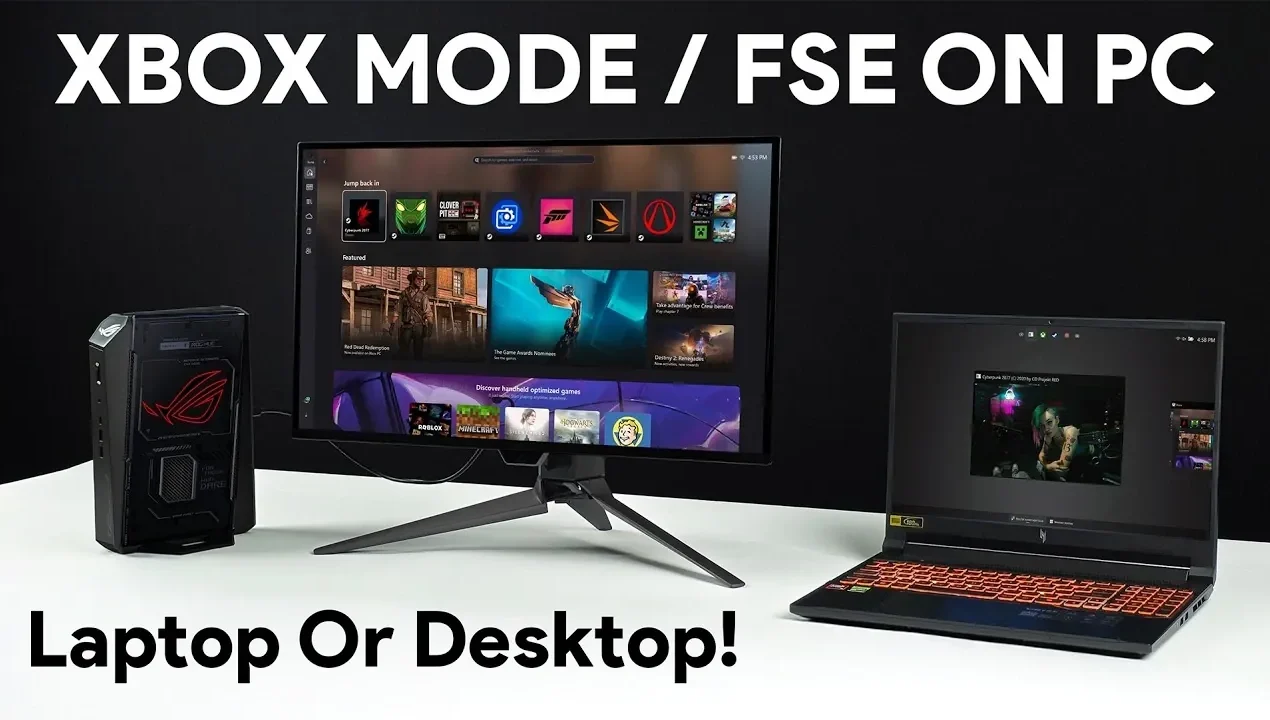
Have you ever wished your PC could mimic the seamless, distraction-free gaming experience of a console? With the introduction of Full Screen Experience (FSE) mode on Windows 11, Microsoft is bridging the gap between traditional desktop setups and the streamlined interfaces gamers love on consoles. Originally designed for handheld gaming devices like the ROG Ally, this feature is now available to all Windows 11 users, offering a bold new way to transform your computer into a dedicated gaming hub. By replacing the cluttered desktop with a sleek, console-style interface, FSE mode prioritizes gaming performance and usability, making it a fantastic option for those who crave simplicity and immersion.
In this breakdown, ETA Prime explores how FSE mode can transform your gaming setup, whether you’re using a high-end rig or a modest device with limited hardware. You’ll learn how to enable this feature, uncover its key benefits like reduced RAM usage and controller-friendly navigation, and discover why it’s particularly appealing for living room PCs and handheld gaming systems. But is it the perfect solution for every gamer? Stick around to find out how FSE mode balances innovation with its limitations, and why it might just be the feature you didn’t know your PC needed.
Windows 11 Gaming Mode
TL;DR Key Takeaways :
- Microsoft’s Full Screen Experience (FSE) mode for Windows 11 offers a streamlined, console-like gaming interface, initially designed for handheld gaming devices but now available for all Windows 11 users via the Xbox Insider Hub.
- FSE mode simplifies navigation by prioritizing gaming applications, reducing desktop clutter, and integrating seamlessly with platforms like Xbox Game Pass and Steam, creating a distraction-free and immersive gaming environment.
- The mode optimizes system resources by reducing RAM usage by approximately 2 GB, making it particularly beneficial for devices with limited hardware capabilities or integrated GPUs.
- FSE mode is ideal for specific use cases, such as living room PCs, handheld gaming devices like the ROG Ally, and older or less powerful systems, offering a focused and efficient gaming experience.
- While FSE mode enhances usability for lower-end systems, its performance impact on high-end devices is minimal, and it has limitations like restricted customization and reliance on the Xbox app as the default interface.
FSE mode transforms your Windows 11 device into a dedicated gaming hub, offering a focused and immersive environment. Originally designed for handheld gaming PCs, it has since expanded to desktops and laptops, providing a unified interface for gamers across various devices. By prioritizing gaming applications and eliminating desktop clutter, FSE mode creates a distraction-free experience. It integrates seamlessly with popular platforms like Xbox Game Pass and Steam, making sure compatibility with a wide range of games.
This mode is particularly appealing to users who prefer a console-like experience on their PCs, as it simplifies navigation and centralizes gaming content. By focusing solely on gaming, FSE mode provides a cohesive and efficient interface that enhances usability and immersion.
How to Enable FSE Mode
Activating FSE mode on your Windows 11 device is a straightforward process. Follow these steps to enable this feature:
- Download and install the Xbox Insider Hub from the Microsoft Store.
- Enroll in the Windows Insider Program and select either the beta or dev channel to access experimental features.
- Update your Windows 11 system to the latest version to ensure compatibility with FSE mode.
- Launch the Xbox Insider Hub and configure FSE mode to start automatically or enable it manually as needed.
By completing these steps, you can gain early access to FSE mode and explore its features before they are made widely available. This process also allows you to test other experimental updates from Microsoft.
Xbox Full Screen Mode on Any PC : Console Style Windows 11

Here are additional guides from our expansive article library that you may find useful on gaming consoles.
- Apple TV Gaming Console: Price, Features, and Why It Matters
- RG35XX H mini handheld games console
- Valve Steam Deck games console specifications
- Will the Apple Games Console DISRUPT the Gamaing Industry
- A500 Mini Amiga mini games console launching 2022
- Rumors Swirl: An Apple Games Console in the Works?
- Could the Apple Games Console Launch at the iPhone 16 Event
- Commodore C64 Mini Games Console And Mini PC Launches
- Retro 1963 car radio Raspberry Pi games console
- Is an Apple Games Console In The Works?
Key Features and Benefits
FSE mode offers a range of features that enhance the gaming experience, particularly for users with devices that have limited hardware capabilities. Key benefits include:
- A simplified, console-like interface that focuses exclusively on gaming applications, reducing distractions.
- Seamless navigation using an Xbox controller, making it easier to browse and launch games.
- Reduced system resource usage, saving approximately 2 GB of RAM by disabling unnecessary desktop processes.
- Enhanced compatibility with platforms like Xbox Game Pass and Steam, including support for Steam’s Big Picture Mode.
These features make FSE mode an attractive option for gamers seeking a streamlined and efficient interface. By optimizing resource usage and simplifying navigation, it provides a practical solution for devices with integrated GPUs or limited RAM, making sure smoother gameplay and a more immersive experience.
Performance Analysis
The performance benefits of FSE mode vary depending on the hardware configuration of the device. For lower-end systems or handheld gaming PCs, the reduction in RAM usage can significantly improve gameplay by allocating more resources to the game itself. This is particularly beneficial for devices with limited memory or integrated graphics, where every bit of optimization counts.
However, for high-end systems with ample resources, the impact of FSE mode on performance is minimal. These systems are already capable of handling gaming tasks efficiently, so the additional RAM savings may not translate into noticeable improvements. As a result, FSE mode is best suited for users with specific hardware limitations or those who prefer a focused gaming environment.
Ideal Use Cases
FSE mode is designed to cater to a variety of gaming setups, offering unique advantages in specific scenarios. Ideal use cases include:
- Living room PCs: When connected to large screens, FSE mode provides a console-like interface that simplifies navigation and enhances the gaming experience.
- Handheld gaming PCs: Devices like the ROG Ally benefit from FSE mode’s resource optimization, making sure smoother performance and extended battery life.
- Devices with limited hardware resources: FSE mode’s streamlined design improves usability and efficiency, making it a practical choice for older or less powerful systems.
By focusing exclusively on gaming, FSE mode minimizes distractions and creates a more immersive experience, making it an excellent option for gamers who value simplicity and efficiency.
Limitations to Consider
While FSE mode offers several advantages, it is not without its limitations. Users should be aware of the following constraints:
- Limited customization: The Xbox app serves as the default home interface, restricting users who prefer alternative setups or greater flexibility.
- Minimal performance gains on high-end systems: Devices with ample resources see little to no improvement, as their hardware is already optimized for gaming.
These limitations may deter users with advanced hardware or those seeking a more customizable gaming environment. However, for its intended audience, FSE mode remains a valuable tool that simplifies and enhances the gaming experience.
Looking Ahead: Future Enhancements
Microsoft has indicated plans to expand and refine FSE mode in future updates. Potential enhancements could include greater customization options, improved compatibility with third-party platforms, and additional performance optimizations. These updates aim to address existing limitations and broaden the appeal of FSE mode to a wider audience.
As the feature evolves, it has the potential to become a more versatile tool for gamers across various devices. By incorporating user feedback and introducing new functionalities, Microsoft can further enhance the value of FSE mode, making sure it meets the needs of both casual and dedicated gamers.
Media Credit: ETA PRIME
Disclosure: Some of our articles include affiliate links. If you buy something through one of these links, Geeky Gadgets may earn an affiliate commission. Learn about our Disclosure Policy.
