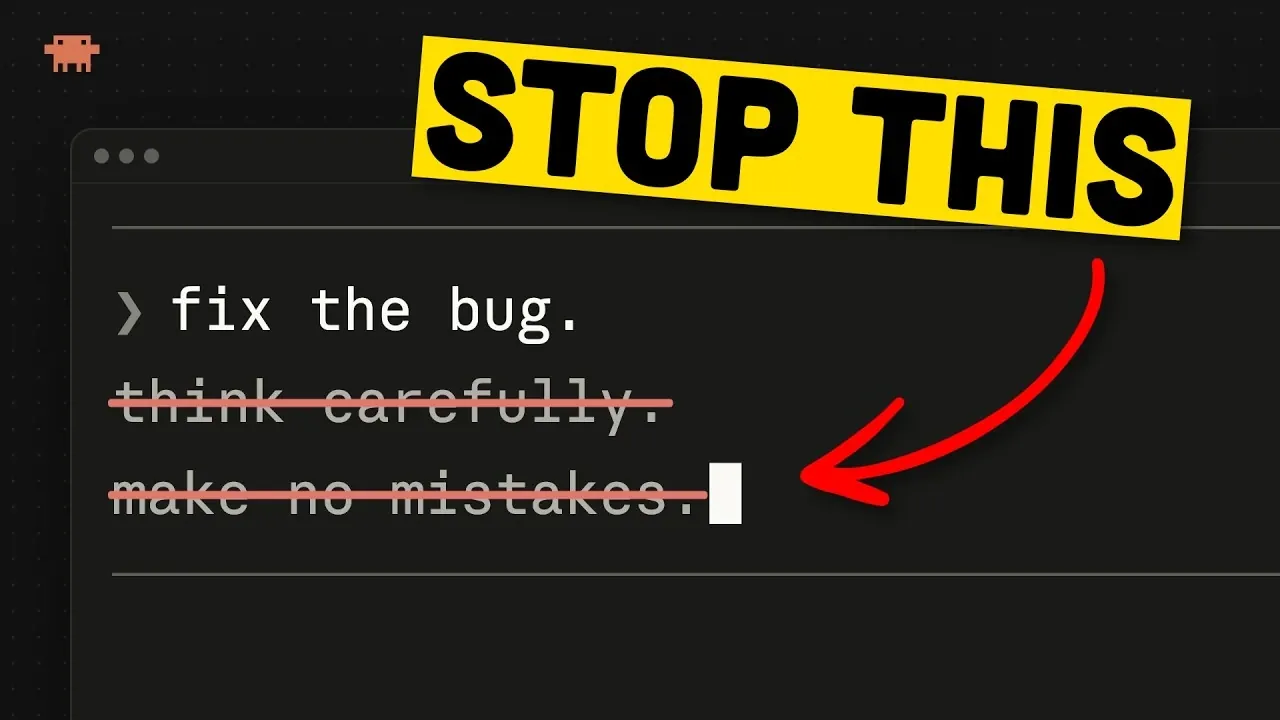
Anthropic’s Opus 5.5 is designed to handle complex tasks with precision, but effective use requires more than just basic interactions. As Better Stack explains, the structure of your prompts is critical to achieving high-quality outputs. For instance, clearly defining the task in a single, concise message and specifying formatting preferences can significantly improve the model’s performance. Avoiding redundant instructions, such as “think carefully,” ensures that the AI focuses on actionable details rather than unnecessary guidance. These strategies help eliminate ambiguity and align the model’s responses with your goals.
This step-by-step guide explores key techniques to optimize your experience with Opus 5.5. Learn how to manage long-running tasks by minimizing interruptions and breaking down complex objectives into smaller components. Discover methods to address flagged prompts, refine continuation rules and maintain control over model switching to ensure consistent performance. By applying these practical insights, you can enhance the efficiency and reliability of your workflows.
Structuring Prompts for Success
TL;DR Key Takeaways :
- Effective prompting is crucial for maximizing Opus 5.5’s performance; use clear, concise instructions and specify formatting preferences to ensure accurate outputs.
- For long-running tasks, minimize interruptions, use task continuation tools and break down complex tasks into manageable components to maintain efficiency.
- Address unexpected model behaviors by refining continuation rules, understanding safeguards and making sure unambiguous instructions to avoid disruptions.
- Review outputs thoroughly for quality, especially for technical tasks, to ensure alignment with objectives and identify potential errors before implementation.
- Optimize for quick responses by requesting direct answers or using fast mode judiciously, while managing model switching to prevent unintended downgrades or interruptions.
The structure of your prompts plays a critical role in determining the quality of Opus 5.5’s output. A well-crafted prompt ensures clarity and alignment with your objectives. To maximize effectiveness:
- Be clear and concise: Clearly define the task in a single, focused message. Specify the objective and describe what constitutes a successful outcome.
- Avoid redundant instructions: Phrases like “think carefully” or “step by step” are unnecessary, as Opus 5.5 is inherently designed for logical reasoning and detailed responses.
- Specify formatting preferences: If you have particular formatting requirements, such as avoiding numbered lists or monospace text, include these preferences explicitly in your prompt.
By eliminating ambiguity and providing precise, actionable instructions, you guide the model to deliver outputs that align with your expectations.
Managing Long-Running Tasks
For tasks requiring extended processing, effective management is crucial to maintain productivity and ensure optimal resource utilization. Consider the following strategies:
- Minimize interruptions: Allow the model to complete tasks without unnecessary restarts, as interruptions can disrupt progress and waste computational resources.
- Use task continuation tools: Use tools like Claude MD to establish clear rules for when tasks should continue or terminate, making sure seamless execution.
- Break down complex tasks: Divide large tasks into smaller, manageable components. Use a task file (e.g., `task.md`) to document progress and provide context for subsequent steps.
These approaches help streamline long-running tasks, reduce errors and improve overall consistency in the model’s performance.

Explore further guides and articles from our vast library that you may find relevant to your interests in Claude Opus.
- New Claude Opus 5 Leaks Detail High Reasoning Mode Features
- Leaked Anthropic Opus 5 AI Model Could Rival Fable 5 in Game Design
- Claude Opus 5 is Poised to Challenge GPT-5.6 in Token Efficiency
- Anthropic Opus 5 Achieves 42/42 on 2026 Math Olympiad Tasks
- Claude Opus 5 Beats Claude Fable 5 in Frontier Bench Tests
- Claude Opus 5.5 Expands Session Limits but Retains Weekly Caps
- New Claude Opus 5 vs ChatGPT 5.6 Sol: Benchmarks, Pricing and Token Cost Compared
- Anthropic Claude Opus 5 Beats ChatGPT 5.6 Sol in ARC AGI 3
- New Claude Opus 5.5 Outperforms ChatGPT 6 Astra in Reasoning
- Claude Opus 5 Delivers Fable 5 Performance at 50% the Cost
Addressing Model Behavior
Occasionally, you may encounter unexpected pauses or flagged prompts while working with Opus 5.5. Understanding and addressing these behaviors effectively is key to maintaining smooth interactions:
- Refine continuation rules: Adjust task continuation parameters to minimize interruptions caused by pauses or other disruptions.
- Understand safeguards: The model includes safeguards that may flag prompts involving sensitive topics or internal reasoning. Modify flagged prompts to clarify intent and avoid triggering these safeguards.
- Adapt your approach: Ensure your instructions are unambiguous and align with the model’s operational parameters to prevent unnecessary interruptions.
By proactively managing these behaviors, you can maintain uninterrupted workflows and ensure reliable task execution.
Reviewing Outputs for Quality
After completing a task, it is essential to review the model’s output to ensure it meets your expectations and aligns with your objectives. A thorough review process includes:
- Analyze the summary: Carefully examine the final output for actionable insights and verify that it aligns with the task’s goals.
- Conduct technical reviews: For tasks involving code or technical content, validate the output through manual review or by using a secondary model before implementation.
This review process helps identify potential errors and ensures the model’s output is both accurate and actionable.
Optimizing for Quick Responses
In time-sensitive scenarios, you can adjust Opus 5.5 to prioritize speed over depth. To achieve this balance effectively:
- Request direct responses: Include instructions like “answer quickly” or “answer directly” to streamline the model’s output and reduce response time.
- Use fast mode judiciously: While fast mode can significantly reduce response time, it may increase token costs and slightly compromise depth or accuracy.
Balancing speed and accuracy ensures that you can meet tight deadlines without sacrificing the quality of the output.
Controlling Model Switching
Opus 5.5 includes safeguards that may trigger automatic downgrades to older models under certain conditions. To maintain control over this process and ensure consistent performance:
- Adjust confirmation settings: Configure the model to require your explicit confirmation before switching to an older version, preventing unintended downgrades.
- Start fresh after resolving issues: Once flagged prompts are addressed, begin a new session to avoid repeated downgrades or interruptions.
By managing model switching effectively, you can maintain optimal performance and minimize disruptions during task execution.
Maximizing Efficiency with Opus 5.5
Mastering Opus 5.5 requires a structured and deliberate approach to prompting and task management. By implementing these strategies, you can fully use the model’s advanced capabilities while minimizing inefficiencies and disruptions. Whether you’re managing long-running tasks, addressing flagged prompts, or optimizing for quick responses, clear and specific communication remains the cornerstone of achieving reliable and effective results.
Media Credit: Better Stack
Disclosure: Some of our articles include affiliate links. If you buy something through one of these links, Geeky Gadgets may earn an affiliate commission. Learn about our Disclosure Policy.
