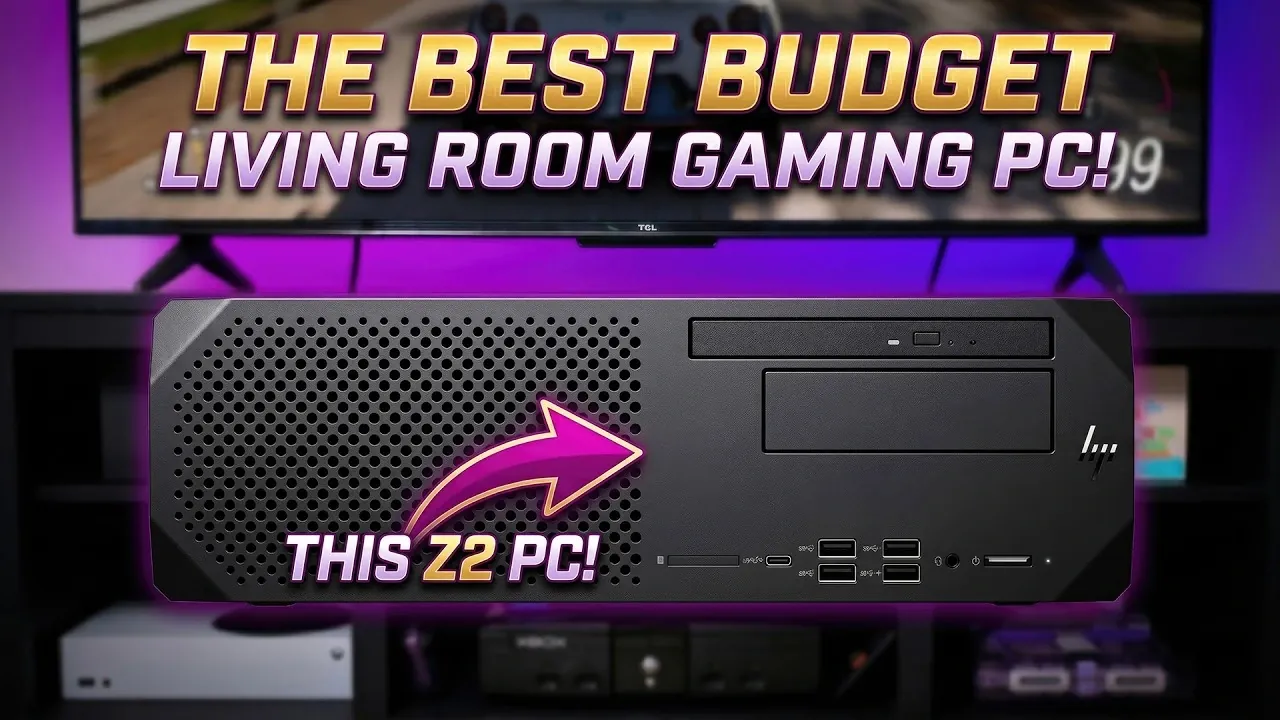
Building a budget-friendly small form factor (SFF) gaming PC for your living room is more accessible than you might think, especially when starting with the HP Z2 G5 workstation. As highlighted by ETA Prime, this compact system, often available for around $170 in refurbished condition, features a capable 10th Gen Intel i7-10700 processor with 8 cores and 16 threads. Paired with its 400W power supply, the Z2 G5 offers a solid foundation for a gaming setup that balances performance and affordability. With a few targeted upgrades, such as increasing RAM to 16GB, swapping in a 1TB M.2 SSD and installing an RTX 5060 GPU, you can achieve smooth 1440p gaming performance without exceeding a reasonable budget.
Explore how to overcome challenges unique to compact builds, such as managing thermal performance and making sure compatibility with modern GPUs. You’ll also gain insight into sourcing affordable components, like refurbished SSDs and low-profile GPUs, to maximize value. By the end of this guide, you’ll have a clear path to assembling a high-performance gaming PC that fits seamlessly into your living room setup, offering an enjoyable and cost-effective gaming experience.
Why the HP Z2 G5 Workstation is an Ideal Choice
TL;DR Key Takeaways :
- The HP Z2 G5 workstation, available for as little as $170, serves as a cost-effective and compact foundation for building a 1440p-capable gaming PC.
- Key upgrades include increasing RAM to 16GB, replacing the stock SSD with a 1TB M.2 SSD and installing an RTX 5060 GPU for enhanced gaming performance and DLSS support.
- Challenges such as GPU compatibility, case modifications and thermal management can be addressed with proper planning, making sure reliable performance in a small form factor build.
- Post-upgrade, the system delivers smooth gameplay at 1440p with high settings, achieving over 60 FPS in popular titles like Cyberpunk 2077 and Red Dead Redemption 2.
- By sourcing refurbished components and optimizing thermal performance, this build offers a powerful yet budget-friendly gaming solution for living room setups.
The HP Z2 G5 workstation stands out as a practical and cost-effective starting point for a gaming PC build. Available for as little as $170 in “scratch and dent” condition, this pre-owned system offers a robust 10th Gen Intel i7-10700 processor. With its 8 cores and 16 threads, this CPU is well-suited for gaming, multitasking and handling demanding applications.
Another advantage of the HP Z2 G5 is its included 400W power supply, which is sufficient to support most mid-range gaming components. Its compact design makes it ideal for a living room setup, blending performance with space efficiency. By using refurbished hardware, you can significantly reduce costs while still achieving excellent gaming performance.
Key Upgrades to Maximize Gaming Performance
To turn the HP Z2 G5 into a capable gaming machine, a few essential upgrades are necessary. These enhancements ensure smooth gameplay at 1440p resolution with high settings, allowing you to enjoy modern titles without compromise.
- RAM: Upgrade the base 8GB of DDR4 RAM to 16GB. This increase in memory improves system responsiveness and ensures smoother performance in resource-intensive games.
- Storage: Replace the stock 128GB M.2 SSD with a 1TB M.2 SSD. This upgrade not only provides faster load times but also offers ample space for your game library and other applications.
- GPU: Install an RTX 5060 graphics card. This GPU delivers excellent 1440p performance and supports DLSS technology, which enhances frame rates and visual quality for a more immersive gaming experience.
These upgrades strike a balance between cost and performance, making sure that your gaming PC can handle modern titles with ease.

Below are more guides on gaming PC from our extensive range of articles.
- $1,400 Gaming PC vs $1,400 Handheld : Gaming Performance Compared FPS, Benchmarks & Value
- Budget Gaming PC Build Using Second-Hand Parts Hits Smooth 1440p
- $350 Perfect Budget Gaming PC : Easily Handles Modern 1080P Gaming
- How to build a super small 4060 gaming PC
- Building a Budget PC in 2026 : RX 6600 & 6700 XT Options, 1440p Results
- Budget Gaming PC Build: Play Cyberpunk 2077 for Just $300
- How a Modded 2-Liter SFF Mini PC Runs Cyberpunk 2077 at 180 FPS
- Cooler Master HAF X PC Case
- PC Gaming on Android at 100 FPS, Battery Efficiency : Red Magic 11
- Build a Budget 1440p Gaming PC for under $350
Addressing Challenges in a Compact Build
Building a gaming PC in a small form factor like the HP Z2 G5 comes with unique challenges. However, with proper planning and adjustments, these obstacles can be effectively managed.
- BIOS Compatibility: Some GPUs, such as Intel ARC models, may not be compatible with the system’s BIOS. Opting for the RTX 5060 ensures a reliable and practical choice for this build.
- Case Modifications: The compact case may require slight adjustments to accommodate the RTX 5060, particularly due to its size and cooling requirements. Making sure proper fitment is crucial for optimal performance.
- Thermal Management: While the CPU maintains safe temperatures under load, the GPU can run hotter. Optimizing fan curves or adding additional cooling solutions can help manage heat effectively.
By addressing these challenges, you can ensure that your compact gaming PC performs reliably and efficiently.
Performance Benchmarks and Gaming Experience
Once upgraded, the HP Z2 G5 delivers impressive gaming performance. Popular titles such as Cyberpunk 2077, Red Dead Redemption 2, and Forza Horizon 6 run smoothly at 1440p with high settings. Thanks to DLSS technology, frame rates consistently exceed 60 FPS, with some games reaching over 100 FPS. This ensures a fluid and enjoyable gaming experience, even on a large living room display.
The combination of the i7-10700 processor and RTX 5060 GPU provides a powerful yet cost-effective solution for gaming enthusiasts. Whether you’re exploring open-world adventures or competing in fast-paced multiplayer games, this setup offers a seamless and immersive experience.
Optimizing Thermal Performance
Thermal management is a critical consideration for compact builds like the HP Z2 G5. During testing, the CPU maintained safe temperatures, peaking at 78°C under load. However, the GPU’s temperatures were higher than ideal, which can impact long-term performance if not addressed. To optimize thermal performance, consider the following steps:
- Adjust fan curves to improve airflow and enhance cooling efficiency.
- Install additional low-profile fans to increase ventilation within the case.
These measures help maintain optimal performance while preventing thermal throttling, making sure that your gaming PC remains reliable during extended gaming sessions.
Affordable Component Sourcing
One of the standout benefits of this build is its affordability. By sourcing refurbished components from platforms like eBay or other trusted retailers, you can significantly reduce costs without sacrificing performance. Key strategies include:
- Purchasing low-profile GPUs and second-hand RAM modules, which are often available at competitive prices.
- Opting for refurbished M.2 SSDs, which provide ample storage at a fraction of the cost of new drives.
This approach allows you to assemble a high-performance gaming PC for a fraction of the price of a new system, making it an excellent choice for budget-conscious gamers.
Transform Your Living Room Gaming Experience
The HP Z2 G5 workstation is a versatile and budget-friendly option for building a small form factor gaming PC. With thoughtful upgrades and minor modifications, it can handle modern games at 1440p with high settings, making it an excellent addition to your living room setup. By using refurbished components, optimizing thermal performance and addressing the unique challenges of a compact build, you can create a cost-effective gaming solution that combines power, efficiency and style. This project not only enhances your gaming experience but also demonstrates the potential of affordable, small form factor systems in delivering high-quality performance.
Media Credit: ETA PRIME
Disclosure: Some of our articles include affiliate links. If you buy something through one of these links, Geeky Gadgets may earn an affiliate commission. Learn about our Disclosure Policy.
