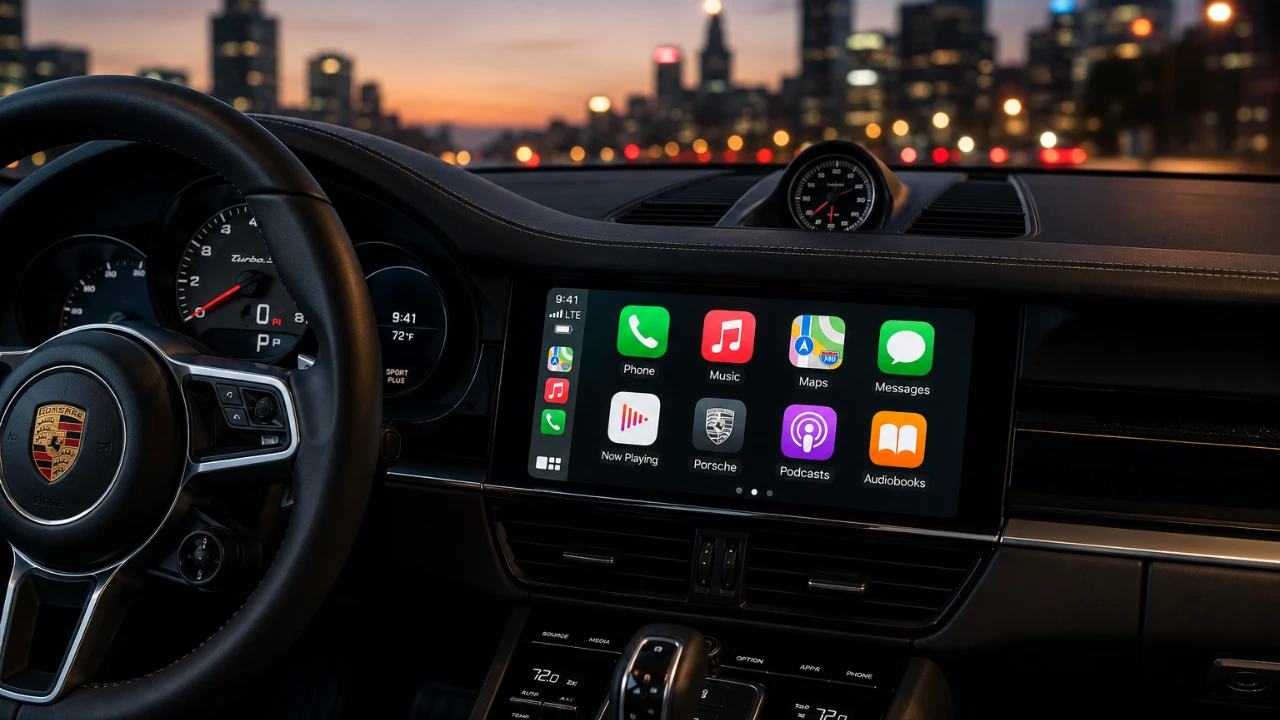
Apple CarPlay has become an essential tool for modern drivers, offering seamless integration between your iPhone and your vehicle’s infotainment system. While its core features like navigation, music playback, and hands-free calling are widely recognized, CarPlay also includes a range of lesser-known capabilities that can significantly enhance your driving experience. From customizing your dashboard to using AI-powered tools, there are numerous ways to unlock the full potential of CarPlay and make your time on the road more efficient, personalized, and enjoyable. The video below from HotshotTek gives us more details.

Streamline Your Dashboard with App Management
CarPlay’s app management features allow you to create a more organized and user-friendly interface, making sure that your most-used apps are always within easy reach. By accessing the CarPlay settings on your iPhone, you can:
- Rearrange app icons to prioritize frequently used apps like navigation tools or music players.
- Remove apps you rarely use to declutter your dashboard and reduce distractions.
- Organize secondary apps into additional screens for quick and easy access when needed.
For instance, placing Apple Maps or Spotify on your primary screen ensures that essential tools are always accessible without unnecessary scrolling. This simple customization not only improves usability but also enhances safety by minimizing the time spent navigating the interface while driving.
Enhance Efficiency with Widget Customization
Widgets in CarPlay provide quick access to vital information and customizing them can make your interface more efficient and tailored to your needs. You can:
- Add widgets for real-time updates, such as weather forecasts or upcoming calendar events.
- Rearrange widgets to prioritize the information you use most frequently.
- Disable features like Smart Rotate to maintain a consistent and static layout.
For example, placing a weather widget next to your navigation app ensures you’re always prepared for changing road conditions. Customizing widgets allows you to stay informed and focused without unnecessary distractions, making your driving experience smoother and more convenient.
Personalize Your Display with Wallpaper and Appearance Settings
CarPlay offers a variety of wallpaper options to help you personalize your display and match it to your style or your car’s interior. Beyond the standard wallpapers, hidden accessibility settings provide additional color themes and customization options. Allowing dark mode is particularly useful for nighttime driving, as it reduces glare and creates a sleek, modern look. These aesthetic enhancements not only make your dashboard visually appealing but also contribute to a more comfortable and enjoyable driving experience.
Use AI for Smarter and More Productive Driving
Artificial intelligence is transforming the way we interact with CarPlay, transforming it into a more intelligent and interactive driving companion. AI-powered apps like ChatGPT can:
- Engage in conversational support during long drives, keeping you entertained and focused.
- Assist with navigation by providing real-time traffic updates and alternative routes.
- Help you brainstorm ideas, manage tasks, or even draft messages while on the go.
By integrating AI tools, CarPlay extends beyond basic functionality, offering features that make your journeys more productive, engaging and efficient.
On-the-Go Convenience with Practical Features
CarPlay supports a wide range of apps designed to simplify everyday tasks while you’re on the road. Some practical examples include:
- Gas station apps like Chevron, which let you pay for fuel directly from your dashboard.
- Food-ordering apps like Chick-fil-A, allowing you to place pickup orders seamlessly.
- Apple Shortcuts, which allow you to create custom sound effects or automate specific actions for a more personalized experience.
These features save time and effort, allowing you to stay connected and productive without compromising your focus on driving.
Master Navigation with Advanced Apple Maps Features
CarPlay’s navigation tools go beyond basic turn-by-turn directions, offering advanced features to enhance your driving experience. You can:
- Use gestures like double-tapping and dragging to zoom in and out of maps for better route visibility.
- Enable dark mode for improved usability during nighttime drives.
- Adjust map settings to avoid toll roads, highways, or other specific preferences.
These small but impactful adjustments make navigating with CarPlay more intuitive and efficient, making sure you reach your destination with ease and confidence.
Maintain Privacy with Live Activities Control
Privacy is a growing concern for many drivers and CarPlay provides tools to help you manage what information is displayed on your dashboard. You can:
- Clear or manage live activities, such as ongoing navigation or music playback, to control what’s visible at any given time.
- Limit the display of sensitive information when others are in the car, making sure your data remains private.
These privacy-focused features give you greater control over your personal information, offering peace of mind while using CarPlay.
Unlock Advanced Customization Options
CarPlay’s advanced customization features allow you to tailor the interface to your specific needs and preferences. You can:
- Enable Drive Focus mode to minimize distractions and prioritize essential notifications.
- Adjust appearance settings, such as custom sounds and unique visual themes, to create a more personalized experience.
- Explore hidden tricks and settings to further enhance your CarPlay interface.
These options make CarPlay feel like an extension of your personal style, making sure that it adapts to your lifestyle and driving habits.
Maximizing Your CarPlay Experience
Apple CarPlay is more than just a tool for connecting your iPhone to your car, it’s a versatile platform designed to enhance usability, personalization and convenience. By exploring its hidden features, such as app management, widget customization, AI integration and privacy controls, you can transform your CarPlay experience into a seamless and enjoyable part of your daily routine. Whether you’re navigating complex routes, staying productive on the go, or simply customizing your interface, CarPlay adapts to your needs, making every journey more efficient, engaging and enjoyable.
Below are more guides on Apple CarPlay customization from our extensive range of articles.
Source & Image Credit: HotshotTek
Disclosure: Some of our articles include affiliate links. If you buy something through one of these links, Geeky Gadgets may earn an affiliate commission. Learn about our Disclosure Policy.
