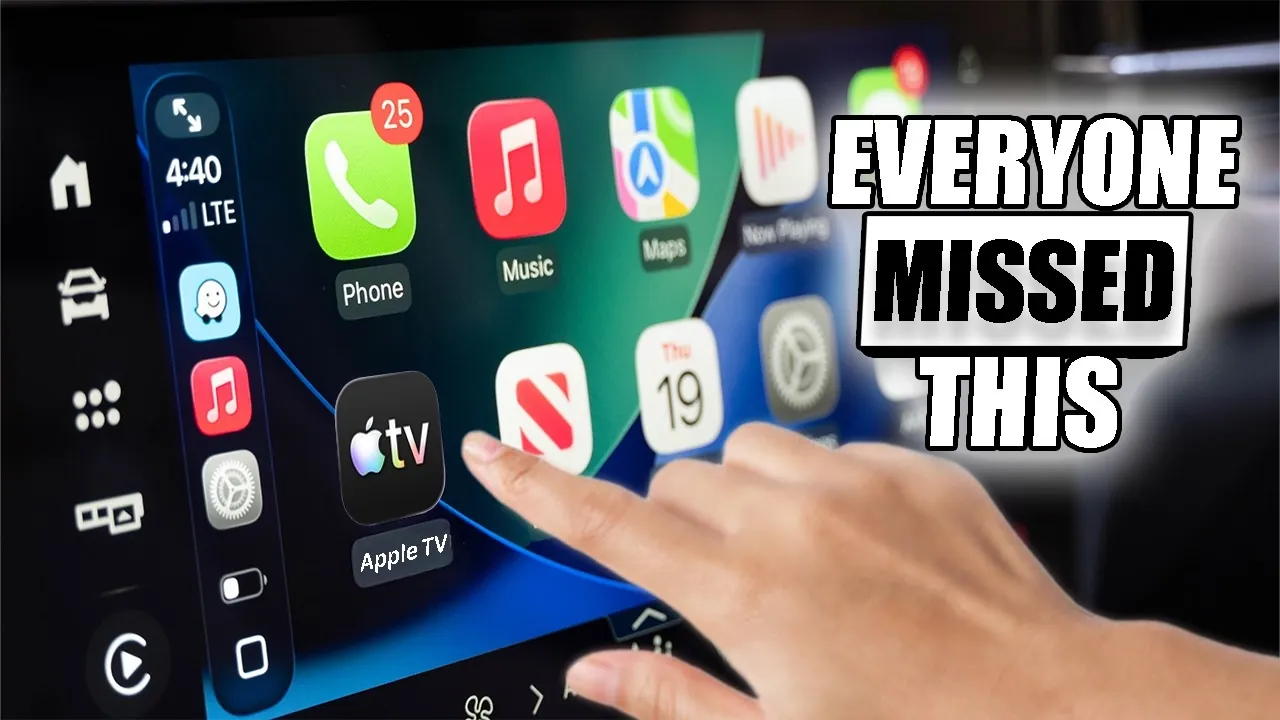
Apple CarPlay has evolved into an essential tool for modern drivers, offering seamless integration between your iPhone and your vehicle’s infotainment system. Despite its widespread use, many users fail to explore its full range of features. This guide provides a comprehensive overview of how to optimize your CarPlay experience, from connectivity options and navigation tools to advanced customization and accessibility features. By understanding these capabilities, you can transform CarPlay into a powerful companion for every journey. The video below from HotshotTek gives us more details on how to get the most out of Apple CarPlay.

Effortless Connectivity: Wired or Wireless?
Connecting your iPhone to CarPlay is a straightforward process, but choosing the right connectivity method can significantly enhance your experience.
- Wired Connection: This option uses a USB cable to link your iPhone to your car’s infotainment system. It is reliable, widely supported, and ensures a stable connection.
- Wireless CarPlay: A cable-free alternative that offers greater convenience. If your vehicle lacks built-in wireless support, third-party dongles or aftermarket head units can enable this feature, even in older models.
Your choice between wired and wireless connectivity depends on your vehicle’s capabilities and personal preferences. While wireless options provide added convenience, they may require additional hardware for compatibility with older systems.
Navigation Apps: Choose What Works for You
CarPlay supports a variety of navigation apps, allowing you to select the one that best suits your driving needs. Each app offers unique features designed to enhance your navigation experience:
- Apple Maps: Fully integrated with CarPlay, it provides features like ETA sharing, hazard reporting, and precise zoom controls for detailed navigation.
- Google Maps: Known for its robust search capabilities and detailed route options, it is a versatile choice for drivers seeking flexibility.
- Waze: A community-driven app that excels in real-time hazard alerts and traffic updates, making it ideal for urban environments.
Selecting the right navigation app depends on your preferences and driving habits. Whether navigating through busy city streets or exploring rural highways, these apps ensure you stay informed and on track.
Customize Your Interface for a Tailored Experience
CarPlay’s interface is designed to be highly customizable, allowing you to adapt it to your specific needs and preferences. Through your iPhone’s settings, you can:
- Reorganize app layouts to prioritize frequently used apps for quicker access.
- Remove unused apps to declutter your dashboard and streamline navigation.
- Adjust wallpapers, enable dark mode, and modify icon styles to create a personalized aesthetic.
These customization options ensure that your CarPlay setup aligns with your driving habits and preferences, making it more intuitive and enjoyable to use.
Enhanced Media Playback: Entertainment on the Go
CarPlay offers a wide range of media playback features, particularly for Apple Music users, but it also supports other streaming platforms. Key functionalities include:
- Playlist Pinning: Quickly access your favorite playlists without navigating through multiple menus.
- Collaborative Queue Management: Passengers can add songs to the queue using QR codes, making road trips more interactive.
- Automix: Enjoy smooth transitions between tracks for uninterrupted listening.
Whether you prefer music, podcasts, or audiobooks, CarPlay’s media controls ensure you stay entertained while keeping your attention on the road.
Voice Assistant Integration: Hands-Free Convenience
Siri plays a central role in CarPlay, allowing hands-free control for safer driving. With simple voice commands, you can:
- Navigate to destinations by saying, “Hey Siri, take me to the nearest gas station.”
- Send and receive messages without needing to touch your phone.
- Set reminders or retrieve information, all while keeping your hands on the wheel.
This integration minimizes distractions, allowing you to stay connected and focused on the road ahead.
Live Updates and Widgets: Stay Informed
CarPlay’s live activities and widgets provide real-time updates directly on your dashboard, making sure you remain informed without unnecessary distractions. You can:
- Track important details like flights, calendar events, or package deliveries.
- Customize widgets to display only the most relevant information for your journey.
These features help maintain an uncluttered interface while keeping you updated on critical information during your drive.
Accessibility Features: Inclusive and Safe
CarPlay includes a range of accessibility tools designed to accommodate diverse user needs, making sure a safer and more inclusive driving experience:
- Color Filters: Assist drivers with color blindness by enhancing the visibility of interface elements.
- Bold and Enlarged Text: Improves readability for users with visual impairments.
- Sound Recognition Alerts: Detects important noises like sirens or car horns, enhancing situational awareness.
These features demonstrate Apple’s commitment to creating a user-friendly experience for all drivers.
Focus Modes and Automation: Minimize Distractions
Driving Focus Mode is a standout feature that activates automatically when you connect to CarPlay. It helps reduce distractions by silencing notifications and prioritizing essential alerts. You can further enhance this mode by:
- Customizing settings to allow specific notifications or contacts to bypass the focus filter.
- Creating automation triggers for tasks like marking your parked car’s location or adjusting smart home devices as you approach home.
These tools ensure a safer driving environment by helping you stay focused on the road.
Future Enhancements: What’s Next for CarPlay?
Apple continues to innovate and expand CarPlay’s capabilities, with several exciting updates expected in the near future:
- Streaming Services: Support for Apple TV and YouTube will allow passengers to enjoy entertainment options when the vehicle is parked.
- AirPlay Support: Older vehicles may soon gain compatibility, broadening CarPlay’s accessibility to a wider range of users.
These advancements promise to make CarPlay even more versatile, catering to both drivers and passengers alike.
Unlock more potential in Apple CarPlay by reading the previous articles we have written.
- 10″ Wireless Car Display with Front and Rear Cameras Apple
- PlayAIBox Apple CarPlay & Android Auto Wireless Adapter with
- A Complete Guide to Apple CarPlay in iOS 26
- iOS 26 Apple CarPlay Features: What’s New and Why It Matters
- iOS 18.5 CarPlay Update: All the New Features You Need to Know!
Source & Image Credit: HotshotTek
Disclosure: Some of our articles include affiliate links. If you buy something through one of these links, Geeky Gadgets may earn an affiliate commission. Learn about our Disclosure Policy.
