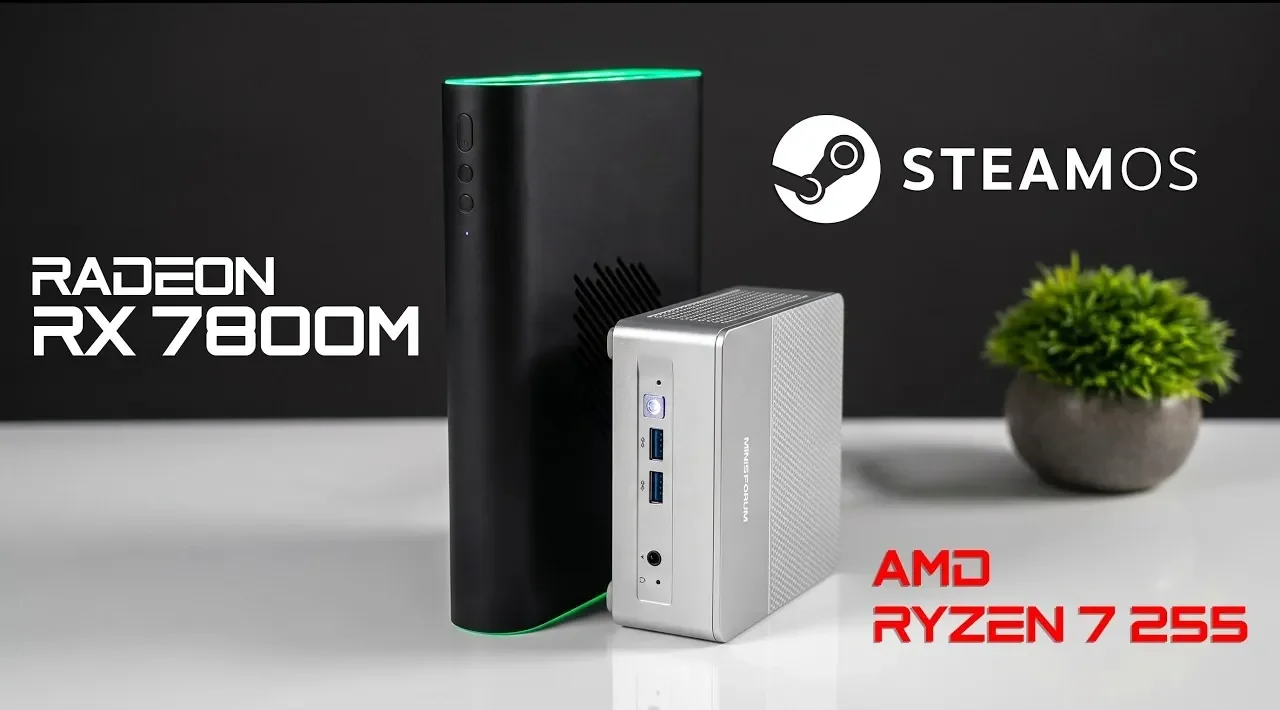
Compact PCs have come a long way and the AMD Ryzen 7 255 mini PC paired with an external Radeon RX 7800M GPU showcases just how capable these systems can be. In a recent breakdown by ETA Prime, this small form factor setup demonstrates impressive performance, handling tasks like gaming at 1440p and 4K resolutions with ease. With 8 cores, 16 threads and 32GB of RAM, the mini PC delivers robust processing power, while the external GPU, connected via the high-speed Oculink interface, ensures smooth graphics performance. This combination highlights the growing potential of compact systems to meet the demands of gamers, developers and multitaskers alike.
Dive deeper into this overview to explore how this system performs across various gaming benchmarks, including its ability to maintain 70+ FPS in titles like Cyberpunk 2077 at 1440p ultra settings. You’ll also gain insight into the benefits of dual-boot functionality for both Windows and Steam OS, as well as the role of Oculink in overcoming bandwidth limitations. Additionally, the discussion covers practical considerations, such as ray tracing performance constraints and overall cost, helping you evaluate whether this compact powerhouse aligns with your computing needs.
Hardware Overview: Small Size, Big Performance
TL;DR Key Takeaways :
- The AMD Ryzen 7 255 mini PC paired with an external Radeon RX 7800M GPU offers a compact yet powerful solution, delivering exceptional gaming performance at 1440p and 4K resolutions.
- The system features dual-boot functionality, supporting both Windows and Steam OS, with enhanced Linux compatibility for gamers and developers.
- Key hardware highlights include 8 cores, 16 threads, 32GB RAM and a high-speed Oculink interface allowing 64Gbps data transfer, outperforming USB 4 and Thunderbolt 4.
- Gaming performance excels in most scenarios, achieving high frame rates in popular titles, though ray tracing at ultra settings is limited by the PCIe X4 connection.
- Additional features like built-in Wi-Fi, Bluetooth, LED customization and performance toggles enhance user experience, though cost and ray tracing limitations may deter some users.
At the heart of this setup lies the AMD Ryzen 7 255 mini PC, a compact yet powerful machine equipped with 8 cores, 16 threads and 32GB of RAM. Its small footprint makes it ideal for users who prioritize portability without sacrificing performance. Complementing the mini PC is the external Radeon RX 7800M GPU, which features 12GB of VRAM and connects via an Oculink interface. This connection achieves data transfer speeds of up to 64Gbps, significantly outperforming USB 4 and Thunderbolt 4 in terms of bandwidth.
Key hardware highlights include:
- Performance Mode: The external GPU features a performance mode button, allowing up to 180W of total graphics power (TGP) for demanding applications.
- Seamless Connectivity: Built-in Wi-Fi and Bluetooth ensure easy integration with peripherals and networks.
- Customization Options: LED lighting and performance toggles on the GPU allow for personalized configurations.
This combination of compact design, high-speed connectivity and robust hardware makes the system a compelling choice for users seeking a balance between power and portability.
Operating System Flexibility and Compatibility
The dual-boot functionality of this system allows you to switch effortlessly between Windows and Steam OS, catering to both productivity and gaming needs. Recent updates to Steam OS have enhanced its compatibility with external GPUs, making it a viable option for gamers who prefer Linux-based systems.
For Linux enthusiasts, the AMD Ryzen 7 255 mini PC stands out as a superior choice compared to many Intel-based alternatives. Its architecture optimizes CPU core utilization and boosting capabilities, making sure smooth performance across various Linux distributions. Whether you are gaming on Steam OS or working on development tasks, this system delivers reliable and efficient operation.

Find more information on DIY Steam Machine builds by browsing our extensive range of articles, guides and tutorials.
- How to Build a Console-Killing Steam Machine for Just $450
- GeekCube DIY Steam Machine : Custom SFF SteamOS 3.8 Gaming Console
- The Secret to Getting the Ultimate Steam Machine? Build It Yourself
- Guide to Building Your Own Steam Machine : Zac Builds
- Why Building a DIY Steam Machine Beats Buying a Console
- Why This 9-Liter DIY Steam Machine is the Ultimate Linux Gaming Console
- DIY Steam Machines : Valve Drops SteamOS 3.8 with Expanded AMD Hardware Support
- How to Build a Capable DIY Steam Machine for Under $170
- How to Build a Steam Machine Fast with the Geekom A5 Pro 2026 Mini PC
- How This DIY Build Destroys the Steam Machine for Half the Price
Gaming Performance: High-Resolution Excellence
This compact setup delivers gaming performance that rivals larger, more traditional systems. Here’s how it handles popular titles:
- Forza Horizon 6: Achieves over 70 FPS at 4K ultra settings without the need for upscaling.
- Cyberpunk 2077: Runs smoothly at 1440p ultra settings with FSR 2.1 enabled, maintaining 70+ FPS.
- Mortal Kombat 1: Delivers a stable 60 FPS at 1440p very high settings.
- Ratchet and Clank: Rift Apart: Reaches 100+ FPS at 1440p very high settings, showcasing its efficiency.
- Crimson Desert: Handles 1440p high/ultra settings with frame generation, making sure smooth gameplay.
While the system excels in most gaming scenarios, the external GPU does encounter challenges with ray tracing at ultra settings. This limitation stems from the PCIe X4 connection, which, despite its high efficiency, cannot fully support the bandwidth demands of advanced ray tracing. Nevertheless, for the majority of gaming applications, this setup delivers exceptional performance.
Technical Insights: The Role of Oculink
The Oculink interface plays a pivotal role in the system’s performance, allowing faster data transfer speeds than USB 4 or Thunderbolt 4. This high-speed connection minimizes bottlenecks between the mini PC and the external GPU, making sure smooth operation even during resource-intensive tasks.
Although the PCIe X4 connection imposes some limitations on ray tracing performance at ultra settings, the overall efficiency of the Oculink interface demonstrates the potential of small form factor systems to handle demanding workloads. This technology underscores the feasibility of achieving high performance in a compact and portable package.
Limitations to Consider
Despite its impressive capabilities, this setup is not without its drawbacks. Key limitations include:
- Ray Tracing Performance: The external GPU struggles with ultra settings for ray tracing due to the constraints of the PCIe X4 connection.
- Cost: The combined expense of the mini PC, external GPU and Oculink interface may deter budget-conscious users.
These factors may influence the decision-making process for users who prioritize either the highest graphical fidelity or affordability.
Additional Features: Connectivity and Customization
The system includes several features designed to enhance user experience and adaptability:
- Connectivity: Built-in Wi-Fi and Bluetooth ensure seamless integration with peripherals and networks, adding convenience to the setup.
- Customization: The external GPU offers LED lighting options and performance mode toggles, allowing users to tailor the system to their preferences.
These features contribute to the system’s versatility, making it suitable for a wide range of applications and user preferences.
A Versatile Solution for Modern Computing Needs
This compact PC setup demonstrates the potential of small form factor systems to deliver high performance in a portable and efficient design. With advancements in external GPU integration, Oculink connectivity and Linux compatibility, it offers a versatile solution for gamers, developers and multitaskers alike. While the cost and ray tracing limitations may present challenges, the system’s overall performance, flexibility and portability make it a strong contender for those seeking power without the bulk of traditional desktop setups.
Media Credit: ETA PRIME
Disclosure: Some of our articles include affiliate links. If you buy something through one of these links, Geeky Gadgets may earn an affiliate commission. Learn about our Disclosure Policy.
