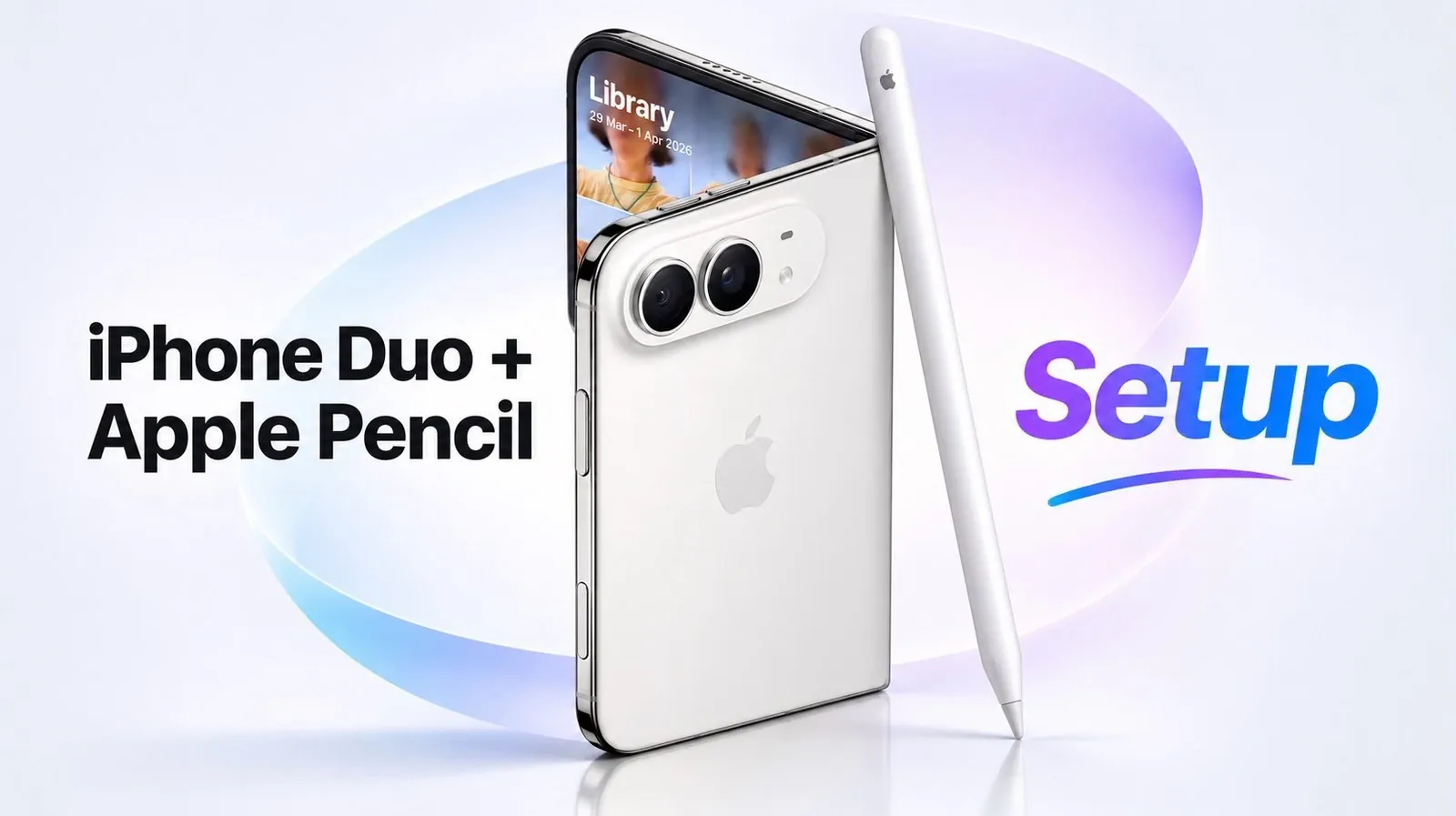
The iPhone Duo supports the Apple Pencil USB-C on both its inner and outer displays, bringing handwriting and document markup to a phone-sized device. The smaller screen still offers space for meeting notes and quick sketches. The phone and pencil together cost more than $2,000, and the pencil’s attachment and pocket carry present practical drawbacks, according to Branden Bodendorfer.
Follow the USB-C pairing and charging steps, including how to reconnect the pencil when switching between devices. The guide also covers settings for separating finger navigation from drawing and converting handwriting to typed text. Compare Apple Notes, OneNote and Goodnotes to see how their writing and editing options differ on the phone.
Pairing and Charging the Apple Pencil
TL;DR Key Takeaways :
- iPhone Duo requires the Apple Pencil USB-C, which pairs and charges by cable and connects to one device at a time. The pencil used about 60% of its charge over five or six days of heavy use, though its overall runtime remained unclear.
- Apple Pencil works on both the inside and outside displays. Scribble converts handwriting to text, while “Draw Only with Apple Pencil” lets a finger pan and scroll without leaving marks.
- OneNote handled writing, highlighting, selecting, moving and erasing, but lacked line-thickness and text-color controls. Branden believes the app has not yet been updated, rather than these being phone limitations; that is unconfirmed.
- According to an update screenshot, a recent Goodnotes update added iPhone Duo support. Goodnotes offers adjustable handwriting stabilization, pen controls and synchronization between iPad and iPhone Duo.
- The phone and pencil together cost more than $2,000. The pencil falls off easily when attached, and carrying it in a pocket caused discomfort.
The iPhone Duo requires the Apple Pencil USB-C, rather than a pencil that pairs simply by attaching to the device. Pull back the section marked “Pencil” to expose a USB-C port, then connect the pencil to the phone with a cable. The connection should also show that the pencil is connected and charging.
Like other Apple Pencil models, the USB-C version pairs with one device at a time. You can use it as a backup pencil or move it between devices, but switching the pairing requires a cable.
The Apple Pencil settings show its charge level. Starting from a full charge, the pencil used about 60% over five or six days of heavy use, though its overall runtime remained unclear.
Settings for Writing and Navigation
Draw Only with Apple Pencil limits drawn lines and shapes to the stylus, leaving your finger free to pan and scroll. This matters because many apps lack Apple Pencil support on iPhone or iPhone Duo. Without that separation, your finger can leave marks when you intend to use the pencil.
Scribble converts handwriting to typed text. Its settings include a practice area for inserting and joining text, as well as scribbling to delete. Scribble could be useful for entering a web address or search while browsing with the stylus, and familiarity with its editing gestures is expected to help across the device.
In Apple Notes, Scribble converted a handwritten greeting into text. The pen tool produced a handwritten version that could be erased and highlighted in different colors. The app’s auto-refine handwriting setting made the letters look slightly neater, though the change was subtle. Auto-minimize hides the pen tools to leave more room on screen.

Here are more guides from our previous articles and guides related to Apple Pencil and note-taking that you may find helpful.
- How the Apple Pencil Actually Works on the iPhone Duo
- Best Note-Taking Apps for iPad in 2026 Tested and Ranked
- New Goodnotes 6 Features : AI Notebook That Thinks With You
- GoodNotes vs Notability : Detailed Workflows, Speed & Simplicity Tested
- Organize Your Entire Life Using Just Apple Notes : Simplify & Streamline
Apple Notes, OneNote and Goodnotes
OneNote opened a daily plan and handled writing, highlighting, selecting, moving and erasing a note. The writing experience proved surprisingly good, but there was no option at that point to change line thickness or text color. OneNote’s app is believed not to have been updated yet, rather than those options being a limitation of iPhone Duo.
A recent Goodnotes update added iPhone Duo support, according to an update screenshot. The screenshot listed a two-layer toolbar, a reading mode and an adaptive layer for folded, semi-folded and unfolded displays. The app also offers adjustable handwriting stabilization, unlike the subtle on-or-off refinement shown in Apple Notes.
In Goodnotes, a project on a daily plan was marked complete, and the lasso tool moved a note after an undo corrected a mistake. You could open notes full screen and change writing thickness, color and pen presets. The app also has familiar tools for moving, copying and pasting content between pages.
Its settings include fountain pen options, pen gestures, Apple Pencil disconnection, spell check, snap-to-draw and fill. Notes can also synchronize between iPad and iPhone Duo. Goodnotes proved refined for navigating a planning system, with commonly used settings from its iPad version available on the phone.
What Pocket Carry Changes
The pencil’s attachment is less convincing than the writing experience. It can attach to iPhone Duo, but it falls off easily. In contrast, an attachment arrangement on iPad can open and connect directly to the device.
Pocket carry also caused discomfort. The pencil point pressed into the hip, while turning it point-up put the other end against the leg and thigh. Outside those issues, using the phone for notes in meetings, over lunch and for thoughts captured before bed proved enjoyable.
The folding display also affects the choice of tip. Although the creator often uses metal stylus tips, the current tip will probably remain on iPhone Duo because of a reluctance to use metal on its folding screen.
Handwriting on Both Displays
Apple Pencil support on iPhone has been wanted since the device’s introduction in 2007. Handwriting also helps with remembering ideas and acting on them. The writing routine has included iPad Pro, iPad Air and iPad mini. You can also bring handwritten thoughts into AI to expand on them, though you still need a clear objective and end goal.
The phone’s inside and outside writing surfaces distinguish it from Samsung’s earlier S Pen approach. Samsung withdrew writing support and never offered writing on the outside display. The withdrawal proved disappointing.
Branden found the writing experience encouraging and enjoyed using the phone to capture notes in meetings, over lunch and before bed. Goodnotes also offers a planning system that can synchronize between iPad and iPhone Duo. Bodendorfer believes OneNote’s missing line thickness and color controls reflect an app that has not yet been updated, rather than a phone limitation, but that is unconfirmed. The phone and pencil together cost more than $2,000, and the pencil can fall off easily or make pocket carry uncomfortable.
Media Credit: Branden Bodendorfer
Disclosure: Some of our articles include affiliate links. If you buy something through one of these links, Geeky Gadgets may earn an affiliate commission. Learn about our Disclosure Policy.
