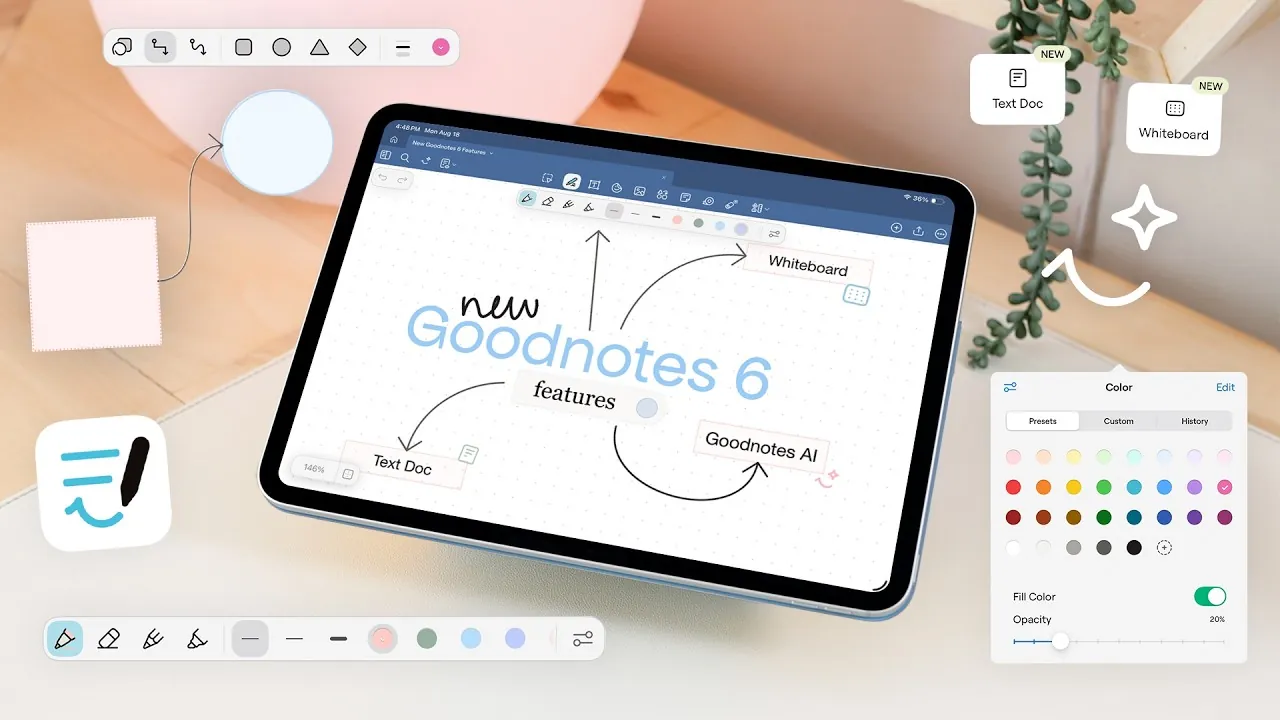
What if your digital notebook could do more than just store your notes, what if it could think with you? With the release of GoodNotes 6, the boundaries of traditional note-taking are being redefined. Featuring an infinite whiteboard mode, structured text editing, and AI-powered tools, this latest version promises to elevate productivity and creativity for professionals, educators, and creatives alike. Whether you’re brainstorming on a sprawling canvas or drafting polished documents with multimedia elements, GoodNotes 6 is designed to adapt to your needs. But does it live up to the hype, or are there still gaps to fill? Let’s explore the possibilities.
Kayla Le Roux takes you through how GoodNotes 6’s new features are reshaping the way we think, create, and collaborate. From the expansive whiteboard mode that invites boundless creativity to the AI integration that automates tedious tasks, each tool is crafted to streamline workflows and inspire innovation. Yet, with the app still in its beta phase, some usability challenges remain. How do these features stack up in real-world scenarios, and what does this mean for the future of digital note-taking? As we delve into the details, you might find yourself reimagining what a notebook can truly be.
GoodNotes 6 Key Features
TL;DR Key Takeaways :
- GoodNotes 6 introduces advanced features like AI integration, infinite whiteboard mode, and structured text editing, enhancing productivity and creativity for professionals, educators, and creatives.
- The new whiteboard mode offers an expansive, customizable canvas ideal for brainstorming, teaching, and collaboration, with seamless zooming and various background options.
- Structured text editing allows for organized, customizable documents with support for headings, lists, tables, multimedia embedding, and text formatting for polished outputs.
- Enhanced usability features include a redesigned floating toolbar for streamlined access to tools and improved shape tools for precise visual aids and diagrams.
- AI-powered tools automate tasks like note summarization, grammar checks, and diagram generation, while additional features like sticky notes and audio recording cater to collaboration and education.
Whiteboard Mode: Expansive Canvas for Creativity and Collaboration
One of the standout features of GoodNotes 6 is its whiteboard mode, which offers an infinite or large canvas ideal for brainstorming, teaching, and project mapping. This feature allows you to zoom in and out seamlessly, making it easy to organize complex ideas or collaborate in real-time. The canvas is highly customizable, with options for various backgrounds such as dot grids, square grids, or blank sheets. Additionally, you can choose from multiple color options, including white, yellow, and black, to suit your specific needs. Whether you’re sketching diagrams, mapping workflows, or conducting collaborative sessions, the whiteboard mode provides a versatile and expansive workspace that adapts to a variety of use cases.
Structured Text Editing: Customizable and Organized Note-Taking
GoodNotes 6 introduces a robust structured text editing feature, allowing users to create well-organized documents with ease. This functionality supports headings, lists, toggles, tables, and columns, allowing for a high degree of customization. Text formatting options, such as colors, highlights, and alignment, ensure that your notes are not only functional but also visually appealing. Furthermore, the ability to embed multimedia elements, including images, videos, audio, and code blocks, makes this feature particularly versatile for academic, professional, or creative purposes. Whether you’re drafting a report, preparing lecture notes, or planning a project, structured text editing offers the tools needed to create polished and adaptable documents.
New Goodnotes 6 Features whiteboard, text doc, beta

Dive deeper into GoodNotes 6 features with other articles and guides we have written below.
- Apple Notes vs Goodnotes 6: Which Note-Taking App is Best for You
- The Only Note Taking App Your iPad Needs
- Is Apple Notes the Best Free Note-Taking App for iPad Users
- How to Optimize Your iPad for Academic Success in 2025
- How to Use Apple Notes and Reminders to Simplify Your Life
- Foldable iPhone 2026: Apple’s Next Big Innovation Explained
- How to Optimize Your iPad Setup for Maximum Productivity
- The Top 20 iPad Apps You Should Download Today
- How to Pair Your Apple Pencil with Your iPad: A Complete Guide
- Use Your Own Handwriting as an iPhone, iPad & Mac Font
Redesigned Toolbar: Streamlined Access to Essential Tools
The redesigned toolbar in GoodNotes 6 enhances usability by grouping core tools for easier access. The floating toolbar now organizes pens, erasers, pencils, highlighters, and lasso tools in a more intuitive layout, allowing you to switch between functions seamlessly. This streamlined design improves workflow efficiency, making sure that frequently used tools are always within reach. By reducing the time spent navigating menus, the updated toolbar allows you to focus more on your work, whether you’re taking notes, creating diagrams, or annotating documents.
Enhanced Shape Tools: Precision and Flexibility for Visual Aids
For users who rely on diagrams and visual aids, the improved shape tools in GoodNotes 6 are a valuable addition. The app offers preset shapes such as rectangles, circles, and triangles, along with freeform snapping for custom designs. You can adjust stroke styles, fill colors, and opacity to suit your specific needs, providing a high level of precision and flexibility. Additionally, the ability to connect shapes with arrows and create detailed diagrams makes this feature particularly useful for planning, brainstorming, and teaching. Pre-designed templates further simplify the process, with the potential for future customization to better meet individual preferences.
AI Integration: Smarter Tools for Enhanced Productivity
GoodNotes 6 uses AI-powered tools to transform the note-taking experience. These tools can generate diagrams, summarize notes, suggest questions, and even explain complex concepts, making the app a valuable resource for students, educators, and professionals alike. Features such as grammar checks and clarity reviews ensure that your documents are polished and professional. By automating time-consuming tasks and enhancing the quality of your work, AI integration allows you to focus on what truly matters, whether it’s learning, teaching, or creating.
Additional Features: Versatility for Collaboration and Education
In addition to its major updates, GoodNotes 6 includes several smaller features that enhance its versatility. Sticky notes provide a quick and convenient way to jot down ideas, while tools like the laser pointer and audio recording are particularly useful for presentations and lectures. These features make the app well-suited for collaborative and educational environments, offering tools that cater to a wide range of scenarios.
Challenges in Beta: Areas for Improvement
While GoodNotes 6 introduces a wealth of innovative features, its beta version is not without limitations. For example, the text tool currently struggles with font selection, lacks default font settings, and does not yet support line spacing adjustments. These issues can disrupt the user experience but are expected to be addressed in future updates. Despite these challenges, the app’s overall functionality and potential remain impressive.
A Versatile Tool for Professionals, Educators, and Creatives
GoodNotes 6 represents a significant step forward in digital note-taking, blending traditional handwriting tools with advanced features like AI integration, structured text editing, and an infinite whiteboard mode. The redesigned toolbar and enhanced shape tools further expand its versatility, making it a valuable resource for a diverse range of users. While the beta version has some rough edges, the app’s ability to streamline workflows and foster creativity positions it as a promising tool for professionals, educators, and students. As refinements continue, GoodNotes 6 is poised to become an indispensable resource for modern note-taking and collaboration.
Media Credit: Kayla Le Roux
Disclosure: Some of our articles include affiliate links. If you buy something through one of these links, Geeky Gadgets may earn an affiliate commission. Learn about our Disclosure Policy.
