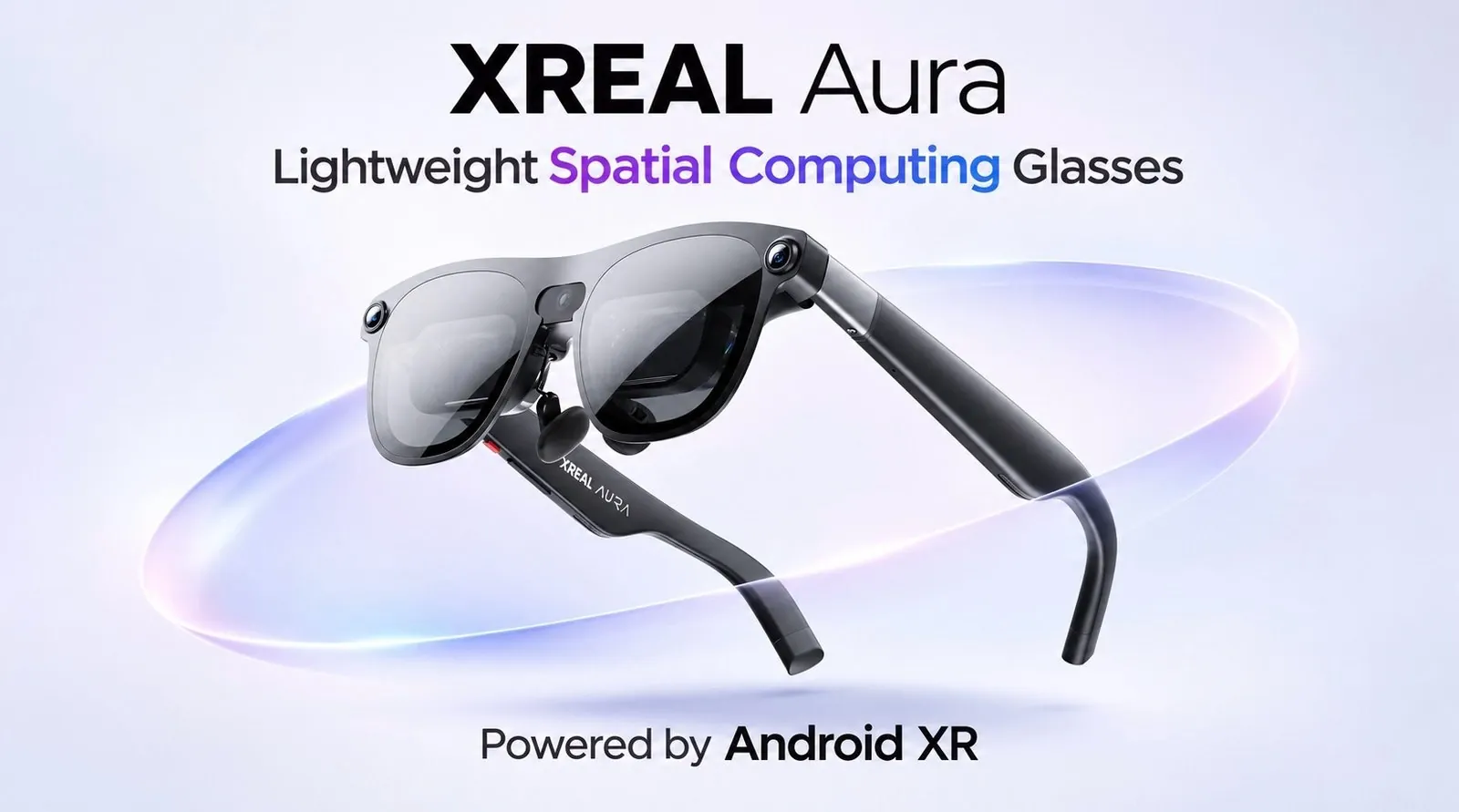
XREAL Aura pairs lightweight glasses with a separate Android XR computer, using optical passthrough to place virtual content over a direct view of the surroundings. The system launched at $1,099, with a phone-sized compute puck handling processing rather than a standard phone. Early use showed responsive hand gestures and stable virtual objects as the wearer moved, according to MRTV.
Explore how hand tracking and the puck’s touchpad offer different ways to navigate, and how USB-C connections can link the glasses to compatible devices. The breakdown also examines fit and field-of-view limits, including why immersive VR apps may feel more restrictive than mixed-reality use, so you can judge which experiences suit the hardware.
XREAL Aura at a glance
TL;DR Key Takeaways :
- XREAL Aura pairs lightweight glasses with a separate Android XR compute puck for a launch price of $1,099. MRTV says the price will rise by $200, though the timing is unclear.
- Optical passthrough lets wearers see their surroundings directly with virtual objects overlaid. In MRTV’s first session, the image looked sharp and the blend of physical and virtual views felt convincing.
- Hand tracking responded well to aiming and pinching, while six-degrees-of-freedom tracking kept virtual objects steady as the wearer moved. The puck’s touchpad also worked well as a controller.
- The restricted field of view felt natural in mixed reality but was more apparent in VR apps that black out the surroundings. MRTV prefers a VR headset for highly immersive experiences.
- The battery indication fell only a little during an hour of use. Battery life seemed quite good, but needs a long-term test.
XREAL Aura combines lightweight glasses with a separate Android XR computer for a launch price of $1,099. In an initial session, hand tracking responded well to aiming and pinching. Virtual objects also stayed fixed as the wearer looked around and moved closer.
MRTV’s first impressions were highly positive, particularly for how the glasses combine virtual objects with a direct view of the surroundings. MRTV calls Aura a huge deal that may help bring the technology further into the mainstream.
XREAL’s first Android XR headset uses a phone-sized compute unit rather than a phone. MRTV says the price will rise by $200, in a remark tied to the end of the year, though the timing of the increase is unclear.
A separate computer for Android XR
The aluminum compute puck runs Android XR and has a touchpad where a phone screen would sit. You can control the system with the touchpad or hand gestures. An aluminum-accented clip attaches the puck to trousers or other objects.
- Launch price: $1,099.
- Display resolution: 1,900 by 1,200 pixels.
- Compute puck weight: Around 250 g.
- Cooling: Active, with a fan.
- Connections: USB-C ports for the glasses and power or DisplayPort input.
The puck is light for its size and has a premium feel. Its power port accepts DisplayPort input, so you can connect a Steam Deck, MacBook or another device with USB-C video output. You can also connect the glasses directly to a USB-C video-out device, including a Steam Deck or MacBook Air.
Asked why a standard Android phone could not house the computer, XREAL’s team told MRTV that the puck is more powerful and dissipates heat better than a Samsung Galaxy Fold 8. That is why a phone cannot house the computing hardware right now.

Here are more detailed guides and articles that you may find helpful on XREAL Aura glasses.
- $20 Price Gap Pits XREAL Aura Against Meta VR Glasses
- XREAL Aura Secures 10,000 Deposits for Fall 2026 Launch
- How XREAL Aura $1,500 Spatial Computing Glasses Could Challenge Apple Vision
Glasses, cameras and fit
The glasses use prism lenses like those in the XREAL One series. Their outward-facing cameras handle hand tracking and six degrees of freedom tracking rather than recording people nearby. A separate camera lets AI and Gemini see what you see, and a flashing LED indicates when it records.
You can angle each stem independently, an adjustment recommended for the best visuals. The fitted nose pad places your eyes closer to the lenses, but you can swap it for more standard pads that position your eyes farther away. XREAL changed the nose pads for Aura. Buttons select headset modes and adjust volume or brightness, while speakers sit close to your ears.
Given the limited room for speakers, the audio is not expected to be better than that of other glasses of this kind. A USB-C port connects the glasses to the puck or another device. The angled end of the supplied cable goes into the glasses, and the other end connects to the bottom of the puck.
Small holes hold a lens insert that you can take to an optician for personal lenses. XREAL also sells inserts, for what MRTV believes is $69. Inserts from XREAL One Series headsets fitted and worked, so new ones were not needed for Aura.
A compact case and familiar setup
The included case holds the computer at the top and the glasses at the bottom. It has a separate cable compartment, a microfiber cloth and a lock to keep it closed during storage. It holds everything needed for spatial computing. The box also contains a quick-start guide, a charging cable, nose pads and the insert for glasses wearers.
The case is sturdy, well made and thoughtfully arranged. It is much smaller than the Apple Vision Pro case, for which MRTV paid more than $200. Aura itself is also much smaller and cheaper than Apple’s headset.
The Aura glasses will feel familiar to anyone who has used the XREAL One Pro Plus. During first setup, display alignment involved placing a finger inside a virtual object as it moved closer. Seeing XR features familiar from Vision Pro in glasses this small made a strong impression.
Optical passthrough and tracking
Aura uses optical passthrough: you see your surroundings directly through the glasses, with virtual elements laid over them. That differs from the video passthrough used by Apple Vision Pro and Meta devices. XREAL tried real-photon AR when the company was called Nreal, but that effort came too early.
Because the view of the room is direct, it has the full resolution of the wearer’s own eyes. MRTV says it is the first time this real-photon approach to AR has worked so well.
In the first session, a virtual menu appeared alongside the room, and virtual objects looked as though they were floating in front of the wearer. The image looked clear, with vibrant colors and perfect blacks, and the blend of physical and virtual views was particularly convincing. A panorama and immersive 3D content were also viewed.
Six degrees of freedom tracking kept virtual objects steady as the wearer turned or approached them. Hand tracking worked very well in the first impression: aiming and pinching produced a laser-like pointer. The puck also tracked well when used as a thumb-operated mouse pad.
The mixed-reality field of view is restricted, but it feels natural in Android XR because the glasses themselves appear to form the boundary. The view reached their edges and felt larger than on older XREAL devices.
That impression changes in VR apps, which black out the surrounding environment. There, the field of view is quite similar to XREAL One Pro Plus, and a VR headset remains preferable for especially immersive experiences.
Sharpness and early battery impressions
Aura’s 1,900-by-1,200 resolution is not much higher than that of other XREAL devices and competitors in the same space, and is not far from the XREAL One Pro Plus. The image looks very sharp because the resolution is concentrated within a limited field of view. People who found the One Pro Plus resolution insufficient probably will not see a huge difference.
The battery indication fell only a little during an hour of use. The first impression is that battery life seems quite good, though it needs a long-term test.
MRTV says Aura works exceptionally well for watching content, working and using apps in mixed reality, with virtual objects held steady as the wearer moves. Battery life seems quite good after an hour, but still needs a long-term test. For highly immersive VR, MRTV prefers a VR headset: Aura’s limited field of view becomes more apparent when apps black out the surroundings.
Media Credit: MRTV – MIXED REALITY TV
Disclosure: Some of our articles include affiliate links. If you buy something through one of these links, Geeky Gadgets may earn an affiliate commission. Learn about our Disclosure Policy.
