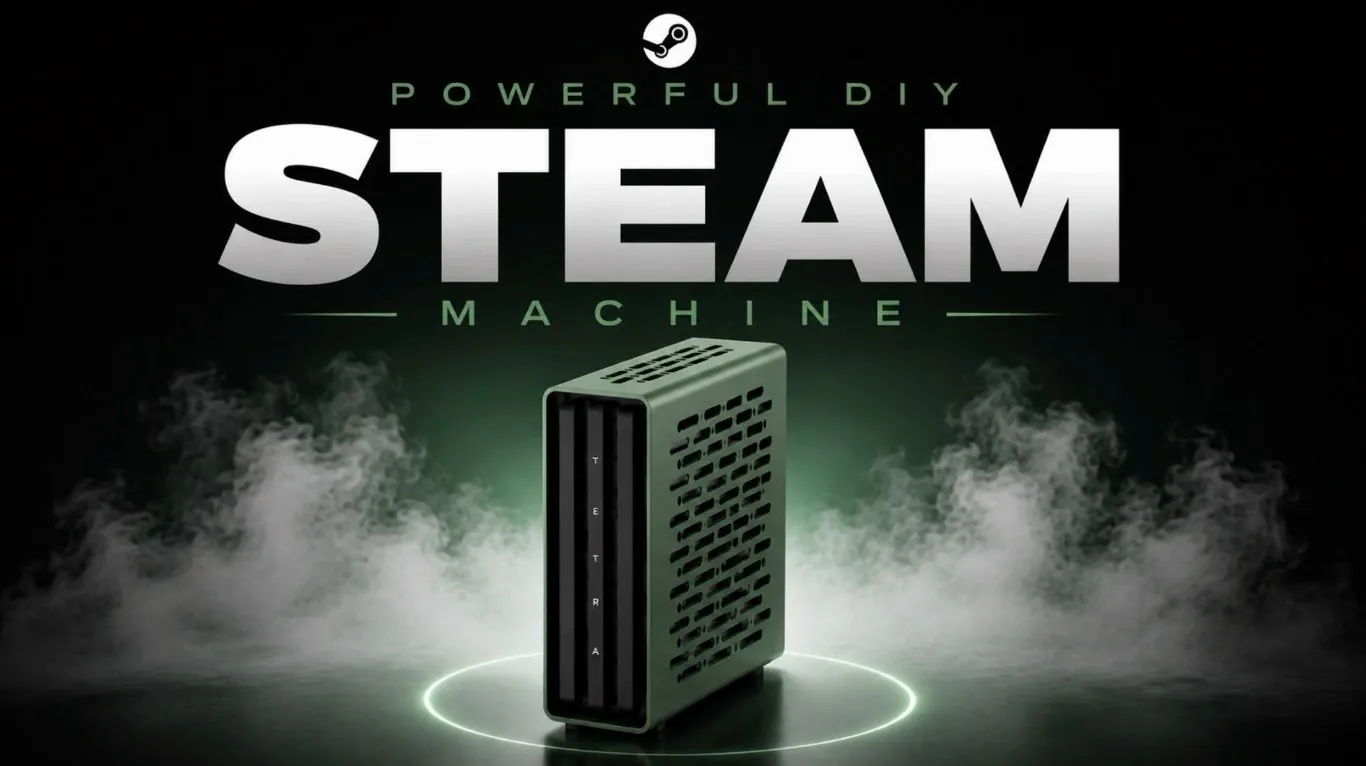
Building a DIY Steam Machine for Linux gaming involves balancing customization with performance considerations. According to EIGA, the Tetra S case from Thorzone stands out as a compact 9-liter option featuring modular components and a design that allows for assembly without additional hardware. A notable pairing for this build includes AMD’s 9800 X3D CPU and the 9070 XT Reaper GPU, which together provide a mix of processing power and compatibility. Key challenges include managing tight cable configurations and avoiding surface damage to the case during assembly, emphasizing the need for careful handling.
Explore methods for improving thermal performance through strategic hardware choices and cooling adjustments. Learn how undervolting can reduce noise levels and heat generation during operation. Gain insight into how Linux distributions like Basite support gaming compatibility with Proton and advanced graphical settings.
DIY Steam Machine 2026
TL;DR Key Takeaways :
- The Tetra S case is a compact, modular and customizable option for small form factor (SFF) PC builds, ideal for Linux gaming enthusiasts.
- An all-AMD hardware configuration, including the AMD 9070 XT Reaper GPU and AMD 9800 X3D CPU, ensures high performance and compatibility with Linux gaming.
- Efficient thermal management is achieved through premium cooling components, custom PSU cables and undervolting techniques, maintaining stable temperatures in a compact build.
- Linux distributions like Basite and CachyOS offer seamless gaming experiences with Proton support, though some challenges like fan control and anti-cheat compatibility persist.
- While Linux gaming has made significant progress, opportunities for refinement include improved motherboard fan control and additional functional add-ons for enhanced usability.
Why the Tetra S Case Stands Out
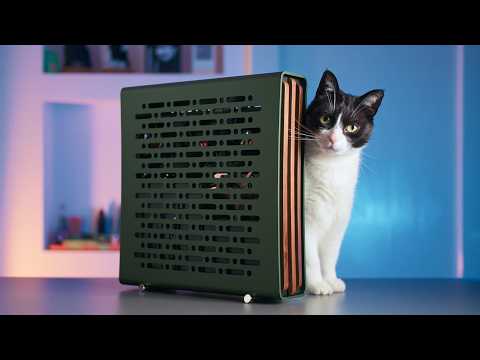
The Tetra S case is a standout choice for compact PC builds, offering a mere 9-liter volume that packs substantial functionality into a small footprint. Its modular design and tool-less access make it particularly appealing for beginners venturing into small form factor (SFF) systems. Key features of the Tetra S case include:
- A unique motherboard mounting system that maximizes space utilization and simplifies assembly.
- Customizable aesthetics, such as walnut side columns, allowing you to personalize the look of your build.
However, the compact design does present challenges. Cable management can be tricky, especially when using custom PSU cables to optimize airflow. Additionally, the metal-on-metal contact during assembly requires careful handling to avoid scratches or damage. Despite these minor hurdles, the Tetra S case provides an excellent foundation for a high-performance gaming machine, combining functionality with a sleek, modern design.
Choosing the Right Hardware
This build focuses on an all-AMD configuration to ensure maximum performance and compatibility with Linux gaming. AMD hardware is well-supported on Linux, making it an ideal choice for this project. The key components include:
- AMD 9070 XT Reaper GPU: This graphics card delivers exceptional performance, capable of handling demanding games at high resolutions and settings.
- AMD 9800 X3D CPU: A powerful processor that excels in both gaming and multitasking, making sure smooth performance across a variety of applications.
To maintain thermal efficiency in the compact Tetra S case, low-profile cooling solutions are essential. Custom PSU cables not only improve airflow but also contribute to a clean and organized internal layout. Additionally, undervolting the GPU reduces power consumption and heat output without compromising performance, resulting in a quieter and more efficient system. These hardware choices strike a balance between power, efficiency and compatibility, making them ideal for a Linux-based gaming machine.
Check out more relevant guides from our extensive collection on DIY Steam Machines that you might find useful.
- Why Linux Is Quietly Becoming the Ultimate Gaming Platform in 2026
- Don’t Wait for Valve: Build Your Own Steam Machine in 2026
- DIY Steam Machine : Why This Corsair Mini PC is the Ultimate Blueprint
- DIY Steam Machine Build : Skip the Mini PC, This Linux Steam Build Hits 1440p with Headroom
- How to Recreate Valve’s Delayed Steam Machine at Home Today
- Building a Steam Box in 2026 Is Viable, but Smart Parts and Linux Know-How Win
- DIY Steam Machine Build with Framework Desktop and S4T Case
- DIY Steam Machine : SteamOS Mini PC Build Targets $350 Budget
- Can’t Wait for Valve’s Steam Machine : Build One Yourself
Managing Thermal Performance
Effective cooling is critical in compact builds and this system is designed to maintain stable temperatures even under heavy loads. The combination of high-quality Noctua fans and low-profile CPU coolers ensures efficient heat dissipation during intense gaming sessions. Thermal testing has shown that the CPU, GPU and RAM remain within safe temperature ranges, thanks to:
- Premium cooling components that prioritize efficiency and reliability.
- Undervolting techniques that reduce heat generation and power consumption.
This setup demonstrates that compact systems can achieve both high performance and thermal stability without compromise. By carefully selecting and configuring cooling components, you can ensure your system remains quiet and efficient, even during extended gaming sessions.
Setting Up the Software
Linux offers several excellent operating system options for gaming, each tailored to different user needs. For this build, Basite, a Linux distribution similar to Steam OS, provides a streamlined and user-friendly gaming experience. Key benefits of Basite include:
- Seamless compatibility with Proton, allowing a vast library of Windows games to run on Linux without significant performance loss.
- Support for advanced gaming features such as HDR and VRR, delivering smooth visuals and vibrant colors.
For users seeking greater customization, CachyOS is an alternative that offers advanced configuration options and performance tweaks. However, challenges such as inconsistent fan control, particularly with certain motherboard brands like Gigabyte, may require additional software or hardware adjustments to achieve optimal performance. Regardless of the distribution you choose, Linux provides a robust platform for gaming, with growing support for both native and Windows-based titles.
Linux Gaming: Progress and Challenges
Linux gaming has made remarkable progress in recent years and this build highlights its potential as a viable gaming platform. With robust AMD driver support and Proton’s compatibility layer, gaming performance on Linux often rivals that of Windows. However, some limitations persist, including:
- Kernel-level anti-cheat systems: These remain a barrier for competitive gaming, as some popular titles are still incompatible with Linux.
- Software ecosystem: While gaming is well-supported, certain productivity and creative software options are more limited compared to Windows or macOS.
For casual gamers and Linux enthusiasts, these limitations may be minor inconveniences. However, competitive gamers or users reliant on specific software should carefully consider these factors when deciding on a Linux-based system. Despite these challenges, the overall gaming experience on Linux continues to improve, driven by advancements in hardware support and software development.
Opportunities for Refinement
While the Tetra S case and AMD components form a solid foundation for this build, there are opportunities to further enhance the system’s performance and usability. Potential areas for improvement include:
- Adding streamlined add-on options, such as USB-C ports or chrome stands, to improve functionality and aesthetics.
- Choosing motherboards with better fan control support to address compatibility issues and simplify thermal management.
These refinements would not only simplify the build process but also enhance the overall user experience, making the system even more appealing for Linux gamers.
A Compact Powerhouse for Linux Gaming
This DIY Steam Machine showcases the potential of Linux gaming when paired with high-end hardware and thoughtful design. By combining the compact and stylish Tetra S case with AMD components and efficient thermal management, you can create a gaming system that balances performance, efficiency and customization.
While Linux still faces challenges in areas like competitive gaming and software compatibility, this build demonstrates its viability as a gaming platform. With careful planning and attention to detail, you can craft a system that delivers a powerful and immersive gaming experience, all within a sleek, compact form factor.
Media Credit: EIGA
Disclosure: Some of our articles include affiliate links. If you buy something through one of these links, Geeky Gadgets may earn an affiliate commission. Learn about our Disclosure Policy.
