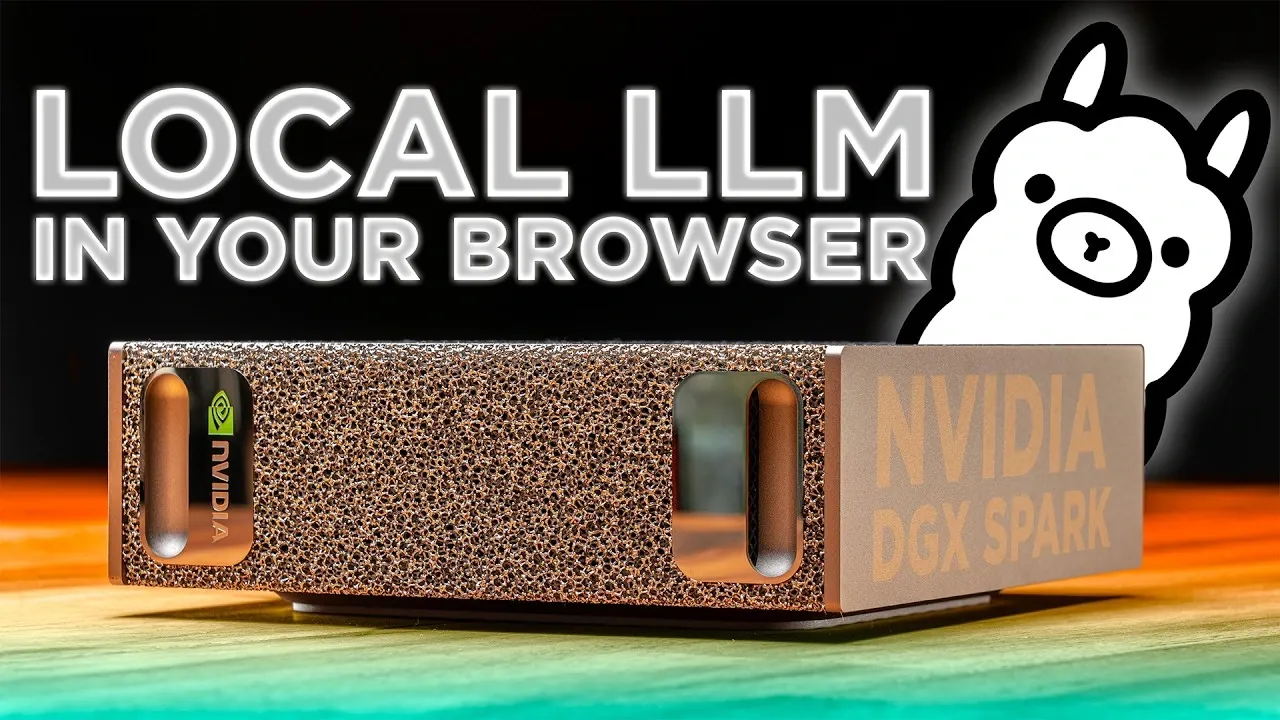
Setting up a private large language model (LLM) server allows for secure and customizable AI deployment tailored to specific needs. Core Electronics outlines a step-by-step process using the NVIDIA DGX Spark, Ollama and Open WebUI. Key steps include installing Docker, configuring NVIDIA Sync for GPU resource management and creating custom launch scripts to streamline the setup. These foundational elements ensure a stable environment for running local AI LLMs offline while maintaining control over system resources.
Learn how to select and configure models based on specific use cases, apply quantization techniques to optimize memory usage and monitor GPU performance for efficient operation. Gain insight into managing VRAM requirements for larger models and addressing licensing or security considerations during deployment. This guide provides practical knowledge to help you build and maintain a scalable local AI server for advanced AI applications.
Essential Requirements for Setup
TL;DR Key Takeaways :
- Setting up a private local AI server is now more accessible with tools like NVIDIA DGX Spark, Docker, Ollama and Open WebUI, allowing secure and offline deployment.
- Key prerequisites include NVIDIA Sync for GPU management, Docker for container handling and NVIDIA Playbooks for step-by-step configuration guidance.
- Efficient model management involves using Ollama for downloading models, monitoring resource usage with Docker stats and planning VRAM requirements for optimal performance.
- Optimizing model performance requires selecting appropriate model sizes, applying quantization techniques to balance memory usage and accuracy and making sure compliance with licensing and security standards.
- Expanding server capabilities includes using platforms like Hugging Face, engaging with the LLM community and experimenting with configurations to support advanced applications like AI agents and custom model training.
Before beginning the setup process, ensure your system meets the necessary prerequisites. The NVIDIA DGX Spark serves as the foundation, but additional tools are required to streamline the configuration and management of your server:
- NVIDIA Sync: This tool is essential for managing GPU resources and synchronizing workloads efficiently, making sure optimal hardware utilization.
- Docker: Adding Docker to your user group simplifies container management and eliminates potential permission-related issues during deployment.
- Official NVIDIA Playbooks: These playbooks provide detailed, step-by-step instructions for configuring your environment and making sure compatibility with NVIDIA hardware.
These components form the backbone of a stable and efficient LLM server, making sure a smooth setup process and reliable performance.
Step-by-Step Installation Process
Setting up your private local AI server involves configuring Docker containers preloaded with Ollama and Open WebUI. Follow these steps to establish a functional and secure server environment:
- Download Pre-configured Docker Containers: Pull containers optimized for NVIDIA hardware, which include all necessary dependencies for running Ollama and Open WebUI seamlessly.
- Create a Custom Launch Script: Use NVIDIA Sync to develop a script that integrates with your GPU resources, making sure efficient workload distribution.
- Configure Admin Access: Set up a local administrator account within Open WebUI to manage access controls and enhance server security.
This structured approach minimizes setup time and allows you to focus on deploying and interacting with your language models.

Advance your skills in local AI by reading more of our detailed content.
- Ollama Runs 32B Local AI Models on a $599 Mac via Quantization for Free
- How DeepSeek Fits a 284B Parameter AI Model on a Single Laptop
- Awesome DIY Raspberry Pi 5 Offline AI Companion Inspired by BMO from Adventure Time
- Forget the Cloud: This Tiiny Pocket PC Packs 80GB RAM for Local AI
- New AMD’s $1,500 Strix Halo PC Runs 120B AI Models Locally
- Build Your Own AI Assistant an Local AI Agent Quickly with Cursor AI (No Code)
- 128GB Ryzen AI Halo Replaces Cloud Servers for Local AI
- Revive Your Old Tech: Running a Local LLM on a 12-Year-Old Raspberry Pi
- Why NVIDIA’s New 748GB Desktop is Replacing Enterprise Cloud AI Subscriptions
- Easily run AI chatbots on your home PC locally using Jan AI for free
Efficient Model Management
Managing your models effectively is critical for maximizing the performance and utility of your LLM server. Tools like Ollama and Docker simplify this process, allowing you to download, monitor and optimize models with ease:
- Access a Wide Range of Models: Use the Ollama repository to download models tailored to your specific use cases, whether for natural language processing, content generation, or other applications.
- Monitor Resource Usage: Use Docker stats to track real-time performance metrics, such as GPU utilization and memory consumption, making sure efficient operation.
- Understand VRAM Requirements: Be mindful of the memory demands of each model. For example, running a Gemma 4 31B model requires approximately 20GB of VRAM, which should be factored into your resource planning.
By carefully managing your models, you can optimize server performance while avoiding potential resource bottlenecks.
Optimizing Model Selection and Performance
Choosing the right model and optimizing it for your hardware are crucial steps in building a functional and efficient LLM server. Consider the following factors to ensure the best results:
- Model Size and Complexity: Select models that align with your specific needs, ranging from lightweight options for faster performance to larger, more complex models for advanced tasks.
- Quantization Techniques: Implement methods like Q4 or Q6 quantization to reduce memory usage. While lower quantization levels conserve resources, they may slightly impact model accuracy, so balance is key.
- Licensing and Security: Evaluate each model for licensing terms, potential security vulnerabilities and jailbreak risks to ensure compliance and safeguard your server environment.
These considerations enable you to tailor your server setup to meet your unique requirements while maintaining efficiency and security.
Expanding and Enhancing Your Server Capabilities
Once your server is operational, you can explore additional tools and resources to expand its functionality and unlock new possibilities:
- Specialized Models and Tools: Platforms like Hugging Face offer a diverse range of models and utilities that can complement your existing setup, allowing more specialized applications.
- Community Engagement: Stay informed about the latest developments in the LLM ecosystem by participating in forums, attending webinars and following industry updates on social media platforms.
- Experimentation and Customization: Test various configurations, models and settings to identify the optimal setup for your specific use cases, whether for research, development, or production environments.
These enhancements allow you to maximize the potential of your LLM server, adapting it to evolving needs and emerging opportunities.
Exploring Advanced Applications
With a fully functional private LLM server, you can explore a wide range of advanced applications and use cases. Here are some possibilities to consider:
- AI Agent Deployment: Integrate LLMs into larger workflows or deploy AI agents capable of performing complex tasks, such as customer support or data analysis.
- Custom Model Training: Fine-tune existing models or train new ones using your own datasets to address specific challenges or requirements unique to your domain.
- Scalable Solutions: Expand your server’s capacity to handle larger workloads or support multiple users simultaneously, making sure scalability for future growth.
This secure and flexible environment enables you to innovate and adapt, paving the way for innovative applications and solutions.
By following this guide, you can establish a robust and customizable private LLM server using Ollama, Open WebUI and the NVIDIA DGX Spark. From installation to optimization, each step is designed to help you unlock the full potential of these powerful tools, allowing a wide range of applications and innovations in the rapidly evolving field of artificial intelligence.
Media Credit: Core Electronics
Disclosure: Some of our articles include affiliate links. If you buy something through one of these links, Geeky Gadgets may earn an affiliate commission. Learn about our Disclosure Policy.
