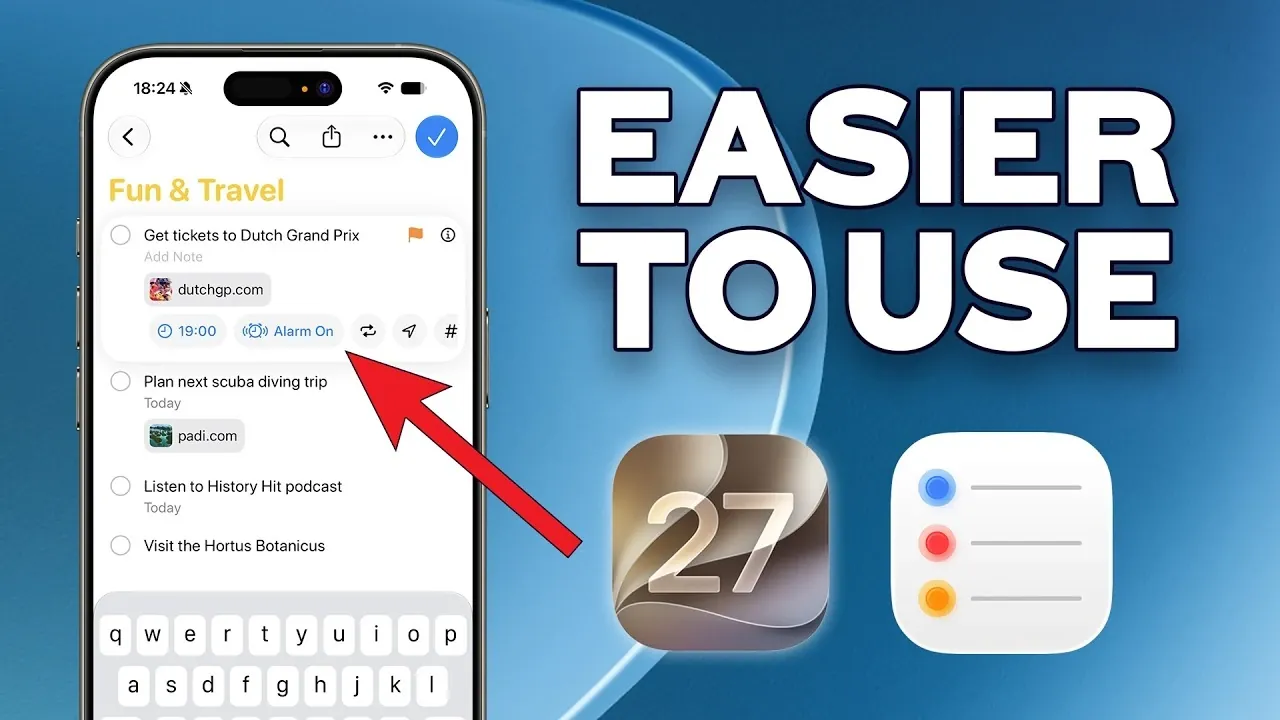
Apple’s iOS 27 brings notable updates to the Reminders app, focusing on making task management more efficient. One key addition is natural language input, which enables users to create reminders by typing or dictating phrases like “Call Sarah next Monday at 3 p.m.” The app processes these details automatically, reducing the need for manual adjustments. According to Peter Akkies, this feature, alongside enhancements like recurring task scheduling, supports smoother organization of daily responsibilities.
Explore how these updates refine task management with features such as enhanced Calendar integration for aligning reminders with your schedule, interactive widgets for quick access and AI-powered categorization that organizes lists intelligently. Gain insight into customization options like smart lists for prioritizing tasks and learn how Siri’s proactive suggestions can assist in staying on top of commitments. This feature offers a clear look at how iOS 27 helps streamline your daily planning.
Natural Language Input: Simplifying Task Creation
TL;DR Key Takeaways :
- Natural Language Input: Easily create reminders by typing or dictating tasks in plain sentences, with automatic recognition of dates, times and details, including recurring tasks.
- Enhanced Calendar Integration: Seamlessly link reminders and calendar events for a unified view of your schedule, improving organization and clarity.
- Interactive Widgets: Manage tasks directly from your home screen with new interactive widgets, including the ability to check off tasks without opening the app.
- AI-Powered Task Organization: Smarter categorization of tasks using AI, such as sorting grocery lists by aisles or grouping tasks by relevance, reducing manual effort.
- Quick Reminder Creation: Instantly capture tasks with customizable action buttons accessible from the lock screen or home screen, making sure no task is forgotten.
One of the most notable updates in iOS 27 is the ability to create reminders using natural language input. Instead of manually entering task details, you can now type or dictate tasks in plain sentences, such as “Pick up dry cleaning tomorrow at 5 p.m.” The app automatically identifies the date, time and task details, significantly reducing the effort required to set up reminders.
This feature also extends to recurring tasks, making it easier to schedule reminders for daily, weekly, or custom intervals. With quick access to repetition settings, you can efficiently manage tasks that occur regularly, such as “Pay rent on the first of every month.” This enhancement not only saves time but also ensures that recurring responsibilities are never overlooked.
Enhanced Calendar Integration: A Unified Schedule
The integration between the Reminders app and the Calendar app has been significantly improved in iOS 27, offering a more unified approach to managing your schedule. You can now create reminders directly from within the Calendar app, making sure that tasks and events are seamlessly linked for better organization.
Additionally, reminders now appear alongside calendar events, providing a comprehensive view of your day. This feature is particularly useful for managing deadlines, coordinating tasks with appointments, or planning your week. By consolidating tasks and events into a single interface, iOS 27 helps you stay on top of your commitments with greater clarity and efficiency.

Uncover more insights about Apple Reminders in previous articles we have written.
- Hidden Apple Reminders Tricks Used By Pros : Stop Forgetting Tasks
- Combine Apple Reminders with Calendar to Easily Organize Tasks, Projects & Daily Life
- Apple Reminders App is the Secret Weapon for GTD Productivity Success
- 5 Essential Apple Reminders Hacks to Simplify Your Life Instantly
- iPhone Ultra Leak: Apple Finally Solved the Foldable Crease Problem
- iOS 27 Leaks Reveal the End of an Era: Apple’s New Priorities Confirmed
- Apple Releases iOS 26.5: Here Are the Hidden Features
- Every Major Apple Announcement Leaked Ahead of WWDC 2026
- Apple’s MacBook Neo S Leak: Why a New Model Is Coming Months After Launch
- Does Apple’s New iOS 27 ‘Siri AI’ Live Up to the Hype?
Interactive Widgets: Task Management at Your Fingertips
iOS 27 introduces interactive widgets that make managing tasks more convenient than ever. The new extra-large widget size allows you to view a greater number of reminders directly on your home screen, giving you immediate access to your to-do list. Even better, you can check off completed tasks directly from the widget without needing to open the app.
These widgets are particularly useful for tracking ongoing projects, such as grocery lists or work assignments. By providing quick, actionable insights into your tasks, they help you stay organized and focused throughout the day. Whether you’re at home or on the go, the interactive widgets ensure that your reminders are always within reach.
Smarter Task Organization: AI-Powered Efficiency
Task organization in the Reminders app has been enhanced with AI-powered tools that streamline the way you manage your lists. Siri now automatically categorizes tasks within lists based on their content. For example, if you’re creating a grocery list, the app can sort items by store aisles, making your shopping experience more efficient.
This intelligent categorization extends to other types of lists, such as work-related tasks or personal projects. By automatically organizing tasks into relevant categories, the app reduces the need for manual sorting, allowing you to focus on completing your tasks rather than organizing them. This feature is particularly beneficial for users juggling multiple responsibilities.
Quick Reminder Creation: Capture Tasks Instantly
Creating reminders has become faster and more accessible in iOS 27. Customizable action buttons now allow you to open a new reminder panel directly from your lock screen or home screen. This feature is especially useful for capturing tasks on the go, making sure that important details are recorded as soon as they come to mind.
Whether you’re in the middle of a conversation, reading an email, or running errands, the ability to quickly create reminders ensures that no task slips through the cracks. This streamlined process enhances productivity by making it easier to stay organized in real-time.
Siri AI Enhancements: A Smarter Assistant
Siri has received significant upgrades in iOS 27, making it a more proactive and intelligent assistant. It can now suggest reminders based on your activity in apps like Messages or Mail. For instance, if you receive a text about a meeting, Siri might prompt you to set a reminder to prepare for it.
With improved language support and better categorization accuracy, Siri has become a more reliable partner in managing your day-to-day tasks. These enhancements ensure that you can stay productive with minimal effort, as Siri anticipates your needs and provides helpful suggestions tailored to your activities.
Customization Options: Tailored to Your Workflow
Personalization is a key focus in the latest update to the Reminders app. iOS 27 allows you to create smart lists tailored to specific needs, such as “Weekend Projects,” “Work Deadlines,” or “Family Errands.” These smart lists can automatically group tasks based on criteria like due dates, tags, or priority levels, giving you a more organized view of your responsibilities.
Additionally, widgets can now be customized to display specific lists, making sure that the tasks most relevant to you are always visible. This level of flexibility allows you to adapt the app to your unique workflow, whether you’re managing a busy work schedule or planning personal activities. By tailoring the app to your needs, you can maximize its utility and efficiency.
Streamlined Task Management for Modern Life
The updates in Apple Reminders for iOS 27 are designed to make task management more intuitive, efficient and personalized. From natural language input to enhanced Calendar integration, interactive widgets and smarter AI tools, these features provide a streamlined way to organize your day.
Whether you’re managing personal errands, coordinating family activities, or handling professional projects, the enhancements in iOS 27 ensure that you can stay on top of your responsibilities with ease. By combining advanced technology with user-friendly design, the Reminders app continues to be a powerful tool for staying organized in today’s fast-paced world.
Media Credit: Peter Akkies
Disclosure: Some of our articles include affiliate links. If you buy something through one of these links, Geeky Gadgets may earn an affiliate commission. Learn about our Disclosure Policy.
