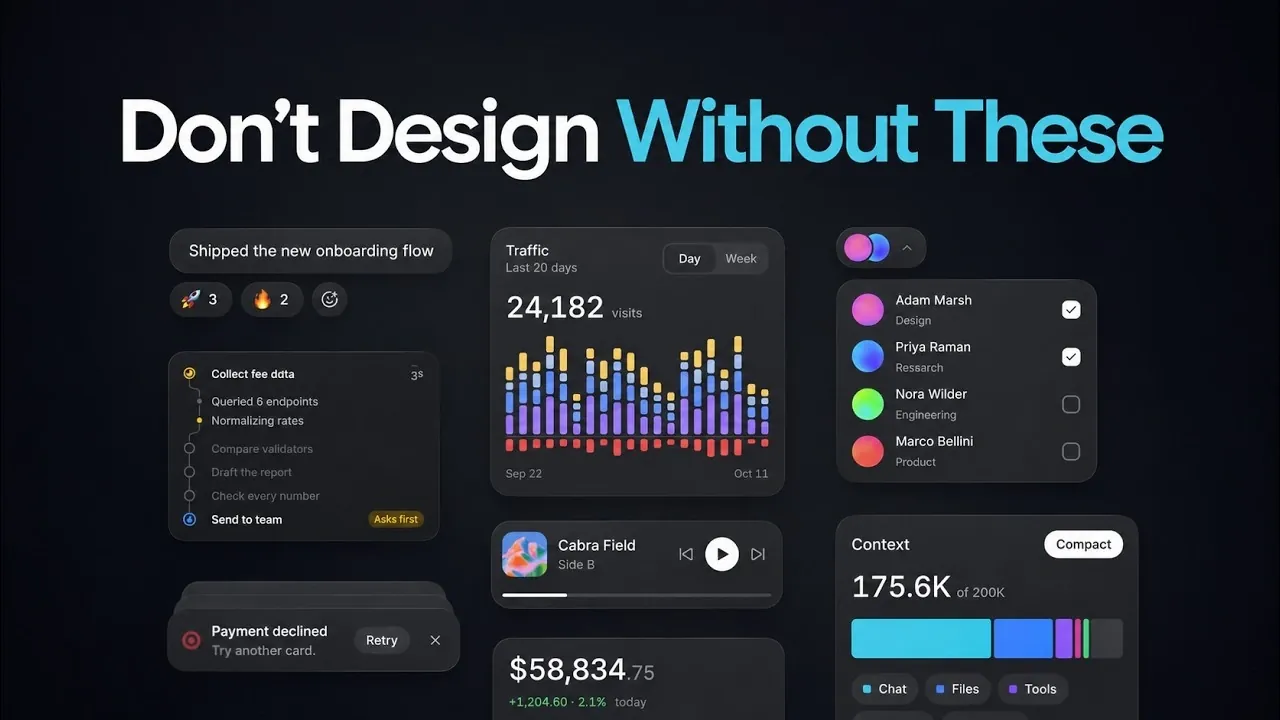
Foundation libraries like Shad CN, Base UI, and Radix play a crucial role in enhancing the functionality and accessibility of AI-generated user interfaces. These libraries handle essential behaviors like keyboard navigation and focus management, ensuring that basic components such as buttons and inputs work seamlessly. However, the default styling of Shad CN often leads to a uniform “AI look,” characterized by neutral tones and standard fonts. Customizing elements, such as adjusting radii or integrating serif headings, can help developers achieve a more distinctive design, as demonstrated by Griffin Wooldridge.
Explore how specialist libraries refine individual UI components to address common design challenges. Sonner enhances notification toasts with better animations and stacking, while V improves drawer interactions with drag-to-open functionality. Additionally, designed component libraries like Magic UI and Rare UI offer pre-styled elements, such as animated buttons and streaming text, to elevate visual quality. Together, these resources provide a roadmap for creating polished, user-friendly designs.
TL;DR Key Takeaways :
- Foundation libraries like Shad CN, Base UI, and Radix are essential for ensuring reliable functionality in basic UI components, with Shad CN enabling customization for brand-specific designs, though its default styling is associated with the “AI look.”
- Specialist libraries such as Sonner, V, Command K, and Number Flow address specific UI challenges, enhancing elements like toasts, drawers, command menus, and animated numbers for a more polished user experience.
- Designed component libraries, including Beautiful UI, Rare UI, Magic UI, and Hassetinity, provide pre-styled elements tailored to AI needs, but moderation is advised to avoid an overwhelming “AI-generated look.”
- Claude can integrate these libraries when explicitly named in prompts, with tools like Emil Kowalsski’s “Pick UI Library” skill simplifying library selection and installation processes.
- The creator emphasizes balancing design and functionality by limiting standout elements to one per page and combining different library types to move beyond generic AI aesthetics and achieve professional, user-friendly interfaces.
Foundation Libraries: The Backbone of Better UI
Foundation libraries like Shad CN, Base UI, and Radix are essential for improving AI-generated user interfaces. They handle critical component behaviors such as keyboard navigation, focus management, and accessibility, ensuring that basic UI elements, buttons, inputs, and tabs, function reliably. Shad CN allows direct integration into projects by copying code, enabling tools like Claude to customize components with brand-specific colors and fonts.
However, its default styling has become associated with the “AI look,” marked by uniform radii, gray tones, and standard fonts. Developers can achieve a more distinctive design by customizing elements, such as adjusting radii or incorporating serif headings.
Specialist Libraries for Specific Components
Specialist libraries refine individual UI elements, addressing common shortcomings in AI-generated designs. For example, Sonner enhances toasts by managing stacking, hover expansion, and animations, solving issues like overlapping or disappearing notifications. V improves drawers with drag-to-open and flick-to-close functionality, while Command K optimizes command menus for keyboard navigation. Another library, Number Flow, animates changing numbers, such as prices or counts, for a polished, dynamic effect. These tools focus on overlooked details, resulting in a more cohesive and professional user experience.

Here are additional guides from our expansive article library that you may find useful on Claude Code.
- Anthropic Adds Persistent JavaScript Mods to Claude Code
- 3 Ways Claude Code’s Creator Gets More Done with Simpler Prompts
- 6 Claude Code Levels Explained : Map Skills from Prompts to Agent Teams
- 100+ Claude Code Skills Tested : 6 Clear Winners
- 12 Best Claude Code Features to Automate and Streamline Your Workflows
Designed Component Libraries for a Polished Finish
Designed component libraries offer pre-styled, ready-to-use elements that elevate the visual quality of AI-generated interfaces.
For instance, Beautiful UI, developed by Turbo, includes components tailored to AI needs, such as streaming text, approval cards, and agent screens. Rare UI provides animated buttons, text effects, and interactive backgrounds for dynamic visuals. Magic UI, featuring over 150 free animated components, integrates with Shad CN, while Hassetinity specializes in landing page effects like 3D cards and background beams.
Magic UI components can be installed via the Shad CN CLI, while Hassetinity components can be added manually or through the CLI. For broader options, 21st.dev serves as a marketplace for components from various designers. While these libraries offer standout elements, moderation is key to avoiding an overwhelming “AI-generated look.”
Integrating Libraries with Claude
Claude can incorporate these libraries when explicitly named in prompts. For instance, specifying “use Shad CN for base components and Sonner for toasts” directs the AI to include these tools. Components can be installed via CLI or registries, keeping the code editable within the project. The “Pick UI Library” skill, created by Emil Kowalsski, automates library selection, simplifying the process. Emil Kowalsski, who also developed Sonner and V, has demonstrated expertise in enhancing specific UI elements.
These libraries significantly improve AI-generated UIs, but balance is essential to avoid an overdone aesthetic. Limiting standout animated or interactive elements to one per page helps maintain a cohesive and intentional design. Combining foundation, specialist, and designed component libraries allows developers to move beyond the generic “AI look” and create polished, user-friendly interfaces. In the creator’s view, this approach offers a powerful toolkit for refining AI-built designs while maintaining a professional and engaging user experience.
Media Credit: Griffin Wooldridge
Disclosure: Some of our articles include affiliate links. If you buy something through one of these links, Geeky Gadgets may earn an affiliate commission. Learn about our Disclosure Policy.
