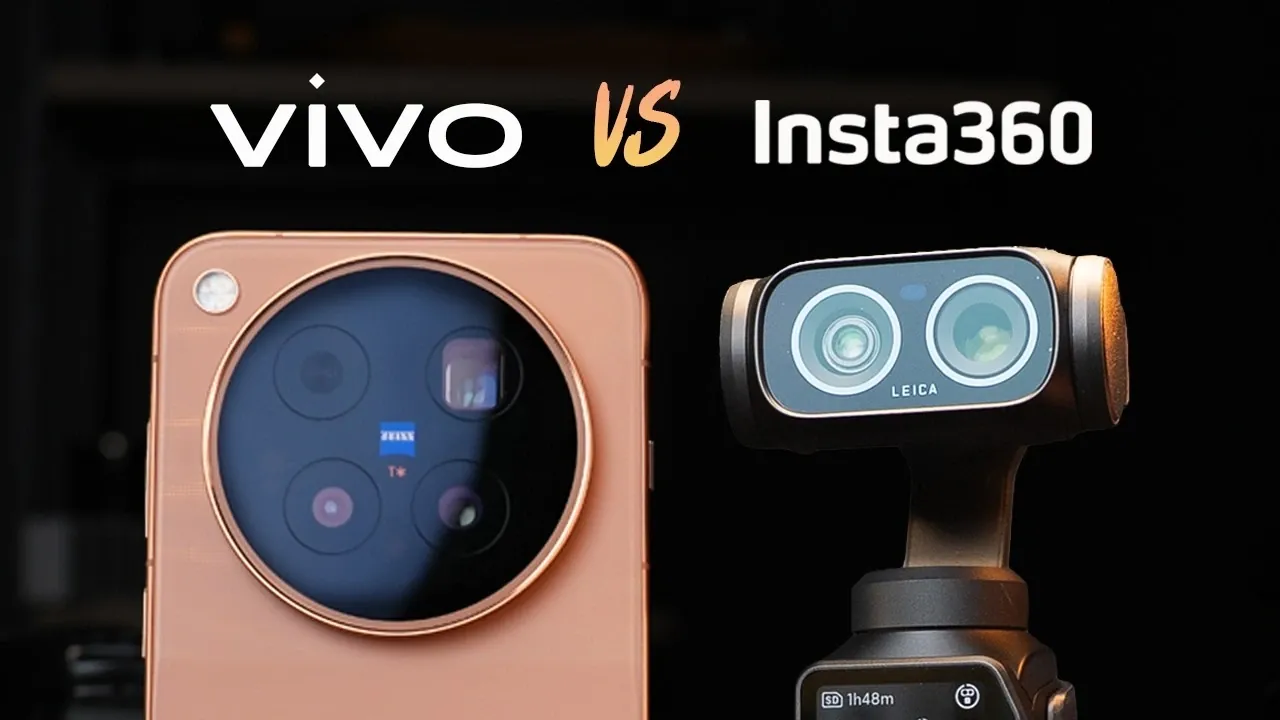
Video tests put the vivo X500 Pro Max smartphone and Insta360 Luna Ultra gimbal camera through walking shots, low-light scenes and slow motion. As The Film Alliance explains, the Luna Ultra’s detachable touchscreen lets you monitor footage with the camera facing away, while the phone’s larger screen is harder to see in that position. Take a closer look at how they render skin and outdoor colors, and see what happens when indoor lighting causes background flicker.
vivo X500 Pro Max vs Insta360 Luna Ultra: Video Compared
TL;DR Key Takeaways :
- Both cameras record 8K video, with the vivo costing around $1,500 on eBay and the Luna Ultra starting at $769.
- The vivo records slow motion at 4K 240fps, while the Luna Ultra reaches 240fps at 1080p.
- In low-light walking footage, the Luna Ultra’s three-axis gimbal produced steadier video than the vivo.
- The Luna Ultra produced a cleaner moon shot at ISO 6400, with less noise and no jumping ghost flare.
- In a sunrise time-lapse, the vivo adjusted exposure faster than the Luna Ultra with both cameras set to auto exposure.
The vivo X500 Pro Max and Insta360 Luna Ultra both record 8K video, but their stabilization approaches differ. In a low-light walking comparison, the Luna Ultra produced steadier footage. The vivo offered higher-resolution slow motion and adjusted exposure faster in a sunrise time-lapse.
The vivo is a smartphone with three rear cameras co-engineered with ZEISS. It cost around $1,500 on eBay and had not been released in the US at the time of the comparison. The Luna Ultra is a compact, dual-lens gimbal camera co-engineered by Insta360 and Leica, and it starts at $769. The Film Alliance bought both for the comparison rather than receiving them from the makers.
On the vivo, the cameras comprise a 24mm-equivalent main camera, an 85mm telephoto with 3.5× optical zoom and a 15mm ultrawide. The main camera has the largest sensor of the three. The Luna Ultra pairs a 1-inch main sensor and 20mm-equivalent lens with a 60mm telephoto.
Both cameras have fixed apertures and let you adjust resolution, frame rate, shutter speed and ISO. The Luna Ultra offers an ISO range of 100 to 6400 and white balance from 2000K to 10000K.
Slow Motion: Higher Resolution on the Phone
The vivo X500 Pro Max can record slow motion at 4K 240fps, while the Luna Ultra reaches 240fps at 1080p. Despite the phone’s resolution advantage, The Film Alliance preferred the Luna Ultra’s slow-motion footage: its 1080p footage had more natural-looking color, while the vivo’s white balance looked off across the shots.
In another shot, the vivo showed a stronger yellow tint, although its footage had better resolution. The Film Alliance suggests the Luna Ultra’s larger sensor might account for its appearance in slow motion.
At its other settings, the Luna Ultra records 8K at up to 30fps in 16:9 or 2.35:1, and 4K at up to 120fps. In 8K landscape recording it supports 1× to 6× zoom.

Here are more guides and articles from our library that you may find helpful.
- Osmo Pocket 4P vs Vivo X500 Pro Max: Cinematic Video Performance Compared
- Steadier Vivo X500 Pro Max Video Beats Sony A6700 Camera
- Insta360 Luna Ultra 100-Day Review: Fixed Battery Limits Shoots
- Insta360 Luna Ultra Adds Leica Optics but Faces Overheating Issues
- Insta360 Luna Pro and Ultra: Full Specs, Features, and Market Analysis
Walking Footage: Steadier on the Luna Ultra
The Luna Ultra produced noticeably steadier footage in the low-light walking comparison. The vivo X500 Pro Max showed more shake and bounce, even though both cameras used the same steady walking motion.
For stabilization, the Luna Ultra combines a three-axis mechanical gimbal with electronic stabilization, though the gimbal does not counter up-and-down movement. The vivo uses optical stabilization on its main and telephoto cameras. Vivo claims CIPA 7.0 stabilization for both in laboratory conditions and lists three degrees of optical stabilization for the main camera, which it describes as having gimbal-style stabilization.
In low light, the vivo also showed a moving ghost flare that the Luna Ultra did not. The Film Alliance rated the phone’s stabilization above an iPhone’s, but found the flare potentially distracting.
Low-Light Detail: Results Vary With the Scene
The Luna Ultra produced a cleaner moon shot at ISO 6400, with less noise and no jumping ghost flare around the moon. The vivo also showed a smearing effect around lights after a check found its lens clean. The Luna Ultra gave a more gradual transition between bright and dark areas.
In another low-light scene, with both cameras on auto white balance, the difference was much smaller: the vivo’s image was a little brighter. A further comparison, with the cameras exposed as closely as possible, also showed little difference.
For low light, the Luna Ultra has a dedicated PureVideo mode at up to 4K 60fps. Insta360 and Leica claim up to 14 stops of dynamic range for the camera, and Vivo claims 17 EV for the X500 Pro Max’s main camera in Log mode. In real shooting, The Film Alliance could not tell the two apart on dynamic range.
Skin Tones and Colors: Different Cameras Favor Different Scenes
The vivo X500 Pro Max produced more realistic-looking skin in one lighting environment. With both cameras on their standard color profiles, the phone rendered skin slightly more saturated, while the Luna Ultra made it look drained. In a different indoor talking-head shot, both handled the skin tone well.
That indoor shot revealed background flicker on the vivo, which you could correct with shutter speed, while the Luna Ultra compensated automatically in the same scene.
Outside in good light, the Luna Ultra produced richer colors, particularly in a flag, while the vivo appeared slightly less saturated. The phone’s sky was greenish blue and looked more realistic; the Luna Ultra’s shifted toward purple. Foliage also differed, with lighter, yellower greens on the vivo and more lime green on the Luna Ultra. The difference was visible with both cameras fully zoomed in.
With both cameras on auto white balance, the vivo shifted warmer and more orange, while the Luna Ultra looked closer to the scene as seen by eye. In a sunlit shot, the vivo’s lens reflection resembled a starburst, whereas the Luna Ultra rendered a softer sun with a green flare moving through the frame.
For footage that needs color work after recording, the vivo supports Cinematic Pro Log Video. The Luna Ultra records 10-bit video with Standard, Dolby Vision and I-Log profiles, plus Leica Natural, Leica Vivid and Leica Chrome image profiles.
Time-Lapse: Faster Exposure Changes on the vivo
The vivo X500 Pro Max handled the sunrise time-lapse more smoothly, changing exposure quickly as the light increased. With both cameras set to auto exposure, the Luna Ultra took much longer to adjust.
Monitoring: A Screen You Can Detach
The Luna Ultra’s detachable 2-inch OLED touchscreen works as a remote and includes a microphone, so you can monitor a shot with the camera facing away. The vivo has a larger screen that you cannot readily view when the phone faces away.
We think stabilization is the difference worth watching for. Both cameras shoot 8K, but sharp footage is wasted if it shakes. A mechanical gimbal and a phone’s gimbal-style optical stabilization solve the same problem in different ways. We think the Luna Ultra suits people who film on the move and want fewer fixes later. It also automatically compensated for indoor background flicker that needed a shutter-speed correction on the vivo. Anyone unwilling to carry a second device, or who wants one pocket tool for everything, will be happier with the phone.
The Film Alliance would choose the Luna Ultra for a dedicated video camera, favoring its color rendering and detachable screen rather than the convenience of shooting on a phone. Its advantage was clearer while walking than in the closely matched static low-light scenes. The vivo is not outclassed for every use: its higher-resolution slow motion and quicker sunrise exposure changes favor it when those matter more than steady footage on the move.
Media Credit: The Film Alliance
Disclosure: Some of our articles include affiliate links. If you buy something through one of these links, Geeky Gadgets may earn an affiliate commission. Learn about our Disclosure Policy.
