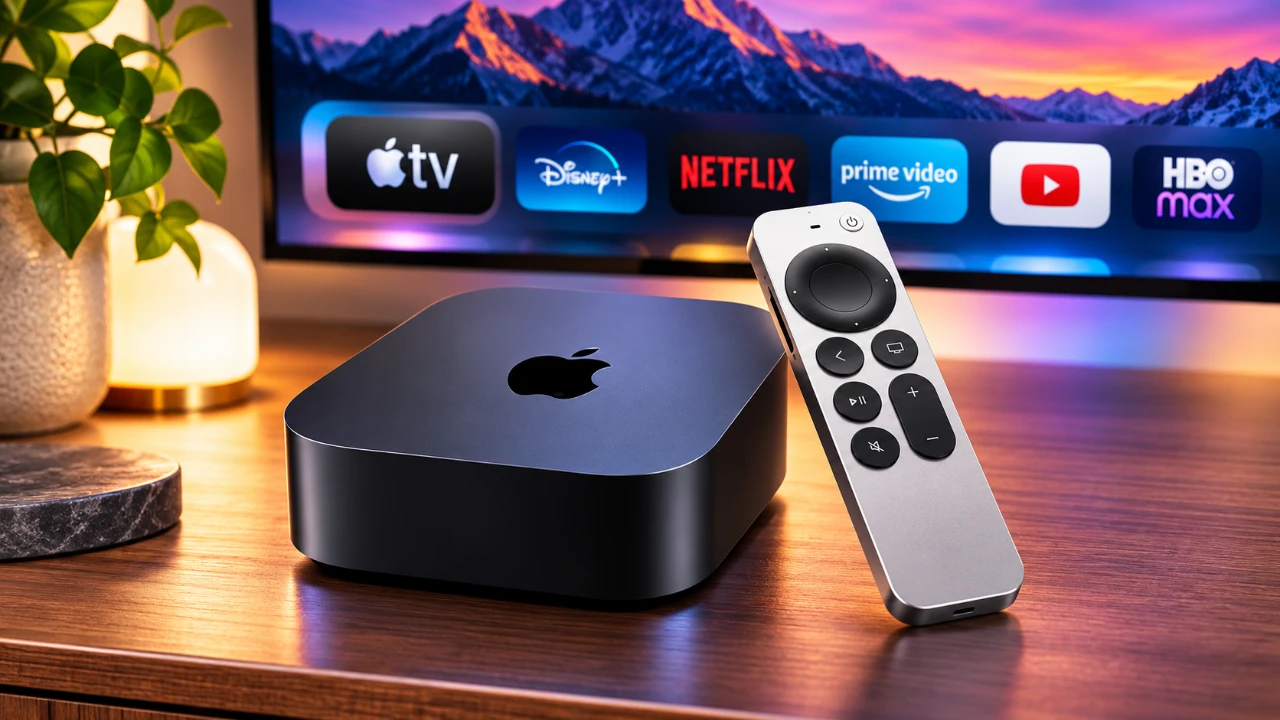
Large 4K HDR movies played without buffering on the fourth-generation Apple TV 4K, which officially launched on November 13, 2026. For anyone still running the original 2017 Apple TV 4K, faster app launches, snappier playback, and modern wireless hardware carry more weight than headline features that can also run on older Apple TV hardware. As covered in a hands-on video breakdown from AppleInsider featured below, upgrading makes the most sense for heavy streamers—though waiting for a discount is worth considering if the $299 retail price feels steep.
TL;DR Key Takeaways :
- Price and storage: The 2026 model starts at $299 with 128GB of storage and Gigabit Ethernet, compared with $179 for 32GB or $199 for 64GB in 2017.
- Processor and memory: The A19 chip and 8GB of RAM replace the 2017 model’s A10X Fusion processor and 3GB of RAM.
- Wi-Fi 7 playback: Plex streamed large 4K HDR files without buffering over Wi-Fi 7, though earlier stuttering may also have involved video codec support.
- Built-in microphones: Three far-field mics enable hands-free Siri requests and help tune HomePod spatial audio.
- Four-HomePod surround: The 2026 box supports up to four compatible HomePods for surround and whole-room audio.
Apple’s fourth-generation Apple TV 4K arrived on November 13, 2026, pairing a major silicon jump, built-in microphones, and 128GB of storage against a box that originally debuted in September 2017.
At $299, the 2026 model ships in a single 128GB configuration with Gigabit Ethernet and Thread support built in, whereas the first-generation 2017 box launched at $179 for 32GB or $199 for 64GB. While ad-heavy streaming sticks and budget set-top boxes often ship with tight memory and storage pools like 2GB of RAM and 8GB of flash, the new Apple TV 4K costs noticeably more than prior Apple TV generations—making it a stronger fit for frequent viewers than casual watchers.
Fast App Launches and Playback
In everyday testing, the fourth-generation Apple TV 4K felt responsive even alongside recent models, booting quickly, opening apps smoothly, and starting streams on services like Hulu and Netflix almost right away. Moving up from the 2017 model—or an older Apple TV HD—makes that speed gap even clearer across menus, app switching, and media playback.
Alongside faster internals, the 2026 chassis trims size and weight compared with the original 2017 unit:
- Processor: A19 chip in the 2026 model versus the A10X Fusion processor in the 2017 model.
- Dimensions: 31.00 × 93.24 × 93.24 mm (1.22 × 3.67 × 3.67 inches), down from 35 × 98 × 98 mm on the 2017 box.
- Weight: 217g, roughly half the 425g weight of the 2017 model.
- HDMI & HDR: HDMI 2.1 replaces HDMI 2.0a from the original model, supporting up to 4K 60 fps output alongside Dolby Vision, HDR10, and HDR10+.
Apple rates the A19 chip for up to 50% faster CPU performance and up to 2x faster GPU performance over the previous generation rather than the 2017 box. Reportedly paired with 8GB of RAM instead of the 2017 model’s 3GB, the extra headroom supports snappier multitasking and smoother gameplay in demanding Apple Arcade titles, especially fast-paced racing games with dense environments.
| Feature | Apple TV 4K (2026, 4th Gen) | Apple TV 4K (2017, 1st Gen) |
|---|---|---|
| Launch Price | $299 (128GB) | $179 (32GB) / $199 (64GB) |
| Processor & RAM | A19 chip, 8GB RAM (reported) | A10X Fusion, 3GB RAM |
| Wireless & Ports | Wi-Fi 7, Bluetooth 6, Gigabit Ethernet, HDMI 2.1 | Wi-Fi 5, Bluetooth 4.0/5.0, Gigabit Ethernet, HDMI 2.0b |
| Built-In Microphones | Three far-field microphones | None (remote microphone only) |
| Size & Weight | 31.00 × 93.24 × 93.24 mm, 217g | 35 × 98 × 98 mm, 425g |

Wi-Fi 7 and Plex Playback
Connecting over Wi-Fi 7 on the 6 GHz band of an eero Pro 7 router allowed the fourth-generation Apple TV 4K to stream large 4K HDR movies from Plex without buffering, where an earlier model had struggled over the local network in a room without a convenient wired Ethernet drop.
Even so, wireless speed is only part of the picture. Older Apple TV 4K models lacked hardware AV1 decoding, meaning certain Plex files could require transcoding or encoding during playback. If your local media library relies on heavy high-bitrate files or modern codecs, both Wi-Fi 7 and newer media decoding hardware help reduce bottlenecks.
Built-In Microphones Put Siri Within Reach
Unlike the 2017 unit, the 2026 Apple TV 4K builds in three far-field microphones—positioned on the front, left, and right with voice isolation—to support hands-free Siri commands and assist with tuning HomePod spatial audio.
Being able to speak without picking up the remote makes it easy to pause when a call or visitor interrupts, wake the TV, jump to the latest episode, play the next item in a watchlist, check smart home devices, and ask follow-up questions in a more natural flow. With Siri AI, on-screen awareness currently applies to Apple TV shows, while questions about other movies or series draw on general knowledge—identifying a character from title and timestamp context rather than reading the picture directly.
Find the New Remote by Sound
The updated Siri Remote adds Find My with Precision Finding plus a built-in speaker that plays a chime when triggered from a HomePod or the Apple TV 4K—and you can prompt Siri to play the sound again if you are still hunting for it.
In practical testing, the locator chime remained audible even when tucked under a couch blanket. Crucially, you do not have to buy the 2026 streaming box just to get that convenience, as the new Siri Remote works with almost any older Apple TV.
Four HomePods Put Sound Around the Room
The fourth-generation Apple TV 4K expands speaker pairing to support four HomePods as surround speakers, using matching front and rear pairs of second-generation full-size HomePods or HomePod mini 2 units. Whole-room playback can also send the same audio across all four speakers to keep sports commentary clear around a space or keep dialogue intelligible at low volume when kids are sleeping.
Adding rear channels creates a noticeably wider, more enveloping spatial soundstage than a front two-speaker pair alone, bringing ambient effects and offscreen cues from behind the seating area.
For 2017 owners, the biggest takeaway is how familiar the Apple TV 4K experience stays in daily operation despite a smaller, lighter enclosure. The strongest arguments for upgrading from the 2017 model are faster app performance, the A19 chip, and Wi-Fi 7 streaming—including buffer-free Plex playback—rather than features available elsewhere. Because Siri AI is also supported on a third-generation box and the new Siri Remote works with almost any older Apple TV, those pieces do not require replacing your streamer. For heavy viewers, the 2026 model is a clear step up from 2017, though waiting for a sale makes sense if $299 is hard to justify right now.
Learn more about Apple TV 4K with other articles and guides we have written below.
- Apple TV 4K (4th Gen) vs. 3rd Gen: What’s Really Different?
- The new Apple TV 4K looks way too expensive, until you look inside
- Why the Next Apple TV 4K Upgrade is a Massive Leap for Your Living Room
- Is Apple’s New $299 Streaming Box the Most Overpriced Gadget of 2026?
- Apple TV 4K Leaks Point to the One Audio Feature Fans Have Begged For
Source: AppleInsider
Disclosure: Some of our articles include affiliate links. If you buy something through one of these links, Geeky Gadgets may earn an affiliate commission. Learn about our Disclosure Policy.
