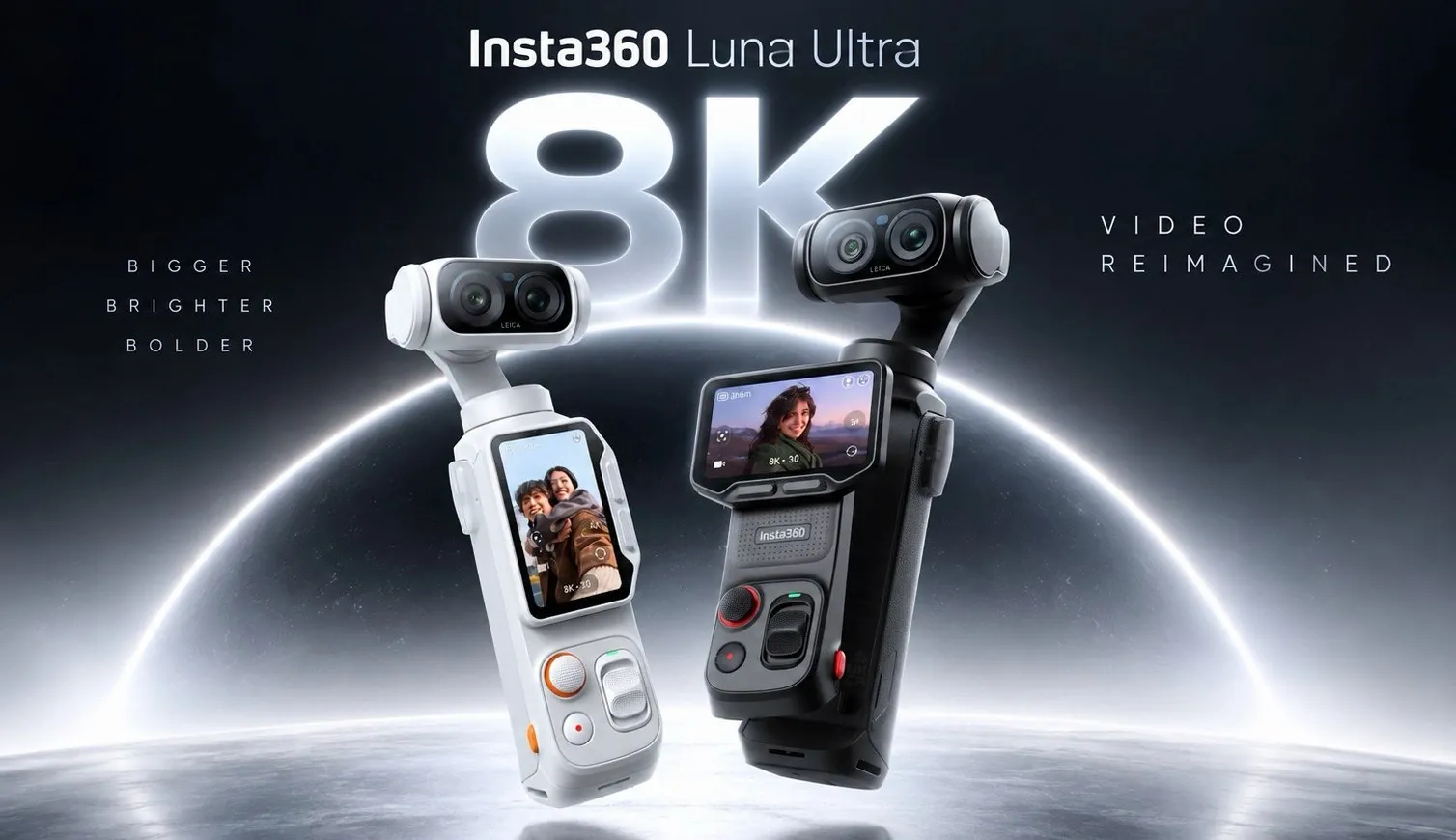
The Insta360 Luna Ultra is a high-performance camera that offers advanced features but requires careful consideration of its technical demands. Kola examines its ability to record in 8K resolution with 10-bit color depth, which delivers impressive detail and color accuracy. However, this feature comes with practical challenges, such as the need for significant storage capacity and specialized editing software. Another notable aspect is the camera’s auto ISO settings, which can overcompensate in bright environments, often necessitating manual adjustments for better results.
Discover how the Luna Ultra’s Leica filters can streamline color grading workflows, the limitations of its 15x zoom in maintaining image quality and the impact of connectivity issues on smartphone integration. Learn practical approaches to address risks like file corruption and ensure smooth handling of high-resolution formats in post-production. This analysis offers a focused look at the Luna Ultra’s strengths and constraints to help you make informed decisions.
Insta360 Luna Ultra Features and Performance
TL;DR Key Takeaways :
- The Insta360 Luna Ultra offers advanced features like 8K video recording, Leica filters and 15x zoom, catering to professional creators but with potential image quality degradation at maximum zoom.
- File corruption risks and software compatibility issues are notable drawbacks, requiring reliable storage solutions and professional-grade editing tools for optimal use.
- Connectivity challenges, such as disabled physical controls and workflow interruptions when connected to a smartphone, can hinder usability during shoots.
- Missing features like dynamic zoom, inconsistent accessory compatibility and limited remote control functionality highlight areas for improvement in future updates.
- Strengths include 4K portrait mode for social media creators and remote functionality, making it a versatile choice for those prioritizing high-quality visuals and creative workflows.
The Insta360 Luna Ultra is packed with advanced features that aim to elevate your creative output. Here are some of its standout capabilities:
- 15x Zoom: The camera offers a powerful zoom feature, allowing detailed close-ups. However, image quality may degrade at maximum zoom levels, which can limit its practicality for certain applications.
- Leica Filters: Built-in Leica filters simplify the color grading process, delivering vibrant and professional-quality visuals straight from the camera.
- 8K Video Recording: With 10-bit color depth, the Luna Ultra captures exceptional detail and color accuracy, making it a strong choice for professional videographers.
While these features are impressive, they come with trade-offs. For instance, 8K video files require substantial storage space and editing software capable of handling high-resolution formats. Additionally, the camera’s auto ISO settings may overcompensate in bright environments, often necessitating manual adjustments to achieve optimal results.
Reliability and File Integrity
One of the most significant concerns with the Luna Ultra is its occasional file corruption issues. Although rare, these incidents can result in the loss of valuable footage, particularly during critical shoots. Insta360’s customer support is responsive, but they cannot always recover corrupted files. To minimize risks, consider the following precautions:
- Invest in high-quality, reliable storage solutions to reduce the likelihood of data loss.
- Back up your footage frequently during shoots to ensure you have copies of your work.
While these steps can help safeguard your content, the potential for file corruption remains a notable drawback that creators should be aware of.

Here is a selection of other guides from our extensive library of content you may find of interest on Insta360 Luna Ultra.
- Osmo Pocket 4P Beats Insta360 Luna Ultra in Stability Tests
- Insta360 Luna Ultra Adds Leica Optics but Faces Overheating Issues
- DJI Osmo Pocket 4P vs Insta360 Luna Ultra : Key Differences Explained
- DJI Pocket 4 vs Insta360 Luna Ultra : 3 Week Review Reveals a Clear Winner
- Insta360 Luna Ultra: Brings 8K Video to a Compact Gimbal
- Insta360 Luna Ultra Pocket Camera Faces Fierce New Rival Amid DJI Lawsuits
- How the Insta360 Luna Ultra Replaces Heavy Vlogging Gear
- Insta360 Luna Ultra 100-Day Review: Fixed Battery Limits Shoots
- Osmo Pocket 4P vs Insta360 Luna Ultra vs GoPro Mission 1 Pro
- Why the Luna Ultra Might Steal the DJI Pocket 4P’s Crown
Software Compatibility Challenges
The Luna Ultra’s advanced capabilities, such as 8K recording and 10-bit color depth, demand robust editing tools. Many basic or free editing programs are not equipped to handle these high-resolution formats, requiring users to invest in professional-grade software like DaVinci Resolve Studio or Adobe Premiere Pro. Before starting a project, ensure your editing software is compatible with the camera’s output to avoid workflow disruptions.
Additionally, the large file sizes associated with 8K video can strain your computer’s processing power and storage capacity. Creators should evaluate their hardware and software setup to ensure it can handle the demands of working with such high-resolution content.
Connectivity and User Experience
The Luna Ultra offers smartphone connectivity, which enhances convenience but introduces certain limitations that may affect usability:
- Disabled Controls: When connected to a smartphone, the camera’s physical buttons and gimbal controls are often disabled, reducing functionality and requiring reliance on the phone’s interface.
- Workflow Interruptions: Adjusting specific settings, such as flicker adjustments, may necessitate disconnecting and reconnecting the phone, which can disrupt the shooting process.
- Gimbal Precision: While generally smooth, the gimbal controls can feel less precise when operated via a smartphone, making it challenging to capture dynamic or fast-paced shots.
These connectivity challenges can hinder your workflow, particularly if you rely heavily on smartphone-based operation during shoots.
Missing Features and User Requests
Despite its advanced technology, the Luna Ultra lacks certain features that could enhance its usability and creative potential. Some of the most commonly requested improvements include:
- Dynamic Zoom: The absence of subject-tracking zoom limits creative possibilities, especially for capturing moving subjects.
- Accessory Compatibility: Bluetooth accessory support is inconsistent. For example, the popular Mantis Pod, compatible with other Insta360 cameras, does not work with the Luna Ultra.
- Remote Control Enhancements: Users frequently request improved remote functionality and better button access when the camera is connected to a smartphone.
These gaps highlight opportunities for future updates or hardware revisions to address user feedback and improve the overall experience.
What the Luna Ultra Does Well
Despite its challenges, the Insta360 Luna Ultra excels in several key areas that make it a compelling choice for creators:
- 4K Portrait Mode: This feature, introduced in a recent update, is particularly beneficial for social media creators. While the difference between 3K and 4K resolution may not be noticeable on smaller screens, it ensures your content is future-proofed for evolving platform standards.
- Remote Functionality: The ability to control the camera remotely is a significant advantage for solo creators or those working in challenging environments where direct access to the camera is limited.
These strengths demonstrate the Luna Ultra’s potential to deliver high-quality visuals and enhance creative workflows, particularly for those who prioritize remote operation and social media content creation.
Making an Informed Decision
The Insta360 Luna Ultra is a powerful and versatile camera that offers advanced features such as 8K video recording, Leica filters, and 4K portrait mode. However, it is not without its limitations. Challenges such as file corruption risks, software compatibility issues, and connectivity limitations may impact your workflow, especially if you rely heavily on high-resolution capabilities or smartphone integration.
Before investing in the Luna Ultra, carefully assess your specific needs and whether you are prepared to address its challenges. By understanding its strengths and weaknesses, you can make an informed decision and maximize the camera’s potential for your creative projects.
Media Credit: Kola
Disclosure: Some of our articles include affiliate links. If you buy something through one of these links, Geeky Gadgets may earn an affiliate commission. Learn about our Disclosure Policy.
