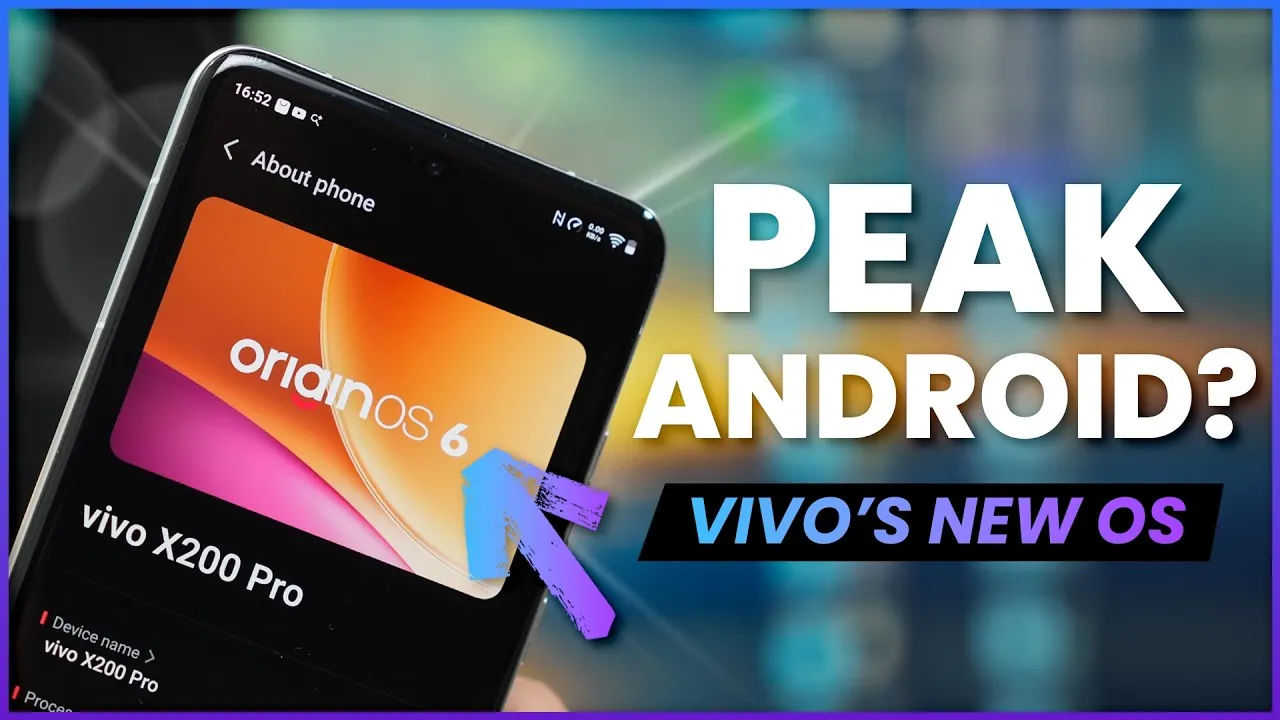
Vivo’s Origin OS 6, built on Android 16, introduces a wide array of features and improvements aimed at enhancing usability, personalization, and productivity. This update focuses on providing users with greater control over their devices while ensuring seamless integration and optimized performance. Whether your priorities lie in efficiency, accessibility, or creativity, Origin OS 6 delivers tools and enhancements designed to elevate your smartphone experience. The video below from WhatGear gives us a detailed look at the new Vivo Origin OS 6.
Key Features at a Glance
- Extensive customization options for a personalized interface.
- Enhanced multitasking capabilities with floating windows and split-screen modes.
- Centralized functionality through the new Origin Island interface.
- AI-powered productivity tools for professionals and students.
- Optimized performance and battery management features.
- Improved usability with motion cues and voice isolation technology.
Customization: Make Your Device Truly Yours
Origin OS 6 places a strong emphasis on personalization, allowing you to tailor your device to match your unique preferences. The home and lock screens now offer greater flexibility, allowing you to adjust wallpapers, widgets, and layouts to suit your style. Dynamic effects, such as charging animations and fingerprint unlock visuals, add an interactive element to everyday tasks, making them more engaging.
The customization extends to app icons, where you can modify their size, shape, and even remove app names for a cleaner, minimalist appearance. These features ensure that your device not only reflects your personal aesthetic but also remains highly functional and intuitive.
Multitasking Made Simple
Efficient multitasking is a cornerstone of Origin OS 6, designed to help you manage multiple tasks with ease. The introduction of floating windows and split-screen functionality allows you to run and interact with multiple apps simultaneously. This feature is particularly useful for activities such as comparing documents, watching videos while messaging, or browsing the web while taking notes.
The new Super Dragging feature simplifies sharing by allowing you to move text, images, and files across apps effortlessly. Additionally, the Super Screenshot tool offers advanced cropping and editing options, making it easier to capture and customize content. For added convenience, the one-handed mode adjusts the screen size and position, making sure accessibility for users of all preferences and needs.
Origin Island: A Centralized Hub for Convenience
The newly introduced Origin Island interface serves as a centralized hub for key functionalities, streamlining your interactions with the device. It integrates music controls, app shortcuts, and contextual suggestions, allowing you to access frequently used features quickly and efficiently. With drag-and-go functionality, you can launch apps or share files directly from the interface, saving time and effort.
Notifications and pinned apps can also be customized, making sure that important information is always accessible. This centralized approach not only enhances convenience but also reduces the need to navigate through multiple menus, making your overall experience smoother and more intuitive.
Productivity Tools for Professionals and Students
Origin OS 6 introduces a robust suite of productivity tools designed to simplify workflows and enhance efficiency. The Office Kit enables seamless file sharing and screen mirroring, allowing you to collaborate effortlessly with PCs and Macs. Whether you are working on a presentation, editing documents, or sharing media, these tools ensure a smooth and integrated experience.
AI-powered tools further enhance productivity by assisting with tasks such as writing, editing, and image manipulation. These features are particularly beneficial for professionals and students, helping you save time and focus on what matters most. Whether you are managing a busy work schedule or tackling academic assignments, Origin OS 6 provides the tools to support your goals.
Performance Optimization and Battery Management
Performance and battery life are critical considerations for any smartphone user, and Origin OS 6 addresses both with precision. Adjustable charging speeds and battery health monitoring features help extend the lifespan of your device’s battery. You can choose from modes such as Battery Saver, Balance, and Boost to optimize performance based on your current needs, making sure your device operates efficiently throughout the day.
These performance enhancements are complemented by intelligent resource management, which allocates processing power and memory to prioritize active tasks. This ensures that your device remains responsive and capable, even when running demanding applications or multitasking.
Enhanced Usability with Motion Cues and Voice Isolation
To improve usability in diverse environments, Origin OS 6 incorporates innovative features such as motion cues and voice isolation technology. Motion cues are designed to reduce motion sickness, particularly during use in vehicles, making the device more comfortable for extended use. Meanwhile, voice isolation technology enhances call clarity by minimizing background noise, ensuring effective communication even in noisy settings.
These usability enhancements demonstrate Vivo’s commitment to creating a user-friendly experience that adapts to your environment and needs, making the device more versatile and reliable.
Streamlined Control Center and Notifications
The updated control center in Origin OS 6 offers a more organized and intuitive layout, separating quick settings from notifications for improved accessibility. You can customize the layout to prioritize frequently used features, making sure that essential tools are always within easy reach. Additionally, shortcuts can be renamed to better align with your workflow, providing a more personalized and efficient experience.
This streamlined approach to control and notifications not only saves time but also reduces the complexity of navigating your device, allowing you to focus on what’s important.
Elevating the Smartphone Experience
Vivo’s Origin OS 6 represents a significant step forward in smartphone software, focusing on personalization, multitasking, and seamless integration. From dynamic customization options to powerful productivity tools and advanced performance management, this update is designed to meet the diverse needs of users. Whether you prioritize efficiency, creativity, or connectivity, Origin OS 6 equips you with the tools to enhance your experience and make your device truly your own.
Master Origin OS 6 with the help of our in-depth articles and helpful guides.
- Oxygen OS 16 vs Origin OS 6: Full Comparison
- LG G Vista Rumored to Launch on AT&T Too
- Andi-One Android 2.1 Powered Universal Remote
- Strawberry4Pi Internet of Things control system
- Apple Self Service Repair expands and receives new diagnostics
Source & Image Credit: WhatGear
Disclosure: Some of our articles include affiliate links. If you buy something through one of these links, Geeky Gadgets may earn an affiliate commission. Learn about our Disclosure Policy.
