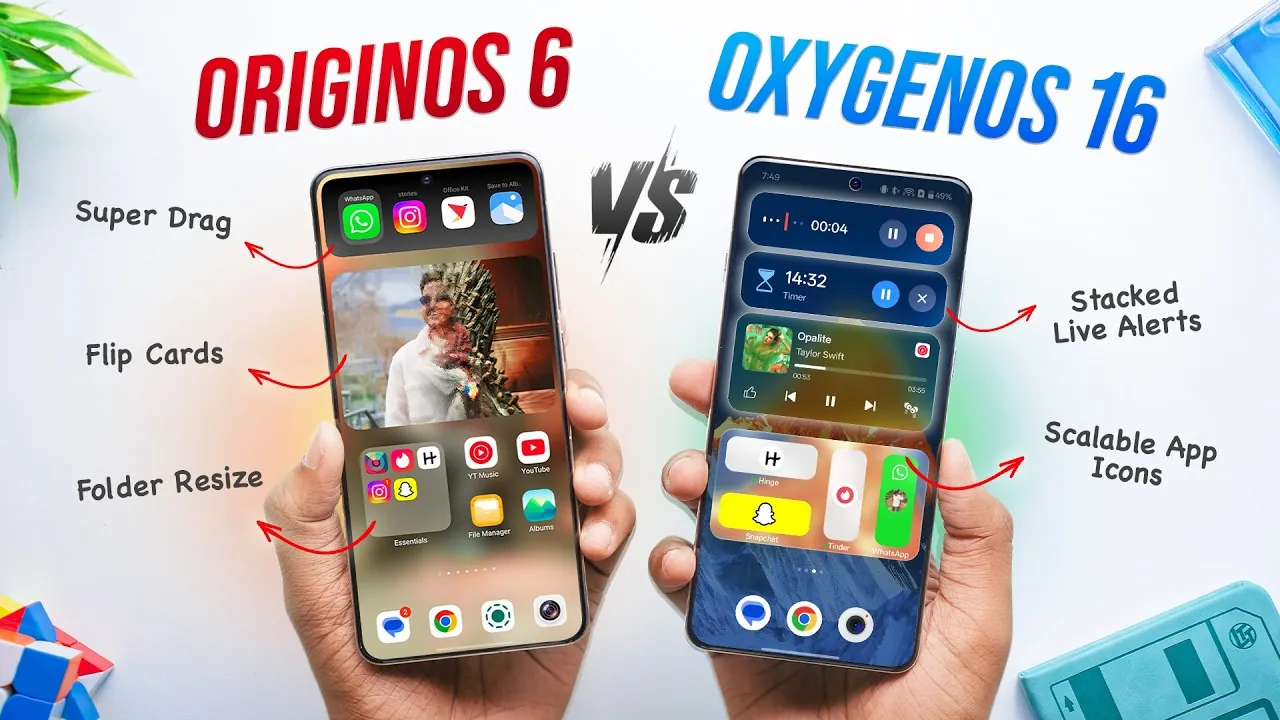
Selecting the right smartphone operating system (OS) is a pivotal decision that directly influences your overall user experience. The interface, features, and performance of an OS shape how you interact with your device daily. This article offers an in-depth comparison of Oxygen OS 16 and Origin OS 6, focusing on their core features, usability, and performance. While both systems bring unique strengths to the table, Oxygen OS 16 emerges as the more polished and user-friendly option, catering to a broader range of preferences. The video below from Beebom gives us a look at the software side by side.

Animations and Transitions
Animations and transitions are fundamental to creating a smooth and enjoyable navigation experience. Oxygen OS 16 excels in delivering fluid, lifelike transitions that enhance usability without sacrificing functionality. These animations strike a balance between aesthetics and practicality, making sure a seamless experience for users. On the other hand, Origin OS 6 prioritizes speed, offering snappier transitions that appeal to users who value responsiveness over visual appeal. While both systems perform admirably, Oxygen OS 16 stands out for its ability to combine visual sophistication with practical usability, making it the more versatile choice for a wide range of users.
Lock Screen Features
The lock screen serves as the gateway to your device, and both systems bring innovative features to this critical interface. Oxygen OS 16 introduces live photos with depth effects and extensive Always-On Display (AOD) customization, allowing users to personalize their lock screens to reflect their unique preferences. In contrast, Origin OS 6 offers tilt-based photo transitions and customizable photo displays, adding a creative touch to the lock screen experience. However, Oxygen OS 16 provides a broader range of customization options, making it the more adaptable choice for users who prioritize personalization and functionality.
Home Screen and Customization
Customization is a key factor in making a smartphone feel uniquely yours. Oxygen OS 16 excels in this area, offering advanced options such as the ability to scale individual app icons and directly customize icon packs. This level of control allows users to create a home screen that aligns perfectly with their preferences. While Origin OS 6 includes features like folder scaling, it lacks the ability to directly customize icon packs, limiting its flexibility. For users who value a highly personalized experience, Oxygen OS 16 provides a more comprehensive and satisfying set of customization tools.
Dynamic Island and iOS-Inspired Features
Both operating systems incorporate elements inspired by iOS, including the dynamic island feature. Oxygen OS 16 integrates this functionality seamlessly, making sure it feels cohesive within the overall design. In contrast, Origin OS 6 also adopts iOS-inspired elements but lacks the same level of polish and refinement. This difference highlights Oxygen OS 16’s focus on delivering a cohesive and user-friendly experience, making it the superior choice for users who appreciate thoughtful design and intuitive functionality.
Unique Features
Each OS introduces unique features designed to address specific user needs. Origin OS 6 debuts “super dragging,” a tool aimed at simplifying media sharing across devices. Meanwhile, Oxygen OS 16 emphasizes usability with features such as global search functionality, AI integration, and advanced haptic feedback. These innovations enhance the overall user experience, making Oxygen OS 16 the more forward-thinking and practical option for those seeking innovative tools that improve daily interactions with their device.
Security Features
Security remains a top priority for smartphone users, and both systems offer robust features to protect user data. Oxygen OS 16 includes a secure keyboard specifically designed for password entry, providing an additional layer of protection for sensitive information. Origin OS 6, on the other hand, offers a private space for apps and media, making sure user privacy. While both systems demonstrate a commitment to security, Oxygen OS 16’s secure keyboard offers a tangible advantage in safeguarding personal data, making it a more reassuring choice for security-conscious users.
Ecosystem and Connectivity
For users who rely on a broader ecosystem of devices, both operating systems provide tools to enhance connectivity. Origin OS 6 features the VO Office Kit, which assists seamless integration with other devices. Similarly, Oxygen OS 16 offers O+ Connect, a tool designed to streamline cross-device functionality. However, Oxygen OS 16’s cleaner design and intuitive usability give it a slight edge in this category, making it the preferred choice for users seeking a more cohesive and user-friendly ecosystem experience.
Ads and Bloatware
A clutter-free interface is essential for many users, and this is where the two systems differ significantly. Origin OS 6 includes ads and pre-installed apps, which can detract from the overall user experience by creating unnecessary distractions. In contrast, Oxygen OS 16 maintains a cleaner interface, free from intrusive ads and unnecessary bloatware. This distinction underscores Oxygen OS 16’s commitment to delivering a streamlined and user-centric experience, making it the better option for those who value simplicity and efficiency.
Final Thoughts
When comparing Oxygen OS 16 and Origin OS 6, it becomes clear that Oxygen OS 16 offers a more refined and versatile experience. Its smoother animations, extensive customization options, and innovative features cater to a wide range of user preferences. While Origin OS 6 introduces creative elements and unique tools, its inclusion of ads and limited customization options hold it back from achieving the same level of user satisfaction. For those seeking a polished, adaptable, and clutter-free operating system, Oxygen OS 16 stands out as the superior choice.
Here are more detailed guides and articles that you may find helpful on Oxygen OS 16.
- Everything You Need to Know About the OnePlus 15
- OnePlus 7 Pro gets reviewed (Video)
- Sandstone White OnePlus 5T Smartphone Revealed
- What’s New in iOS 26 Beta 7 and Public Beta 4?
- OnePlus 13 vs iPhone 16 Pro Max: Android vs Apple Showdown
Source & Image Credit: Beebom
Disclosure: Some of our articles include affiliate links. If you buy something through one of these links, Geeky Gadgets may earn an affiliate commission. Learn about our Disclosure Policy.
