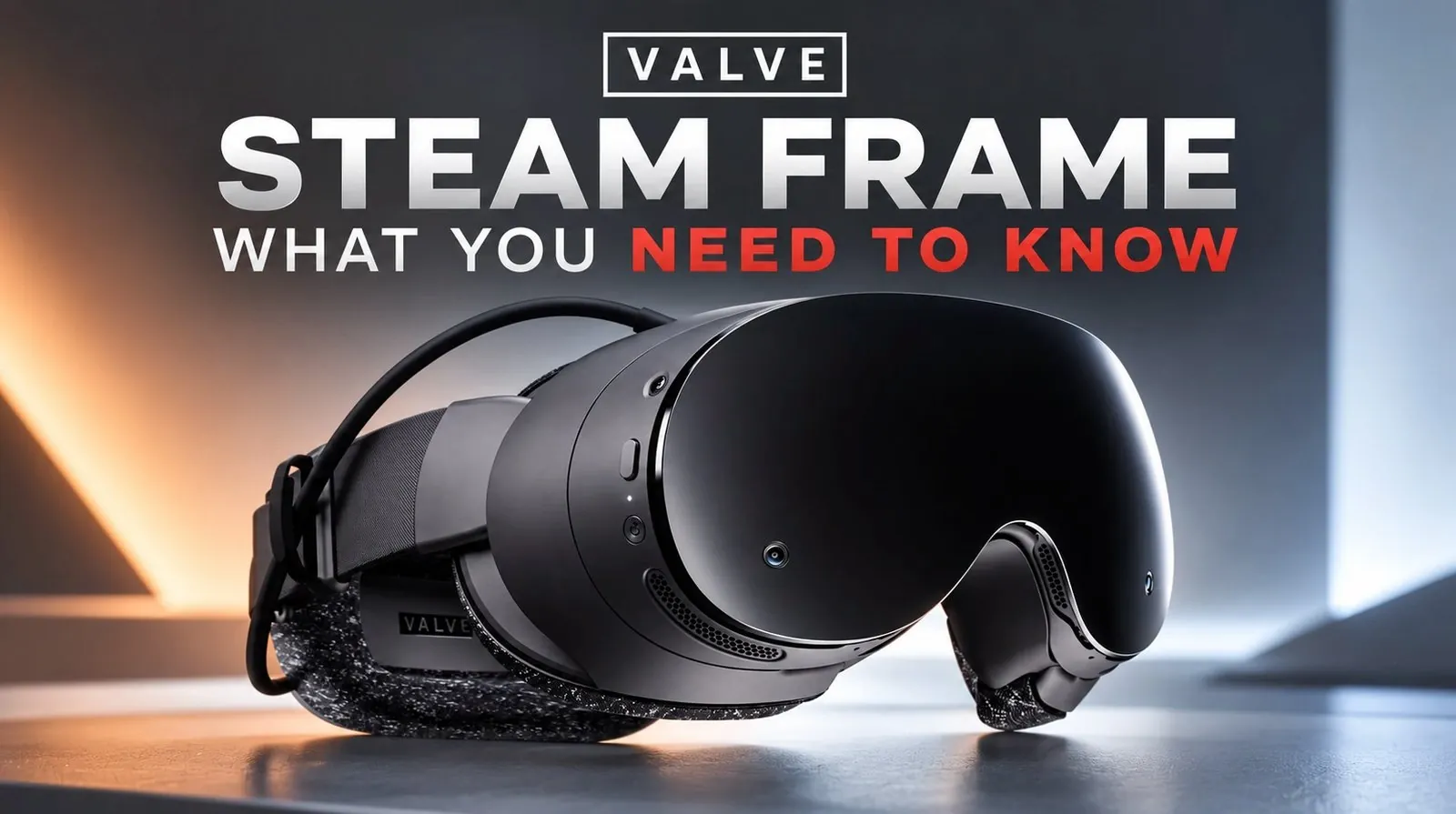
The Valve Steam Frame has generated significant attention since its release, featuring 144Hz refresh rates, capacitive sensors, and standalone gaming functionality. According to Tyriel Wood, while the device introduces some appealing elements like a lightweight build and soft face cushion for added comfort, it also reveals notable shortcomings. For example, the absence of a top strap often requires users to adjust the fit during longer sessions and the controllers can feel restrictive for those with larger hands unless paired with the optional comfort kit. Additionally, the omission of a power brick raises questions about the completeness of the package, leaving users to navigate these compromises on their own.
Dive into how the Steam Frame’s outdated LCD panels influence visual quality and immersion and examine the impact of its short battery life on standalone gaming sessions. Gain insight into the steps required to enhance PC VR performance and see how the Steam Frame stacks up against alternatives like the Quest 3. This overview provides a detailed breakdown to help you assess whether the device meets your needs or presents too many trade-offs.
Strengths and Shortcomings
TL;DR Key Takeaways :
- The Valve Steam Frame offers standalone VR capabilities and PC VR compatibility but is hindered by outdated hardware, software limitations and design flaws.
- While the headset features high refresh rates and a lightweight, comfortable design, the lack of a top strap and essential accessories like a power brick detracts from its usability.
- Visual performance is limited by older LCD technology, resulting in poor black levels, a screen door effect and blurry images in standalone mode.
- Short battery life and the absence of included accessories increase costs and reduce convenience, making it less practical for extended gaming sessions.
- Compared to competitors like the Quest 3, the Steam Frame struggles with standalone gaming, PC VR performance and overall polish, making it difficult to recommend in its current state.
Comfort and Design
The Steam Frame’s lightweight construction and soft face cushion prioritize user comfort, making it suitable for extended gaming sessions. Its well-balanced structure effectively reduces strain on the neck, enhancing usability for most users. However, the absence of a top strap requires frequent adjustments to maintain a secure fit, which can become inconvenient during prolonged use.
Essential accessories like a comfort kit and power brick are notably absent from the package, forcing users to purchase these separately for a complete setup. While the headset’s design is functional, the compact controllers pose challenges for users with larger hands. Without the optional comfort kit, the controllers can feel cramped, leading to discomfort during extended gameplay. These design oversights detract from what could have been a more polished and user-friendly experience.
Visual Performance: Impressive Specs, Limited Immersion
Equipped with LCD panels offering a resolution of 2160×2160 per eye and a refresh rate of 144Hz, the Steam Frame delivers smooth motion and responsive visuals. However, the reliance on older LCD technology results in limited black levels and a noticeable screen door effect, which undermines the immersive potential of the device.
The default visual settings further compromise the experience, with blurry images and reduced resolution in standalone mode. While the inclusion of an IPD (interpupillary distance) lock is a welcome feature, it feels more like a necessity than an enhancement, as the lenses tend to shift during use. These visual shortcomings highlight the need for more advanced display technology to compete with other high-end VR headsets.

Take a look at other insightful guides from our broad collection that might capture your interest in Valve Steam Frame.
- Valve Confirms Steam Deck 2 with Unreal Engine 5 Support
- Steam Frame VR Unboxing Reveals PC Wireless Streaming Adapter
- 10 Reasons You Should Buy the Valve Steam Frame VR Headset at Launch
- Teardown Reveals What Valve is Hiding Inside the New Steam Machine
- HDMI CEC Support Lets You Control Steam Machine via TV Remote
- AMD Radeon RX 9070 XT eGPU Boosts Valve Steam Machine 4K By 183%
- Valve Commits to 2026 Delivery for All Steam Machine Orders
- FSR 4.1 Pushes Crimson Desert to 70+ FPS on Steam Machine
- What Valve’s Leaks Reveal About the New Steam Frame VR Headset
- Meta Quest 3 vs Valve Steam Frame : Which VR Headset Wins?
Battery Life and Power: A Critical Weakness
One of the most significant drawbacks of the Steam Frame is its short battery life, which limits its usability for extended gaming sessions. Frequent recharging becomes a necessity, disrupting the overall experience. To compound the issue, the power brick is not included in the box, requiring an additional purchase. This oversight not only increases the total cost of ownership but also detracts from the device’s convenience and practicality.
For a device marketed as a standalone VR headset, these power-related limitations are particularly disappointing. Users seeking a seamless and uninterrupted gaming experience may find the Steam Frame’s battery performance to be a major deterrent.
PC VR and Standalone Capabilities: Falling Behind Competitors
The Steam Frame supports PC VR gaming with low latency, but its visual performance in this mode is underwhelming. Users frequently encounter streaming artifacts and poor clarity, necessitating adjustments such as disabling advanced super sampling filtering to achieve acceptable results. These compromises diminish the appeal of the device for PC VR enthusiasts.
In standalone mode, the headset offers limited support for Meta games through third-party tools. However, it struggles with demanding titles, reducing its effectiveness as a standalone gaming device. When compared to competitors like the Quest 3, which handles standalone gaming with greater efficiency and versatility, the Steam Frame’s limitations become even more apparent.
Controllers: Functional but Flawed
The Steam Frame’s controllers feature capacitive sensors and a familiar button layout, providing reliable performance for most users. However, their compact size can be problematic for individuals with larger hands, leading to discomfort during extended use. Without the optional comfort kit, this issue is exacerbated, further emphasizing the need for additional accessories to improve the overall experience.
While the controllers are functional, their design feels constrained, limiting their appeal to a broader audience. Addressing these ergonomic challenges would significantly enhance the usability and comfort of the device.
Software and Usability: Room for Improvement
Running on Steam OS, the Steam Frame’s software lacks the polish needed to fully realize the headset’s potential. The VR dashboard and overlay visuals are underwhelming, particularly in PC VR mode, where usability issues are more pronounced.
The inclusion of Proton for ARM allows some PC games to run on the device, but performance is inconsistent, limiting the headset’s versatility. These software shortcomings make the Steam Frame feel more like an experimental product than a fully developed, ready-to-use device. For users seeking a seamless and intuitive VR experience, the current state of the software may prove to be a significant barrier.
Overall Impression: Promising Features Undermined by Limitations
The Valve Steam Frame introduces several promising features, such as high refresh rates and capacitive sensors, but its potential is undermined by outdated hardware, design oversights, and software limitations. Issues such as visual clarity problems, short battery life, and the absence of essential accessories further detract from its appeal.
When compared to competitors like the Quest 3, which offers superior performance and support at a similar price point, the Steam Frame struggles to justify its position in the market. For most users, it feels like an incomplete product that fails to deliver on its ambitious promises. While future updates and improvements may address some of these issues, the current iteration of the Steam Frame falls short of expectations.
Is the Steam Frame Worth It?
The Valve Steam Frame represents an ambitious effort to compete in the VR market, but its combination of outdated hardware, design flaws, and software challenges makes it difficult to recommend in its current state. While it may appeal to early adopters willing to invest in a product with potential for future updates, most users would be better served by exploring more polished and reliable alternatives. For now, the Steam Frame remains a device with promise but one that requires significant refinement to reach its full potential.
Media Credit: Tyriel Wood – VR Tech
Disclosure: Some of our articles include affiliate links. If you buy something through one of these links, Geeky Gadgets may earn an affiliate commission. Learn about our Disclosure Policy.
