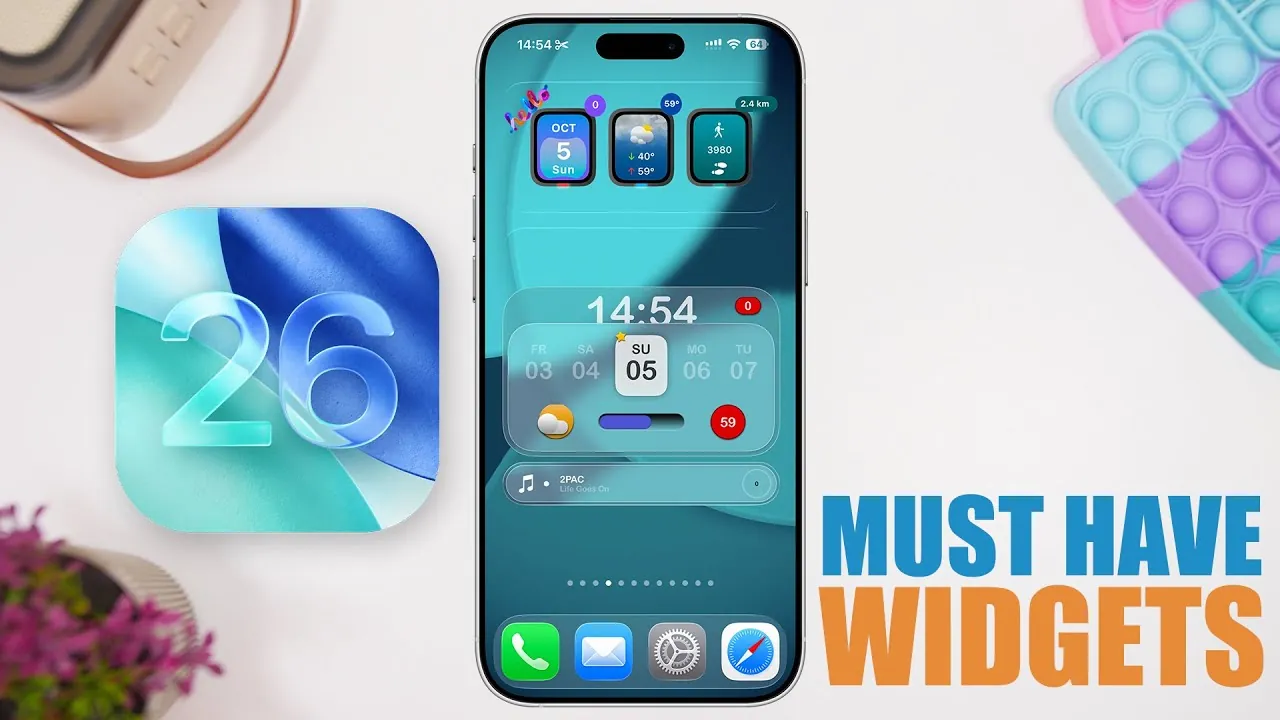
iOS 26 introduces a dynamic collection of widgets designed to simplify everyday tasks and enhance the functionality of your device. These widgets not only improve productivity but also allow for greater personalization of your home screen. Whether you’re managing schedules, monitoring device performance, or customizing your interface, these tools provide practical solutions to streamline your experience. Below is an in-depth look at the most impactful widgets, their features, and how they can transform your interactions with your device. The video below from iReviews gives us more details about these new widgets.

Wiji: All-in-One Utility at a Glance
Wiji is a versatile widget that consolidates essential information into a single, customizable interface. It offers quick access to:
- Clock and date
- Weather updates
- Storage and battery status
With interactive buttons, you can set reminders, track fitness goals, and access device-specific data effortlessly. Wiji also provides daily updates and adjustable filters, making sure it adapts to your preferences. This widget is ideal for users seeking a centralized hub for their most-used tools and information.
Mojo Widgets: Sleek Design with Transparent Options
Mojo Widgets combine functionality with a minimalist aesthetic, making them a favorite for users who value both utility and design. Available in small, medium, and large sizes, these widgets deliver essential information such as weather updates and date details. Their transparent design seamlessly integrates with your wallpaper, creating a clean and cohesive home screen. Mojo Widgets are perfect for those who want a visually appealing interface without compromising on practicality.
Quick: Personalization Meets Efficiency
Quick is a highly customizable widget that allows you to design a home screen tailored to your unique style and needs. It supports transparent widgets and icon launchers, providing a clutter-free way to access essential tools. With multiple sizes and functions, Quick ensures your home screen remains both functional and visually appealing. This widget is particularly useful for users who prioritize efficiency and personalization in their device setup.
Data Plan: Monitor Your Usage in Real Time
Data Plan is an essential tool for tracking your cellular and Wi-Fi data usage. It provides detailed insights into daily and monthly consumption, helping you avoid overages and manage your data effectively. By displaying this information directly on your home screen, Data Plan keeps you informed and in control of your usage. This widget is especially beneficial for users with limited data plans or those who frequently monitor their internet consumption.
Usage: Keep Tabs on Device Performance
Usage is a comprehensive widget designed to monitor your device’s performance in real time. It tracks:
- Battery levels
- RAM usage
- Storage capacity
You can customize the widget to display the metrics that matter most to you, making sure you stay informed about your device’s health and performance. Usage is an invaluable tool for users who want to optimize their device’s functionality and longevity.
All My Batteries: Centralized Battery Management
All My Batteries is a must-have widget for users with multiple Apple devices. It consolidates battery levels for up to 16 devices, including your iPhone, MacBook, and Apple Watch, into one convenient display. By centralizing this information, All My Batteries simplifies device management and ensures you’re always prepared. This widget is particularly useful for users who rely on multiple devices throughout their day.
Chat GPT: AI Assistance at Your Fingertips
Chat GPT brings the power of artificial intelligence directly to your home screen. This widget allows you to:
- Input text or voice commands
- Perform image-based queries
- Access quick AI-powered assistance
Whether you’re drafting messages, seeking information, or performing complex tasks, Chat GPT enhances productivity with its intuitive design. This widget is ideal for users looking to integrate AI into their daily routines seamlessly.
Rain Viewer: Comprehensive Weather Tracking
Rain Viewer is a robust weather widget that provides:
- Radar maps
- Hourly forecasts
- Location-based updates
With the ability to switch between multiple locations, Rain Viewer is perfect for travelers or those managing schedules across different regions. Its detailed and accurate weather tracking ensures you stay prepared for any conditions.
Morpho: Simplified Unit Conversion
Morpho is a practical widget designed for quick and accurate unit conversions. Whether you’re calculating temperature, currency, or weight, this tool provides a seamless experience. Its intuitive interface makes it a valuable addition for both personal and professional use. Morpho is particularly helpful for users who frequently work with different measurement systems or currencies.
Unlock the Potential of iOS 26 Widgets
The widgets introduced in iOS 26 offer a diverse range of tools to enhance productivity, improve device management, and personalize your home screen. From tracking battery levels and data usage to accessing AI-powered assistance and weather updates, these widgets are designed to make your daily interactions more efficient and enjoyable. By integrating these features into your home screen, you can optimize your device’s functionality while tailoring it to your unique needs.
Enhance your knowledge on iOS 26 widgets by exploring a selection of articles and guides on the subject.
- iOS 26 Features: 3D Icons, Hidden Widgets, and Custom Themes
- Apple CarPlay iOS 26 Public Beta: Key Features and More
- iOS 26 Customization Features: Everything You Need to Know
- Apple CarPlay iOS 26 RC Features: Everything You Need to Know
- iOS 26 Apple CarPlay: New Features, Navigation, and More
Source & Image Credit: iReviews
Disclosure: Some of our articles include affiliate links. If you buy something through one of these links, Geeky Gadgets may earn an affiliate commission. Learn about our Disclosure Policy.
