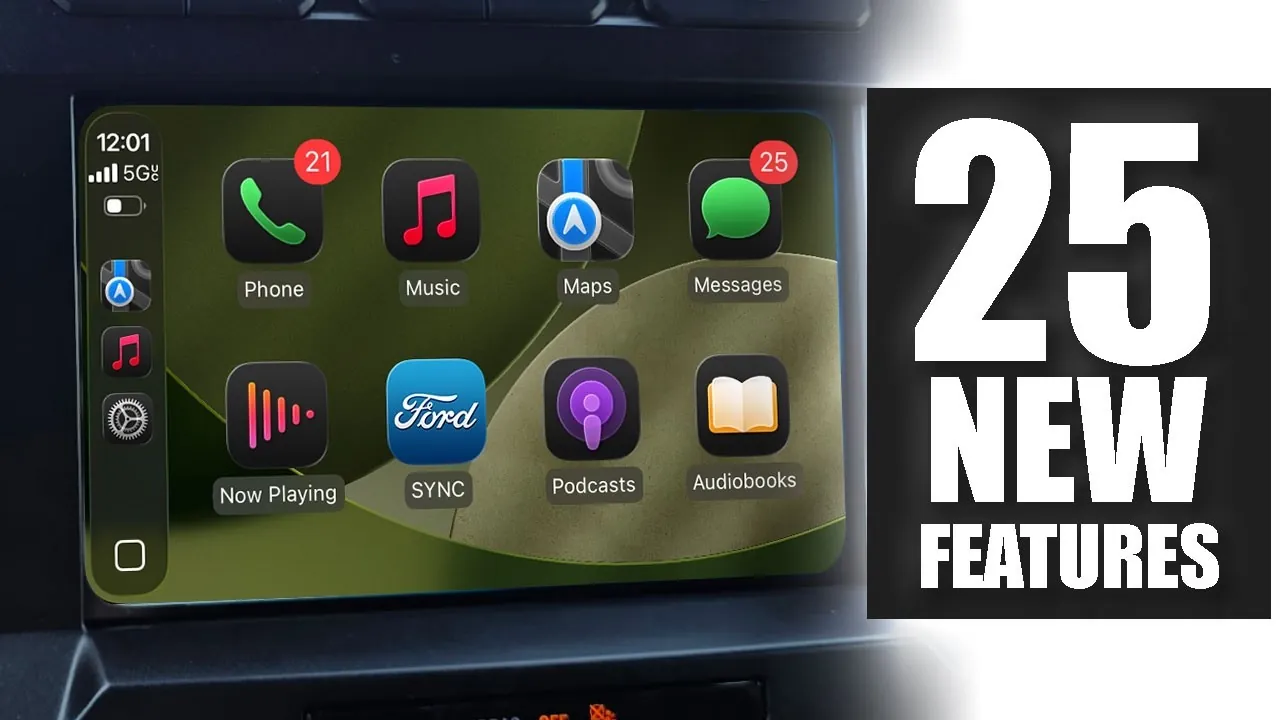
Apple’s iOS 26 introduces a comprehensive update to CarPlay, redefining how drivers interact with their vehicle’s infotainment systems. With a strong emphasis on usability, personalization, and accessibility, this release aims to make driving safer, smarter, and more enjoyable. Whether you’re navigating through busy streets, streaming your favorite music, or managing messages on the go, CarPlay iOS 26 offers a suite of tools designed to enhance every aspect of your journey. The video below from HotshotTek gives us more details about the new Apple CarPlay features in iOS 26.

Customizable Interface: Tailor Your Driving Experience
The redesigned CarPlay interface in iOS 26 introduces a sleek, modern aesthetic with its liquid glass design, offering a more intuitive and visually appealing experience. Drivers can now customize layouts to suit their preferences, making sure quick access to the features they use most. Key updates include:
- Widgets for weather, media, and third-party apps that can be added or rearranged directly from your iPhone settings.
- A smart zoom feature that optimizes the interface for different screen sizes, making sure clarity across various vehicle displays.
This level of personalization ensures that your CarPlay display adapts to your needs, making every drive more convenient and enjoyable.
Music Playback Enhancements: A Seamless Listening Experience
Music lovers will appreciate the significant improvements to Apple Music within CarPlay. The updated app introduces features designed to elevate your listening experience:
- An automix feature for smooth transitions between tracks, creating a continuous and immersive playlist experience.
- Bookmarking options for quick access to favorite songs, albums, and playlists, making it easier to revisit your top picks.
- Multi-gesture controls for intuitive navigation through your music library, reducing the need for prolonged interaction.
Additionally, the Apple Podcasts app now includes playback speed options ranging from 0.5x to 3x, giving users greater control over their listening pace. These updates ensure that entertainment on the road is both seamless and customizable.
Navigation Optimization: Smarter Routes, Safer Drives
CarPlay iOS 26 takes navigation to the next level with updates to Apple Maps, designed to make your drives more efficient and secure. Key improvements include:
- Advanced lane guidance to help you navigate complex intersections and highway exits with confidence.
- Pinch-to-zoom functionality for precise map adjustments, allowing you to focus on specific areas or routes.
- Expanded hazard reporting, allowing drivers to alert others about road closures, construction zones, or unexpected obstacles.
These enhancements not only improve navigation accuracy but also contribute to a safer driving environment by keeping drivers informed and prepared.
Messaging Features: Stay Connected Without Distractions
CarPlay’s messaging capabilities have been refined to ensure seamless communication without compromising safety. New features include:
- The ability to pin important conversations for quick access, making sure you can easily stay in touch with key contacts.
- Enhanced notifications that allow you to react to messages directly from the CarPlay interface, streamlining communication.
- An announce messages toggle, giving you control over when messages are read aloud to minimize distractions while driving.
These updates ensure that you remain connected while keeping your focus on the road, striking a balance between convenience and safety.
Widget Integration: Dynamic Displays at Your Fingertips
Widgets in CarPlay iOS 26 are now smarter and more versatile, offering dynamic displays that adapt to your needs. Key enhancements include:
- Smart rotation technology that adjusts widgets based on your usage patterns, making sure the most relevant information is always displayed.
- Customizable wallpapers, allowing you to personalize your CarPlay interface with designs that match your style.
These updates make it easier to access critical information at a glance, enhancing both functionality and aesthetics.
Accessibility Tools: Features for Every Driver
Apple continues to prioritize inclusivity with new accessibility features in CarPlay iOS 26. These tools are designed to ensure that all drivers, regardless of their individual needs, can fully use the system. Key features include:
- Sound recognition alerts, such as baby cry detection, to assist drivers who may require additional support.
- Adjustable text and icon sizes for improved visibility and ease of use, catering to users with visual impairments.
These enhancements demonstrate Apple’s commitment to creating a driving experience that is accessible to everyone.
Safety Notifications: Keeping Driver Awareness Front and Center
Safety remains a cornerstone of CarPlay iOS 26, with updates designed to enhance driver awareness and minimize distractions. Key features include:
- Less intrusive incoming call notifications, allowing you to stay focused on navigation and the road ahead.
- AirPlay video support for parked vehicles, allowing entertainment options without compromising safety. Note: This feature requires certification from your vehicle’s manufacturer.
These updates reinforce Apple’s dedication to creating a safer driving experience by prioritizing driver awareness and minimizing unnecessary interruptions.
Dark Mode and Wallpapers: Aesthetic and Functional Upgrades
CarPlay iOS 26 introduces new wallpapers and an enhanced dark mode, offering both aesthetic and functional benefits. These updates:
- Provide a visually appealing interface, particularly during nighttime driving, enhancing the overall user experience.
- Reduce eye strain, making CarPlay more comfortable to use in low-light conditions.
The result is a system that not only performs well but also looks great, making sure a cohesive and enjoyable in-car experience.
Keyboard Redesign: Simplified Text Input
The CarPlay keyboard has been redesigned with a sleek liquid glass aesthetic, aligning with the overall interface update. This new design improves usability by making text input more intuitive and visually cohesive, making sure that drivers can interact with the system effortlessly.
A Comprehensive Upgrade for Modern Driving
Apple CarPlay iOS 26 represents a significant advancement in in-car technology. With its customizable interface, advanced navigation tools, enhanced music playback, and inclusive accessibility features, this update caters to a diverse range of user needs. By prioritizing personalization, safety, and convenience, CarPlay iOS 26 sets a new benchmark for modern driving, making sure that every journey is smarter, safer, and more enjoyable.
Take a look at other insightful guides from our broad collection that might capture your interest in Apple CarPlay iOS 26.
- iOS 26 Beta 5: Apple CarPlay Updates and Features
- iOS 26 Apple CarPlay Features: What’s New and Why It Matters
- iOS 26 Beta 8: New Apple CarPlay Features and Updates
- Apple CarPlay iOS 26 Public Beta: Key Features and More
- Apple CarPlay Updates in iOS 26 Beta 7: What You Need to Know
Source & Image Credit: HotshotTek
Disclosure: Some of our articles include affiliate links. If you buy something through one of these links, Geeky Gadgets may earn an affiliate commission. Learn about our Disclosure Policy.
