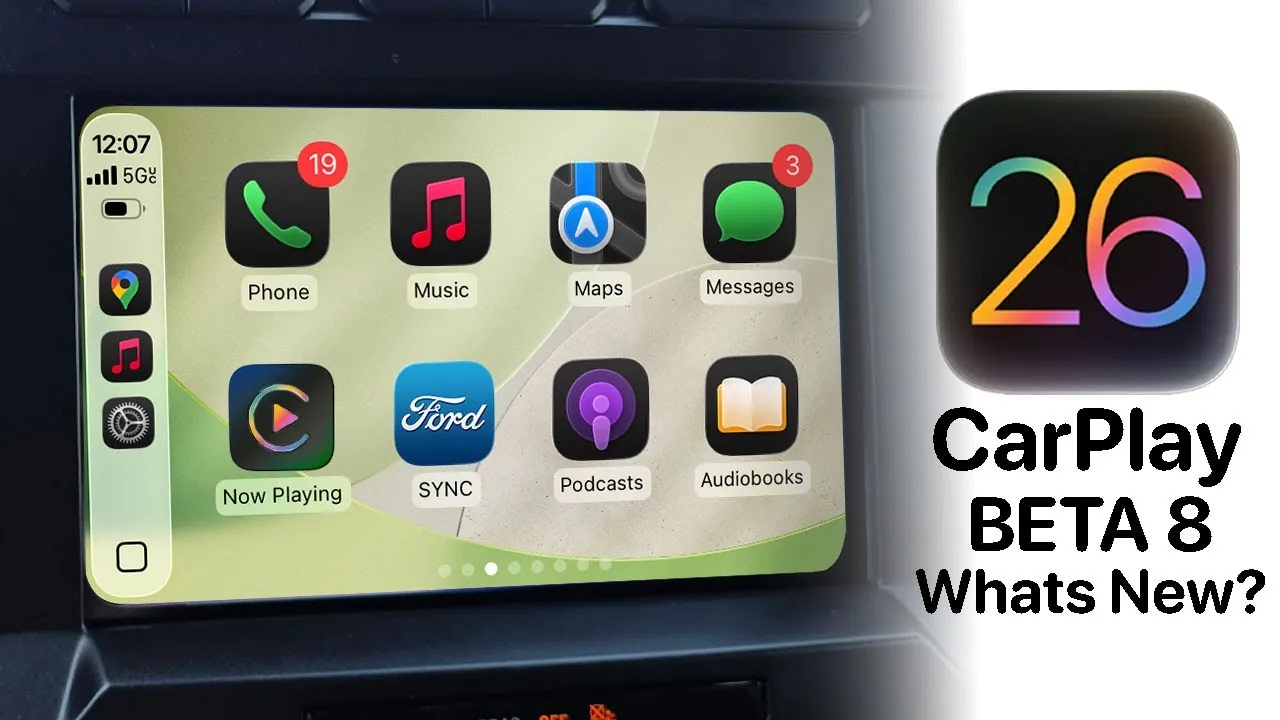
The iOS 26 Beta 8 update brings a series of refinements and enhancements to Apple CarPlay, focusing on improving interface design, gesture functionality, and overall usability. While these updates do not introduce innovative changes, they represent a step forward in creating a more seamless and user-friendly experience. However, some highly anticipated features, such as AirPlay streaming integration, remain absent, leaving room for future development. The video below from HotshotTek gives us a look at the new Apple CarPlay features in iOS 26 beta 8.

Interface Updates: Modernized Design and Enhanced Usability
The interface in iOS 26 Beta 8 has been updated with a “liquid glass” design for notifications, giving alerts for messages and calls a sleek, polished appearance. This design not only improves readability but also aligns with Apple’s broader design philosophy, emphasizing simplicity and elegance. The update also enhances the “Announce Messages” feature, introducing a redesigned icon and expanded customization options. For instance, users can now silence notifications during specific drives, reducing distractions and promoting safer driving habits.
These updates aim to create a more intuitive and distraction-free experience, making sure that drivers can focus on the road while still staying connected. The interface changes reflect Apple’s commitment to refining the user experience without overwhelming users with unnecessary complexity.
Gesture Support: Smoother Navigation and Interaction
Gesture functionality receives a notable upgrade in this beta release. Pinch-and-zoom capabilities are now supported across a wider range of apps, including Apple Maps, regardless of the car’s hardware. This improvement is particularly beneficial for users who rely on detailed map interactions, as it allows for smoother and more precise navigation.
Additionally, the update introduces multi-gesture navigation, allowing quicker access to essential features. For example, users can now switch between apps or adjust settings with simple swipes and taps, making multitasking while driving more efficient. These enhancements demonstrate Apple’s focus on improving the practicality and responsiveness of CarPlay’s gesture controls.
Bug Fixes and Persistent Challenges
The iOS 26 Beta 8 update addresses several bugs, improving the overall stability of CarPlay. Key fixes include resolving issues with app crashes and improving the responsiveness of certain features. However, some challenges remain:
- Voicemail settings still lack the updated “liquid glass” design, resulting in visual inconsistencies across the interface.
- AirPlay streaming for CarPlay, a highly anticipated feature, is still unavailable despite being confirmed for future updates.
These unresolved issues highlight areas where further refinements are needed before the official release. While the update makes progress in addressing user concerns, it also underscores the importance of continued development to meet user expectations.
Widget Functionality: Expanded Customization with Limitations
CarPlay’s widget functionality has been further refined in this update, offering greater customization options for users with larger screens. Drivers with bigger displays can now add more widgets, enhancing usability and personalization. This improvement allows users to tailor their CarPlay interface to better suit their preferences and driving habits.
However, limitations persist for users with smaller screens. The restricted widget capabilities on compact displays may frustrate some users, as they are unable to fully benefit from the enhanced customization options. Additionally, older wallpapers have been removed, and there is currently no option to import custom wallpapers. This lack of personalization options may disappoint users who value a more tailored visual experience.
Looking Ahead: Anticipated Updates and Keynote Announcements
As Apple continues to refine iOS 26, additional beta updates are expected before the official release. These updates are likely to address some of the remaining challenges and introduce further enhancements to CarPlay. The upcoming Apple keynote, scheduled for later this year, is anticipated to provide more details on new features and improvements.
Users can look forward to potential updates that may include:
- Expanded AirPlay streaming capabilities for CarPlay.
- Further refinements to the “liquid glass” design across all features.
- Enhanced widget functionality for smaller screens.
These developments will likely play a significant role in shaping the final version of iOS 26, making sure that it meets the needs and expectations of a diverse user base.
Refining the CarPlay Experience
The iOS 26 Beta 8 update focuses on incremental improvements to Apple CarPlay, enhancing interface design, gesture support, and widget functionality. While it resolves several bugs and introduces meaningful refinements, certain anticipated features remain absent, and some challenges persist. As Apple prepares for its next keynote and the official release of iOS 26, users can expect further updates that aim to deliver a more polished and versatile CarPlay experience.
Dive deeper into iOS 26 Beta 8 with other articles and guides we have written below.
- iOS 26 Beta 8 Release Date & Features
- iOS 26 Final Release: How to Upgrade from Beta Without Issues
- iOS 26 Beta: 8 Key Things to Know Before You Update
- iOS 26 Public Beta: 8 Essential Facts Before You Install
- Everything New in iOS 18 Beta 8
Source & Image Credit: HotshotTek
Disclosure: Some of our articles include affiliate links. If you buy something through one of these links, Geeky Gadgets may earn an affiliate commission. Learn about our Disclosure Policy.
