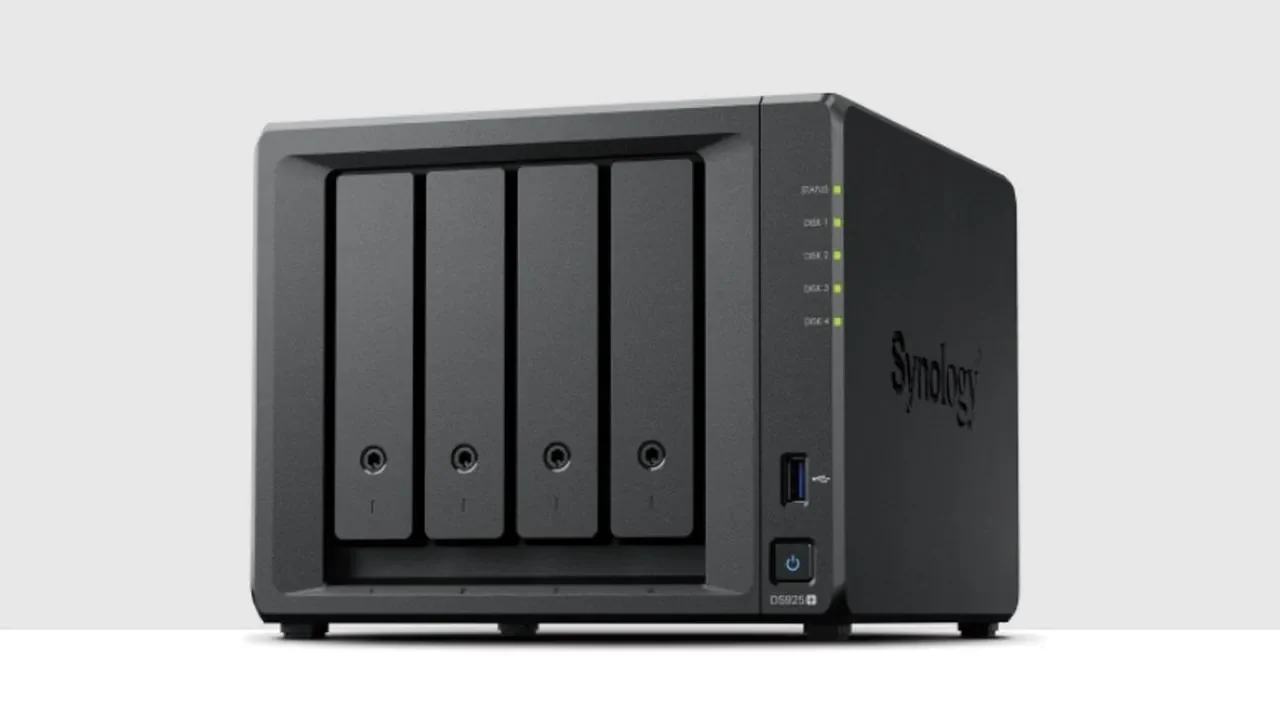
Is the Synology DS925 Plus the ultimate NAS for professionals, or does it fall short of expectations? With its AMD Ryzen processor, dual 2.5Gb Ethernet ports, and Synology’s renowned DiskStation Manager (DSM) software, this device promises to deliver top-tier performance for demanding workloads. Yet, its reliance on proprietary drives and the absence of 10Gb Ethernet raise some tough questions about its value. Whether you’re a business owner seeking a robust data management solution or a tech enthusiast weighing your options, the DS925+ sparks a debate that’s hard to ignore: is it worth the investment?
In this insight from SpaceRex, learn about the new Synology DS925+ to uncover its strengths, limitations, and ideal use cases. From the seamless integration of DSM software to the controversial drive lock-in, this review doesn’t shy away from the details that matter most. Whether you’re curious about its performance in virtualization or wondering if it’s the right fit for your media streaming needs, this exploration will help you decide if the DS925 Plus aligns with your priorities. Sometimes, the best tech isn’t about what it can do—it’s about whether it’s the right tool for you.
Synology DS925+ Overview
TL;DR Key Takeaways :
- The Synology DS925 Plus features an AMD Ryzen V1500B processor, 4GB DDR4 ECC RAM (expandable to 8GB), and dual 2.5Gb Ethernet ports, offering strong performance for professional workloads but lacking a 10Gb Ethernet upgrade option.
- Its reliance on proprietary Synology-branded drives ensures compatibility and performance but limits user flexibility and increases costs, especially for larger drives in RAID configurations.
- The DiskStation Manager (DSM) software provides a comprehensive ecosystem with tools like Active Backup for Business, Synology Drive, and Synology Photos, making it ideal for businesses with complex data management needs.
- While the DS925 Plus excels in file sharing, backups, and application hosting, it lacks Intel Quick Sync technology, meaning no hardware transcoding for media applications, which may deter home users focused on streaming.
- Best suited for businesses and professionals, the DS925 Plus offers robust performance and integration but may not appeal to home users due to its higher cost, proprietary drive requirements, and limited media-focused features.
Key Hardware Features and Upgrades
The DS925 Plus introduces several notable upgrades over its predecessor, the DS923 Plus, solidifying its position in the competitive NAS market. At its core is the AMD Ryzen V1500B, a quad-core processor designed to deliver consistent performance for tasks such as file sharing, application hosting, and virtualization. This processor is paired with 4GB of DDR4 ECC RAM, which can be expanded to 8GB, making sure both speed and data integrity—critical for multitasking and professional workloads.
Network connectivity has been improved with dual 2.5Gb Ethernet ports, offering faster speeds compared to traditional gigabit connections. However, the absence of a 10Gb Ethernet upgrade option may limit its appeal for users with high-bandwidth requirements. Additionally, the device features a USB-C expansion port, but its compatibility is restricted to Synology DX525 units, reducing its versatility for other USB-C peripherals.
Performance Strengths and Hardware Limitations
The DS925 Plus excels in delivering reliable performance for core NAS functions, including file sharing, data backups, and application hosting. Its capabilities are further enhanced by Synology’s DiskStation Manager (DSM) software, which provides an intuitive and seamless user experience. DSM’s interface and tools are designed to maximize productivity and simplify data management.
Despite these strengths, the device has some limitations. The network speed is capped at 2.5Gb, which may not meet the needs of users requiring faster data transfer rates, such as 10Gb Ethernet. Additionally, the DS925 Plus lacks Intel Quick Sync technology, meaning it does not support hardware transcoding for media applications like Plex. This could be a significant drawback for home users who prioritize streaming high-resolution video content.
AMD Ryzen-Powered Synology DS925+ : Full Review and Analysis

Learn more about the Synology NAS range of storage solutions with the help of our in-depth articles and helpful guides.
- Synology DS925+ : Features, Performance and Controversy
- Synology NAS Home vs Homes folders explained
- Backup a Synology NAS to an external USB drive storage
- UGREEN vs Synology: A Comprehensive NAS Comparison
- How to soft reset your Synology NAS if you are locked out
- How to Set Up a Synology NAS for Family File & Media
- What is Synology NAS quick connect and how do you use it
- Synology DiskStation DS923+ 4 bay NAS
- How to Fix macOS Crashes with Synology NAS & Creative Software
- How to transfer your expensive Cloud storage to a Synology NAS
- Synology NAS tips & tricks for new owners in 2024
Drive Compatibility: A Double-Edged Sword
One of the most debated aspects of the DS925 Plus is its requirement for Synology-branded drives. These drives are optimized for the device, making sure full compatibility with DSM features and delivering reliable performance. However, this approach limits user flexibility and creates a dependency on a single supplier.
The cost of Synology-branded drives, particularly those larger than 16TB, is significantly higher compared to alternatives from other manufacturers. This drive lock-in can pose challenges, especially in RAID configurations. In the event of a drive failure, sourcing a replacement Synology-branded drive may lead to downtime and increased costs. For businesses that rely on uninterrupted access to critical data, this could be a significant concern.
DSM Software: A Comprehensive Ecosystem
The DiskStation Manager (DSM) software is one of the standout features of the DS925 Plus, offering a wide range of tools to enhance productivity and streamline data management. Key applications include:
- Active Backup for Business: A centralized solution for backing up data across multiple devices, making sure data security and recovery options.
- Synology Drive: A file-sharing platform that rivals popular cloud services like Google Drive, providing seamless access to files across devices.
- Synology Photos: An intuitive tool for organizing, managing, and sharing photos, making it ideal for both personal and professional use.
These features make the DS925 Plus particularly appealing for businesses seeking an integrated and efficient ecosystem. However, for home users, the advanced capabilities of DSM may be underutilized, especially given the device’s higher price point and proprietary drive requirements.
Who Should Consider the DS925 Plus?
The DS925 Plus is best suited for businesses and professionals who prioritize performance, data integrity, and seamless integration within Synology’s ecosystem. Its hardware and software are designed to handle demanding workloads, making it a reliable choice for environments where uptime and efficiency are critical. The device’s ability to support virtualization, centralized backups, and secure file sharing makes it an excellent investment for organizations with complex data management needs.
For home users, the appeal of the DS925 Plus is less compelling. The higher cost, lack of 10Gb Ethernet, and reliance on Synology-branded drives may outweigh its benefits. Users seeking a NAS device for personal use or media-focused applications might find alternatives with greater flexibility and lower costs more suitable for their needs.
Final Thoughts
The Synology DS925+ is a powerful NAS device that excels in performance, scalability, and software integration. Its AMD Ryzen processor, dual 2.5Gb Ethernet ports, and DSM ecosystem make it a strong choice for businesses with demanding workloads. However, its reliance on proprietary drives, lack of 10Gb Ethernet, and absence of hardware transcoding limit its appeal for home users or those with specific requirements.
Before making a purchase, it is essential to carefully evaluate your needs and consider the potential risks associated with drive lock-in. While the DS925 Plus offers impressive capabilities, its limitations may make it less suitable for certain users. For those who can use its strengths, it remains a reliable and efficient solution for managing data in professional environments.
Media Credit: SpaceRex
Disclosure: Some of our articles include affiliate links. If you buy something through one of these links, Geeky Gadgets may earn an affiliate commission. Learn about our Disclosure Policy.
