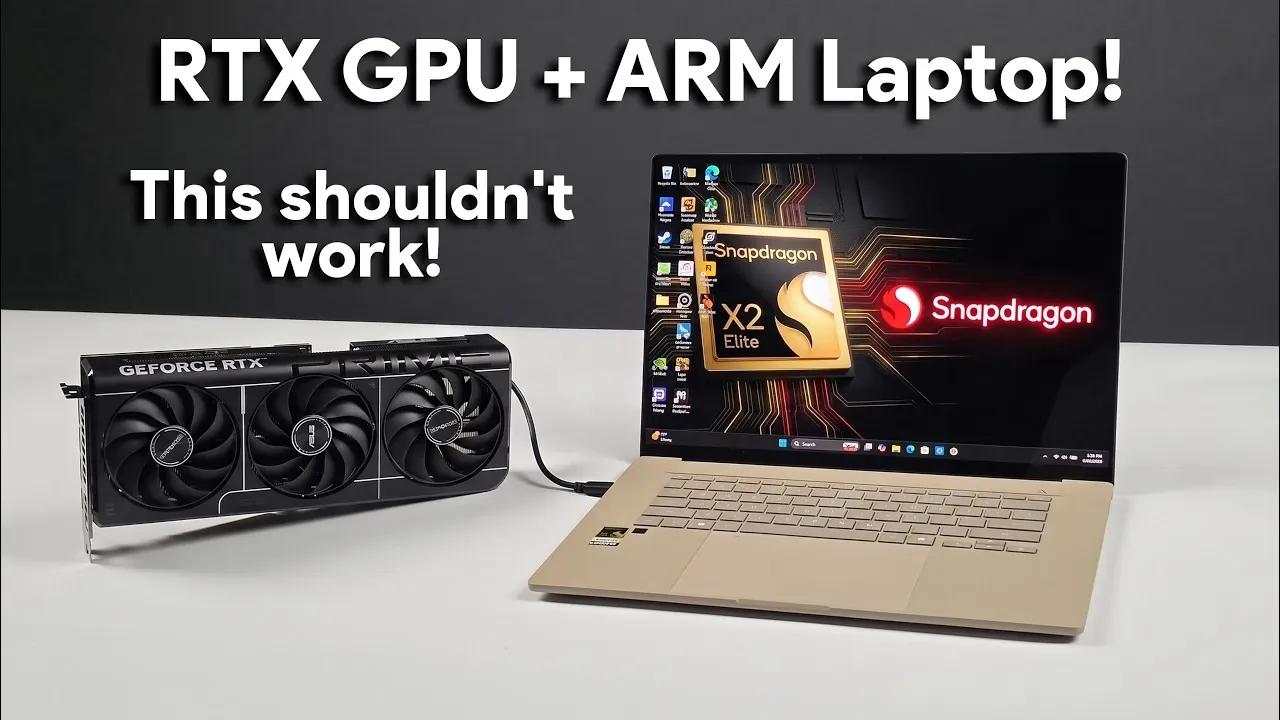
Pairing an NVIDIA RTX 4060 GPU with an ARM-based ASUS ZenBook 16 laptop powered by the Snapdragon X2 Elite CPU showcases the growing possibilities of external GPU (eGPU) setups on ARM platforms. In a detailed walkthrough, ETA Prime explores how NVIDIA’s developer driver for Windows on ARM enables this integration, bridging the gap between ARM architecture and high-performance GPUs. The setup relies on a combination of modern connection standards, including a Thunderbolt 5 dock and an OCuLink eGPU dock, to deliver enhanced graphical performance. However, technical constraints such as bandwidth limitations and the RTX 4060’s 8GB VRAM highlight the challenges of achieving optimal results in demanding scenarios.
This guide unpacks the key components of the setup and provides insights into its performance benchmarks, including gaming tests on titles like Cyberpunk 2077. You’ll discover how technologies like DLSS improve frame rates, the role of Thunderbolt and USB4 V2 in connecting external GPUs and the limitations that currently hinder full potential. Whether you’re curious about the feasibility of eGPU setups on ARM systems or interested in the practical steps for replicating this configuration, this breakdown offers valuable takeaways for enthusiasts and professionals alike.
NVIDIA Developer Driver: Unlocking eGPU Possibilities
TL;DR Key Takeaways :
- The successful pairing of an NVIDIA RTX 4060 GPU with an ARM-based ASUS ZenBook 16 laptop, powered by the Snapdragon X2 Elite CPU, demonstrates the growing potential of external GPU (eGPU) support for ARM systems.
- NVIDIA’s developer driver for Windows on ARM bridges the gap between ARM architecture and high-performance GPUs, allowing enhanced graphical performance and expanding ARM’s capabilities in gaming and creative applications.
- The hardware setup, involving Thunderbolt 5 and USB4 V2 docks, showcases the feasibility of integrating ARM laptops with eGPUs, though it requires technical expertise and faces bandwidth limitations that constrain GPU performance.
- Performance tests reveal playable frame rates in games like Cyberpunk 2077 at 1080p and 1440p, but bandwidth bottlenecks and the RTX 4060’s 8GB VRAM limit its ability to handle demanding scenarios at higher resolutions.
- Future advancements in connection standards, driver optimization and hardware compatibility could unlock the full potential of eGPU setups on ARM platforms, signaling a fantastic shift in the computing landscape.
Central to this breakthrough is NVIDIA’s developer driver, originally designed for its Spark platform. This driver extends its functionality to other ARM-based systems, including the ASUS ZenBook 16, allowing external GPU integration. By bridging the gap between ARM architecture and high-performance GPUs like the NVIDIA RTX 4060, the driver opens new opportunities for users seeking enhanced graphical performance on ARM laptops.
Traditionally, ARM systems have trailed behind x86 platforms in terms of graphical capabilities, particularly for gaming and creative applications. The introduction of this driver represents a significant step toward leveling the playing field. It not only demonstrates NVIDIA’s commitment to expanding ARM support but also underscores the growing importance of ARM architecture in the broader computing ecosystem.
Hardware Configuration: A Technical Feat
The hardware setup required for this integration is both intricate and achievable with the right components. The ASUS ZenBook 16, equipped with the Snapdragon X2 Elite CPU, serves as the foundation. The NVIDIA RTX 4060 GPU is connected via an AORUS AG03 Thunderbolt 5 dock and an OCuLink eGPU dock. These docks use high-bandwidth standards such as Thunderbolt 4/5 and USB4 V2, making sure compatibility with current GPUs and even future models like the anticipated RTX 5090.
This configuration highlights the versatility of modern connection standards in supporting high-performance hardware. While the setup demands technical expertise, it demonstrates the feasibility of pairing ARM-based laptops with external GPUs, paving the way for more accessible solutions in the future.

Expand your understanding of NVIDIA with additional resources from our extensive library of articles.
- Why NVIDIA’s New 748GB Desktop is Replacing Enterprise Cloud AI Subscriptions
- NVIDIA Launches New AI Model Focused on Maximum Efficiency
- Valve Brings Official SteamOS Support to NVIDIA Desktop GPUs
- How NVIDIA Packed an RTX 5070 and 128GB of RAM Into a 14Mm Laptop
- Why NVIDIA’s Cosmos 3 is a Massive Leap for Multimodal AI
- Inside NVIDIA’s Four Groundbreaking AI Announcements at GTC Taipei
- Why NVIDIA’s New Architecture is Being Called Its Apple Silicon Moment
- Ryzen AI Halo vs NVIDIA DGX Spark: Which PC Wins for Local AI
- NVIDIA’s New AI Model Could Make ChatGPT-Style Responses Much Faster
- Why NVIDIA’s Nemotron 3 Ultra Outperforms Trillion-Parameter AI Models
Performance Analysis: Strengths and Constraints
The performance of this setup reveals both its potential and its limitations. Benchmarks indicate that the Snapdragon X2 Elite CPU delivers competitive results, but the GPU’s performance is constrained by the bandwidth limitations of USB4 and Thunderbolt connections. These constraints prevent the RTX 4060 from operating at its full potential, particularly in graphically intensive scenarios.
Gaming tests on titles such as Cyberpunk 2077 and Project Cars 2 show playable frame rates at 1080p and 1440p resolutions. Technologies like DLSS (Deep Learning Super Sampling) and frame generation enhance performance, making these games more accessible on this setup. However, the RTX 4060’s 8GB VRAM and the inherent bandwidth bottlenecks limit its ability to handle demanding games at higher resolutions or with ultra settings enabled.
Challenges Hindering Full Potential
Despite its promise, this configuration faces several challenges that highlight the need for further development in both hardware and software:
- Bandwidth Bottlenecks: The USB4 and Thunderbolt connections limit the RTX 4060’s performance, preventing it from fully using its capabilities.
- Software Compatibility: Tools like MSI Afterburner struggle to provide accurate performance metrics, complicating the analysis and optimization process.
- VRAM Constraints: The RTX 4060’s 8GB VRAM restricts its ability to handle resource-intensive games and applications at higher resolutions.
These limitations underscore the need for advancements in connection standards, driver optimization and hardware compatibility to unlock the full potential of eGPU setups on ARM platforms.
Future Prospects: Bridging the Gap
The integration of external GPUs with ARM-based laptops is still in its early stages, but the future holds immense promise. Emerging technologies, such as OCuLink over M.2, could provide higher bandwidth connections, addressing the current performance bottlenecks. Additionally, as NVIDIA and other developers refine their drivers and improve compatibility, the adoption of eGPU support on ARM systems is likely to expand.
This progress could transform the capabilities of ARM-based laptops, allowing them to compete more effectively with traditional x86 platforms in areas such as gaming, productivity and creative applications. The narrowing gap between ARM and x86 architectures signals a more versatile and innovative computing landscape, where users can enjoy the best of both worlds.
Steps for Enthusiasts: Exploring the Setup
For those interested in replicating this setup, the following steps provide a practical guide:
- Install the NVIDIA Developer Driver: Download and install the driver for Windows on ARM to enable eGPU functionality.
- Verify Compatibility: Ensure your laptop supports Thunderbolt or USB4 V2 connections, as these are essential for connecting an eGPU.
- Select the Appropriate eGPU Dock: Choose a dock that is compatible with your GPU and capable of supporting high-bandwidth connections.
- Prepare for Troubleshooting: Be ready to address potential issues, as this setup requires technical expertise and may involve trial and error.
While this process demands a certain level of technical knowledge, it offers a fascinating glimpse into the future of ARM computing and the possibilities it holds for enthusiasts and professionals alike.
Looking Ahead: The Evolving Role of ARM in Computing
The integration of an NVIDIA RTX 4060 GPU with an ARM-based ASUS ZenBook 16 laptop represents a significant step forward in bridging the gap between ARM architecture and high-performance graphics. While challenges such as bandwidth limitations and software compatibility persist, this development highlights the growing potential of ARM-based systems to compete in gaming, productivity and creative applications.
As technology continues to evolve, the advancements in eGPU support and ARM architecture signal a fantastic shift in the computing landscape. The convergence of ARM and x86 capabilities promises a future where users can enjoy greater flexibility, performance and innovation in their computing experiences.
Media Credit: ETA PRIME
Disclosure: Some of our articles include affiliate links. If you buy something through one of these links, Geeky Gadgets may earn an affiliate commission. Learn about our Disclosure Policy.
