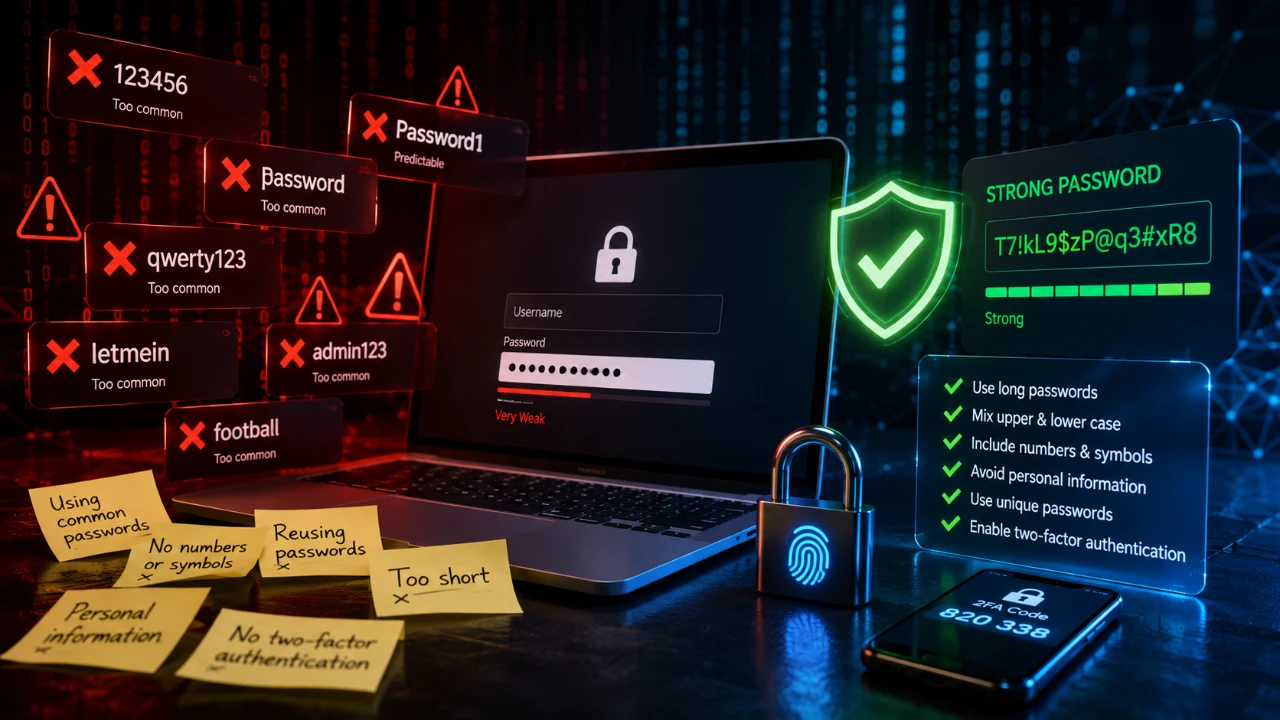
Whether it’s online banking, an email account or a streaming service – almost every digital service today requires a password. At the same time, the threat posed by cyberattacks continues to grow. In the UK alone, 43 per cent of businesses reported at least one cyberattack or security breach last year. That equates to around 612,000 affected businesses. A common reason for successful attacks is weak or reused passwords. Security experts estimate that around 80 per cent of all data breaches are linked to stolen or insecure login details. By following a few basic rules when choosing a password, you can significantly reduce the risk of unauthorised access and better protect your personal data.
A secure password starts with the right check
Many people rely on their gut feeling when creating a new password, making it hard to spot hidden weaknesses. Before using a new password for critical services like email or online banking, it is best to verify its resilience with specialized testing tools. For instance, the free Password Quality Check by binsec.tools analyzes character diversity, symbol placement, and known dictionary patterns without logging any user data. This allows you to catch vulnerabilities early and ensure your credentials can withstand real-world cyberattacks.
Passwords that are too short remain one of the biggest risks
One of the most common mistakes is using short passwords. Many users choose passwords of just eight characters because they find them easier to remember. However, modern computers can work through short strings of characters much more quickly than they could a few years ago.
It is not just the composition of a password that determines its security, but above all its length. The more characters a password contains, the greater the number of possible combinations and the more difficult it becomes for automated programs to crack it.
Passwords of at least twelve to sixteen characters are recommended. They become particularly secure when upper- and lower-case letters, numbers and special characters are combined.
Even better than a single complicated word are so-called passphrases. These consist of a longer sentence or several randomly combined words that are easy to remember but difficult to guess. Instead of a password such as ‘Summer2025!’, you could, for example, use a passphrase such as ‘MyCatDrinksCoffeeEveryMorning!’ or ‘InAutumnILikeToGoToTheSeaside2026!’. Such passphrases are significantly longer and therefore much more resistant to automated attacks.
Your password becomes even more personalised if you choose a sentence that you can easily remember. This could be, for example, ‘Every Sunday I eat pancakes with strawberries!’ or ‘My favourite film is always on at Christmas!’. The sentence does not have to be true. It is often even more secure to use a made-up statement that others cannot make sense of.
Personal information has no place in a password
Passwords that are easy to guess remain one of the biggest entry points for cybercriminals. The names of family members, dates of birth or the name of a pet may be easy to remember, but they can often be found out with just a few clicks via social media or other publicly available information. Similarly, number sequences such as ‘123456’, ‘111111’ or keyboard patterns such as ‘qwerty’ and ‘asdfgh’ have been among the most commonly used passwords worldwide for years – and are also among the first combinations that attackers test automatically.
The severity of the consequences of successful attacks was recently demonstrated by several cyberattacks on well-known British companies such as Marks & Spencer, Co-op and Harrods. According to current findings, in some cases the attackers gained access by impersonating employees and tricking IT help desks into resetting passwords. This gave them access to internal systems.
Why simple patterns fail: A real-world example
To see how automated security checks work in practice, consider a password like Password!123. At first glance, many users assume this combination is safe because it contains upper- and lowercase letters, numbers, and a special character. However, running it through the binsec.tools Password Quality Check instantly reveals structural flaws that attackers exploit:
- What passes: The password meets basic criteria like character diversity (mixing uppercase, lowercase, numbers, and symbols) and adheres to formal baseline recommendations (such as BSI standards). No obvious year sequence is detected.
- Where it fails: The check immediately flags critical vulnerabilities. The password appears in known breach databases (HashLookup) and falls short on overall length. More importantly, it relies on predictable patterns—placing symbols and numbers strictly at the end, while embedding common dictionary words like “sword” or standard keyboard sequences (“123”).
This demonstrates why relying on basic character rules isn’t enough. Even complex-looking credentials can be broken in seconds if they build upon predictable word patterns and lazy symbol positioning.
Using the same password multiple times can quickly become a problem
In everyday life, it’s tempting to use the same login details for several online accounts. After all, you only have to remember a single password. However, it is precisely this convenience that can have serious consequences.
If a data breach occurs at an online shop, a forum or another service, email addresses and passwords often fall into the hands of cybercriminals. Even if the affected service is no longer of much importance to you, the stolen login details can still pose a risk.
Attackers use automated programs that test the same combination of email address and password on hundreds of well-known websites within a matter of minutes. This method is known as credential stuffing. If the password also works for other services, the attackers can gain access to further accounts with little effort.
A typical example: a few years ago, you registered on a small online forum and used the same password there as for your email account. If the forum is later hacked and the login details are published, criminals will automatically test this combination on well-known providers such as Gmail, Outlook, Amazon, Netflix or PayPal. If the password is the same, they may gain access to far more sensitive accounts.
The email account is particularly critical in this regard. Anyone who gains access to it can simply use the ‘Forgot password’ function on many other services to request new login details. In this way, a single compromised password can lead to the loss of control over numerous online accounts within a short space of time.
Tip: Password managers make everyday life more secure
Many people know that every online account should have its own password. In practice, however, this often proves impossible because it’s virtually impossible to memorise dozens of different combinations. Anyone who uses email, online banking, social media, streaming services and online shopping sites can quickly end up with more than 100 user accounts.
This is exactly where password managers come in. They store all login details in encrypted form in a digital vault. Instead of having to remember numerous passwords, users only need a single strong master password. The password manager then takes care of creating, storing, and automatically filling in the login details.
Another advantage is that modern password managers can automatically generate long, random passwords for every new account. This removes the temptation to slightly alter familiar passwords or reuse them. Even if a data breach occurs at a single service, all other accounts remain protected because every password is unique.
Disclosure: Some of our articles include affiliate links. If you buy something through one of these links, Geeky Gadgets may earn an affiliate commission. Learn about our Disclosure Policy.
