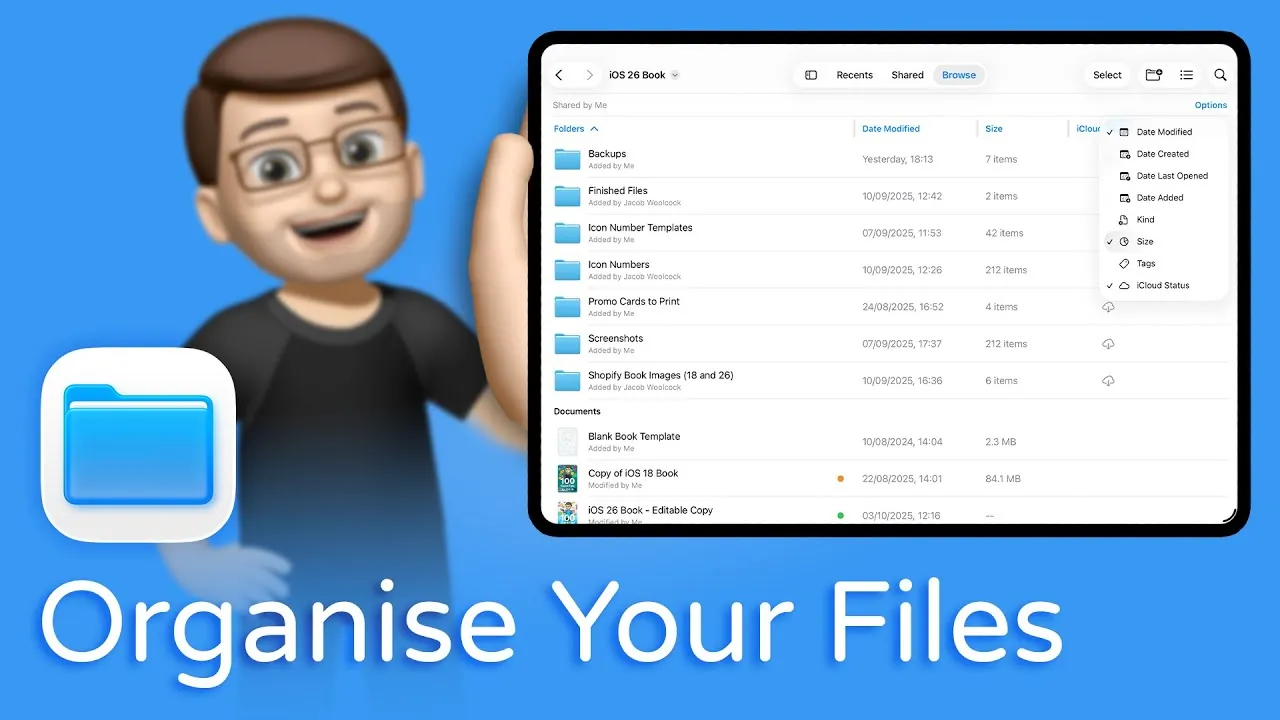
iPadOS 26 introduces a significant update to the Files app, delivering advanced file management features that closely resemble the Mac experience. These enhancements are designed to provide you with greater control, flexibility, and efficiency, whether you’re a professional handling complex projects or a casual user organizing personal files. With tools that simplify organization and improve usability, iPadOS 26 transforms your iPad into a more powerful and intuitive digital workspace. The video below from Jacob’s QuickTips for iPad gives us more details.

Customizable Folders for Visual Organization
One of the standout features in iPadOS 26 is the ability to customize folder appearances, allowing you to assign colors to folders for easier visual differentiation. This feature is particularly useful for categorizing files at a glance. For example:
- Assign blue to work-related folders for quick identification.
- Use green for personal files to keep them distinct.
This functionality mirrors the visual organization tools available on Mac, allowing you to navigate your files more efficiently. By tailoring folder appearances to your needs, you can streamline your workflow and reduce the time spent searching for specific files.
Dynamic File Grouping for Streamlined Access
iPadOS 26 introduces dynamic file grouping options, allowing you to organize files based on specific criteria such as creation date, file type, or name. This feature is particularly beneficial for managing large projects or extensive file collections. For instance:
- Group all Keynote files together when preparing a presentation.
- Organize images, PDFs, or other file types for quicker access.
By reducing the time spent searching for files, these grouping options enhance productivity and help you focus on your tasks. Whether you’re working on a professional project or organizing personal documents, this feature ensures your files are always within reach.
Enhanced View Modes for Greater Customization
The revamped list view mode in iPadOS 26 offers more control over how you view and interact with your files. Key improvements include:
- Resizable and customizable columns to display details like folder size, file type, or iCloud status.
- Sorting files by attributes such as size, date, or name with a single tap.
Additionally, your view preferences are saved across folders, eliminating the need to repeatedly adjust settings. These enhancements allow you to tailor the Files app to your specific needs, making it easier to manage your digital workspace with precision.
Adjustable Icon and List Sizes for Better Screen Use
To make the most of your iPad’s screen real estate, iPadOS 26 introduces adjustable icon and list sizes. This feature allows you to toggle between default and compact modes depending on your workflow:
- Default mode provides a clear, spacious layout for casual browsing.
- Compact mode displays more items on the screen, ideal for managing large file collections.
This flexibility ensures the Files app adapts to your preferences, making it easier to organize and access your files efficiently. Whether you’re working on a smaller iPad or a larger model, this feature optimizes your screen space for maximum productivity.
Improved Navigation for Faster File Access
Navigating through your files is now more intuitive, thanks to enhanced navigation tools in iPadOS 26. These updates include:
- Customizable views for specific folders, such as list or icon view, based on content type.
- Streamlined sorting options to quickly locate files.
These improvements reduce friction in your workflow, allowing you to focus on your tasks rather than getting bogged down by cluttered file systems. Whether you’re accessing frequently used documents or exploring deeply nested folders, the enhanced navigation tools make file management faster and more efficient.
A Comprehensive File Management Solution
The updates in iPadOS 26 cater to a wide range of users, from professionals managing intricate file systems to casual users organizing everyday documents. By integrating features like folder customization, advanced grouping, and flexible view modes, the Files app now offers a more Mac-like experience on the iPad. These enhancements make the iPad a more powerful tool for productivity and organization, regardless of your level of technical expertise. Whether you’re managing hundreds of files or simply keeping personal documents tidy, iPadOS 26 provides the tools you need to stay organized and efficient.
Empowering Your Digital Workspace
With iPadOS 26, file management on your iPad becomes more efficient, intuitive, and customizable. The new features—ranging from folder customization and dynamic grouping to enhanced view modes and navigation—empower you to organize your digital workspace with precision. By bridging the gap between the iPad and Mac file management experiences, iPadOS 26 ensures that your iPad remains a versatile and indispensable tool for both work and personal use. Whether you’re a professional or a casual user, these updates provide a smarter, more streamlined way to manage your files.
Explore further guides and articles from our vast library that you may find relevant to your interests in iPadOS 26 file management.
- iPadOS 26: Is Your iPad Finally a Computer?
- iPadOS 26: Key Features That Transform Your iPad
- Top iPadOS 26 Features You Should Know About
- iPadOS 26 Features: Multitasking, File Management, and More
- iPadOS 26: Everything You Need to Know
Source & Image Credit: Jacob’s QuickTips for iPad
Disclosure: Some of our articles include affiliate links. If you buy something through one of these links, Geeky Gadgets may earn an affiliate commission. Learn about our Disclosure Policy.
