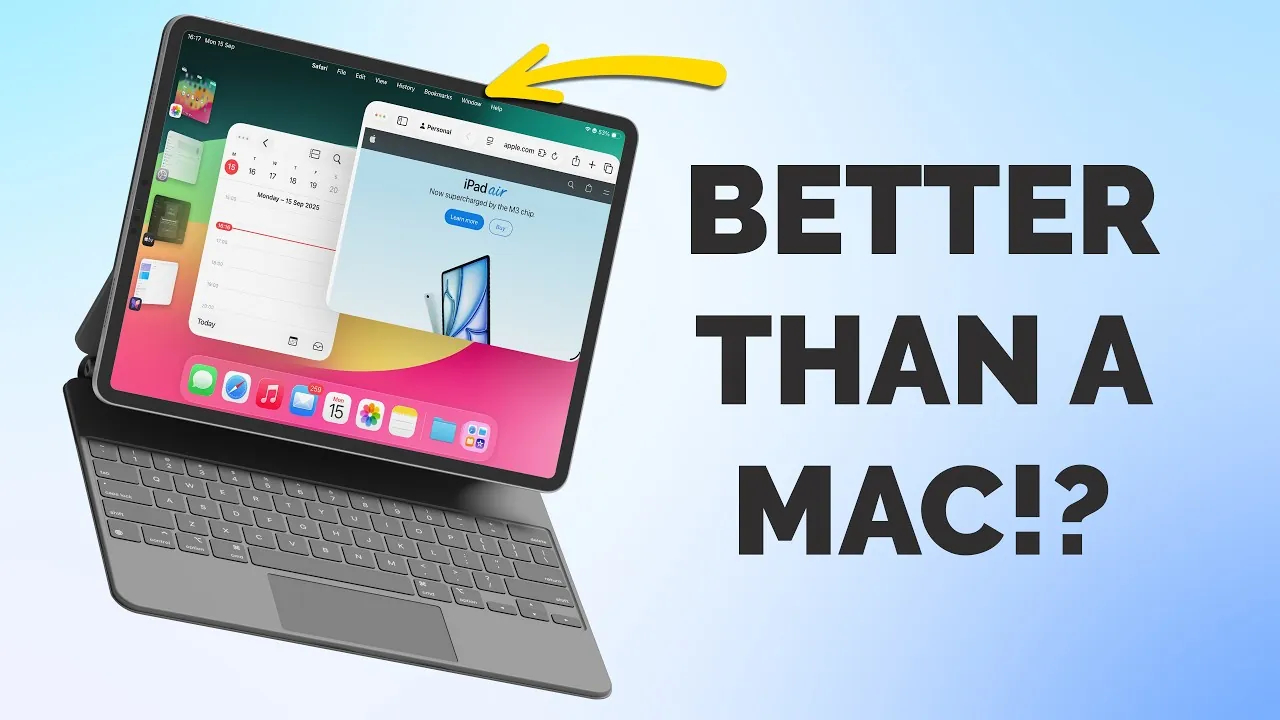
Apple’s iPadOS 26 brings a host of updates designed to enhance productivity, creativity, and the overall user experience. By narrowing the gap between iOS and macOS, this update transforms the iPad into a more versatile tool for work, education, and entertainment. With smarter multitasking, improved file management, and refined design elements, iPadOS 26 caters to professionals, students, and casual users alike. Below is a detailed look at the standout features and improvements this update offers in a new video from Proper Honest Tech.

Compatibility and Installation: Is Your iPad Ready?
Before diving into the new features, it’s essential to confirm whether your iPad supports iPadOS 26. The update is compatible with devices powered by M-series processors, such as the M1 and M2 models, as well as select older iPads. To check compatibility and install the update:
- Open Settings on your iPad.
- Navigate to General and tap Software Update.
- If your device is eligible, follow the on-screen prompts to download and install iPadOS 26.
Making sure your device is updated allows you to take full advantage of the latest features and improvements.
Refined Design: The “Liquid Glass” Aesthetic
One of the most striking changes in iPadOS 26 is the introduction of the “Liquid Glass” design, which unifies the Apple ecosystem with a sleek and polished appearance. This design overhaul focuses on both aesthetics and functionality, offering:
- Transparent overlays in the Control Center and Apple apps, creating a modern and cohesive look.
- Redesigned app interfaces that prioritize simplicity and usability.
- Accessibility options to reduce transparency for users who prefer a more straightforward visual experience.
This design update not only enhances the visual appeal of the iPad but also ensures that it remains intuitive and accessible for all users.
Enhanced Multitasking and Window Management
iPadOS 26 introduces significant improvements to multitasking, making it easier than ever to manage multiple apps simultaneously. Key updates include:
- A new window management system that allows you to resize and reposition app windows freely, offering greater flexibility.
- A traffic light-style control system (close, minimize, full screen) for intuitive navigation between apps.
- Upgraded Stage Manager functionality, allowing better organization of your workspace and smoother transitions between tasks.
These multitasking enhancements are particularly beneficial for users who rely on their iPads for complex workflows, whether for professional projects or personal organization.
macOS-Inspired Menu Bar and Keyboard Shortcuts
Borrowing a key feature from macOS, iPadOS 26 introduces a menu bar for apps, providing quick access to essential functions. This addition is complemented by enhanced keyboard shortcuts, which are now displayed directly in the menu bar for added convenience. Whether you’re editing documents, managing files, or browsing the web, this feature simplifies navigation and boosts overall efficiency.
Files App: A Productivity Powerhouse
The Files app receives a major upgrade in iPadOS 26, transforming it into a more powerful tool for file management. New features include:
- Customizable folders with colors, tags, and icons, allowing you to tailor your workflow to your preferences.
- An improved list view with adjustable columns, providing detailed file information at a glance.
- The ability to add folders to the dock allows quicker access to frequently used files and directories.
These updates make the Files app a central hub for organizing and accessing your documents, catering to both casual users and professionals.
Preview App: A Versatile Tool for File Editing
iPadOS 26 introduces the Preview app, a built-in tool designed for viewing and editing files such as PDFs and images. Its features include:
- Markup tools for annotating and editing documents directly on your iPad.
- Autofill capabilities for completing forms and documents with ease.
- Document scanning for digitizing physical files makes it easier to store and share important paperwork.
Seamless integration with shared iCloud folders further enhances collaboration, making Preview a valuable addition for both personal and professional use.
Photos App: Improved Organization and Creative Tools
The Photos app in iPadOS 26 introduces updates that focus on both organization and creativity. Key improvements include:
- A new sidebar for effortless navigation between your library and collections.
- The spatial scenes feature which adds immersive 3D effects to your photos, enhances their visual appeal.
- Advanced organization tools to help you sort, manage, and locate your photos more efficiently.
These enhancements make it easier to relive your memories while keeping your photo library neat and accessible.
Content Creation and Productivity Tools
For content creators, iPadOS 26 introduces several tools aimed at enhancing creativity and productivity:
- Enhanced microphone controls for professional-grade audio recording, ideal for podcasters and musicians.
- A local capture tool that allows you to record calls and save them directly to the Files app for future reference.
- The Journal app, now available on iPad, supports Apple Pencil for writing and drawing, offering a creative outlet for your ideas.
These tools expand the iPad’s capabilities, making it a more versatile device for both creative and professional tasks.
Why iPadOS 26 Matters
iPadOS 26 represents a significant step forward for Apple’s tablet operating system. By focusing on multitasking, file management, and design consistency, this update enhances the iPad’s versatility and usability. Whether you’re managing files, creating content, or organizing photos, iPadOS 26 provides the tools you need to work smarter and more efficiently. If your device is compatible, updating to iPadOS 26 unlocks its full potential, making sure you stay ahead in productivity and creativity.
Here are more detailed guides and articles that you may find helpful on iPadOS 26 features.
- iPadOS 26 Features: Compatibility and Limitations Explained
- Discover the New Features in iPadOS 26 Beta 4
- iPadOS 26 Public Beta: Key Features and Updates
- iPadOS & iOS 26: Top Shortcuts to Boost Productivity
- iPadOS 26 Beta 7: Features, Design Updates, and Performance
Source & Image Credit: Proper Honest Tech
Disclosure: Some of our articles include affiliate links. If you buy something through one of these links, Geeky Gadgets may earn an affiliate commission. Learn about our Disclosure Policy.
