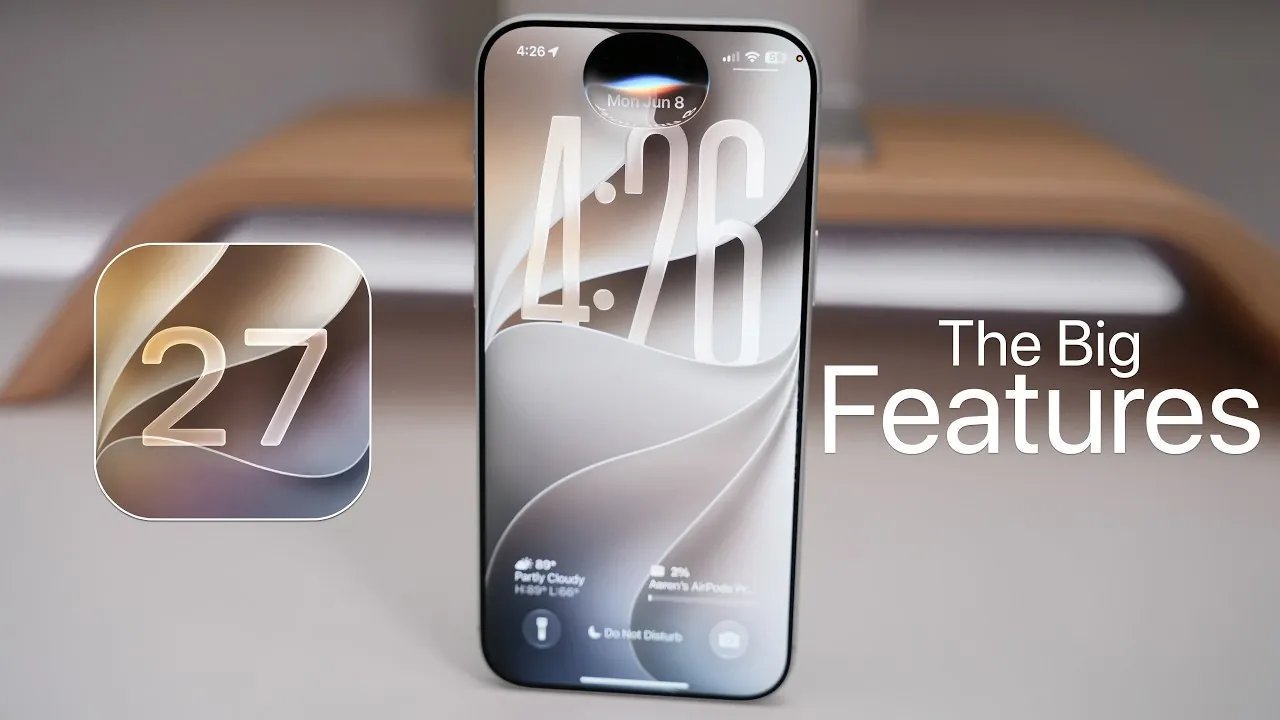
Apple has officially launched iOS 27, a significant update to its mobile operating system that emphasizes performance, customization, and advanced AI integration. Announced at WWDC 2026, this update builds upon the foundation of iOS 26 while maintaining compatibility with all supported devices, including older models like the iPhone 11. Whether you’re seeking smarter tools, refined designs, or enhanced accessibility, iOS 27 offers a robust upgrade to the Apple ecosystem, ensuring a seamless experience for users across a wide range of devices. The video below from Zollotech gives us more details on all of the new features coming to the iPhone with iOS 27.

Performance and Stability: A Core Focus
iOS 27 prioritizes speed and reliability, delivering a smoother and more efficient user experience. Key improvements include:
- Faster app launches and smoother screen transitions, reducing delays during multitasking.
- Enhanced search functionality, providing quicker and more accurate results for apps, files, and web queries.
- Seamless network transitions between Wi-Fi and cellular data, minimizing interruptions during calls or downloads.
These updates ensure that daily interactions with your device are not only faster but also more dependable, regardless of whether you’re using the latest iPhone or an older model.
The “Liquid Glass” Design: Aesthetic and Functional Refinement
The introduction of the “Liquid Glass” design in iOS 27 brings a sleek, modern aesthetic that enhances both form and function. Key design updates include:
- Vibrant app icons with improved contrast for better visibility, even in bright environments.
- A transparency slider, allowing you to customize the opacity of system elements to suit your preferences.
- An undo/redo feature for appearance adjustments, offering greater flexibility when personalizing your device.
This design evolution not only enhances the visual appeal of iOS but also provides users with more control over their device’s appearance, making sure it aligns with their unique style.
Siri AI: Smarter and More Intuitive
Siri has undergone a significant transformation in iOS 27, evolving into “Siri AI” with advanced capabilities and a redesigned interface. New features include:
- Contextual awareness allows Siri to provide more relevant and accurate responses based on your current activity or location.
- Deeper app integration, allowing for seamless multitasking and more efficient workflows.
- Object identification via the camera, offering instant information about items, landmarks, or text in your surroundings.
These enhancements make Siri a more powerful and intuitive assistant, capable of adapting to your needs and simplifying everyday tasks.
Parental Controls: Enhanced Safety and Management
iOS 27 introduces significant improvements to parental controls, providing tools to help manage content and ensure safer device usage for children. Key updates include:
- Age-based safety recommendations, allowing tailored restrictions for apps, websites, and media.
- Enhanced communication safety features, designed to block inappropriate content in messages and other platforms.
- New scheduling options and time allowances in Screen Time promote healthier digital habits for children.
These features empower parents to create a safer and more controlled digital environment, fostering responsible technology use for younger users.
Cross-Platform Sharing and Advanced Photo Tools
iOS 27 enhances sharing and photo editing capabilities, making it easier to collaborate and create. Highlights include:
- iCloud photo sharing is compatible with Android and Windows devices, allowing seamless cross-platform collaboration for albums and projects.
- AI-powered photo editing tools, such as perspective adjustment and reframing, allow users to enhance images effortlessly.
Whether you’re a casual user or a photography enthusiast, these updates simplify the process of managing and sharing your memories while offering professional-grade editing tools.
Safari: Smarter Browsing Features
Safari in iOS 27 introduces updates designed to streamline your browsing experience and improve productivity. Key features include:
- Automatic tab organization creates a cleaner and more efficient interface for managing multiple tabs.
- Notifications for website updates, such as content changes or availability, with customizable frequency settings to suit your preferences.
These enhancements make Safari a more dynamic and user-friendly browser, catering to both casual browsing and professional research needs.
Accessibility and Health: Expanded Tools for Inclusivity
Apple continues to prioritize inclusivity and health with updates to accessibility and wellness tools in iOS 27. Key improvements include:
- Enhanced Magnifier and VoiceOver features, providing better support for users with visual impairments.
- New menopause and perimenopause tracking in the Health app, addressing a broader range of health needs for users at different life stages.
These updates ensure that iOS 27 remains a platform that supports users of all abilities, promoting inclusivity and well-being.
Customization and Automation: Tailored to Your Needs
iOS 27 introduces new tools for personalization and automation, allowing users to create a device experience that reflects their unique preferences. Key updates include:
- AI-powered wallpaper creation and dynamic contact card backgrounds, offering fresh customization options.
- Expanded shortcuts functionality, simplifying the process of setting up automations for daily tasks, though some features remain in beta testing.
These tools empower users to take full control of their devices, enhancing both functionality and personalization.
Additional Features That Enhance Usability
iOS 27 also includes smaller updates that contribute to a more polished and user-friendly experience. Notable additions include:
- Separate volume controls for alarms, timers and system sounds, providing greater control over audio settings.
- Weather app updates, allowing users to toggle precipitation, wind, and condition displays directly from the main screen for quicker access to relevant information.
These subtle yet impactful changes demonstrate Apple’s commitment to refining the user experience in meaningful ways.
Gain further expertise in iOS 27 features by checking out these recommendations.
- Apple Just Confirmed 8 Major Features Coming to iOS 27
- iOS 27 Rumors: Top Features We Need (and What’s Leaked So Far)
- Is Your iPhone on the List? iOS 27 Could Cut Off These Popular Models
- iOS 27 Leak: Apple Is Giving You More Control Over the ‘Liquid Glass’ Design
- What to Expect from Apple’s Massive iOS 27 Update
Source & Image Credit: zollotech
Disclosure: Some of our articles include affiliate links. If you buy something through one of these links, Geeky Gadgets may earn an affiliate commission. Learn about our Disclosure Policy.
