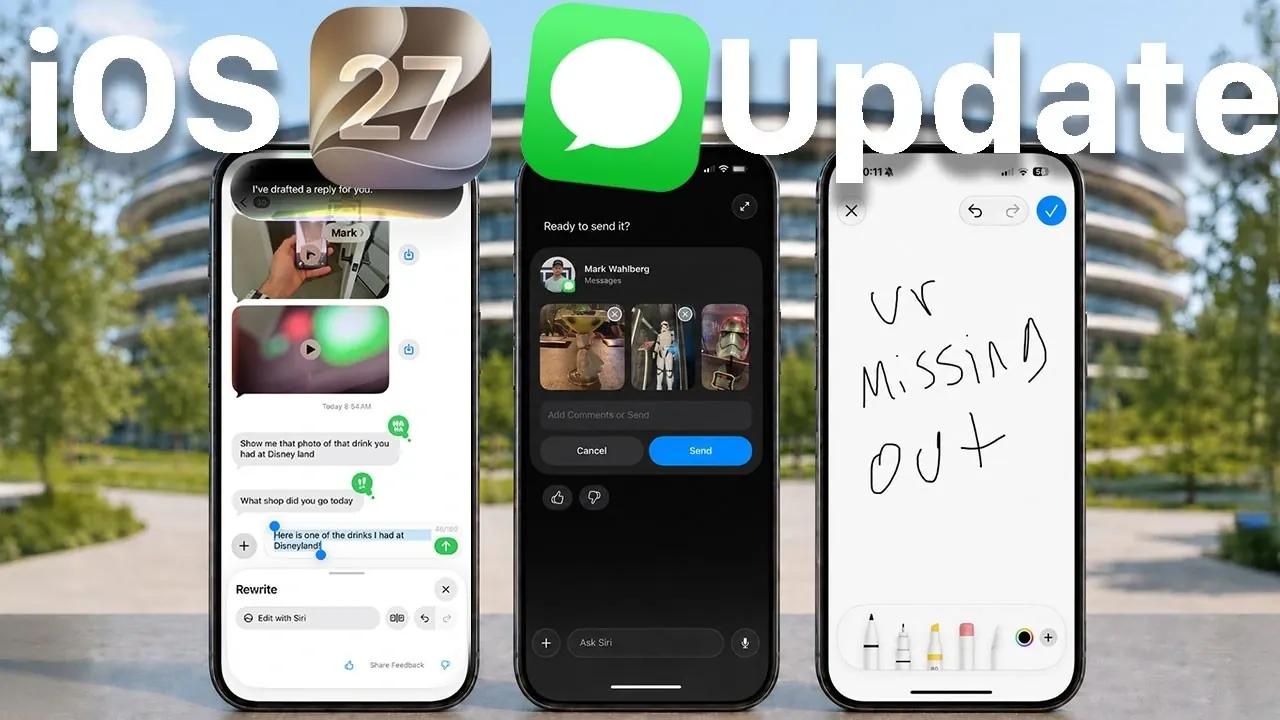
Apple has introduced a series of updates to iMessage with the release of iOS 27, focusing on enhancing user convenience, creativity, and functionality. These updates bring practical tools, creative features, and AI-driven enhancements that aim to streamline communication and improve personalization. Whether you’re managing shared expenses, creating custom emojis, or using smarter Siri assistance, these updates promise a more seamless and efficient messaging experience. The video below from HotshotTek gives us more details on the new features coming in iOS 27.

Effortless Expense Management with Apple Cash
The new Apple Cash bill-splitting feature integrated into iMessage simplifies managing shared expenses. This tool allows you to divide costs directly within a group chat, provided all participants have Apple Cash enabled. Key functionalities include:
- Scanning receipts to calculate totals, taxes and tips automatically.
- Sending payment requests without leaving the conversation.
For example, after a group outing, you can scan the receipt, split the bill and request payments, all within the iMessage app. By eliminating the need for third-party apps, this feature ensures that expense management remains convenient and centralized within the Apple ecosystem.
Personalized Communication with Hand-Drawn Replies
Apple has reintroduced the charm of hand-drawn communication, allowing users to create and send personalized sketches directly in iMessage. This feature, reminiscent of the Apple Watch’s drawing tool, allows you to add a personal touch to your messages. Whether it’s a quick doodle, a heartfelt note, or a playful sketch, this tool encourages more expressive and creative interactions, making conversations feel unique and engaging.
Enhanced Genmoji: Custom Emojis Tailored to You
The Genmoji feature has been significantly upgraded, offering more accurate and personalized emoji creation. Powered by Siri’s AI, this tool allows you to describe emotions, scenarios, or specific details and Siri generates a matching Genmoji.
- Refine your descriptions for even more precise and tailored results.
- Create emojis that align closely with your input, reflecting your mood and style.
This enhancement adds a new level of personalization, making your emojis truly unique and reflective of your personality.
Cleaner Interface with Voice Log Removal
For users seeking a streamlined messaging interface, iOS 27 introduces the option to disable or remove the voice recording button in iMessage. This small yet impactful update reduces the risk of accidental audio recordings, giving you greater control over your messaging experience. By decluttering the interface, Apple ensures that users can focus on their conversations without unnecessary distractions.
Smarter Siri Integration for Contextual Assistance
Siri’s integration within iMessage has been significantly enhanced, offering smarter and more contextual assistance. Siri can now analyze your conversations to suggest relevant actions, such as:
- Sharing photos or links based on the discussion.
- Adding events to your calendar when meetings are mentioned.
- Setting reminders or generating replies that match your writing style and context.
For instance, if a friend mentions a meeting time, Siri can prompt you to create a calendar event, helping you stay organized and streamlining your workflow. These updates make interactions more intuitive and efficient.
Improved Cross-Platform Communication with RCS Support
Apple has enhanced its support for RCS (Rich Communication Services), improving communication with non-iMessage users. Group chats with Android users now function more reliably, making sure consistent message delivery and formatting. These updates bridge the gap between iMessage and other messaging platforms, creating a smoother experience when interacting with “green bubble” contacts. This improvement highlights Apple’s commitment to fostering better cross-platform communication.
Streamlined Sharing for Faster Conversations
Sharing content in iMessage is now faster and more intuitive, thanks to quick sharing enhancements. Users can paste links, images and GIFs directly into conversations with minimal effort. This streamlined process reduces the time spent navigating menus, allowing you to focus on your conversations. For example, sharing a link to an article or a funny GIF can now be done in seconds, making sure that the flow of communication remains uninterrupted and engaging.
A Versatile and User-Friendly Messaging Platform
The iOS 27 updates demonstrate Apple’s dedication to refining the iMessage experience. From practical tools like bill splitting and voice log removal to creative features like hand-drawn replies and Genmoji enhancements, these updates cater to a wide range of user needs. Siri’s contextual assistance and improved RCS support further showcase Apple’s focus on integrating AI-driven solutions and enhancing cross-platform communication. With these updates, iMessage continues to evolve as a versatile, user-friendly and innovative messaging platform, making sure that users can communicate more effectively and creatively than ever before.
Discover other guides from our vast content that could be of interest on iMessage features.
- All the Expected Apple iMessage Updates Coming in iOS 27
- 9 iMessage Features That Will Change the Way You Text Forever in iOS 18
Source & Image Credit: HotshotTek
Disclosure: Some of our articles include affiliate links. If you buy something through one of these links, Geeky Gadgets may earn an affiliate commission. Learn about our Disclosure Policy.
