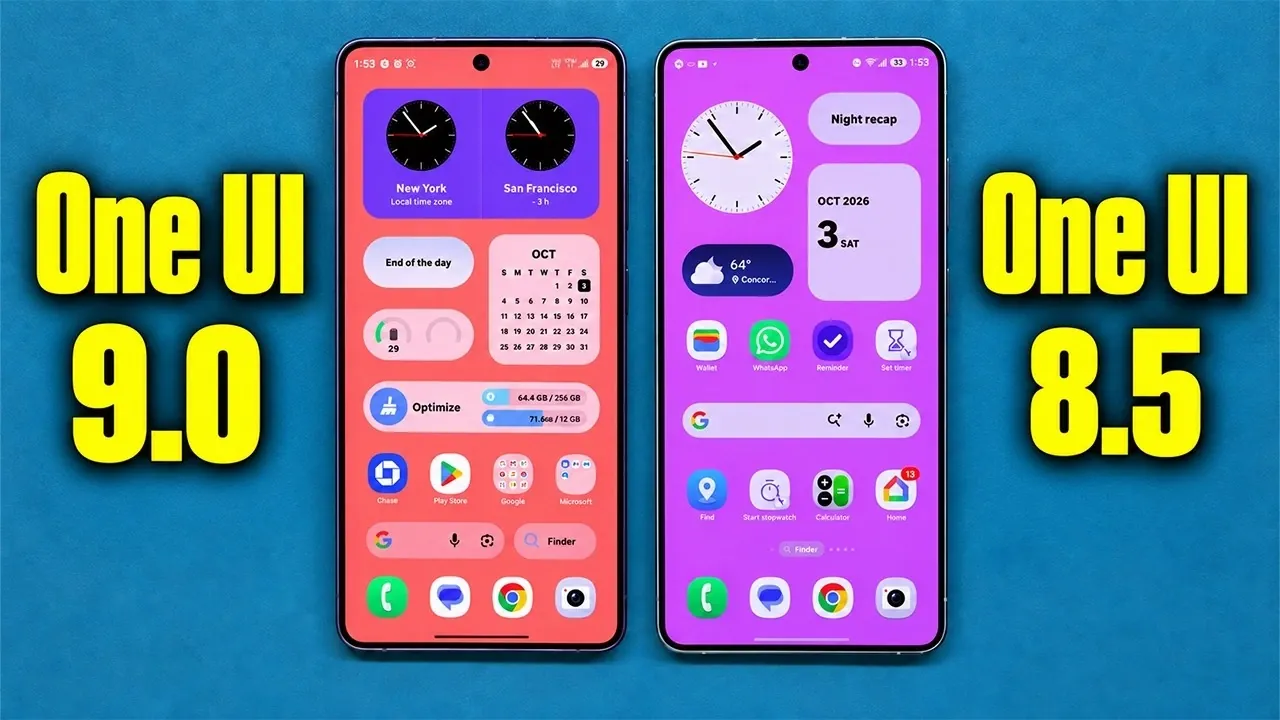
Samsung’s One UI 9.0 builds upon the foundation of One UI 8.5, introducing a host of updates designed to enhance usability, privacy, and customization. With a focus on integrating artificial intelligence (AI) tools, refining the user interface, and improving device management, this update aims to deliver a more seamless and intuitive experience. Whether you’re exploring new AI-driven features, managing privacy settings, or customizing your device, One UI 9.0 offers a range of enhancements that cater to both casual users and tech enthusiasts. The video below from Sakitech gives us more details about the changes in One UI 9.0.

Settings Enhancements
One UI 9.0 introduces a more streamlined approach to device management with the addition of the “Warranty and Care” section. This centralized hub consolidates essential tools, making it easier to monitor and maintain your device. Key features include:
- Access to device coverage details, making sure you stay informed about warranty status.
- Integrated diagnostics for testing hardware components such as the battery, sensors, and display.
- Direct access to repair services, simplifying the process of addressing technical issues.
Additionally, the AI Audit Tool provides a new level of transparency by logging all activities performed by the AI assistant. This feature ensures you remain informed about how AI interacts with your device, offering greater control and fostering trust in automated processes.
AI and Connectivity Features
One UI 9.0 uses AI to improve productivity, connectivity, and safety. The update introduces several innovative tools:
- AI Network Guard: This feature monitors and manages online activities, helping users reduce distractions. It is particularly beneficial for parents who want to oversee their children’s device usage without invasive measures.
- Driving Overview: Using on-device processing, this tool tracks driving behavior and provides weekly insights. By promoting safer driving habits, it ensures privacy while delivering actionable feedback.
These AI-driven features demonstrate Samsung’s commitment to integrating intelligent tools that enhance daily life without compromising user privacy.
Control Panel Improvements
The control panel in One UI 9.0 has been redesigned to offer greater usability and customization options. Notable updates include:
- More intuitive volume and brightness sliders for precise adjustments.
- Independent controls for sound and dark mode, allowing users to manage these settings separately.
- A resizable music controller that optimizes space usage and improves accessibility.
- Simplified processes for adding or removing controls, making customization more straightforward.
These refinements ensure that users can tailor the interface to their preferences, enhancing both functionality and ease of use.
Privacy and Security Enhancements
Privacy remains a core focus in One UI 9.0, with several new features aimed at improving transparency and control over personal data. Key updates include:
- Enhanced microphone usage notifications: Users can now access detailed logs of app activity, making it easier to manage permissions and identify potential privacy concerns.
- Improved privacy indicators: These indicators provide real-time alerts about active app permissions, making sure users are always aware of how their data is being accessed.
By prioritizing privacy, One UI 9.0 enables users to take control of their digital security with minimal effort.
Camera and Media Updates
For content creators, One UI 9.0 introduces the vertical split-screen recording mode, which allows simultaneous use of the front and rear cameras. This feature is ideal for capturing dynamic perspectives, such as vlogs or tutorials, in real time. Additionally, the “My Files” app has been upgraded with enhanced PDF preview functionality, eliminating the need for third-party apps and streamlining document management.
Interface and Usability Changes
One UI 9.0 brings several updates aimed at improving device organization and accessibility. These include:
- Revamped storage management tools that simplify the process of handling large files, duplicates and unused apps.
- Customizable “Now Brief” cards for widgets like weather, health and calendar, allowing users to prioritize relevant information.
- An updated search feature that displays results from both Google Search and Finder simultaneously, enhancing efficiency.
These changes make it easier for users to navigate their devices and access the information they need quickly.
Good Lock Module Updates
Samsung’s Good Lock modules receive significant upgrades in One UI 9.0, offering new customization options and functionality. Highlights include:
- The Quickstar module, which now displays real-time network speed, providing instant insights into connectivity performance.
- Additional customization options for indicator icons, allowing users to personalize their interface further.
These updates enhance the versatility of Good Lock, making it a valuable tool for users who enjoy tailoring their devices to their preferences.
Call Assist Features
The new “Call Brief” feature in One UI 9.0 provides real-time assistance during phone calls. By offering contextual reminders, such as scheduling conflicts or upcoming events, this tool ensures users stay organized and informed while on the phone. This feature is particularly useful for professionals managing busy schedules or multitasking during calls.
Miscellaneous Updates
In addition to major changes, One UI 9.0 includes several smaller updates that refine the overall user experience:
- Graphics in auto-optimization settings have been removed, resulting in a cleaner and more streamlined interface.
- Menus and features have undergone subtle visual and organizational tweaks, improving navigation and usability.
These minor adjustments contribute to a more polished and cohesive user experience, making sure that every aspect of the interface feels intuitive and efficient.
Deep dive into the latest in One UI 9.0 Features by exploring our other resources and articles.
- Why One UI 9’s Subtle Changes Make It Samsung’s Smartest Android 17 Update Yet
- The Hidden One UI 9 Features You Probably Missed
- Samsung Galaxy Phones Receive a 1GB+ Feature Drop Update
- These Hidden One UI 9 Features Will Transform Your Samsung Phone
- How Samsung’s New Software Update Quietly Boosts Galaxy Performance
Source & Image Credit: sakitech
Disclosure: Some of our articles include affiliate links. If you buy something through one of these links, Geeky Gadgets may earn an affiliate commission. Learn about our Disclosure Policy.
