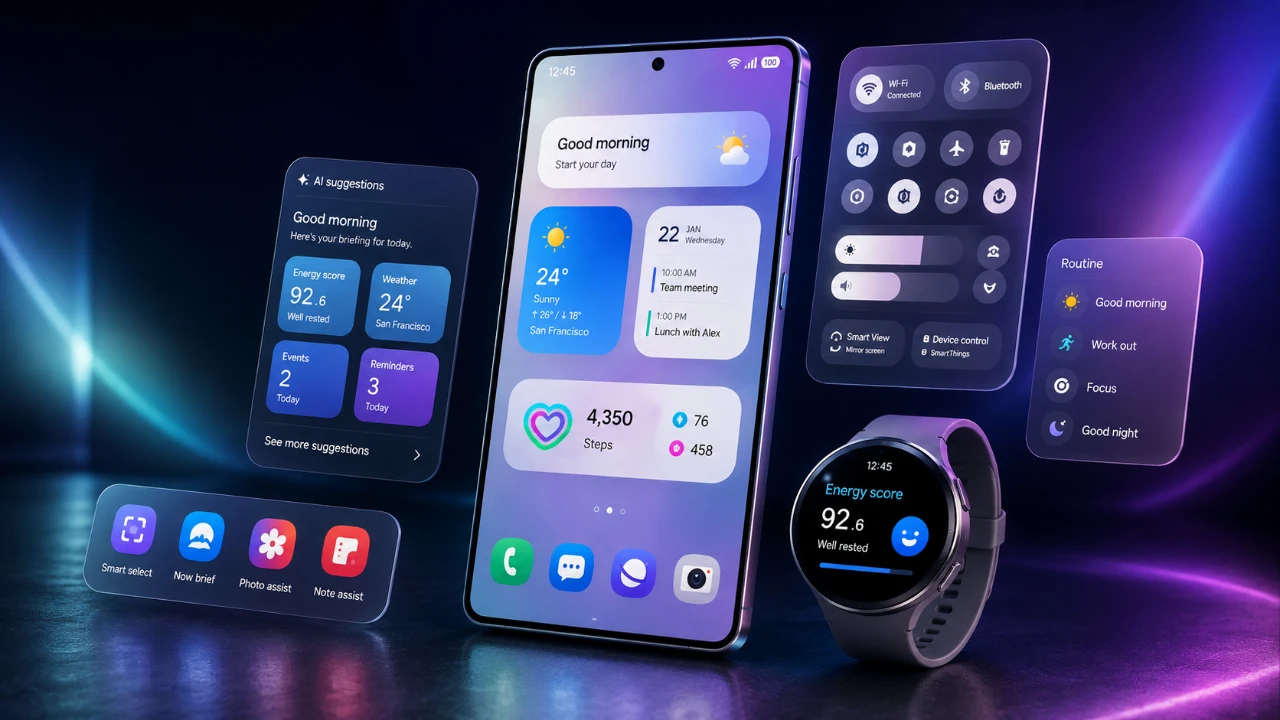
Samsung’s One UI 9 update represents a significant step forward in refining the user experience, blending subtle design enhancements with practical functionality and robust security measures. While the update introduces a host of new features, it also leaves some long-requested additions unaddressed, creating a mix of satisfaction and anticipation for future updates. Below is a detailed exploration of the key aspects of this update, highlighting its strengths and areas for improvement in a great new video from Beebom.

Refreshed User Interface and Smoother Animations
One UI 9 delivers a visually polished interface, emphasizing smoother animations that enhance the overall fluidity of interactions. Subtle yet impactful design changes, such as the semi-transparent app drawer search bar and updated widgets, contribute to a modernized aesthetic while maintaining the familiar layout users appreciate. These refinements create a more cohesive and engaging experience. However, the app-closing animation still lags behind the responsiveness seen in iOS, which may be a minor drawback for users accustomed to faster transitions.
Revamped Notifications and Quick Settings
The notifications and quick settings panel receives a thoughtful redesign, making it more intuitive and visually appealing. Key improvements include:
- Thicker brightness and volume sliders, allowing for easier adjustments with greater precision.
- Customizable toggle placements for frequently used features like dark mode and sound settings, allowing quicker access.
- An updated media player with circular buttons and album art-matching colors, adding a personalized touch to your listening experience.
These updates streamline the process of managing notifications and settings, making sure a more user-friendly interface.
Enhanced Security Features
Security is a central focus of One UI 9, with several new measures designed to protect user data and privacy:
- Increased waiting times for incorrect PIN attempts, effectively deterring brute force attacks.
- An automatic device reset after 13 incorrect PIN entries, safeguarding your data in case of unauthorized access attempts.
- A new lockdown mode accessible via the power menu, which disables biometric unlocks for added security in sensitive situations.
These features underscore Samsung’s commitment to providing a secure environment for its users, addressing both everyday and high-risk scenarios.
Customization and Multitasking Improvements
One UI 9 enhances personalization and multitasking capabilities, making it easier to tailor the device to your preferences and work more efficiently:
- A split-screen multitasking toggle allows you to enable or disable app handles, simplifying navigation between apps.
- Quick settings are now fully customizable, allowing you to prioritize and organize frequently used features for faster access.
These updates provide greater flexibility, making sure the device adapts seamlessly to your workflow and preferences.
Driving Analytics for Safer Commutes
For drivers, the new driving overview feature offers practical insights into driving habits. When connected to your car’s Bluetooth, the device tracks metrics such as driving time and distance, generating weekly reports. This tool helps you monitor your driving behavior, manage time on the road more effectively and promote safer commutes. By providing actionable data, this feature encourages more informed and responsible driving practices.
Accessibility Enhancements for Inclusive Use
Samsung continues to prioritize inclusivity with accessibility updates that cater to diverse user needs:
- Text spotlight improves text visibility, enhancing readability for users with visual impairments.
- Enhanced TalkBack functionality provides better navigation support for visually impaired individuals.
- Single-tap interaction options simplify responses to alarms and calls, making the device more user-friendly for those with motor impairments.
These thoughtful enhancements ensure that One UI 9 remains accessible and functional for all users, regardless of their abilities.
Upgrades to Samsung Apps
Several Samsung apps receive notable updates in One UI 9, catering to a wide range of user needs:
- The camera app now supports vertical split video recording and expanded frame rate options in Pro mode, offering greater creative control for photography enthusiasts.
- Game Booster introduces bypass charging and screenshot resolution adjustments, enhancing the gaming experience.
- Samsung Notes allows users to hide and reveal sections of notes, a feature particularly useful for studying or organizing information.
- Samsung DeX adds a desktop preview feature, improving multitasking capabilities for users who rely on their devices for productivity.
- The Phone app now supports calls from third-party apps like WhatsApp and Google Meet, though some bugs remain to be addressed.
These updates reflect Samsung’s effort to enhance both productivity and entertainment, making sure the device meets the diverse demands of its users.
AI Integration for Smarter Interactions
Artificial intelligence plays an increasingly prominent role in One UI 9, introducing features that enhance usability and personalization:
- Customizable Now Brief cards provide tailored information based on your preferences and habits.
- My Fan Cam automatically reframes videos to focus on specific individuals, making video recording more dynamic and engaging.
- An AI assistant activity page offers transparency into AI-driven actions, helping users understand and manage automated processes.
While these features demonstrate the potential of AI to improve user interactions, some, such as Call Brief, remain under development and are not yet fully functional.
Android 17 Integration
The integration of Android 17 introduces a subtle yet impactful feature: a blue location indicator in the status bar. This addition enhances privacy transparency by providing a clear visual cue whenever your location is actively being used, making sure users remain informed about their data usage.
What’s Still Missing?
Despite its many improvements, One UI 9 omits several highly requested features that users have been anticipating:
- Internet speed meters for real-time network monitoring.
- App locks to enhance privacy and security.
- Dual apps functionality for managing multiple accounts on the same device.
- Battery health monitoring tools to provide insights into long-term battery performance.
These omissions highlight areas where Samsung could further enhance the user experience in future updates.
Overall Assessment
Samsung’s One UI 9 update strikes a balance between refinement and innovation, offering smoother animations, enhanced security and smarter AI integration. It addresses many user needs while leaving room for improvement in areas such as feature inclusion and animation responsiveness. For users who prioritize customization, accessibility, and security, this update delivers meaningful enhancements. However, those seeking specific missing features may need to wait for future iterations as Samsung continues to evolve its software.
Here are more guides from our previous articles and guides related to the Samsung One UI 9 Update that you may find helpful.
- One UI 9: Innovative Features Every Samsung User Needs to Find
- The Hidden One UI 9 Features You Probably Missed
Source & Image Credit: Beebom
Disclosure: Some of our articles include affiliate links. If you buy something through one of these links, Geeky Gadgets may earn an affiliate commission. Learn about our Disclosure Policy.
