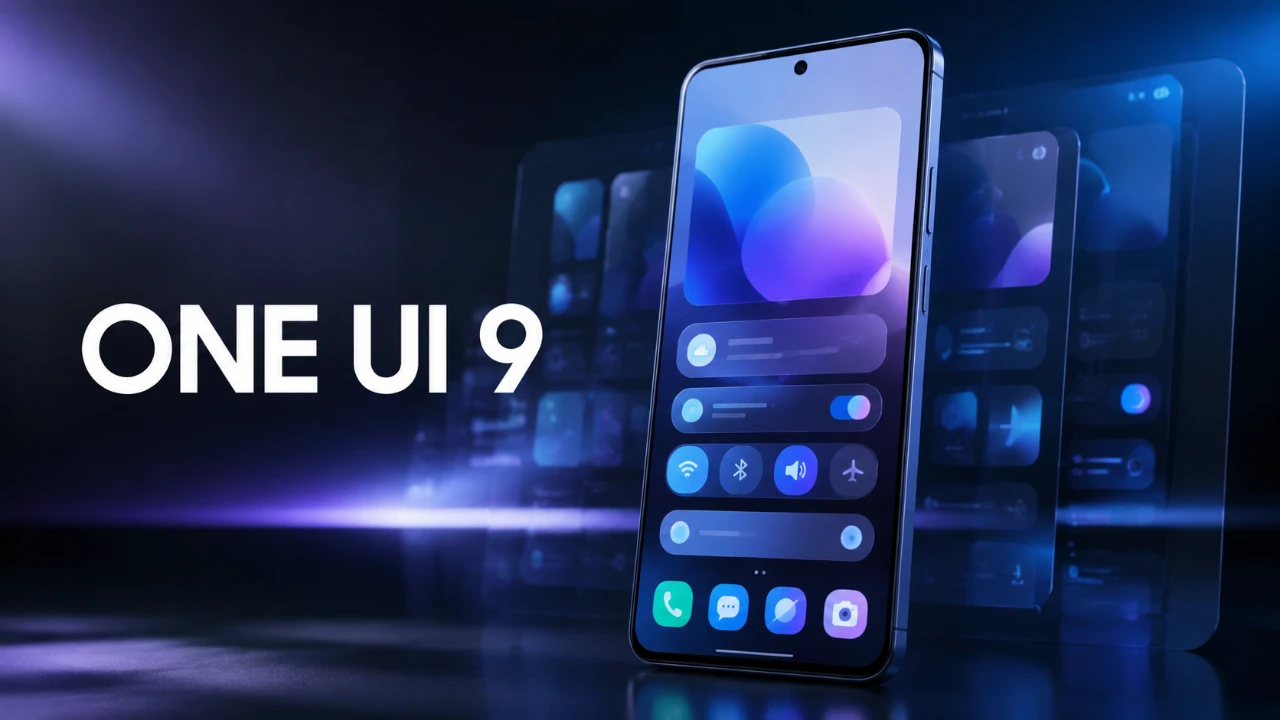
Samsung’s One UI 9 update brings a comprehensive suite of features aimed at improving customization, privacy, and productivity. Whether you’re a tech-savvy enthusiast or an everyday user, this update introduces tools designed to make your smartphone experience more intuitive and efficient. By exploring these enhancements, you can unlock the full potential of your device and tailor it to your unique needs. The video below from HotshotTek gives us more details.

Enhanced Control Center for Better Accessibility
The redesigned control center in One UI 9 offers a more user-friendly and flexible interface, making sure that essential tools are always within reach. Key improvements include:
- Customizable layouts with adjustable toggle sizes, allowing you to prioritize frequently used settings for faster access.
- A standalone dark mode toggle, now independent of the brightness slider, giving you precise control over your device’s appearance.
- A real-time network speed indicator, which displays your current Wi-Fi or cellular data speeds directly in the control center, helpful for monitoring connectivity during downloads or streaming.
- An upgraded media player with smoother animations and adjustable sizes, enhancing usability and visual appeal.
These updates streamline navigation and ensure that your most-used tools are easily accessible, making everyday interactions with your device more seamless.
Privacy and Security: More Transparency, More Control
One UI 9 places a strong emphasis on privacy and security, empowering users to take control of their personal data. The update introduces several features designed to enhance transparency and simplify permission management:
- A privacy indicator that shows which apps are accessing your location, microphone, or camera in real time, helping you make informed decisions about app permissions.
- Streamlined permission management, allowing you to easily review, revoke, or adjust app permissions directly from the settings menu.
- Enhanced security notifications that alert you to potential risks, such as unauthorized access attempts or outdated security settings.
These tools provide greater visibility into how your data is used, making sure that you remain in control of your device’s privacy settings.
Customization Features to Match Your Style
One UI 9 introduces a variety of personalization options that allow you to tailor your device to your preferences and workflow. These features ensure that your smartphone feels uniquely yours:
- Rearrange quick toggle shortcuts in the control center to create a layout that aligns with your usage habits.
- Choose between separating or combining notifications and the control center for a more customized user experience.
- New color palette options that adapt to your wallpaper, giving your device a cohesive and visually appealing look.
- Customizable lock screen widgets, allowing you to display relevant information such as weather, calendar events, or music controls at a glance.
These enhancements make it easier to create a device experience that reflects your personal style and needs.
Camera Upgrades for Photography Enthusiasts
Photography and video creation receive significant attention in One UI 9, with new features designed to elevate your content creation capabilities. Highlights include:
- A 24-megapixel resolution option, delivering sharper and more detailed photos for professional-quality results.
- Super steady video mode with horizontal lock, making sure smooth and stable footage even during motion or handheld shooting.
- Dual-camera recording, allowing simultaneous use of the front and rear cameras, ideal for vloggers or dynamic content creation.
- Improved document scanning with automatic detection and filters, making it easier to digitize physical documents with clarity.
- AI-powered subject tracking, which keeps your subject in focus even when moving, perfect for capturing action shots or social media content.
These upgrades make One UI 9 a powerful tool for both casual photographers and professional creators, allowing you to capture and share moments with ease.
Photo Gallery: Smarter Organization
Managing your photo library becomes more intuitive with the latest updates to the gallery app. These features are designed to save time and improve accessibility:
- Categorized screenshots, automatically organizing images into folders based on their content, such as shopping receipts or app screenshots.
- Text-based search functionality, allowing you to locate screenshots or photos by searching for text within the image.
- Enhanced photo editing tools, including AI-powered suggestions for cropping, filters and adjustments to improve image quality.
These tools simplify the process of organizing and finding your photos, making sure that your library remains neat and easy to navigate.
Creative Tools for Personalization
One UI 9 encourages creativity by offering tools that let you add a personal touch to your communications and interactions. Key features include:
- Custom profile cards for outbound calls, which you can personalize with images, text and colors to make your calls more distinctive.
- Event invitation templates, allowing you to design and send customized invitations directly from your device for birthdays, meetings, or celebrations.
- New emoji and sticker packs, giving you more ways to express yourself in messages and social media posts.
These features make it easier to stay connected and express your personality in unique and engaging ways.
Productivity Tools for Work and Beyond
For users who rely on their smartphones for productivity, One UI 9 introduces several enhancements that make your device a more powerful tool for work and personal tasks:
- Smartphone-as-webcam functionality, allowing you to use your device as a high-quality webcam via USB, ideal for video calls, virtual meetings, or live streaming.
- A redaction tool for securely editing and sharing documents, allowing you to hide sensitive information before sending files.
- Driving reports that track mileage, speed and routes, providing valuable analytics for frequent drivers or work-related travel.
- Improved multitasking features, including enhanced split-screen and pop-up view modes, making it easier to manage multiple tasks simultaneously.
These tools enhance your device’s versatility, making it a reliable companion for both professional and personal use.
Elevate Your Smartphone Experience
Samsung’s One UI 9 is a feature-rich update that caters to a wide range of users, from privacy-conscious individuals to creative professionals and productivity-focused users. By exploring these hidden features, you can unlock new possibilities for customization, security and efficiency. Whether you’re capturing memories, managing your workflow, or personalizing your device, One UI 9 offers tools that make your smartphone experience more intuitive, secure and tailored to your needs.
Enhance your knowledge on Samsung One UI 9 by exploring a selection of articles and guides on the subject.
- Why One UI 9’s Subtle Changes Make It Samsung’s Smartest Android 17 Update Yet
- One UI 9 Beta Features Revealed: Here’s Every New Change
- The Hidden One UI 9 Features You Probably Missed
- One UI 8.5 vs One UI 9: the Biggest Upgrades You Might Miss
- Is Your Samsung Eligible for One UI 9? How to Install Android 17 Today
- Galaxy Z Fold 8 vs. Fold 8 Ultra: Wide Screen vs. Productivity Workspace
Source & Image Credit: HotshotTek
Disclosure: Some of our articles include affiliate links. If you buy something through one of these links, Geeky Gadgets may earn an affiliate commission. Learn about our Disclosure Policy.
