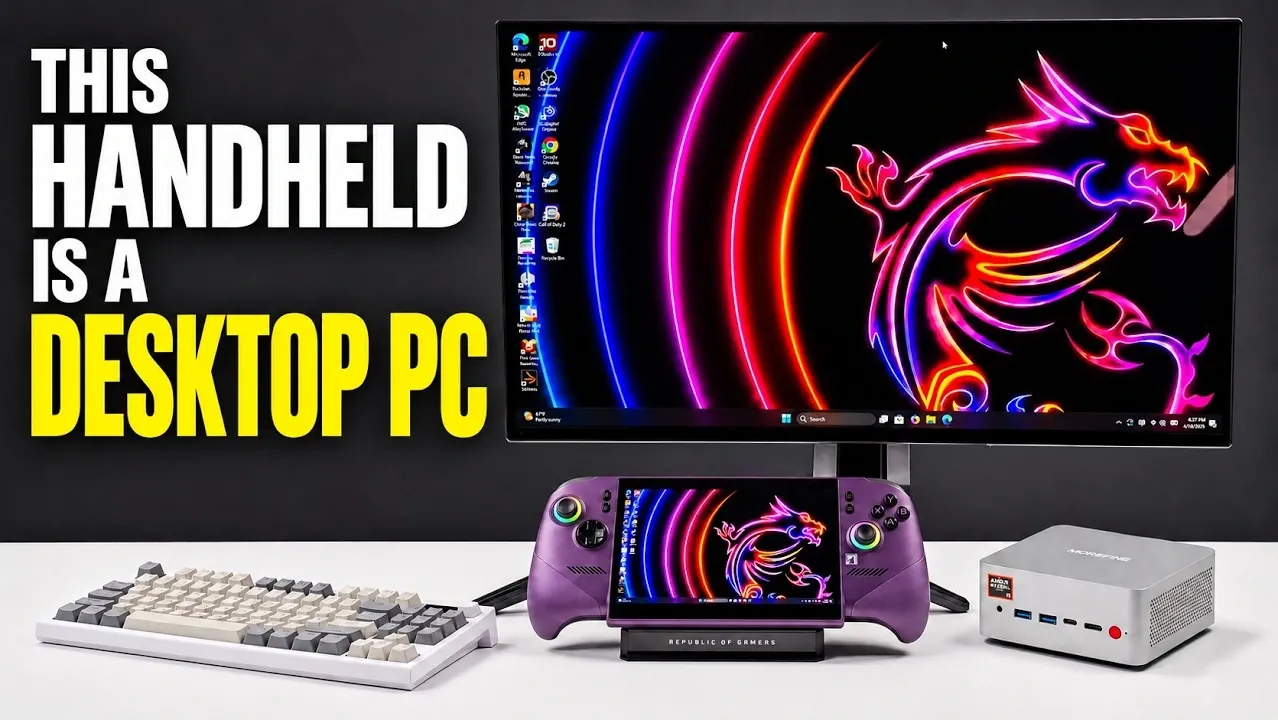
Four simultaneous 4K streams ran at 60fps without dropped frames on the MSI Claw 8 EX AI+. ETA Prime also used the handheld gaming PC for browsing and document editing, and found it capable of everyday desk work. A compatible monitor connects directly over USB-C, while a mouse and keyboard provide desktop controls. Follow along as we explore the connections, everyday performance and external-monitor gaming results behind using the same machine at your desk and in your hands.
MSI Claw 8 EX AI+ as a Desktop PC
TL;DR Key Takeaways :
- The Claw played four 4K 60fps streams simultaneously in Chrome with zero dropped frames.
- The Claw led the Ryzen HX 370 mini PC by 74% in PCMark 10 productivity.
- The Ryzen HX 370 mini PC led the Claw by 29% in multicore Cinebench 2026.
- In 3DMark Time Spy, the Claw scored up to 6,538 at 35 watts versus around 3,518 for the mini PC at 45-55 watts.
- Forza Horizon 6 averaged around 71 fps at 1440p high settings with XeSS quality on an external monitor.
The MSI Claw 8 EX AI+ is a handheld gaming PC with an Intel Arc G3 Extreme and 32GB of RAM. It can connect to a larger display and peripherals for desktop use. Against a mini PC, the Claw led in graphics and productivity tests, while the mini PC led in multicore Cinebench.
The comparison used a MOREFINE mini PC with an AMD Ryzen AI 9 HX 370 and Radeon 890M integrated graphics. Its processor has 12 cores and 24 threads, while the G3 Extreme has 14 cores and 14 threads.
Connect a Display and Desktop Peripherals
A monitor with USB Type-C video input connects directly to a port on top of the handheld. A USB Type-C-to-HDMI hub is another display option, typically adding Ethernet and extra USB ports, while a dock can hold the connections for a desk setup. With wall power, you can run performance mode all day without battery-life concerns.
The Claw can mirror its screen on the monitor or extend the desktop across both displays. Its touchscreen can control the operating system, but ETA Prime recommends a mouse and keyboard for desktop use. An inexpensive wireless Logitech set worked when plugged directly into the handheld.
Browsing and Four 4K Streams Run Smoothly
The Claw has enough power for web browsing, email and document editing, and its 32GB of RAM also leaves room for some photo and video editing. Browsing felt quick during use over Wi-Fi.
In a playback test, the Claw ran four 4K 60fps streams of Big Buck Bunny in separate Chrome tabs, with YouTube’s Stats for Nerds showing zero dropped frames on all four. ETA Prime expects the handheld could handle six streams without dropped frames, with hardware acceleration from the Intel Arc B390 helping playback.

Discover other guides from our vast content that could be of interest on MSI Claw 8 EX AI+.
- MSI Claw 8 EX Hits 61% Higher Frame Rates vs ROG Ally X20
- How to Install Valve’s SteamOS on the MSI Claw 8 AI+ Handheld
- SteamOS 3.10 on MSI Claw Ex AI Plus Lacks Intel XMX Drivers
- MSI Claw A8 vs MSI Claw 8ai+ : Same 8-inch 120Hz Screen, Different Chips
CPU and Productivity Results Vary by Task
The Claw stayed close to the HX 370 in some CPU tests and led substantially in productivity, though the mini PC pulled ahead in multicore Cinebench. The comparison ran with the G3 Extreme at a 35-watt TDP; its PL2 boost reaches around 45 watts but does not stay there long. The HX 370 was set to 54 watts in performance mode and runs at 45 to 55 watts continuously.
- Geekbench 6: The HX 370 led by 4% in single-core and about 6% in multicore.
- Blender CPU: The HX 370 scored 288, about 12% ahead.
- PCMark 10 essentials: The HX 370 led by about 5%.
- PCMark 10 productivity: The Claw led by 74%, and by about 4% in digital content creation.
- Cinebench 2026: The Claw led single-core by about 3%; the HX 370 led multicore by 29%.
ETA Prime ran the PCMark 10 productivity test three times to check the large result.
Integrated Graphics Lead in Time Spy
The Claw’s integrated GPU had a substantial lead in the synthetic 3DMark Time Spy benchmark. At 35 watts, it scored up to 6,538, compared with around 3,518 for the HX 370 mini PC at 45 to 55 watts.
ETA Prime has seen the Claw reach around 7,000 with tweaking, and higher HX 370 scores with much faster memory.
A Larger Monitor Opens Up 1440p Gaming
The Claw’s built-in display tops out at 1200p, but games can run at higher resolutions on an external monitor. With the handheld plugged into wall power, Forza Horizon 6 averaged around 71 fps at 1440p high settings with XeSS set to quality.
Spider-Man 2 ran at 1440p high with FSR frame generation on, though the game does not support XeSS frame generation. To play without frame generation, you need to drop to 1080p medium with XeSS set to balanced.
In Cyberpunk 2077, the Claw averaged in the high 90s fps at 1440p ultra with XeSS multi-frame generation set to 3x and the G3 Extreme at 35 watts. The game also offers 2x and 4x settings. That frame rate includes generated frames and comes from the handheld’s integrated graphics, with no dedicated GPU.
In our view, the telling point is the power gap. A handheld held to a lower power limit stays close to a mini PC that draws more, which says more about its efficiency than any single benchmark score does. The HX 370 sustains 45 to 55 watts, yet its Geekbench leads were only 4% and about 6%. We think this suits people who want a handheld anyway and need a desk setup for browsing, documents and light editing. It is less right for anyone whose desktop must handle sustained multicore work, where the mini PC pulls ahead.
ETA Prime’s verdict is that the MSI Claw 8 EX AI+ could make sense when your budget cannot stretch to both a handheld and a separate desktop. Everyday desktop tasks and docked gaming can share the same machine, rather than requiring a second PC. For workloads centered on multicore CPU performance rather than gaming, however, the tested HX 370 mini PC retains the advantage, with a 29% lead in multicore Cinebench.
Media Credit: ETA PRIME
Disclosure: Some of our articles include affiliate links. If you buy something through one of these links, Geeky Gadgets may earn an affiliate commission. Learn about our Disclosure Policy.
